1. Einleitung
Vielen Dank für Ihren Einkauf.asing the Sharp KI-TX75-W Humidifying Air Purifier. This appliance is designed to improve your indoor air quality through advanced air purification and humidification technologies. It features Plasmacluster NEXT for high-density ion emission, AI AUTO mode for intelligent operation, Coanda flow for efficient dust collection, an AI monitor for real-time air quality feedback, and COCORO AIR for smart control via a smartphone app.
This manual provides essential information for the safe and efficient use, maintenance, and troubleshooting of your air purifier. Please read it thoroughly before use and keep it for future reference.
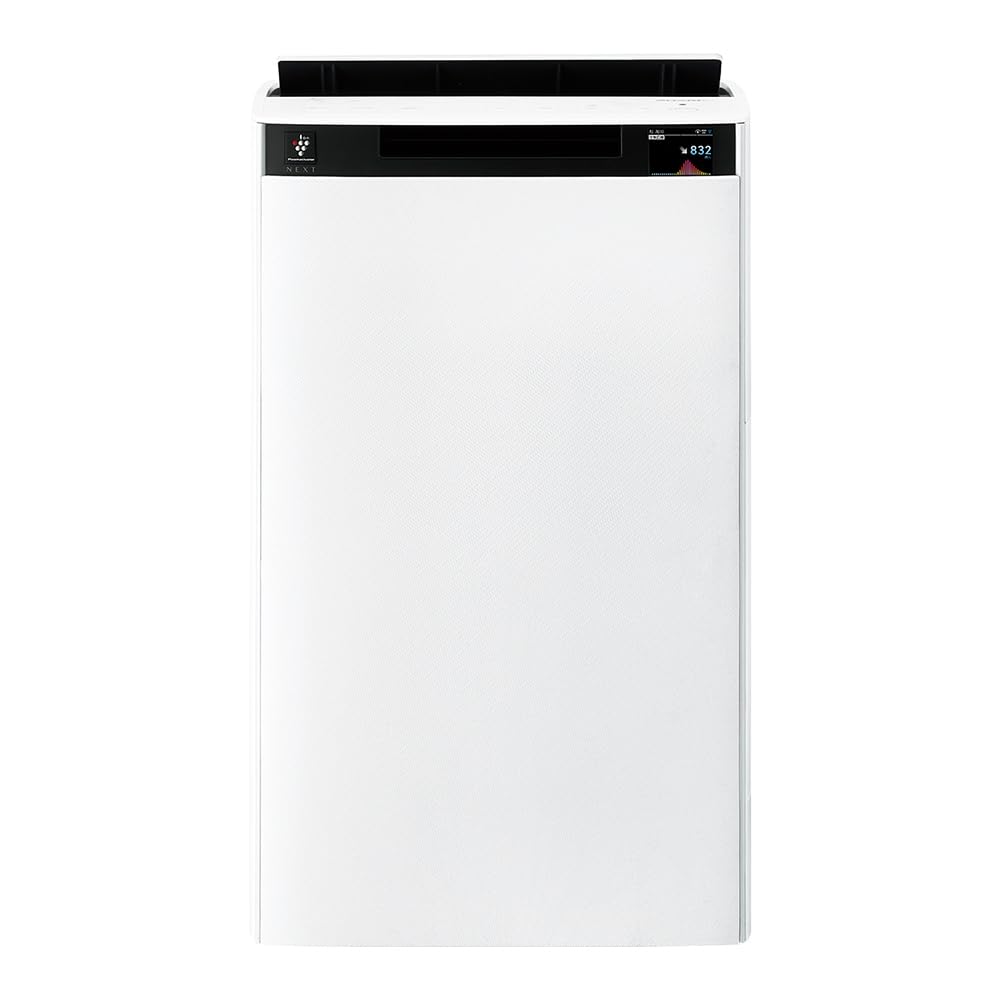
Front view of the Sharp KI-TX75-W Humidifying Air Purifier.
2. Sicherheitshinweise
Um einen sicheren Betrieb zu gewährleisten und Schäden zu vermeiden, beachten Sie bitte die folgenden Sicherheitsvorkehrungen:
- Verwenden Sie das Gerät stets mit der korrekten Lautstärke.tage wie auf dem Bewertungsetikett angegeben.
- Die Lufteinlass- und -auslassöffnungen dürfen nicht blockiert werden.
- Halten Sie das Gerät von Wasser und Feuchtigkeit fern. Bedienen Sie es nicht mit nassen Händen.
- Ziehen Sie vor der Reinigung oder Durchführung von Wartungsarbeiten den Netzstecker.
- Erlauben Sie Kindern nicht, das Gerät unbeaufsichtigt zu bedienen.
- Wenn das Netzkabel beschädigt ist, muss es vom Hersteller, seinem Kundendienst oder einer ähnlich qualifizierten Person ersetzt werden, um Gefahren zu vermeiden.
- Führen Sie keine Fremdkörper in die Öffnungen ein.
- Stellen Sie das Gerät auf eine stabile, ebene Fläche.
3. Einrichtung
3.1 Auspacken und Aufstellen
- Nehmen Sie den Luftreiniger vorsichtig aus der Verpackung.
- Choose a location with adequate space around the unit for optimal airflow. Avoid placing it directly against walls or furniture.
- Ensure the unit is placed on a flat, stable surface. The built-in casters with stoppers allow for easy movement and secure positioning.

The unit features casters with stoppers for convenient movement and secure placement.
3.2 Filterinstallation
The unit comes with pre-installed filters. Verify they are correctly seated before first use.
- Open the back panel of the air purifier.
- Ensure the HEPA filter, deodorizing filter, and pre-filter are securely in place.
- Schließen Sie die Rückwand.

The air purifier utilizes a three-layer filter system: pre-filter, deodorizing filter, and HEPA filter.
3.3 Füllen des Wassertanks
For humidification, fill the water tank with clean tap water.
- Nehmen Sie den Wassertank von der Seite des Geräts ab.
- Open the water tank cap and fill it with fresh tap water.
- Verschließen Sie den Deckel fest und setzen Sie den Wassertank wieder in das Gerät ein.

Remove the water tank from the side of the unit to fill it with water.
3.4 Erstes Einschalten und Netzwerkverbindung
- Stecken Sie das Netzkabel in eine Steckdose.
- Drücken Sie den Netzschalter auf dem Bedienfeld.
- To utilize smart features, download the COCORO AIR app on your smartphone and follow the in-app instructions to connect the air purifier to your wireless LAN network.
4. Bedienungsanleitung
4.1 Bedienfeld vorbeiview

The control panel allows selection of various modes and settings.
4.2-Betriebsmodi
- AI AUTO Mode: This intelligent mode automatically adjusts operation based on detected air quality, aiming for a cleanroom Class 8 level environment. It optimizes airflow to effectively collect pollen, dust, and fine particles.
- Luftreinigungsmodus: Operates solely as an air purifier, removing airborne particles and odors.
- Befeuchtungsmodus: Adds moisture to the air while purifying. The unit can deliver up to 900 mL/h of humidification.
- Plasmacluster NEXT: This technology generates high-density Plasmacluster ions (50,000 ions/cm³) to suppress airborne and adhering viruses, allergens, and odors.

AI AUTO mode significantly reduces airborne particles to maintain a clean environment.
4.3 AI Monitor
The AI Monitor visualizes the number of particles in the room and provides feedback on air quality. It displays real-time particle counts and indicates when the air is clean or needs purification.

The AI Monitor provides a visual representation of airborne particle levels.
The AI Monitor also provides notifications for humidification status, maintenance timing, and estimated electricity costs.

Notifications include humidification status, maintenance alerts, and electricity usage.
4.4 COCORO AIR App
Connect your air purifier to the COCORO AIR app via Wi-Fi for enhanced control and monitoring. The app allows you to:
- Monitor air quality and operating status remotely.
- Customize operation schedules and settings.
- Receive notifications for filter replacement and maintenance.
- Access special operating modes, such as pet-specific modes.

The COCORO AIR app provides remote control and monitoring capabilities.
5. Wartung
Regelmäßige Wartung gewährleistet optimale Leistung und verlängert die Lebensdauer Ihres Luftreinigers.
5.1 Filterreinigung und -austausch
- Vorfilter: Clean regularly (e.g., once a month) by vacuuming or washing with water.
- HEPA Filter & Deodorizing Filter: These filters are not washable. Replace them according to the recommended schedule (typically every 1-2 years, depending on usage and environment). The COCORO AIR app will notify you when replacement is due.
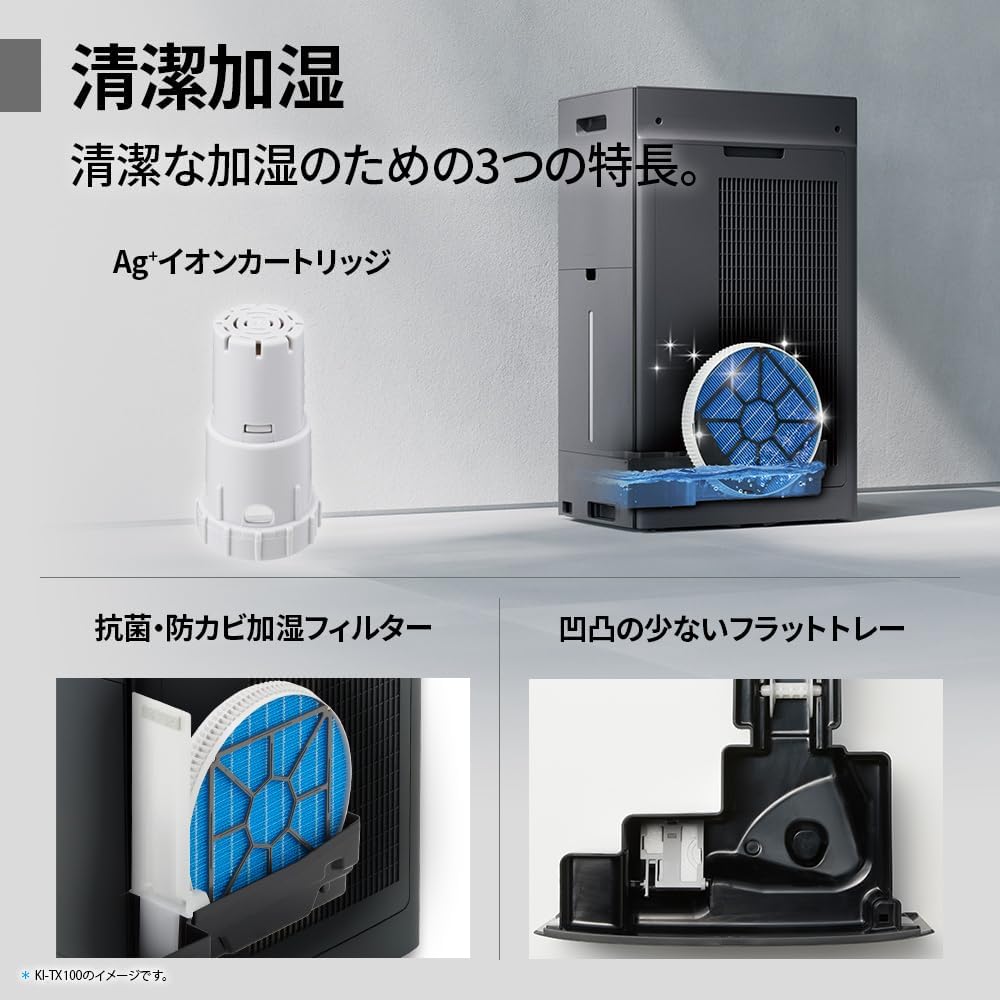
Regularly clean the pre-filter to maintain air purification efficiency.
5.2 Humidifying Filter Maintenance
The humidifying filter can be automatically cleaned using the unit's internal cleaning function. This helps prevent scale buildup.
- Remove the water tank and humidifying filter assembly.
- Add a small spoon of citric acid (commercially available) to the water tank and fill with water.
- Press the internal humidification cleaning button on the unit.
- After the cleaning cycle, rinse the tank and filter thoroughly.

The humidifying filter can be automatically cleaned using citric acid and water.
5.3 Ag+ Ion Cartridge Replacement
The Ag+ ion cartridge helps keep the water in the tank clean. Replace it approximately once a year.

Replace the Ag+ ion cartridge annually for optimal water tank hygiene.
6. Fehlerbehebung
Sollten Sie Probleme mit Ihrem Luftreiniger haben, beachten Sie bitte die folgenden häufigen Probleme und Lösungen:
| Problem | Mögliche Ursache | Lösung |
|---|---|---|
| Gerät lässt sich nicht einschalten. | Das Netzkabel ist nicht richtig angeschlossen. Es kommt kein Strom aus der Steckdose. | Überprüfen Sie den Anschluss des Netzkabels. Testen Sie die Steckdose mit einem anderen Gerät. |
| Schwacher Luftstrom oder mangelhafte Luftreinigung. | Filters are dirty or clogged. Air intake/outlet blocked. | Clean or replace filters. Ensure vents are clear. |
| No humidification or low humidity output. | Water tank is empty. Humidifying filter is dirty. | Refill water tank. Clean the humidifying filter. |
| Ungewöhnliche Geräusche während des Betriebs. | Unit not on a level surface. Foreign object in fan. | Ensure unit is stable. Check for obstructions (unplug first). |
| AI Monitor shows high particle count despite operation. | Filters need cleaning/replacement. Room size exceeds recommended area. | Perform filter maintenance. Consider unit placement or additional units for larger spaces. |
Wenn das Problem nach dem Ausprobieren dieser Lösungen weiterhin besteht, wenden Sie sich bitte an den Kundensupport.
7. Spezifikationen
| Besonderheit | Spezifikation |
|---|---|
| Modellnummer | KI-TX75-W |
| Marke | Scharf |
| Abmessungen (B x T x H) | 39.5 cm x 26.5 cm x 65 cm |
| Gewicht | 12 kg |
| Stromquelle | Kabelgebundene Elektrik |
| Geräuschpegel | 20-52 dB |
| Recommended Room Size (Plasmacluster) | Up to 18 tatami (~29.7 m²) |
| Recommended Room Size (Air Purification) | Up to 34 tatami (~56.1 m²) |
| Maximum Humidification Capacity | 900 ml / h |
| Air Purification Time (8 tatami) | 9 Мinuten |
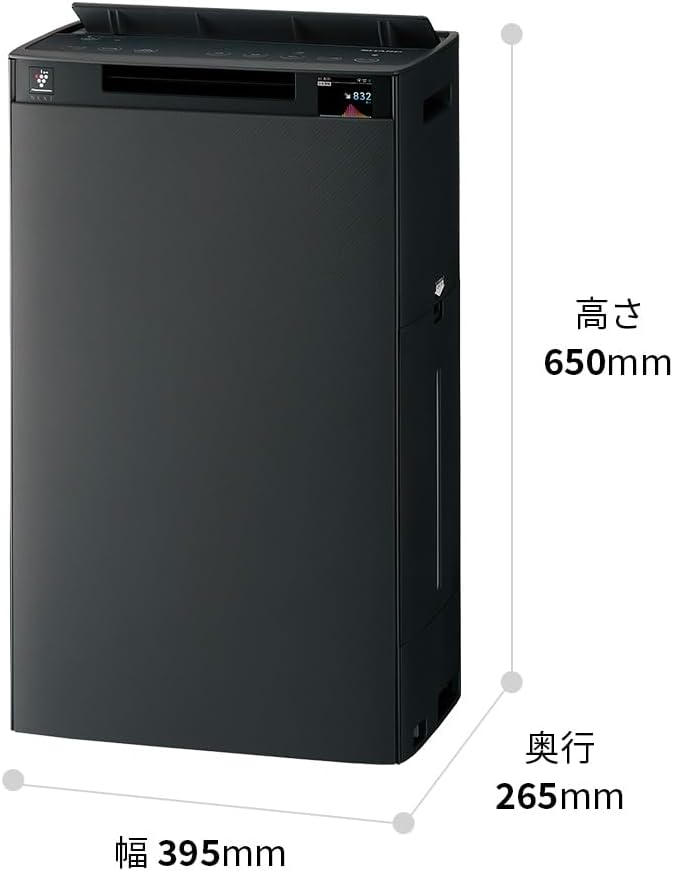
Detailed dimensions of the Sharp KI-TX75-W.
8. Garantie und Support
8.1 Herstellergarantie
This Sharp KI-TX75-W Humidifying Air Purifier comes with a 1 Jahr Herstellergarantie Diese Garantie gilt ab Kaufdatum und deckt Material- und Verarbeitungsfehler bei normalem Gebrauch ab. Bitte bewahren Sie Ihren Kaufbeleg für Garantieansprüche auf.
Die Garantie deckt keine Schäden ab, die durch Missbrauch, Unfälle, unbefugte Änderungen oder Nichtbeachtung der Anweisungen in diesem Handbuch verursacht wurden.
8.2 Kundendienst
For technical assistance, warranty service, or inquiries about replacement parts, please contact Sharp customer support.
You can find additional support resources and FAQs on the official Sharp webWebsite:


