1. Einleitung
Thank you for choosing the HyperGear 10,000mAh Portable Power Bank. This device is designed to provide reliable and fast charging for your mobile devices on the go. With its high capacity, dual charging ports, and intelligent LED display, it ensures your devices stay powered throughout your day. Please read this manual carefully before use to ensure optimal performance and safety.
2. Sicherheitshinweise
Um einen sicheren Betrieb zu gewährleisten und Schäden zu vermeiden, beachten Sie bitte folgende Vorsichtsmaßnahmen:
- Setzen Sie die Powerbank keinen extremen Temperaturen (über 45 °C/113 °F oder unter 0 °C/32 °F), direkter Sonneneinstrahlung oder hoher Luftfeuchtigkeit aus.
- Das Gerät darf nicht auseinandergenommen, verändert oder repariert werden. Dadurch erlischt die Garantie und es können Schäden entstehen.
- Von Wasser und anderen Flüssigkeiten fernhalten.
- Vermeiden Sie das Fallenlassen oder starke Stöße auf die Powerbank.
- Verwenden Sie ausschließlich zertifizierte Ladekabel und Adapter.
- Außerhalb der Reichweite von Kindern aufbewahren.

Image: The HyperGear Power Bank features SmartChip technology for comprehensive protection against overcharge, overvoltage, short circuits, and temperature fluctuations, ensuring safe charging for your devices.
3. Packungsinhalt
Bitte prüfen Sie das Paket auf folgende Artikel:
- HyperGear 10,000mAh Portable Power Bank
- USB-C zu USB-C Ladekabel
- Benutzerhandbuch (dieses Dokument)

Image: The product packaging, illustrating the HyperGear 10,000mAh Power Bank and its key features, including 38W Next-Gen Portable Power Delivery and +35 hours extra battery life.
4. Produktüberschreitungview
The HyperGear 10,000mAh Power Bank is designed for portability and efficiency. It features a compact design with a digital LED display for battery status and multiple charging ports.
- USB-C-PD-Port: For fast input and output charging.
- USB-A-Anschluss: Für Standard-Ladeausgangsladung.
- LED-Digitalanzeige: Zeigt die verbleibende Akkuladung in Prozent antage.
- Netzschalter: Aktiviert das Display und startet den Ladevorgang.

Abbildung: Eine Vorderseite view of the HyperGear 10,000mAh Portable Power Bank, highlighting its digital LED display showing '100' for full charge, and the HyperGear branding.

Image: This graphic illustrates the key features of the Power Pack Pro Series, including 45% more charging power, a digital battery display, and an ultra-compact design, with the power bank shown from an angled perspective.

Image: The HyperGear Power Bank is displayed alongside common items like a smartphone, a wallet, and keys, demonstrating its compact and pocket-sized dimensions of 2.4 x 3.2 x 1.03 inches.
5. Einrichtung
Erstladung der Powerbank
Before first use, fully charge your HyperGear Power Bank. This ensures optimal battery performance and longevity.
- Verbinden Sie das mitgelieferte USB-C-zu-USB-C-Kabel mit dem USB-C-PD-Anschluss der Powerbank.
- Connect the other end of the cable to a compatible USB-C wall charger (not included). For fastest charging, use a 20W or higher USB-C PD charger.
- The LED display will show the charging progress, increasing von 0 bis 100.
- Once the display shows '100', the power bank is fully charged and ready for use.
6. Bedienungsanleitung
Aufladen Ihrer Geräte
The power bank supports fast charging for compatible devices via its USB-C PD port and standard charging via its USB-A port.
- Verbinden Sie das Ladekabel Ihres Geräts mit dem entsprechenden Anschluss der Powerbank (USB-C oder USB-A).
- Verbinden Sie das andere Ende des Kabels mit Ihrem Gerät.
- Die Powerbank beginnt automatisch mit dem Laden Ihres Geräts. Das LED-Display zeigt den verbleibenden Akkustand der Powerbank in Prozent an.tage.
- Um den Ladevorgang zu beenden, trennen Sie einfach das Kabel von Ihrem Gerät oder der Powerbank.
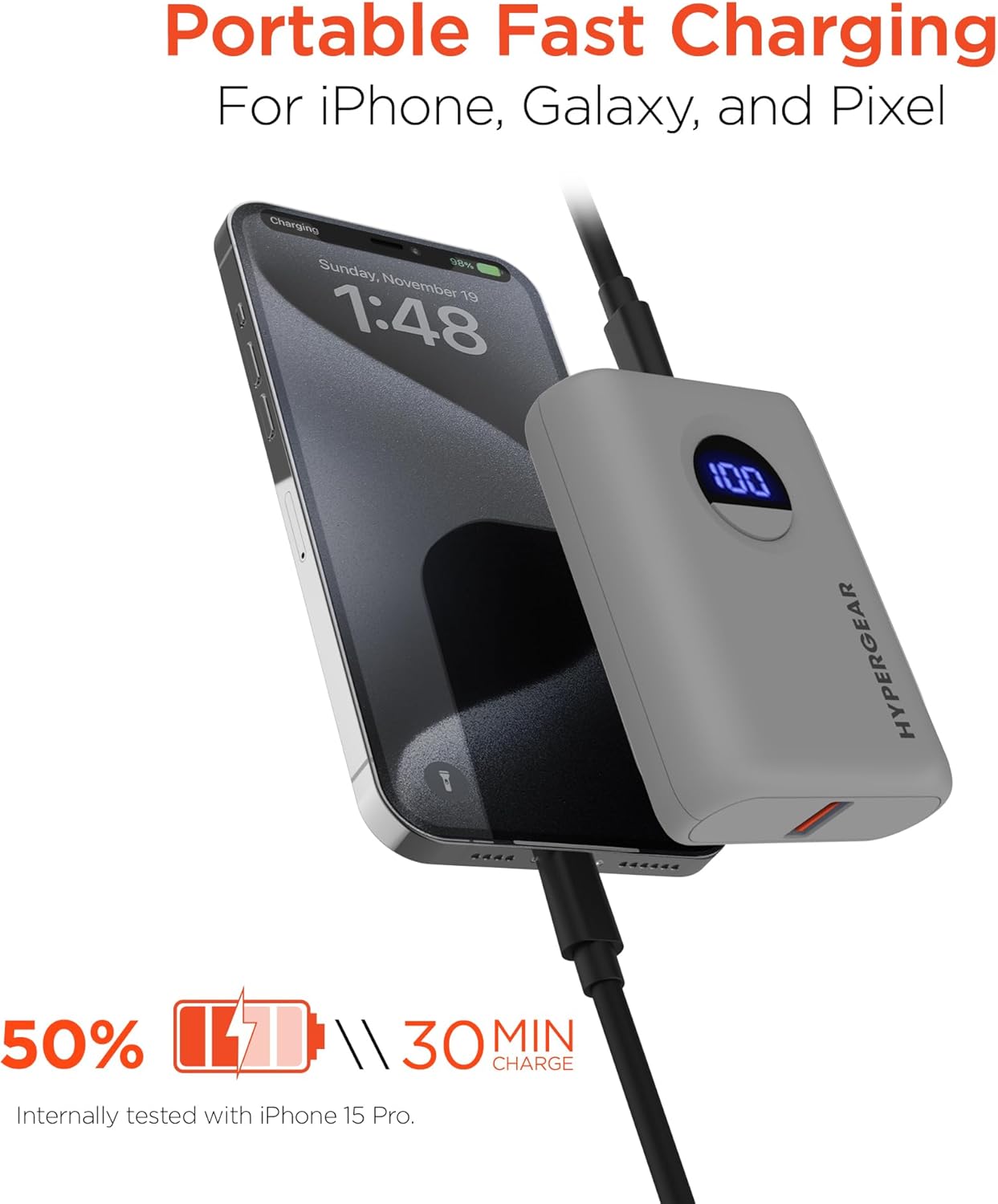
Image: The HyperGear Power Bank is shown connected to an iPhone via a charging cable, demonstrating its portable fast charging capability. The image highlights that it can charge 50% in 30 minutes, based on internal testing with an iPhone 15 Pro.
Dual Device Charging
Sie können zwei Geräte gleichzeitig über die USB-C- und USB-A-Anschlüsse aufladen.
- Connect the first device to the USB-C PD port.
- Connect the second device to the USB-A port.
- Both devices will charge concurrently.

Image: This image demonstrates the dual high-speed charging capability of the HyperGear Power Bank, showing it simultaneously charging a smartphone and a pair of wireless earbuds. It also highlights universal compatibility with various devices like iPhones, Androids, Earbuds, Watches, Cameras, Speakers, and Controllers.
Überprüfen des Batteriestands
Press the power button once to activate the LED digital display, which will show the current battery percentage der Powerbank.
7. Wartung
Durch die richtige Pflege verlängern Sie die Lebensdauer Ihrer Powerbank:
- Reinigen Sie die Powerbank mit einem weichen, trockenen Tuch. Verwenden Sie keine scharfen Chemikalien oder Scheuermittel.
- Bei Nichtgebrauch an einem kühlen, trockenen Ort aufbewahren.
- Bei längerer Lagerung sollte die Powerbank alle 3 Monate auf etwa 50 % aufgeladen werden, um die Batterieleistung zu erhalten.
8. Fehlerbehebung
| Problem | Mögliche Ursache | Lösung |
|---|---|---|
| Powerbank lädt nicht | Kabel- oder Adapterproblem; Powerbank vollständig geladen; Anschluss defekt. | Try a different cable or wall adapter. Check if the power bank is already at 100%. Try a different port if available. |
| Gerät wird nicht über die Powerbank aufgeladen | Power bank battery low; cable issue; device compatibility. | Laden Sie die Powerbank auf. Versuchen Sie ein anderes Ladekabel. Stellen Sie sicher, dass Ihr Gerät mit USB-Laden kompatibel ist. |
| Langsames Laden | Cable quality; device not supporting fast charge; multiple devices charging. | Use a high-quality, certified cable. Ensure your device supports fast charging for the port used. Disconnect other devices if charging slowly. |
| LED-Anzeige funktioniert nicht | Die Powerbank ist ausgeschaltet; internes Problem. | Press the power button. If it still doesn't light up, contact customer support. |
9. Spezifikationen
| Besonderheit | Detail |
|---|---|
| Modellnummer | 15842 |
| Batteriekapazität | 10,000 mAh |
| USB-C PD-Ausgang | 20W (with PPS) |
| USB-A-Ausgang | 18W Adaptive Fast Charge |
| Eingang (USB-C PD) | 20 W |
| Technische Daten | 2.4 x 3.2 x 1.03 Zoll |
| Artikelgewicht | 6.4 Unzen |
| Kompatibilität | Universal (iPhone, Galaxy, Pixel, iPad, AirPods, etc.) |

Image: A chart illustrating the long-lasting power of the 10,000mAh capacity HyperGear Power Bank, providing approximately +35 hours for iPhone 15 Pro, +35 hours for Galaxy S23+, and +33 hours for Pixel 8 Pro.
10. Garantie und Support
Garantieinformationen
This HyperGear product is covered by a standard manufacturer's warranty. Please refer to the warranty card included in your package or visit the official HyperGear webAuf der Webseite finden Sie die detaillierten Garantiebedingungen.
Kundenservice
If you encounter any issues or have questions regarding your HyperGear Portable Power Bank, please contact HyperGear Customer Support. Contact information can typically be found on the product packaging or the official HyperGear webWebsite.


