1. Einleitung
This manual provides comprehensive instructions for the installation, operation, and maintenance of your Lloyd's LC-1388 4MP Indoor/Outdoor IP Camera Set. This intelligent security camera system offers remote monitoring and full control via your smartphone, featuring 180° horizontal movement, an integrated LED light, and a 4MP resolution for clear video and images. Designed for both indoor and outdoor use with an IP65 rating, it includes advanced detection capabilities, color night vision, two-way communication, and an integrated siren. Please read this manual thoroughly before use to ensure proper functionality and safety.
2. Packungsinhalt
Bitte prüfen Sie beim Öffnen der Verpackung, ob alle unten aufgeführten Artikel vorhanden und in einwandfreiem Zustand sind.
- 2 x Lloyd's LC-1388 4MP IP Cameras
- 2 x USB Kabel
- 2 x AC/DC Adapters
- 2 x Montagewinkel
- Schrauben und Dübel (zur Montage)
- Benutzerhandbuch (dieses Dokument)
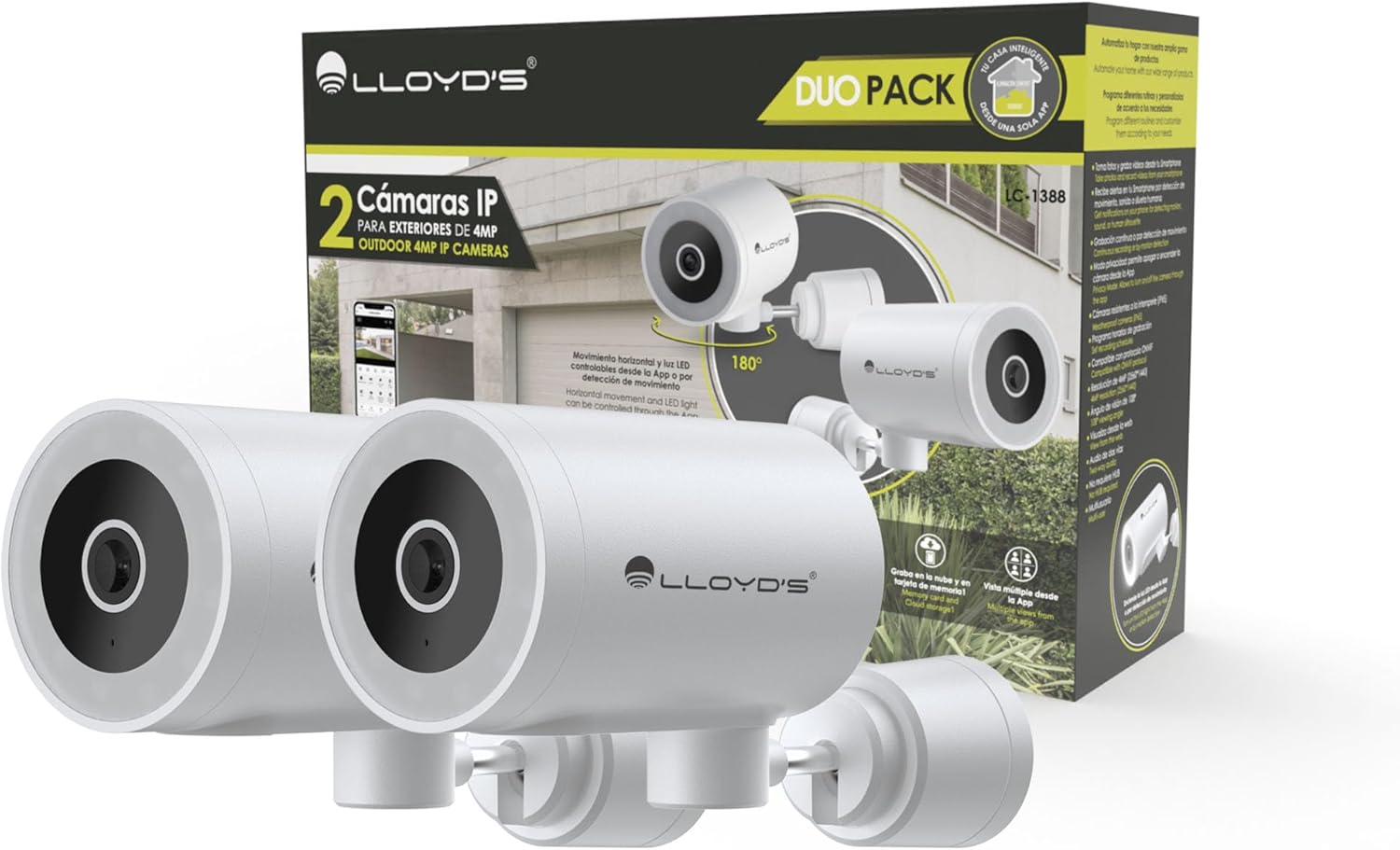
Image: The Lloyd's LC-1388 IP Camera Set, showing the product packaging and the two included cameras.
3. Sicherheitshinweise
- Stellen Sie sicher, dass die Stromversorgungslautstärketage entspricht den Anforderungen der Kamera (5V DC).
- Setzen Sie die Kamera nicht über längere Zeit extremen Temperaturen, hoher Luftfeuchtigkeit oder direkter Sonneneinstrahlung aus.
- Vermeiden Sie es, die Kamera in der Nähe starker elektromagnetischer Felder aufzustellen.
- For outdoor installation, ensure all connections are properly sealed to maintain the IP65 weather resistance.
- Außerhalb der Reichweite von Kindern aufbewahren.
- Versuchen Sie nicht, die Kamera selbst zu zerlegen oder zu reparieren. Wenden Sie sich an qualifiziertes Servicepersonal.
4. Einrichtung
4.1 Installation
The Lloyd's LC-1388 camera is designed for wall mounting and can be used both indoors and outdoors (IP65 rated).
- Wählen Sie einen Standort: Wählen Sie einen Standort, der die gewünschten Eigenschaften bietet. viewing angle and is within range of your 2.4 GHz Wi-Fi network. For outdoor use, ensure the location offers adequate protection from direct impact and extreme weather conditions.
- Montage:
- Use the included mounting bracket as a template to mark drill holes on the wall.
- Bohren Sie Löcher und setzen Sie die Dübel ein.
- Befestigen Sie die Montagehalterung mit den mitgelieferten Schrauben an der Wand.
- Attach the camera to the mounting bracket. Adjust the camera angle as needed.
- Stromanschluss: Connect the USB cable to the camera and the AC/DC adapter, then plug the adapter into a power outlet. The camera will power on.

Abbildung: Seite view of the camera, showing its compact design.
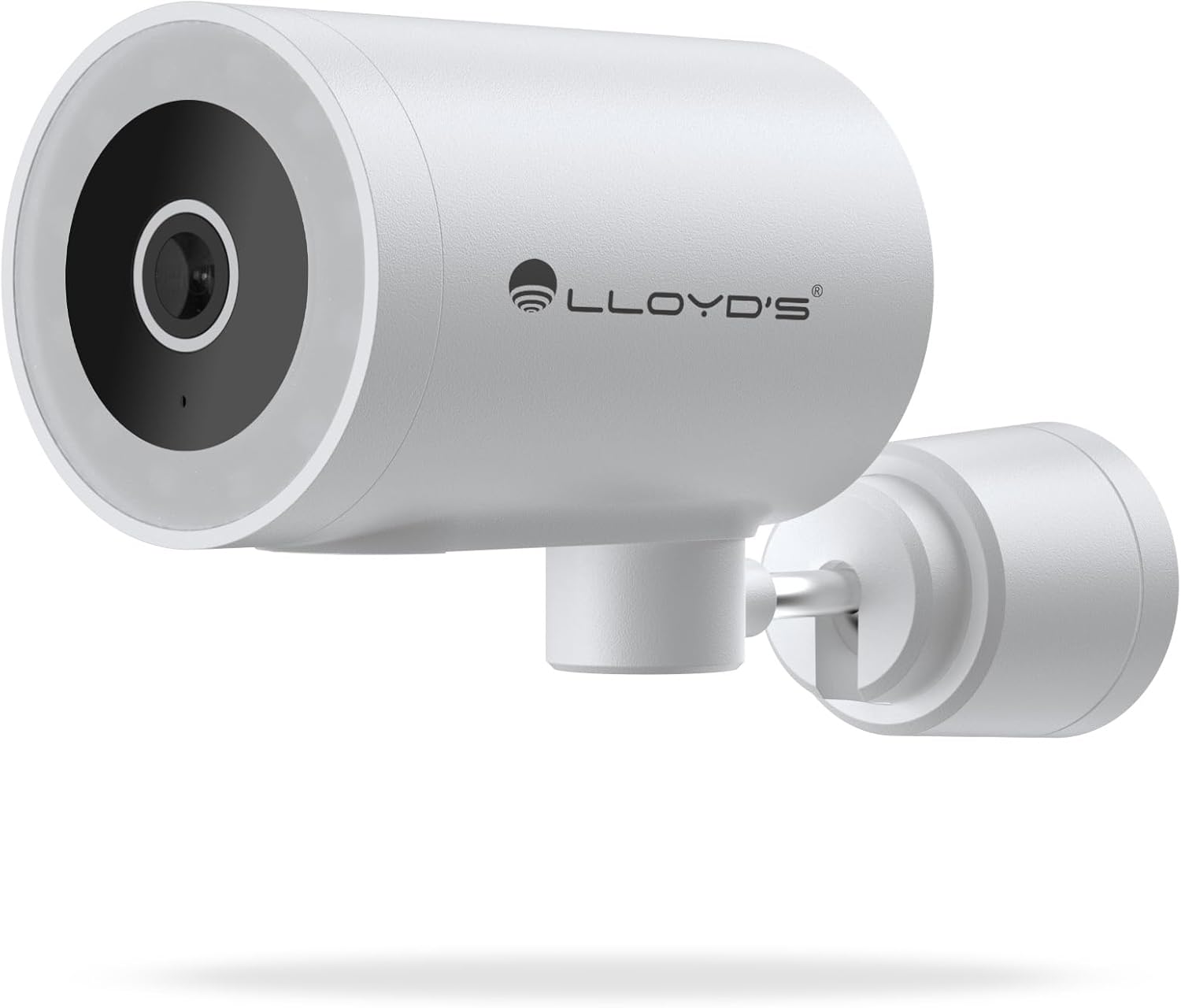
Bild: Vorderseite view of the camera, highlighting the lens and sensor.

Image: Icons indicating the camera's suitability for both outdoor and indoor environments.
4.2 App-Download und Kopplung
The camera operates via a dedicated smartphone application. Ensure your smartphone is connected to a 2.4 GHz Wi-Fi network.
- Laden Sie die App herunter: Suchen nach "Lloyd's Smart" or similar in your device's app store (compatible with iOS 11.0+ and Android 5.0+).
- Ein Konto erstellen: Öffnen Sie die App und folgen Sie den Anweisungen auf dem Bildschirm, um ein neues Konto zu registrieren oder sich anzumelden, falls Sie bereits eines besitzen.
- Gerät hinzufügen:
- Tap the "+" icon or "Add Device" in the app.
- Select "Security Camera" or the specific camera model (LC-1388).
- Follow the app's instructions to put the camera into pairing mode (usually indicated by a flashing LED).
- Enter your 2.4 GHz Wi-Fi network details when prompted.
- Scan the QR code displayed on your phone screen with the camera lens, or follow alternative pairing methods if provided by the app.
- Sobald die Verbindung hergestellt ist, benennen Sie Ihre Kamera und schließen Sie die Einrichtung ab.

Image: The Lloyd's app interface demonstrating multiple camera views, customizable detection zones, push notifications, and integration with voice assistants.
5. Bedienung der Kamera
5.1 Live View und Kontrolle
- Fernüberwachung: Access live video feed from your smartphone app, web browser, or compatible smart TV (requires Chromecast / Fire TV Stick with voice remote).
- Horizontale Bewegung: Control the camera's 180° horizontal pan directly from the app to adjust the viewing-Bereich.
- LED-Lichtsteuerung: Turn the integrated LED light on or off via the app. The light can also be configured to activate upon motion detection.
- Zweiwegekommunikation: Nutzen Sie das eingebaute Mikrofon und den Lautsprecher, um über Ihr Smartphone mit Personen in der Nähe der Kamera zu kommunizieren.

Image: The camera illustrating its 180-degree horizontal tracking function, suitable for indoor or outdoor use (IP65), with two-way audio and multiple views aus der App.

Image: A smartphone screen showing the "Multiple views from the App" feature, allowing simultaneous monitoring of several cameras.

Image: A user monitoring the camera feed on a television, demonstrating compatibility with smart assistants for voice control and viewing.
5.2 Nachtsichtmodi
The camera offers three night vision modes up to 10 meters:
- Automatik-Modus: The camera automatically switches between infrared and color night vision based on ambient light conditions.
- Infrarotmodus: Liefert mithilfe von Infrarot-LEDs klare Schwarzweißvideos in völliger Dunkelheit.
- Farbmodus: Utilizes the integrated LED lights to provide full-color night vision, even in low-light environments.

Image: Icons representing the camera's night vision capabilities and 4MP image resolution.
5.3 Detection and Alerts
- Bewegungserkennung: Erhalten Sie Benachrichtigungen auf Ihrem Smartphone, sobald eine Bewegung erkannt wird.
- Geräuscherkennung: Get notifications for unusual sounds.
- Erkennung menschlicher Körper: Advanced detection to specifically identify human presence, reducing false alarms.
- Anpassbare Erkennungszonen: Definieren Sie spezifische Bereiche innerhalb der Kamera view to monitor and receive alerts for.
- Integrierte Sirene: The 90 dB siren can be activated manually via the app or automatically upon detection of an event.

Image: Icons illustrating the camera's notification system, integrated siren, and motion detection capabilities.
5.4 Aufnahmeoptionen
- Kontinuierliche Aufnahme: Record video continuously.
- Ereignisbasierte Aufzeichnung: Record only when motion, sound, or human detection is triggered.
- Lagerung:
- MicroSD-Karte: Supports up to 128GB microSD cards (not included) for local storage.
- Cloud-Speicher: Cloud recording is available with a subscription (sold separately).
- Terminplanung: Program specific recording schedules and alert reception times via the app.
5.5 Smart-Home-Integration
- Sprachassistenten: Compatible with Amazon Echo Show and Google Nest Hub. Supports Siri Shortcuts via routines created in the app.
- Lloyd's Smart Ecosystem: Create routines to trigger actions with other Lloyd's smart products.
- ONVIF-Kompatibilität: Integrate the 4MP camera with various video surveillance equipment such as NVRs and hybrid DVRs using the ONVIF protocol.
6. Wartung
- Reinigung: Reinigen Sie Objektiv und Gehäuse der Kamera vorsichtig mit einem weichen, trockenen Tuch. Verwenden Sie keine scharfen Chemikalien oder Scheuermittel.
- Firmware-Updates: Überprüfen Sie regelmäßig die App auf verfügbare Firmware-Updates, um optimale Leistung und Sicherheit zu gewährleisten.
- Aus- und Wiedereinschalten: Falls die Kamera Probleme bereitet, versuchen Sie, sie für 10 Sekunden vom Stromnetz zu trennen und sie dann wieder anzuschließen.
7. Fehlerbehebung
| Problem | Mögliche Ursache | Lösung |
|---|---|---|
| Kamera stellt keine Verbindung zum WLAN her | Incorrect Wi-Fi password; Camera too far from router; Only 5 GHz Wi-Fi network available. | Verify password; Move camera closer to router; Ensure you are connecting to a 2.4 GHz Wi-Fi network. |
| Kein Video-Feed | Camera is offline; Power issue; Network problem. | Check power connection; Restart camera; Verify Wi-Fi connection; Check internet connectivity. |
| Bewegungsalarme wurden nicht empfangen | Motion detection disabled; App notifications turned off; Detection zone not configured. | Enable motion detection in app; Allow app notifications; Configure detection zones. |
| Schlechte Bildqualität | Dirty lens; Low light conditions (in non-color night vision mode); Network bandwidth issues. | Clean the lens; Switch to Color Night Vision if applicable; Ensure stable Wi-Fi connection. |
8. Spezifikationen
| Besonderheit | Detail |
|---|---|
| Modellnummer | LC-1388 |
| Marke | Lloyd's |
| Auflösung der Videoaufnahme | 4 MP (2560 x 1440p) |
| Effektive Videoauflösung | 16.9 |
| Bildfrequenz | 15 Bilder pro Sekunde |
| Konnektivitätstechnologie | Wireless (Wi-Fi 2.4 GHz), ONVIF |
| Wi-Fi-Protokoll | 2.4 GHz |
| Montagetyp | Wandmontage (Schraubmontage) |
| Nutzungsumgebung | Indoor, Outdoor (IP65 Water Resistant) |
| Nachtsichtbereich | Bis zu 10 Meter |
| Viewing-Winkel | 108 Grad |
| Besondere Merkmale | Two-way audio, Motion detector, Local recording, Built-in light, HD resolution, Night vision, Horizontal tracking, Integrated siren |
| Kompatible Geräte | Smartphone, Tablet, Web |
| Controllertyp | Amazon Alexa, Android, Google Assistant, Tuya, iOS |
| Stromquelle | Corded Electric (5V DC, 5 Watts) |
| Material | Acrylnitril-Butadien-Styrol (ABS) |
| Abmessungen (LxBxH) | 8.48 x 6.2 x 15.98 cm |
| Gewicht | 596 g |
| Ursprungsland | China |
9. Garantie und Support
For warranty information, please refer to the documentation provided with your purchase or contact Lloyd's customer support. For technical assistance or further inquiries, please visit the official Lloyd's webWebsite oder wenden Sie sich an die Kundendienstabteilung.
Hersteller: Zutto Technologies S.A. de C.V.


