Einführung
The MAXHUB BM35 is a versatile wireless Bluetooth microphone conference speakerphone designed to enhance your meeting and communication experience. Featuring 360° omnidirectional sound pickup, advanced AI noise reduction, and multiple connectivity options, it ensures clear and effective audio in various environments. This manual provides essential information for setting up, operating, and maintaining your device.
Hauptmerkmale
- 360° Omnidirectional Sound Pickup with 8-Array Microphones (20ft radius)
- AI Noise Reduction and Echo Cancellation
- DOA Voice Tracking
- Dual Band Speakers (3W Speech Spotlight, 5W Data Bass Booster)
- Multiple Connectivity: Bluetooth, NFC, USB-C, 2.4GHz Dongle
- 15-Hour Talk Time with 4400mAh Battery
- Super OS & Software Compatibility (Zoom, Teams, Meet, Mac, PC, iOS, Android)
- One-Click Mute Function
- Tragbares Design
Lieferumfang
- 1 x BM35 Speakerphone
- 1 x USB-Typ-C-Kabel
- 1 x USB Dongle
Aufstellen
Einschalten
Press and hold the power button on the device to switch it on. A light indicator will confirm the device is active.

Abbildung 1: Oben view of the MAXHUB BM35 Speakerphone, showing power and control buttons.
Laden
Connect the included USB Type-C cable to the speakerphone and a power source (e.g., computer USB port, wall adapter). The battery indicator light will show charging status.
Konnektivitätsoptionen
The MAXHUB BM35 offers multiple ways to connect to your devices:
- Bluetooth Verbindung: Enable Bluetooth on your device (PC, Mac, smartphone). Suchen nach 'MAXHUB UC BM35' in the list of available devices and select to pair. A confirmation sound or light will indicate successful pairing.
- NFC Quick Connection: For NFC-enabled smartphones, simply tap your phone against the NFC area on the speakerphone to initiate a quick connection. Confirm the pairing request on your phone.
- USB-C-Anschluss: Connect the speakerphone directly to your computer using the provided USB Type-C cable. The device will be recognized as an audio input/output device automatically.
- 2.4GHz USB Dongle: Insert the USB dongle into an available USB port on your computer. The speakerphone will automatically connect to the dongle, providing a stable wireless connection.

Figure 2: Illustration of the various connection methods supported by the BM35 speakerphone.
Betrieb
Sound Pickup and Voice Tracking
The BM35 features an 8-array microphone system with 360° omnidirectional sound pickup, covering a 20ft radius. Its DOA (Direction of Arrival) voice tracking technology automatically focuses on the active speaker, ensuring clear voice capture even in dynamic meeting environments. The ring light on the device will follow the direction of the active voice.

Figure 3: The BM35's 360° omnidirectional sound pickup capability.

Figure 4: The speakerphone actively tracking and balancing vocal input in a meeting setting.
KI-Rauschunterdrückung
Equipped with AI intelligent noise reduction and echo cancellation technology, the speakerphone effectively filters out background distractions such as keyboard typing, chair movements, and general room noise, providing a clear audio experience for all participants.
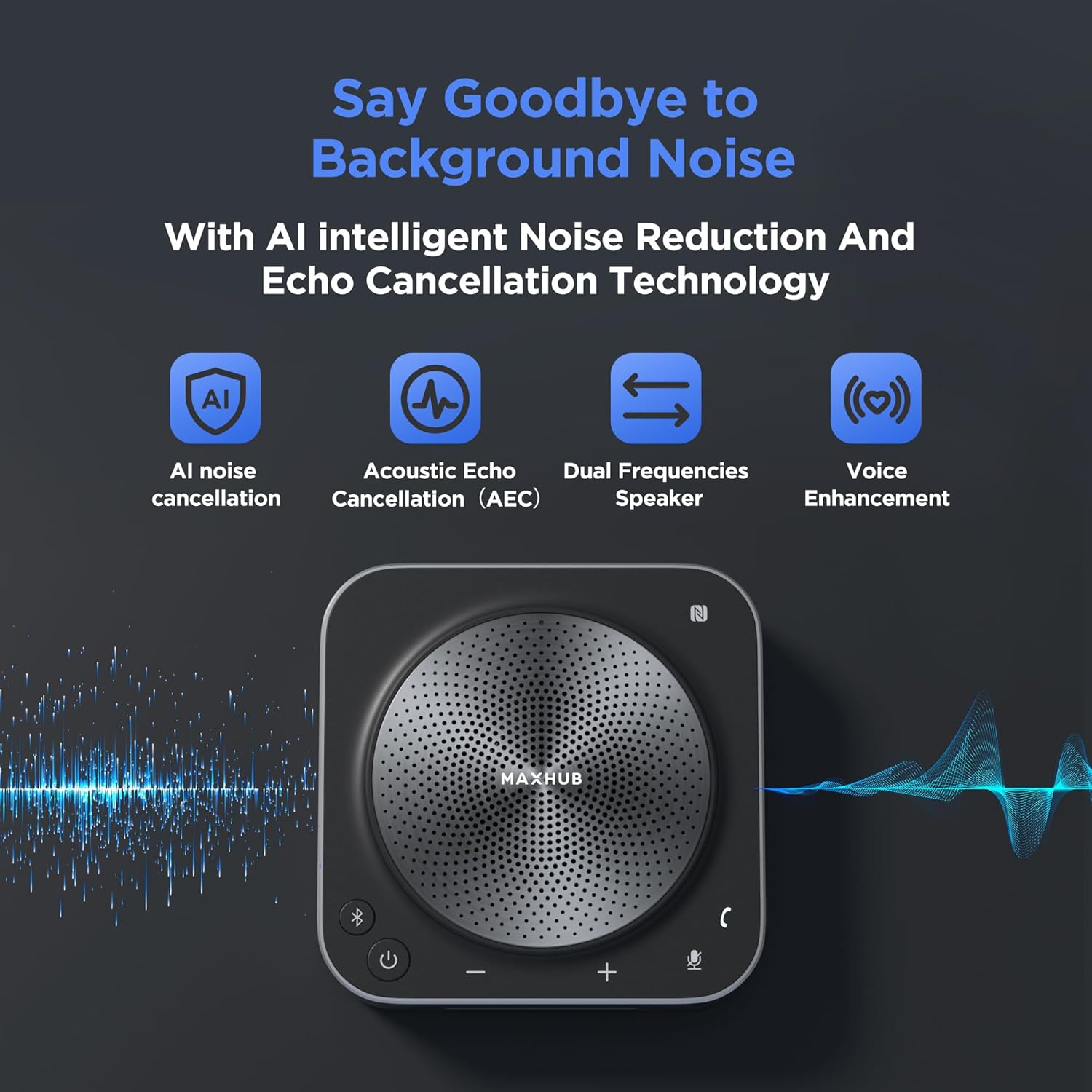
Figure 5: Visual representation of AI noise reduction and echo cancellation features.
Audioausgang
The dual-band speaker system includes a 3W Speech Spotlight for isolating vocal frequencies and a 5W Data Bass Booster for enhancing low-frequency details, ensuring transparent vocals and rich sound reproduction.
Bedienelemente
- Lautstärkeregelung: Use the '+' and '-' touch controls on the device to adjust the speaker volume.
- Mute-Funktion: Press the microphone icon button to mute or unmute the microphones. The light indicator will change to red when muted, ensuring private communication.
- Anrufsteuerung: Use the call button to answer or end calls when connected to a phone or communication platform.
Akkulaufzeit
The built-in 4400mAh battery provides up to 15 hours of talk time, supporting extended meeting sessions without frequent recharging.

Figure 6: The 4400mAh battery ensures long operational hours.
Scene Sync Technology
This technology adapts audio settings to different meeting scenarios:
- War Room Mode: Aggressively cancels cross-talk for large group discussions.
- Client Theater Preset: Enhances vocal warmth for persuasive presentations.
- Training Camp Schub: Auto-adjusts for fast-paced Q&A sessions.
Mediendemonstrationen
Offizielles Produktvideo
Video 1: This video demonstrates the key features and functionalities of the MAXHUB UC BM35 Speakerphone, including its AI noise reduction, 360-degree sound pickup, and various connectivity options.
Wartung
To ensure optimal performance and longevity of your MAXHUB BM35 speakerphone, keep the device clean and free from dust. Use a soft, dry cloth for cleaning. Avoid exposing the device to extreme temperatures, humidity, or direct sunlight. Store in a cool, dry place when not in use.
Fehlerbehebung
No Sound/Microphone Not Working
- Ensure the speakerphone is powered on and fully charged or connected to a power source.
- Verify that the correct audio input/output device (MAXHUB BM35) is selected in your computer's or communication software's sound settings.
- Check if the microphone is muted (red light indicator). Press the mute button to unmute.
- Stellen Sie sicher, dass die Lautstärke nicht auf Minimum eingestellt ist.
Verbindungsprobleme
- For Bluetooth, ensure the device is within range (up to 20ft) and no strong interference sources are nearby. Try re-pairing the device.
- For NFC, ensure your smartphone's NFC is enabled and correctly positioned over the NFC area.
- For USB-C, try a different USB port or cable.
- Restart both the speakerphone and the connected device.
Poor Audio Quality/Excessive Noise
- Ensure the speakerphone is placed centrally on the table, away from walls or objects that might cause echoes.
- Verify that AI noise reduction is active. While the device automatically handles this, extreme background noise might still be audible. Consider reducing external noise sources.
Technische Daten
| Besonderheit | Detail |
|---|---|
| Modellname | MAXHUB-Freisprecheinrichtung |
| Artikelmodellnummer | BM35(UC BM35) |
| Stromquelle | Batteriebetrieben |
| Material | Aluminium, legierter Stahl |
| Signal-Rausch-Verhältnis | 75 dB |
| Anzahl der Kanäle | 2 |
| Frequenzbereich | 80 Hz ~ 18 kHz |
| Artikelgewicht | 1.37 Pfund |
| Verpackungsabmessungen | 7.83 x 6.61 x 2.32 Zoll |
| Betriebssystemkompatibilität | Linux, Windows, iOS, Android |
| Empfohlene Verwendung | Videokonferenz |
| Konnektivitätstechnologie | Wireless, Bluetooth, NFC, USB-C |
| Steckertyp | USB Typ C |
| Besondere Merkmale | Battery Indicator Light, Mute Function, Volume Control, Noise Reduction, Echo Control |
| Kompatible Geräte | Laptop, Television, Headphone, Amplifier, Smartphone |
| Richtcharakteristik | Omnidirektional |
| Mikrofon-Formfaktor | Tabellenarray |
Garantie und Support
MAXHUB provides a 3-year exclusive warranty for the BM35 speakerphone. For any technical assistance or support, please contact MAXHUB's professional technical team. Lifetime technical support is available.
For further information, visit the official MAXHUB store: MAXHUB Store


