1. Einleitung
This manual provides detailed instructions for the NVAHVA Y33 Open Ear Headphones. Please read this manual thoroughly before using the product to ensure proper operation and to maximize its lifespan. The NVAHVA Y33 features an open-ear design for situational awareness, Bluetooth 5.4 connectivity, and a smart charging case with an LED touch screen.

Image 1: NVAHVA Y33 Open Ear Headphones and Smart Charging Case. The image displays two open-ear earbuds and their accompanying charging case, which features a colorful LED touch screen.
2. Lieferumfang
Überprüfen Sie, ob alle Artikel im Paket vorhanden sind:
- 2 x NVAHVA Open-ear Earbuds
- 1 x Ladekoffer
- 1 x Typ-C Ladekabel
- 1 x Benutzerhandbuch (dieses Dokument)
3. Produktüberschreitungview
3.1 Ohrhörer-Design
The NVAHVA Y33 earbuds feature an open-ear design with ear hooks, providing a comfortable and secure fit without entering the ear canal. This design allows for environmental awareness while listening to audio.
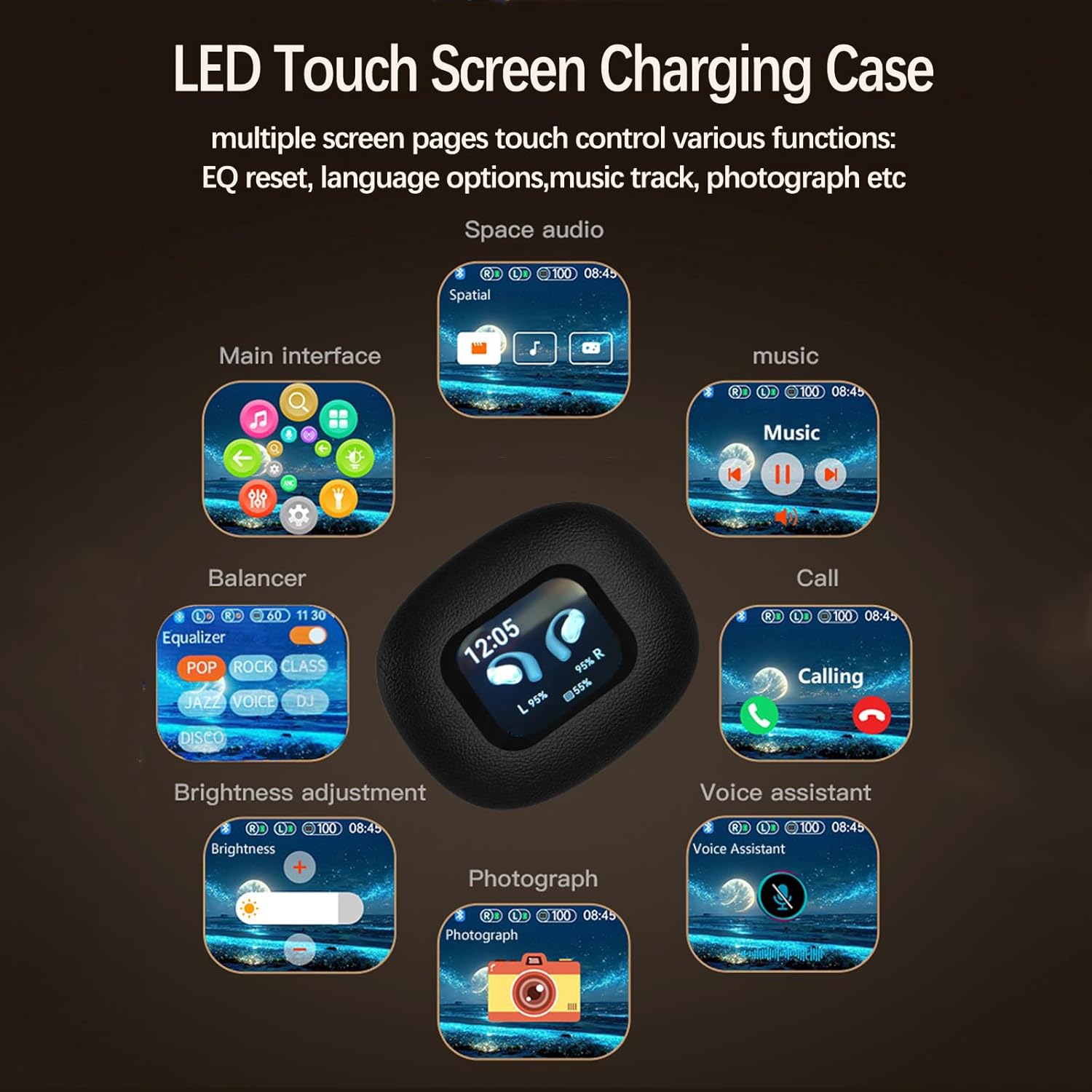
Image 2: An open-ear earbud worn on a person's ear, illustrating the over-ear hook design and how it rests outside the ear canal.
3.2 Smart Charging Case
The charging case is equipped with an LED touch screen, allowing for direct control over various earbud settings and functions without needing a connected device.
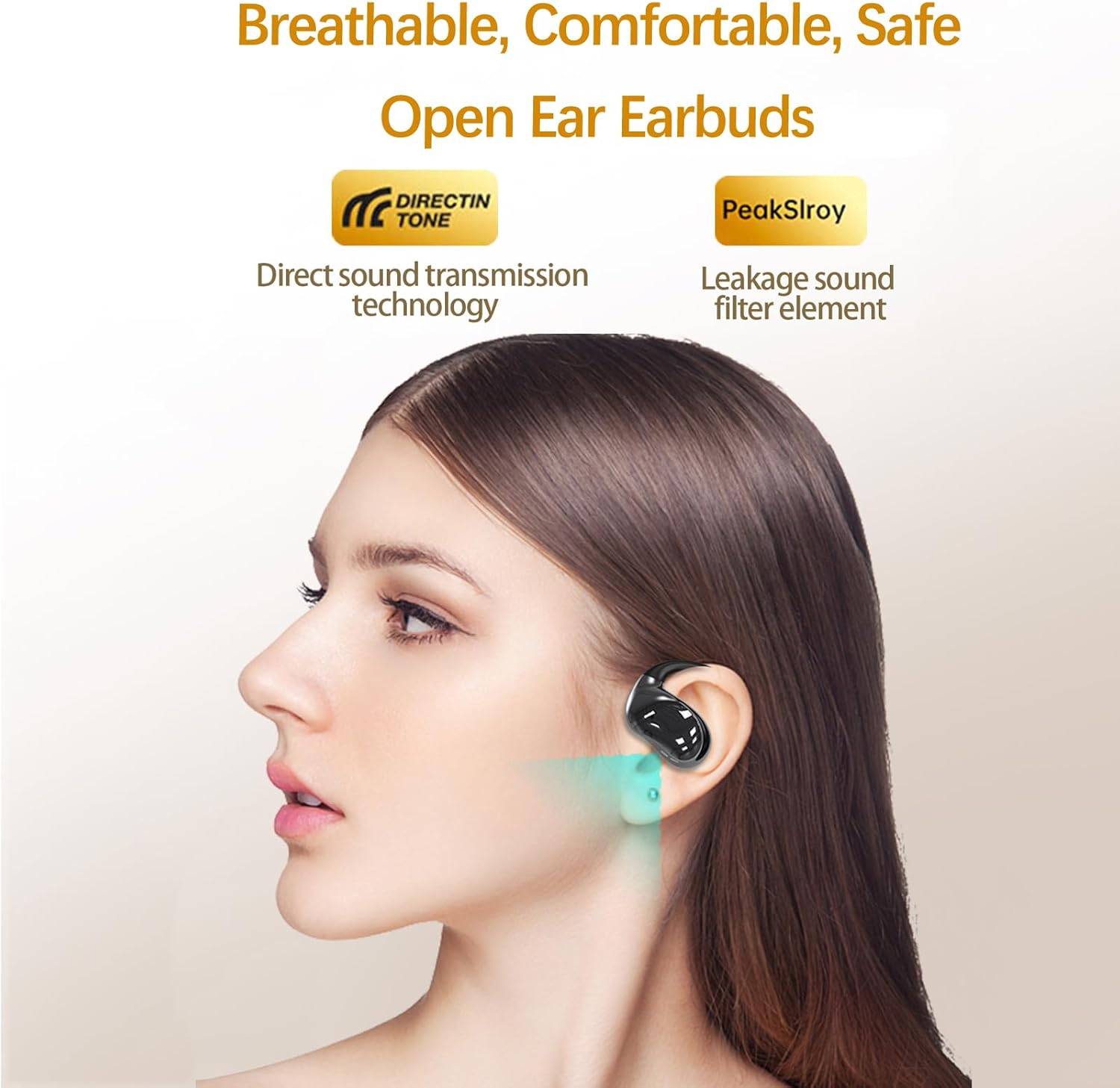
Image 3: The LED touch screen of the charging case displaying various control options such as EQ settings, music playback, call management, and voice assistant activation.
4. Einrichtung
4.1 Aufladen des Geräts
Vor dem ersten Gebrauch die Ohrhörer und das Ladecase vollständig aufladen.
- Legen Sie die Ohrhörer in das Ladecase. Achten Sie darauf, dass sie richtig sitzen.
- Verbinden Sie das mitgelieferte Typ-C-Ladekabel mit dem Ladeanschluss am Gehäuse und mit einer USB-Stromquelle.
- The LED screen on the charging case will indicate the charging status. A full charge typically takes approximately 2 hours.
- Once fully charged, disconnect the charging cable. The earbuds provide up to 10 hours of playtime on a single charge, with the charging case extending total playtime to approximately 80 hours.

Image 4: An illustration showing the NVAHVA Y33 earbuds and charging case, highlighting the 10 hours of single charge playtime and 80 hours total playtime with the charging case.
4.2 Bluetooth-Kopplung
Koppeln Sie die Ohrhörer über Bluetooth mit Ihrem Gerät.
- Öffnen Sie das Ladeetui. Die Ohrhörer wechseln automatisch in den Kopplungsmodus.
- Aktivieren Sie auf Ihrem Gerät (Smartphone, Tablet usw.) Bluetooth und suchen Sie nach verfügbaren Geräten.
- Select "NVAHVA Y33" from the list of found devices.
- Sobald die Verbindung hergestellt ist, ertönt ein Bestätigungston, und die Ohrhörer sind einsatzbereit.
4.3 Mehrpunktverbindung
The NVAHVA Y33 supports multipoint connection, allowing simultaneous connection to two devices.
- Koppeln Sie die Ohrhörer mit dem ersten Gerät wie in Abschnitt 4.2 beschrieben.
- Deaktivieren Sie Bluetooth auf dem ersten Gerät. Die Ohrhörer wechseln dann erneut in den Kopplungsmodus.
- Koppeln Sie die Ohrhörer mit dem zweiten Gerät.
- Aktivieren Sie Bluetooth auf dem ersten Gerät wieder. Die Ohrhörer sollten sich automatisch mit beiden Geräten verbinden.
- Sie können die Audiowiedergabe nun nahtlos zwischen den beiden verbundenen Geräten umschalten.

Image 5: An illustration depicting the NVAHVA Y33 earbud with Bluetooth signals connecting to two separate mobile devices, demonstrating the multi-point connection feature.
5. Bedienungsanleitung
5.1 Tragen der Ohrhörer
Gently place the earbud over your ear, ensuring the ear hook rests securely behind your ear and the speaker portion is positioned near your ear canal without entering it. Adjust for comfort and stability.

Image 6: A person wearing an NVAHVA Y33 earbud, demonstrating the secure and comfortable fit of the over-ear hook design.
5.2 Touch-Steuerung (Ohrhörer)
The earbuds feature touch-sensitive areas for controlling audio playback and calls.
- Abspielen/Pause: Tippen Sie einmal auf einen der Ohrhörer.
- Nächster Titel: Doppeltippen Sie auf den rechten Ohrhörer.
- Vorheriges Lied: Doppeltippen Sie auf den linken Ohrhörer.
- Anruf annehmen/beenden: Tippen Sie einmal auf einen der Ohrhörer.
- Anruf ablehnen: Drücken und halten Sie einen der Ohrhörer 2 Sekunden lang.
- Sprachassistenten aktivieren: Dreimaliges Tippen auf einen der Ohrhörer.
5.3 Smart Charging Case Functions
The LED touch screen on the charging case provides advanced control options:
- Equalizer (EQ)-Einstellungen: Sound Pro anpassenfiles (e.g., Pop, Rock, Jazz, Voice) directly from the case.
- Music Track Adjustment: Control playback (play, pause, skip) for connected devices.
- Anrufverwaltung: Anrufe annehmen oder beenden.
- Sprachassistent: Aktivieren Sie den Sprachassistenten Ihres Geräts.
- Ohrhörer finden: Locate misplaced earbuds (if supported by the case's functionality).
- Spracheinstellungen: Change the interface language of the charging case.
- Helligkeitsanpassung: Modify the screen brightness.
- Zeitanzeige: View die aktuelle Uhrzeit.

Abbildung 7: Eine detaillierte view of the NVAHVA Y33 smart charging case's touch screen, showing various interactive icons for functions like EQ, music, calls, and settings.
6. Wartung
6.1 Reinigung
- Verwenden Sie ein weiches, trockenes, fusselfreies Tuch, um die Ohrhörer und das Ladecase zu reinigen.
- Verwenden Sie keine Scheuermittel, Lösungsmittel oder Aerosolsprays.
- Vermeiden Sie, dass Feuchtigkeit in die Öffnungen eindringt.
6.2 Speicherung
- Bewahren Sie die Ohrhörer bei Nichtgebrauch in ihrem Ladeetui auf, um sie zu schützen und geladen zu halten.
- Bewahren Sie das Gerät an einem kühlen, trockenen Ort auf, fern von extremen Temperaturen und direkter Sonneneinstrahlung.
6.3 Wasserbeständigkeit
The NVAHVA Y33 earbuds are rated IPX5 water-resistant, meaning they can withstand sweat, light rain, and splashes. They are not designed for submersion in water or for use during swimming. Ensure the earbuds are dry before placing them back into the charging case to prevent damage.
7. Fehlerbehebung
| Problem | Mögliche Ursache | Lösung |
|---|---|---|
| Ohrhörer lassen sich nicht koppeln. | Bluetooth is off on device, earbuds not in pairing mode, or out of range. | Ensure Bluetooth is enabled on your device. Open the charging case to activate pairing mode. Move earbuds closer to the device. |
| Kein Ton aus den Ohrhörern. | Volume too low, earbuds not connected, or incorrect audio output selected. | Erhöhen Sie die Lautstärke an beiden Ohrhörern und am verbundenen Gerät. Verbinden Sie die Ohrhörer erneut. Überprüfen Sie die Audioausgabeeinstellungen des Geräts. |
| Ladecase lädt nicht. | Cable issue, power source issue, or dirty charging port. | Try a different Type-C cable and USB power adapter. Ensure the charging port is clean and free of debris. |
| Cannot set the time on the charging case. | Specific setting method not clear or feature not directly adjustable. | Refer to the charging case's interface for a "Time" or "Clock" setting. If not found, the time might synchronize automatically with a connected device or require a specific sequence of actions not immediately apparent. |
| Schlechte Gesprächsqualität. | Environmental noise, weak Bluetooth connection. | Move to a quieter environment. Ensure earbuds are within Bluetooth range of the connected device. |
8. Spezifikationen
| Besonderheit | Detail |
|---|---|
| Modellname | Y33 |
| Marke | NVAHVA |
| Konnektivitätstechnologie | Kabellos |
| Drahtlose Kommunikationstechnologie | Bluetooth 5.4 |
| Bluetooth-Reichweite | 10 Meter |
| Platzierung des Ohrs | Offenes Ohr |
| Form der Hörmuschel | Haken |
| Steuerungstyp | Touch-Steuerung |
| Lärmschutz | Adaptive Geräuschunterdrückung (ENC für Anrufe) |
| Treibergröße | 16 mm |
| Frequenzbereich | 20 Hz bis 20,000 Hz |
| Impedanz | 32 Ohm |
| Wiedergabezeit der Ohrhörer (bei einmaliger Ladung) | Bis zu 10 Stunden |
| Gesamtspielzeit (mit Ladeetui) | Bis zu 80 Stunden |
| Ladezeit | Ungefähr 2 Stunden |
| Tragetasche Akkukapazität | 600 Milliamp Std |
| Wasserbeständigkeit | IPX5 |
| Artikelgewicht | 0.13 Kilogramm (ca. 4.6 Unzen) |
| Material | Acrylnitril-Butadien-Styrol (ABS) |
| UPC | 797444759938 |
9. Garantie und Support
For warranty information and technical support, please refer to the documentation provided at the time of purchase or contact NVAHVA customer service through their official webBitte wenden Sie sich an die Website oder den Händler, bei dem Sie das Produkt gekauft haben. Bewahren Sie Ihren Kaufbeleg für Garantieansprüche auf.


