Einführung
Welcome to the JLab Go Lux ANC Wireless Headphones instruction manual. These premium on-ear Bluetooth headphones are designed to provide an immersive audio experience with advanced features for comfort and connectivity.
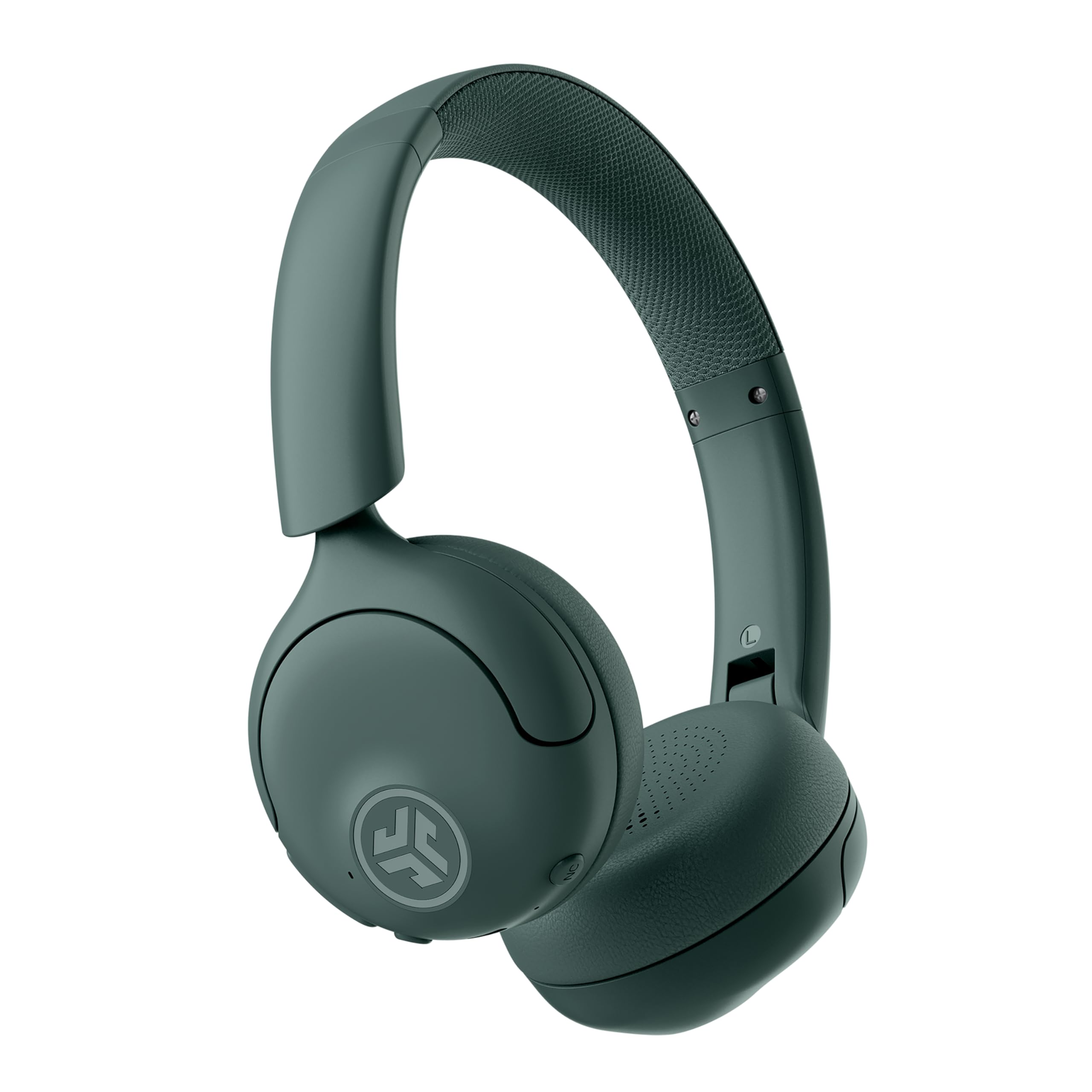
Image: JLab Go Lux ANC Wireless Headphones, showcasing das Gesamtdesign.
Hauptmerkmale
- Hybrid Active Noise Cancelling (ANC) & Be Aware Mode: Eliminate distractions up to 30 dB or stay connected to your surroundings.
- Cloud Foam Comfort: Ergonomically shaped Form-Fit Earcups and adjustable hinges for ultimate comfort.
- Customizable Sound via JLab App: Personalize ANC/Be Aware settings, touch controls, and sound preferences.
- Kristallklare Anrufe: Noise-canceling microphones ensure clear communication.
- Einfache Verbindungen: Bluetooth Multipoint for simultaneous connection to two devices, Wireless Share Mode, Google Fast Pair, and Microsoft Swift Pair.
- Google Find My Device: Locate your headphones easily.
Installationshandbuch
1. Erstes Aufladen
Before first use, fully charge your JLab Go Lux ANC headphones using the provided USB-C charging cable. The charging port is located on one of the earcups.

Image: JLab Go Lux ANC headphones folded, showing the USB-C charging cable.
2. Bluetooth-Kopplung
So koppeln Sie Ihre Kopfhörer mit einem Gerät:
- Stellen Sie sicher, dass die Kopfhörer ausgeschaltet sind.
- Halten Sie die Einschalttaste gedrückt, bis die LED-Anzeige blau und rot blinkt und damit den Kopplungsmodus anzeigt.
- On your device (smartphone, tablet, computer), go to Bluetooth settings and select "JLab Go Lux ANC" from the list of available devices.
- Sobald die Verbindung hergestellt ist, leuchtet die LED-Anzeige dauerhaft blau.
3. Mehrpunktverbindung
The headphones support Bluetooth Multipoint, allowing connection to two devices simultaneously:
- Koppeln Sie das Gerät wie oben beschrieben mit dem ersten Gerät.
- Deaktivieren Sie Bluetooth auf dem ersten Gerät. Die Kopfhörer wechseln dann erneut in den Kopplungsmodus.
- Koppeln Sie mit dem zweiten Gerät.
- Aktivieren Sie Bluetooth auf dem ersten Gerät wieder. Die Kopfhörer verbinden sich automatisch mit beiden Geräten.
4. JLab App Installation
Download the JLab App from the App Store or Google Play Store to customize settings and access additional features.

Image: JLab App interface on a smartphone, demonstrating sound customization options.
Bedienungsanleitung
1. Ein-/Ausschalten
- Einschalten: Halten Sie die Einschalttaste 3 Sekunden lang gedrückt.
- Ausschalten: Halten Sie die Einschalttaste 5 Sekunden lang gedrückt.
2. Hybrid ANC & Be Aware Mode
Toggle between Hybrid Active Noise Cancelling and Be Aware Mode using the dedicated NC button on the earcup.
- Hybrid-ANC: Reduziert Außengeräusche für ein intensives Hörerlebnis.
- Be Aware Mode: Lässt Umgebungsgeräusche durch, sodass Sie Ihre Umgebung weiterhin wahrnehmen.

Image: A person wearing JLab headphones, illustrating the Hybrid ANC and Be Aware Mode features.
3. Grundlegende Steuerelemente
The headphones feature intuitive touch controls on the earcups:
- Lautstärke erhöhen/verringern: Verwenden Sie die dafür vorgesehenen Lautstärketasten.
- Abspielen/Pause: Einmaliges Antippen der Multifunktionstaste.
- Nächster Titel: Doppeltippen Sie auf die Multifunktionstaste.
- Vorheriges Lied: Dreimal auf die Multifunktionstaste tippen.
- Anruf annehmen/beenden: Single tap the multi-function button during a call.
- Anruf ablehnen: Halten Sie die Multifunktionstaste während eines eingehenden Anrufs gedrückt.
4. Wireless Share Mode
Share audio wirelessly between two JLab Lux headphones. Refer to the JLab App or JLab website for detailed instructions on activating and using Wireless Share Mode.
5. Google Find My Device
Utilize Google Find My Device to locate your headphones if misplaced. Ensure your headphones are connected to a compatible Android device.
Wartung
1. Aufladen
Charge the headphones using the provided USB-C cable. A full charge provides up to 70+ hours of playtime (40+ hours with ANC on).
2. Reinigung
Wipe the headphones with a soft, dry cloth. Avoid using harsh chemicals or abrasive materials. Ensure the charging port is dry before charging.
3. Speicherung
Bewahren Sie die Kopfhörer bei Nichtgebrauch an einem kühlen, trockenen Ort auf. Dank des faltbaren Designs lassen sie sich platzsparend verstauen.

Image: JLab Go Lux ANC headphones folded for compact storage, alongside the charging cable.
Fehlerbehebung
- Kein Strom: Stellen Sie sicher, dass die Kopfhörer vollständig aufgeladen sind.
- Kopplung fehlgeschlagen: Stellen Sie sicher, dass Bluetooth auf Ihrem Gerät aktiviert ist und sich die Kopfhörer im Kopplungsmodus befinden. Versuchen Sie, das Gerät auf Ihrem Telefon zu entkoppeln und erneut zu koppeln.
- Tonprobleme: Check volume levels on both headphones and connected device. Ensure headphones are within Bluetooth range.
- ANC funktioniert nicht: Verify ANC mode is activated.
For further assistance, refer to the JLab App or contact JLab customer support.
Technische Daten
| Modellname | Go Lux ANC |
| Konnektivitätstechnologie | Kabellos (Bluetooth 5.0) |
| Platzierung des Ohrs | Am Ohr |
| Lärmschutz | Hybrid Active Noise Cancelling, Be Aware Mode |
| Audiotreibertyp | Hybrid Driver (40mm) |
| Akkulaufzeit | Up to 70+ Hours (40+ Hours with ANC) |
| Kontrollmethode | Touch- und Lautstärkeregelung |
| Kompatible Geräte | Android devices, Windows PCs |
| Material | Plastic, Metal, Faux Leather |
| Artikelgewicht | 0.704 Unzen (0.02 Kilogramm) |
| Technische Daten | 2.95 x 6.1 x 7.48 Zoll |
Garantie und Support
Your JLab Go Lux ANC Wireless Headphones come with a JLab 2 Year Warranty.
For warranty claims, technical support, or additional product information, please visit the official JLab Store or contact JLab customer service.


