Einführung
The Lamzu Maya X is an ultra-lightweight wireless gaming mouse designed for high-performance gaming. It features advanced optical switches, a high-precision sensor, and a symmetrical design for comfortable use across various grip styles. This manual provides essential information for setting up, operating, maintaining, and troubleshooting your Lamzu Maya X mouse.

Bild: Draufsicht view of the Lamzu Maya X Wireless Gaming Mouse in pink, showcasing its symmetrical design and main buttons.
Aufstellen
Packungsinhalt
- Lamzu Maya X Wireless Gaming Mouse
- USB Wireless Dongle (8K Polling compatible)
- USB Type-C Paracord Cable (for wired mode and charging)
- PTFE Feet (extra set)
- Samtbeutel
- MAYA X Mouse Grip Tape
Initial Connection and Charging
- Kabelloser Modus: Insert the USB wireless dongle into an available USB port on your computer. The mouse should automatically connect.
- Kabelgebundener Modus: Connect the USB Type-C paracord cable to the front port of the mouse and the other end to a USB port on your computer. The mouse will operate in wired mode and charge simultaneously.
- Laden: For optimal performance, ensure the mouse is fully charged before first use. Connect the mouse via the USB Type-C cable to a powered USB port. The LED indicator on the mouse will show charging status.
Image: Illustration showing the Lamzu Maya X mouse with its USB-C port for wired connection and the wireless dongle, highlighting its dual 2.4G wireless and wired modes.
Bedienungsanleitung
Tastenfunktionen

Image: Diagram illustrating the button layout of the Lamzu Maya X mouse, including Left, Right, Wheel, DPI, Forward, Back, and On/Off switch.
- Links-/Rechtsklick: Standard mouse clicks, utilizing durable optical switches.
- Scrollrad: For vertical scrolling and middle-click function. Features a dust-proof encoder for precise movement.
- DPI-Taste: Located on the top, allows cycling through preset DPI levels.
- Seitliche Tasten (Vorwärts/Rückwärts): Programmable buttons for navigation or in-game actions.
- Ein-/Ausschalter: Befindet sich an der Unterseite der Maus.
DPI-Anpassung
The Lamzu Maya X supports up to 30,000 DPI. You can adjust DPI settings using the dedicated DPI button on the mouse. For custom DPI settings and other advanced configurations, download the official driver software from the Lamzu webWebsite.
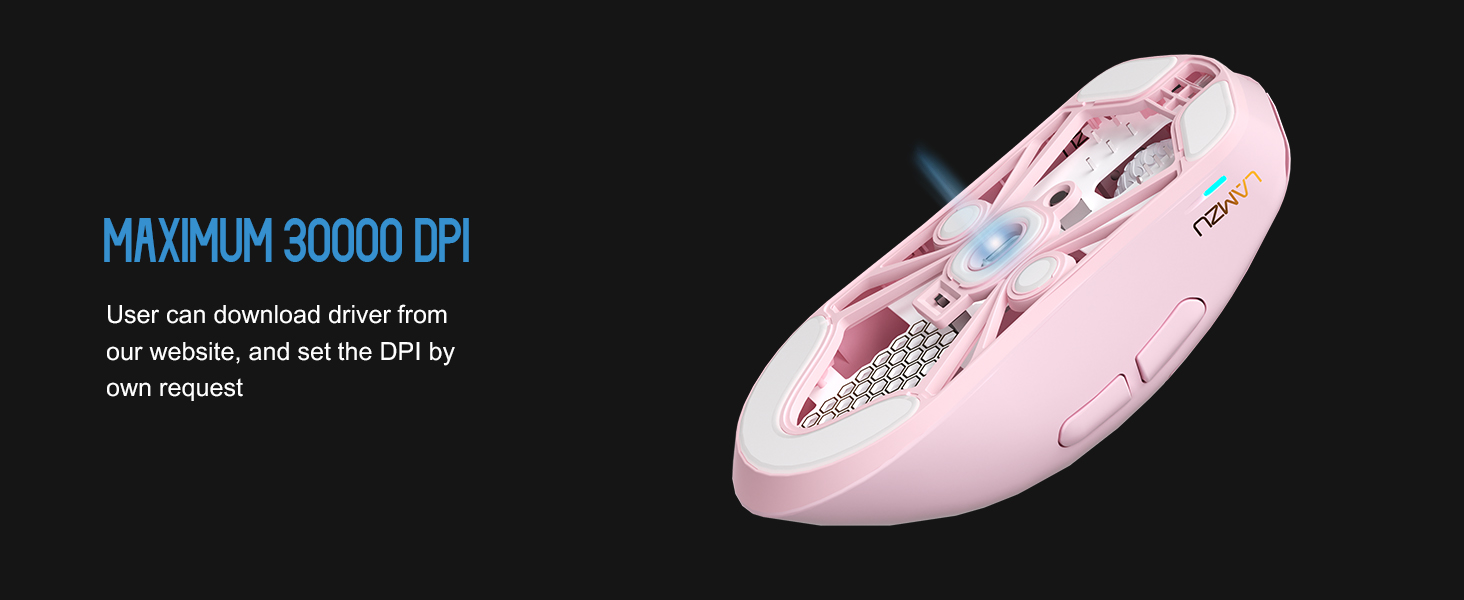
Bild: Transparent view of the Lamzu Maya X mouse highlighting the internal optical switches, designed for optimized click feeling and to prevent double clicks.
Abfragerate
The mouse supports a maximum polling rate of 8,000 Hz when using the included 8K dongle. This high polling rate ensures extremely smooth and responsive cursor movement, minimizing input lag. Ensure the 8K dongle is properly connected for this feature to function.

Image: Illustration of the Lamzu Maya X mouse with its 8K polling dongle, emphasizing how an 8K dongle enhances cursor movement smoothness and eliminates stuttering delays.
Grip Styles
The symmetrical shape of the Lamzu Maya X is designed to accommodate various grip styles, including palm, claw, and fingertip grips, providing flexibility and comfort for different users.
Wartung
Reinigung
- Verwenden Sie ein weiches, trockenes Tuch, um die Oberfläche der Maus abzuwischen.
- Bei hartnäckigen Verschmutzungen leicht dampBefeuchten Sie das Tuch mit Wasser oder einer milden Reinigungslösung. Vermeiden Sie aggressive Chemikalien.
- Die Maus darf nicht in Wasser oder andere Flüssigkeiten getaucht werden.
- Regularly clean the sensor area on the underside of the mouse with a cotton swab to ensure optimal tracking performance.
Batteriepflege
- Vermeiden Sie häufiges vollständiges Entladen des Akkus.
- Bewahren Sie die Maus an einem kühlen, trockenen Ort auf, wenn Sie sie längere Zeit nicht verwenden.
- Verwenden Sie zum Aufladen ausschließlich das mitgelieferte USB-Typ-C-Kabel.
Fehlerbehebung
Häufige Probleme und Lösungen
| Ausgabe | Mögliche Lösung |
|---|---|
| Maus reagiert nicht (drahtlos) | Ensure the mouse is turned ON. Check battery level. Re-insert the USB dongle. Try a different USB port. |
| Maus reagiert nicht (kabelgebunden) | Ensure the USB Type-C cable is securely connected to both the mouse and the computer. Try a different USB port. |
| Inaccurate tracking or cursor jumpiness | Clean the optical sensor on the underside of the mouse. Use the mouse on a clean, uniform surface or a mouse pad. |
| DPI changes not registering | Ensure the DPI button is functioning correctly. If using custom settings, verify them in the software. |
| Schlechte Funkreichweite oder Störungen | Move the USB dongle closer to the mouse. Avoid placing the dongle near other wireless devices or large metal objects. |
Technische Daten
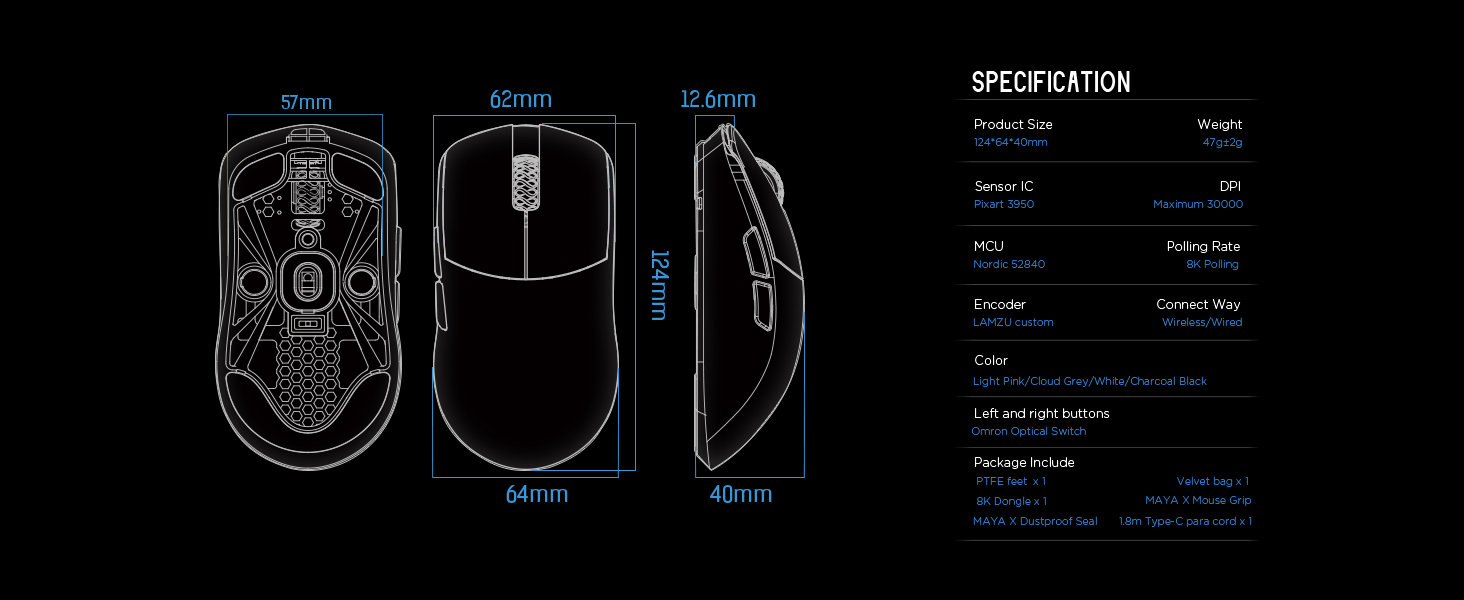
Image: Detailed diagram showing the dimensions and key specifications of the Lamzu Maya X mouse.
| Besonderheit | Detail |
|---|---|
| Technische Daten | 4.88 x 2.52 x 0.04 Zoll (124 x 64 x 40 mm) |
| Artikelgewicht | 1.66 Unzen (47 g) |
| Sensor-IC | Pixart PAW3950 |
| Maximale DPI | 30,000 DPI |
| MCU | Nordic 52840 |
| Abfragerate | Up to 8,000 Hz (with 8K dongle) |
| Konnektivitätstechnologie | 2.4G Wireless, USB verkabelt |
| Schalter | OMRON Optical Switches (70 million click lifespan) |
| Encoder | Dust-Proof Encoder (30-grid roller) |
| Batterie | 1 Lithium-Ionen-Akku (im Lieferumfang enthalten) |
Garantie und Support
For detailed warranty information and technical support, please refer to the official Lamzu webBesuchen Sie die Website oder kontaktieren Sie direkt den Kundenservice. Bewahren Sie Ihren Kaufbeleg für Garantieansprüche auf.


