1. Einleitung
The MAONO Wave T1 Mini Wireless Lavalier Microphone is designed for high-quality audio capture with convenience and portability. This manual provides detailed instructions for setting up, operating, and maintaining your device to ensure optimal performance.

Image: The MAONO Wave T1 Mini Wireless Lavalier Microphone system, including two transmitters and a receiver, housed within its compact charging case.
2. Lieferumfang
Überprüfen Sie, ob alle Komponenten in Ihrem Paket vorhanden sind:
- Wave T1 mini Transmitter (x2)
- Type-C Receiver (x1)
- Ladekoffer (x1)
- USB-A-auf-USB-C-Ladekabel (x1)
- Benutzerhandbuch (x1)

Bild: Ein überview of the MAONO Wave T1 Mini package contents, including two transmitters, one Type-C receiver, a charging case, a USB-A to USB-C charging cable, and the user manual.
3. Einrichtung
3.1 Erstaufladung
Before first use, ensure the transmitters and charging case are fully charged. Place the transmitters into the charging case. Connect the charging case to a power source using the provided USB-A to USB-C cable. The charging indicator lights will provide status.

Image: The MAONO Wave T1 Mini charging case, open to show the two transmitters nestled inside, indicating their charging status.
3.2 Verbindung zu Ihrem Gerät herstellen
- Insert the Type-C receiver into your smartphone, tablet, or compatible device's USB-C port.
- The receiver's blue indicator light should turn solid, indicating a successful connection and automatic pairing with the transmitters.
- If the blue light on the receiver does not turn on, or if it flashes, proceed to the "Enabling OTG Function" or "Manual Pairing" sections.
Video: This video demonstrates the initial connection process of the MAONO Wave T1 Mini receiver to a smartphone and how to perform manual pairing if automatic connection fails. It also shows how to enable the OTG function on Android devices.
3.3 Enabling OTG Function (for some Android devices)
Some Android devices require the OTG (On-The-Go) function to be enabled for external microphones to work. If your receiver indicator does not light up after plugging it in:
- Go to your phone's "Settings".
- Suchen nach "OTG" in the settings search bar.
- Find the OTG settings and enable the OTG function.
- Once enabled, plug in the receiver again. The blue light should now turn on, indicating normal operation.
3.4 Manual Pairing
If the blue light on the receiver keeps flashing, manual pairing is required:
- Stellen Sie sicher, dass der Sender ausgeschaltet ist.
- Press and hold the power button on the transmitter for 6 seconds until the blue light flashes rapidly, indicating it's in pairing mode.
- After the receiver is connected to the phone, press and hold the pairing button on the receiver for 6 seconds to enter pairing mode.
- Once pairing is successful, the blue light on both the transmitter and receiver will remain solid.
4. Bedienungsanleitung
4.1 Tragen des Mikrofons
The Wave T1 mini transmitter weighs only 5.9 grams. It can be easily clipped onto your collar or clothing using the clip on the back for discreet and effective audio capture.

Image: A person wearing the MAONO Wave T1 Mini transmitter discreetly clipped to their shirt collar, demonstrating its compact size and ease of use.
4.2 Geräuschunterdrückung
The microphone features 4-level AI Noise Cancellation. A short press of the noise cancellation button on the transmitter can turn the function on or off. When enabled, the indicator light will turn green. You can adjust the noise reduction level (Slight, Moderate, Strong, Super) via the Maono Link app.

Image: Visual representation of the MAONO Wave T1 Mini's 4-level AI Noise Cancellation feature, showing different settings for various environments.
4.3 AI Voice Filters and Effects
Utilize the Maono Link app to switch between 4 unique voice filters (Sound Enhancer, Warmth, Brightness, Huskiness) and 4 voice-altering effects (Uncle, Goddess, Baby Voice, Original) for creative audio customization.
4.4 Remote Control for Photo/Video
In your phone's camera or video recording interface, double-click the transmitter button to remotely control the phone to take photos or record videos.
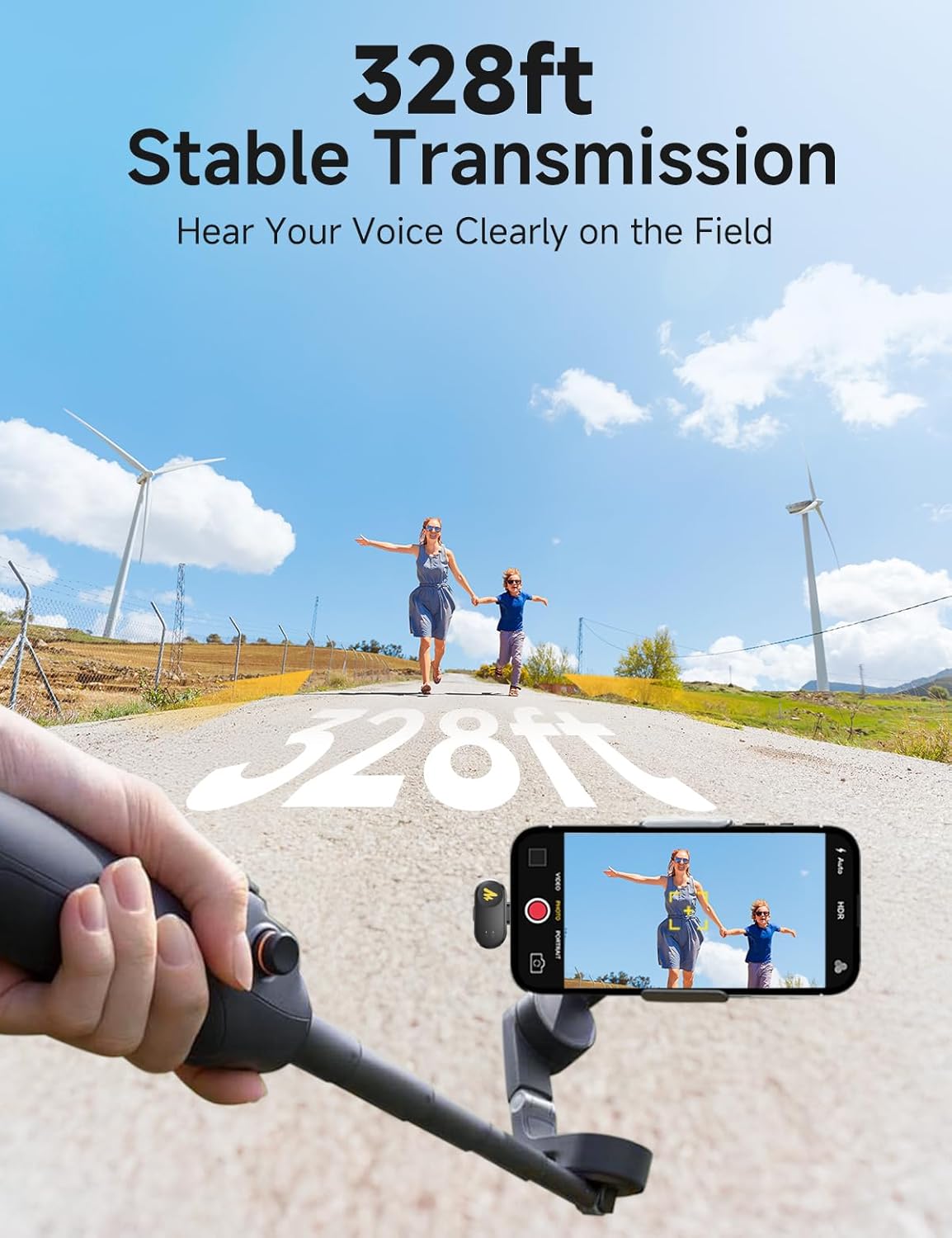
Image: A user demonstrating the remote photo/video capture function by double-tapping the MAONO Wave T1 Mini transmitter while their phone is set up for recording.
4.5 Maono Link App Usage
The Maono Link app (currently supports mobile phones only, PC not available) allows for effortless control and perfect sound. You can check the transmitter's connection status, remaining battery level, view real-time input level, adjust output volume via gain control, turn noise cancellation on/off, adjust noise cancellation levels, enable voice coloration, and choose from voice changer effects.
Video: This video demonstrates the features and functionalities of the Maono Link app, including adjusting microphone gain, noise reduction levels, and voice effects.
4.6 Akkulaufzeit und Aufladen
The compact charging case provides up to 30 hours of total battery life. Each transmitter offers approximately 6 hours of usage time. The receiver allows you to charge your device while recording, eliminating concerns about low battery during sessions.

Image: The MAONO Wave T1 Mini charging case, highlighting its extended battery life of up to 30 hours with the case.
4.7 Stable Transmission
The Wave T1 mini provides a stable transmission range of up to 328 feet (100 meters) without signal dropouts, utilizing 2.4GHz anti-interference technology.

Image: An illustration showing the MAONO Wave T1 Mini maintaining a stable audio connection over a distance of 328 feet.
5. Wartung
- Halten Sie das Gerät sauber und trocken. Vermeiden Sie den Kontakt mit Feuchtigkeit, Staub und extremen Temperaturen.
- Use a soft, dry cloth to clean the microphone and receiver. Do not use harsh chemicals or abrasive materials.
- Store the microphone system in its charging case when not in use to protect it and keep it charged.
- When using the magnetic charging cable, ensure it is inserted in the correct direction to avoid damage. Do not force the connection.
Video: This video demonstrates proper handling and charging of the MAONO Wave T1 Mini, including correct insertion of the magnetic charging cable and precautions to avoid damage.
6. Fehlerbehebung
- Receiver Indicator Not Lighting Up: Ensure the receiver is fully inserted into the device's USB-C port. For Android devices, check if the OTG function is enabled in your phone's settings.
- Pairing Issues (Blue Light Flashing): Perform manual pairing as described in section 3.4. Ensure both transmitter and receiver are in pairing mode simultaneously.
- Anzeige für niedrigen Batteriestand: If the red light on the transmitter flashes slowly, it indicates low battery. Please charge the transmitter using the charging case.
- Probleme mit der App-Konnektivität: If the Maono Link app is not connecting, try restarting the app and ensuring the microphone system is properly connected to your phone. You can also try restoring factory settings via the app (refer to section 4.5).
- Probleme mit der Tonqualität: Check the noise cancellation level and microphone gain settings in the Maono Link app. Adjust them according to your environment and recording needs.
7. Spezifikationen
| Marke | MAONO |
| Modellnummer | Wave T1 mini - PC2 |
| Konnektivitätstechnologie | Kabellos |
| Steckertyp | USB Typ C |
| Mikrofon-Formfaktor | Lavalier |
| Richtcharakteristik | Omnidirektional |
| Frequenzgang | 20 KHz |
| Signal-Rausch-Verhältnis | 85 dB |
| Anzahl der Kanäle | 2 |
| Stromquelle | Batteriebetrieben |
| Akku-Typ | Lithium-Ionen-Akku (1 enthalten) |
| Artikelgewicht | 4.6 Unzen (0.13 Kilogramm) |
| Material | Acrylnitril-Butadien-Styrol |
| Kompatible Geräte | Action Camera, Laptop, Personal Computer, Smartphone, Tablet |
8. Garantie und Support
For product support, technical assistance, or warranty inquiries, please contact MAONO US directly. Refer to the official MAONO webFür die aktuellsten Supportinformationen besuchen Sie bitte unsere Website oder nutzen Sie die Kontaktinformationen auf Ihrer Produktverpackung.
The Maono Link app also provides a "Help Support" section for in-app assistance and troubleshooting.
Visit the official MAONO Store for more information: MAONO Store on Amazon


