1. Einleitung
This manual provides comprehensive instructions for the CUBOT X1 Smart Watch. Please read this manual carefully before using your device to ensure proper operation and to maximize its features. The CUBOT X1 is designed for durability and smart functionality, suitable for various activities.

Image: The CUBOT X1 Smart Watch displaying its blue digital interface with time, battery, and activity metrics.
2. Lieferumfang
Prüfen Sie nach dem Öffnen der Verpackung, ob alle folgenden Artikel vorhanden sind:
- CUBOT X1 Smart Watch
- Ladekabel
- Benutzerhandbuch (dieses Dokument)
3. Einrichtung
3.1. Aufladen des Geräts
Before initial use, fully charge your CUBOT X1 Smart Watch. The device features an 850 mAh battery, providing an average life of up to 100 days on standby and 20-30 days of work time. A full charge typically takes approximately 2 hours.
- Schließen Sie das Ladekabel an den Ladeanschluss auf der Rückseite der Uhr an.
- Verbinden Sie das andere Ende des Ladekabels mit einem USB-Netzteil (nicht im Lieferumfang enthalten) oder einem USB-Anschluss Ihres Computers.
- The watch display will indicate charging status. Ensure the watch is fully charged before disconnecting.

Image: The CUBOT X1 Smart Watch screen showing "Charge completed" with a lightning bolt icon, indicating the 850mAh battery capacity and standby/work times.
3.2. Koppeln mit Ihrem Smartphone
To unlock the full potential of your CUBOT X1 Smart Watch, pair it with your smartphone via Bluetooth. The watch is compatible with both Android and iOS operating systems.
- Download the official CUBOT companion application from your smartphone's app store (Google Play Store for Android, Apple App Store for iOS).
- Stellen Sie sicher, dass Bluetooth auf Ihrem Smartphone aktiviert ist.
- Open the CUBOT application and follow the on-screen instructions to search for and connect to your CUBOT X1 Smart Watch.
- Bestätigen Sie die Kopplungsanfrage sowohl auf Ihrem Smartphone als auch auf der Uhr.
4. Bedienungsanleitung
4.1. Grundlegende Navigation
The CUBOT X1 Smart Watch features both buttons and a touchscreen for navigation. Use the touchscreen for swiping and tapping, and the side buttons for quick access to functions such as power and menu navigation.
4.2. Customizing the Interface
Personalize your watch experience with multiple watch faces and display options. The intuitive controls allow for easy customization of the user interface.
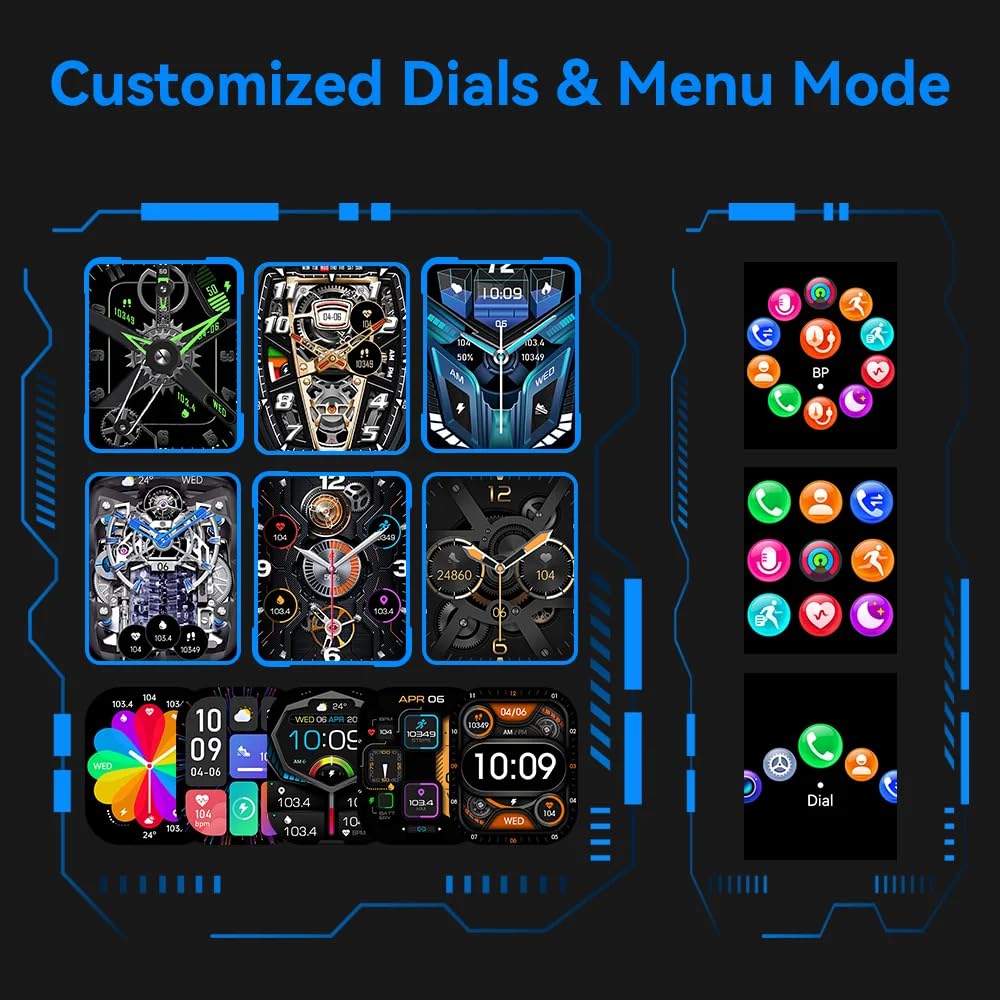
Image: A visual representation of various customizable watch faces and different menu display modes available on the CUBOT X1 Smart Watch.
4.3. Health Assessment System
The CUBOT X1 Smart Watch includes a comprehensive health assessment system to monitor various vital statistics. Access these features through the watch's menu.
- Herzfrequenz: Überwachen Sie Ihre Herzfrequenz in Echtzeit.
- Blutsauerstoff: Messen Sie Ihre Blutsauerstoffsättigung.
- Blutdruck: Dokumentieren Sie Ihre Blutdruckwerte.
- Atemtraining: Geführte Atemübungen zur Entspannung.
- Schlafüberwachung: Analysiere deine Schlafmuster und deine Schlafqualität.
- Female Ovulation Period: Track and predict female physiological cycles.

Image: Six individual screens of the CUBOT X1 Smart Watch showing data for Heart Rate, Blood Oxygen, Blood Pressure, Breath Training, Sleep, and Female Ovulation Period tracking.
4.4. Mehrere Sportmodi
The CUBOT X1 Smart Watch serves as your training partner with over 100 sports modes. Select the appropriate mode for your activity to accurately track your performance and metrics.
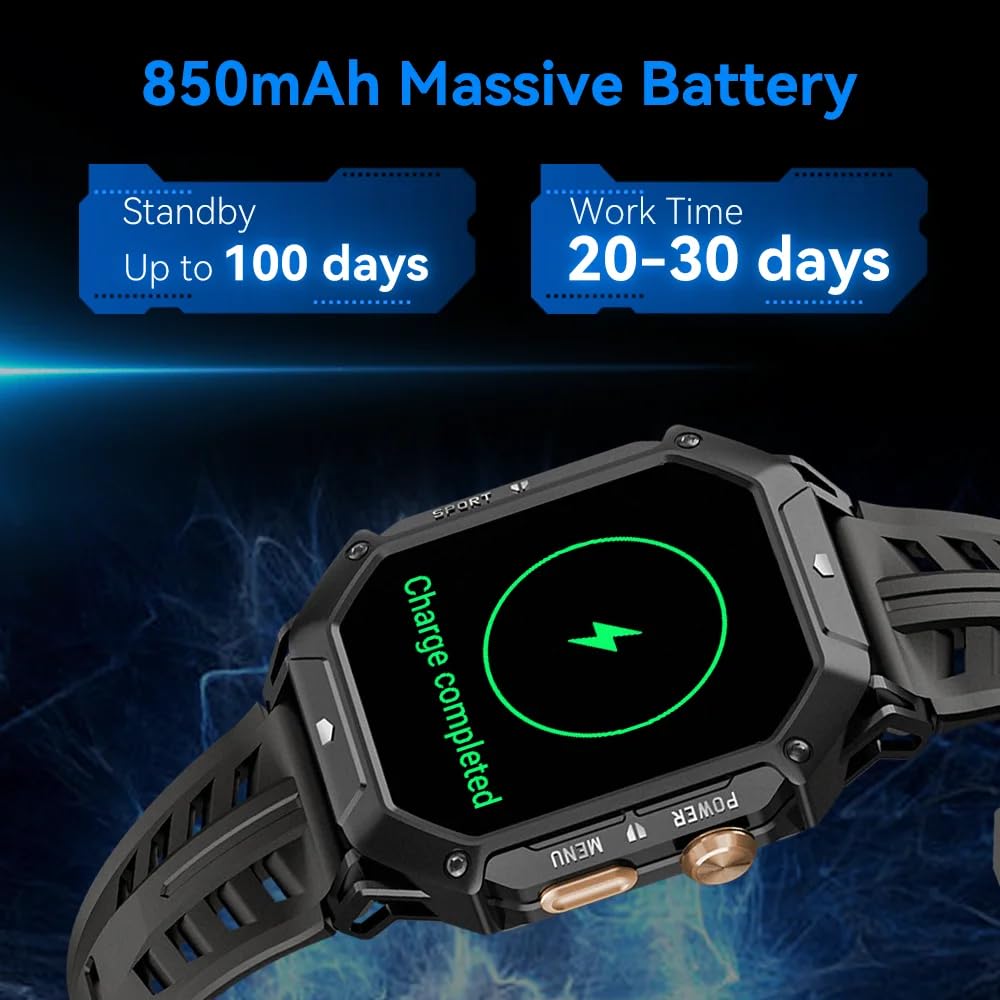
Image: A grid of small icons depicting various sports and activities, illustrating the "100+ Sports modes" feature of the CUBOT X1 Smart Watch.
4.5. Erweiterte Funktionen
The CUBOT X1 Smart Watch integrates several advanced features for enhanced utility:
- Bluetooth-Anruf: Tätigen und empfangen Sie Anrufe direkt über Ihre Uhr, wenn diese mit Ihrem Smartphone verbunden ist.
- 2 ATM wasserdicht: The watch is resistant to water up to 2 atmospheres, suitable for activities like swimming and showering, but not deep diving.
- Kompassnavigation: Utilize the built-in compass for directional guidance.
- Barometer: Supports measurement of current air pressure and altitude.

Image: A composite image showing four key features of the CUBOT X1 Smart Watch: a user making a Bluetooth call, the watch being used during swimming (2 ATM waterproof), the compass navigation display, and the barometer displaying air pressure and altitude.
5. Wartung
Proper maintenance ensures the longevity and optimal performance of your CUBOT X1 Smart Watch.
- Reinigung: Reinigen Sie das Uhrendisplay und das Armband regelmäßig mit einem weichen, trockenen Tuch. Bei hartnäckigen Verschmutzungen verwenden Sie ein leicht dämpfendes Tuch.amp Mit einem Tuch und milder Seife abwischen, anschließend gründlich ausspülen und trocknen. Scharfe Chemikalien vermeiden.
- Wassereinwirkung: While the watch is 2 ATM waterproof, avoid prolonged exposure to hot water, steam, or high-pressure water jets. Dry the watch completely after exposure to water.
- Temperatur: Setzen Sie die Uhr nicht über längere Zeit extremen Temperaturen (sehr heiß oder sehr kalt) aus, da dies die Batterielebensdauer und die internen Komponenten beeinträchtigen kann.
- Laden: Verwenden Sie ausschließlich das mitgelieferte Ladekabel. Vermeiden Sie ein Überladen des Akkus.
6. Fehlerbehebung
If you encounter issues with your CUBOT X1 Smart Watch, refer to the following common solutions:
- Uhr schaltet sich nicht ein: Stellen Sie sicher, dass die Uhr vollständig aufgeladen ist. Schließen Sie sie für mindestens 30 Minuten an das Ladegerät an.
- Kopplung mit Smartphone nicht möglich:
- Stellen Sie sicher, dass Bluetooth auf Ihrem Smartphone und Ihrer Uhr aktiviert ist.
- Stellen Sie sicher, dass sich die Uhr in Bluetooth-Reichweite Ihres Telefons befindet.
- Starten Sie sowohl Ihre Uhr als auch Ihr Smartphone neu.
- Clear the Bluetooth cache on your phone (Android) or forget the device and try pairing again (iOS/Android).
- Ungenaue Gesundheitsdaten: Achten Sie darauf, dass die Uhr eng am Handgelenk sitzt, weder zu eng noch zu locker. Reinigen Sie die Sensoren regelmäßig.
- Bildschirm reagiert nicht: Versuchen Sie, die Uhr durch Gedrückthalten des Ein-/Ausschalters neu zu starten. Sollte die Uhr nicht reagieren, lassen Sie den Akku vollständig entladen und laden Sie ihn anschließend wieder auf.
Für weitere Unterstützung wenden Sie sich bitte an den Kundendienst.
7. Spezifikationen
| Besonderheit | Detail |
|---|---|
| Marke | CUBOT |
| Modell | X1 |
| Artikelmodellnummer | X1 |
| Betriebssystem | Android, iOS |
| Kompatible Geräte | Smartphone |
| Besondere Merkmale | Digital Display, Fitness Tracking, Rugged Design, Shock Resistant, Water Resistant |
| Anzeigegröße des Standbildschirms | 1.91 Zoll |
| Anzeigetyp | Digitales |
| Durchschnittliche Batterielebensdauer | 100 Tage (Standby) |
| Ladezeit | 2 Stunden |
| Batteriekapazität | 850 Amp Stunden (mAh) |
| Zusammensetzung der Batteriezellen | Lithium Polymer |
| Kabelloser Typ | Bluetooth |
| Steckertyp | Bluetooth, GPS |
| Geräteschnittstelle – Primär | Tasten, Touchscreen |
| Artikelgewicht | 85 g |
| Ursprungsland | China |
8. Garantie und Support
The CUBOT X1 Smart Watch comes with a standard manufacturer's warranty. For specific warranty terms and conditions, please refer to the documentation included with your purchase or contact the seller.
For product support, inquiries, or warranty claims, you may contact the importer/packer:
PandoraBiz
Khokla Busty, Jaigaon, West Bengal - 736182
Kontaktnummer: +91 96793 37014
E-Mail: hi@pandorabiz.com


