1. Einleitung
This manual provides instructions for the BoxWave DirectSync PD 100W USB-C to USB-C Cable (10ft). This cable is designed for efficient power delivery and high-speed data transfer between compatible USB-C devices. It features a durable braided nylon construction and reinforced strain reliefs for enhanced longevity.
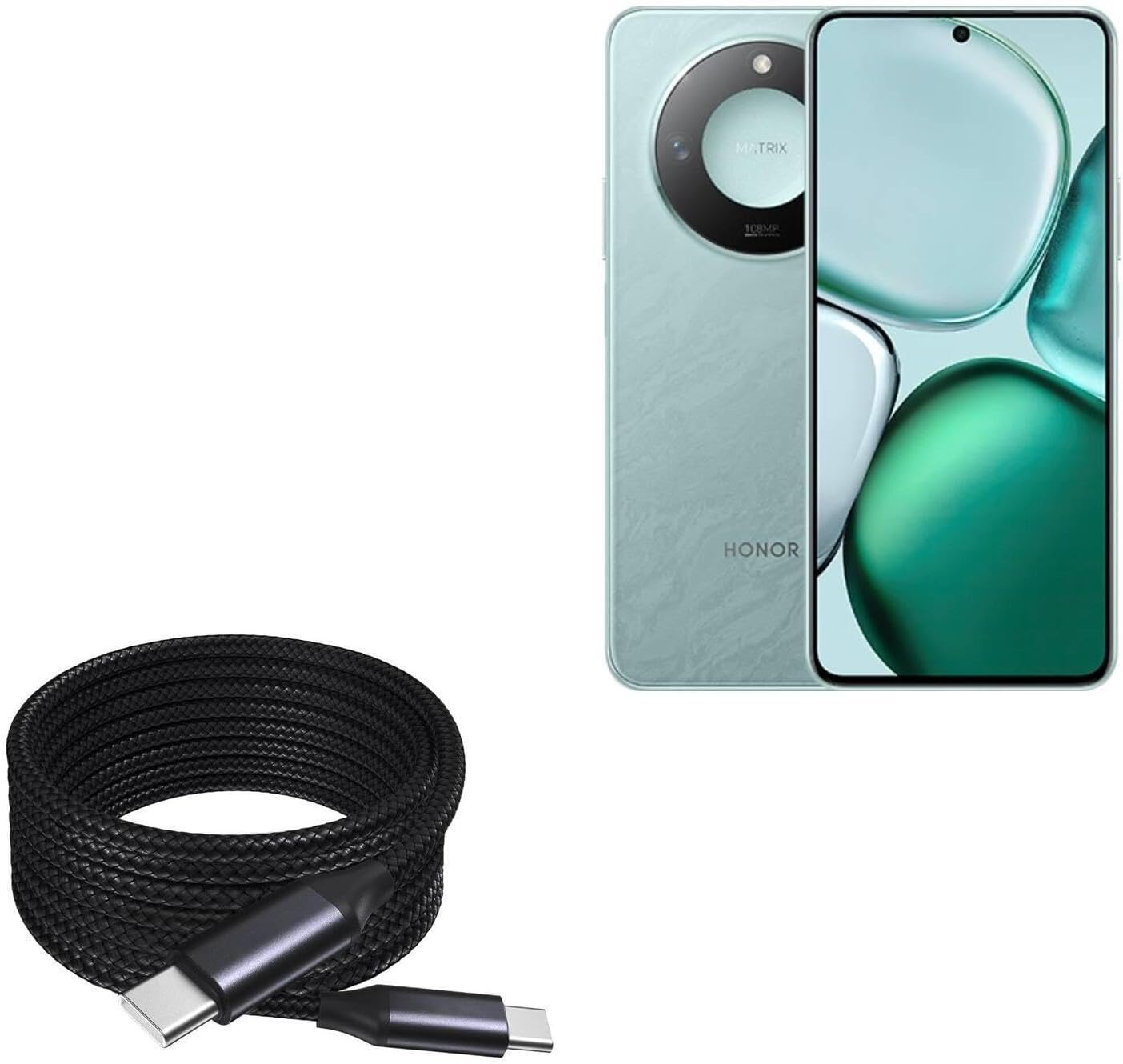
Image 1: The BoxWave DirectSync PD 100W USB-C to USB-C Cable (10ft) shown coiled next to a compatible smartphone, illustrating its design and intended use.
2. Einrichtung und Verbindung
The DirectSync PD Cable is designed for simple plug-and-play functionality. No software installation is required.
- Ports identifizieren: Ensure both your charging adapter/power source and your device have USB-C ports.
- Anschluss zum Laden: Insert one end of the USB-C cable into a compatible USB-C power adapter or power bank. Insert the other end into the USB-C charging port of your device (e.g., smartphone, tablet, laptop).
- Verbindung für Datenübertragung herstellen: Insert one end of the USB-C cable into the USB-C port of your computer. Insert the other end into the USB-C port of your device. Your device should appear as a connected storage device on your computer.

Bild 2: Eine Nahaufnahme view of the coiled braided nylon cable, highlighting the robust USB-C connectors at each end.
3. Bedienungsanleitung
3.1 Leistungsabgabe (PD) Laden
The DirectSync PD Cable supports up to 100W Power Delivery, allowing for rapid charging of compatible devices, including laptops, tablets, and smartphones. For optimal charging speeds, ensure your power adapter also supports 100W PD or a wattage suitable for your device.
- Schließen Sie das Kabel wie in Abschnitt 2 beschrieben an.
- The charging indicator on your device should activate, confirming power delivery.

Image 3: The DirectSync PD cable connected to a laptop, demonstrating its capability for high-wattage power delivery.
3.2 Datenübertragung
This cable facilitates high-speed data transfers up to 480Mbps, allowing you to sync files, photos, and videos between your devices and computer efficiently.
- Connect the cable between your device and computer as described in Section 2.
- Once connected, your device should be recognized by your computer, allowing you to access and transfer files.

Image 4: The cable simultaneously charging a smartphone and connected to a laptop, demonstrating its dual function for charging and data synchronization.
4. Wartung
Durch sachgemäße Pflege verlängern Sie die Lebensdauer Ihres BoxWave DirectSync PD-Kabels.
- Lagerung: Store the cable in a clean, dry place. Avoid tightly coiling or bending the cable at sharp angles, especially near the connectors.
- Reinigung: Reinigen Sie Kabel und Anschlüsse mit einem weichen, trockenen Tuch. Verwenden Sie keine scharfen Chemikalien oder Scheuermittel.
- Handhabung: Always grasp the connector head when plugging or unplugging the cable, rather than pulling on the cable itself. This prevents stress on the internal wires and reinforced strain reliefs.

Abbildung 5: Eine detaillierte view of the braided nylon exterior, highlighting the cable's durable construction designed to resist tangles and fraying.

Image 6: A close-up of the rubberized grommet strain relief at the connector, designed to prevent cable fraying and enhance durability.
5. Fehlerbehebung
- Gerät wird nicht geladen:
- Stellen Sie sicher, dass beide Enden des Kabels fest angeschlossen sind.
- Vergewissern Sie sich, dass Ihr Netzteil ordnungsgemäß funktioniert und mit den Ladeanforderungen Ihres Geräts kompatibel ist.
- Prüfen Sie, ob der Ladeanschluss Ihres Geräts sauber und frei von Verunreinigungen ist.
- Confirm your power adapter supports Power Delivery (PD) for fast charging.
- Langsamer Ladevorgang:
- Stellen Sie sicher, dass Ihr Netzteil ausreichend Leistung liefert.tage for your device. For 100W charging, a 100W PD adapter is required.
- Some devices may limit charging speed based on battery level or temperature.
- Probleme bei der Datenübertragung:
- Ensure the cable is securely connected to both the device and the computer.
- Verify that your device is set to 'File Transfer' or 'MTP' mode when connected to a computer, if applicable.
- Versuchen Sie, eine Verbindung zu einem anderen USB-C-Anschluss an Ihrem Computer herzustellen.
6. Spezifikationen
| Besonderheit | Spezifikation |
|---|---|
| Produktname | BoxWave DirectSync PD-Kabel |
| Modell | DirectSync PD-Kabel |
| Steckertyp | USB-C auf USB-C |
| Stromversorgung | Bis zu 100 W |
| Datenübertragungsgeschwindigkeit | Bis zu 480 Mbit/s |
| Kabellänge | 10 Fuß (ungefähr 3 Meter) |
| Material | Braided Nylon, Rubberized Grommet Strain Relief |
| Farbe | Tiefschwarz |
| Artikelgewicht | 6 Unzen |
7. Garantie und Support
For warranty information or technical support regarding your BoxWave DirectSync PD Cable, please refer to the official BoxWave website or contact their customer service directly. Contact details are typically available on the product packaging or the manufacturer's webWebsite.
WebWebsite: www.boxwave.com


