Einführung
The LAMAX BFit Call is a versatile smartwatch designed to enhance your daily life with smart notifications, comprehensive health monitoring, and various fitness features. This manual provides essential information for setting up, operating, and maintaining your device.
Aufstellen
1. Auspacken und erste Aufladung
Carefully unpack your LAMAX BFit Call smartwatch. The package includes the smartwatch, a charging cable, an additional strap, and safety tips. Before first use, fully charge the device using the provided charging cable.
2. Ein-/Ausschalten
To power on, press and hold the side button until the screen illuminates. To power off, navigate to the settings menu on the watch, select 'Power Off', and confirm.
3. Koppeln mit Ihrem Smartphone
- Download the official LAMAX BFit Call application from your smartphone's app store.
- Stellen Sie sicher, dass Bluetooth auf Ihrem Smartphone aktiviert ist.
- Open the LAMAX BFit Call app and follow the on-screen instructions to search for and connect to your smartwatch via Bluetooth 5.3.
- Bestätigen Sie die Kopplungsanfrage sowohl auf Ihrem Smartphone als auch auf der Smartwatch.
Successful pairing enables call, SMS, and selected application notifications directly on your watch.
Bedienungsanleitung
1. Grundlegende Navigation
The LAMAX BFit Call features a responsive touch screen. Swipe left, right, up, or down to navigate through menus and access different functions. Press the side button to return to the home screen or wake the device.
2. Kommunikationsfunktionen
- Bluetooth-Anrufe: Once paired, you can answer or reject incoming calls directly from your watch.
- Benachrichtigungen: Receive SMS messages and notifications from selected applications on your wrist.
3. Gesundheitsüberwachung
Die Smartwatch überwacht kontinuierlich verschiedene Gesundheitsdaten:
- Herzfrequenz: 24-Stunden-Herzfrequenzmessung.
- Blutsauerstoffsättigung (SpO2): Monitors blood oxygen supply.
- Blutdruck: Liefert Blutdruckmesswerte.
- Stressniveau: Erfasst Ihren Stresspegel im Laufe des Tages.
- Schlafqualität: Überwacht Schlafmuster und Schlafqualität.
- Menstruationszyklus: Offers tracking for the menstrual cycle.
Note: This device is not a medical instrument. Health data is for reference only and should not be used for medical diagnosis or treatment.
4. Fitness and Sport Modes
Access over 100 sport modes to track your workouts. The watch records training results, including calorie consumption, and features a pedometer for daily step counting. Relaxation exercises are also available.
5. Zusätzliche Funktionen
- Multimedia-Steuerung: Steuern Sie die Musikwiedergabe auf Ihrem gekoppelten Smartphone.
- Benutzerdefinierte Zifferblätter: Personalize your watch face through the app.
- Wettervorhersage: Erhalten Sie Wetterinformationen in Echtzeit.
- Remote Timer: Use the watch as a remote timer.
- Spiele: Enjoy two built-in games.
- Wecker: Wecker direkt über die Uhr stellen.
Wartung
1. Reinigung
Reinigen Sie das Uhrendisplay und das Armband regelmäßig mit einem weichen, trockenen Tuch. Bei hartnäckigen Verschmutzungen verwenden Sie ein leicht fusselfreies Tuch.amp Mit einem Tuch abwischen und anschließend gründlich trocknen lassen. Scharfe Chemikalien und scheuernde Materialien vermeiden.
2. Batteriepflege
To maximize battery life (up to 7 days on average), avoid extreme temperatures and fully charge the device before it completely drains. If storing for an extended period, charge it to about 50%.
3. Material Care
The watch is made from safe, non-irritating materials. If you experience any skin irritation, discontinue use and consult a doctor. Ensure the strap is not too tight to allow for proper air circulation.
Fehlerbehebung
- Uhr schaltet sich nicht ein: Stellen Sie sicher, dass die Uhr vollständig aufgeladen ist. Schließen Sie sie für mindestens 30 Minuten an das Ladegerät an.
- Kopplung mit dem Telefon nicht möglich: Check if Bluetooth is enabled on your phone and the watch. Ensure the watch is within range and not paired with another device. Restart both the watch and phone.
- Benachrichtigungen nicht erhalten: Verify that app notifications are enabled in your phone's settings and within the LAMAX BFit Call app. Ensure the watch is properly connected via Bluetooth.
- Ungenaue Gesundheitsdaten: Achten Sie darauf, dass die Uhr eng am Handgelenk sitzt, aber nicht zu fest. Reinigen Sie den Sensor auf der Rückseite der Uhr.
- Kurze Akkulaufzeit: Reduce screen brightness, disable unnecessary notifications, and limit continuous health monitoring if not required.
Technische Daten
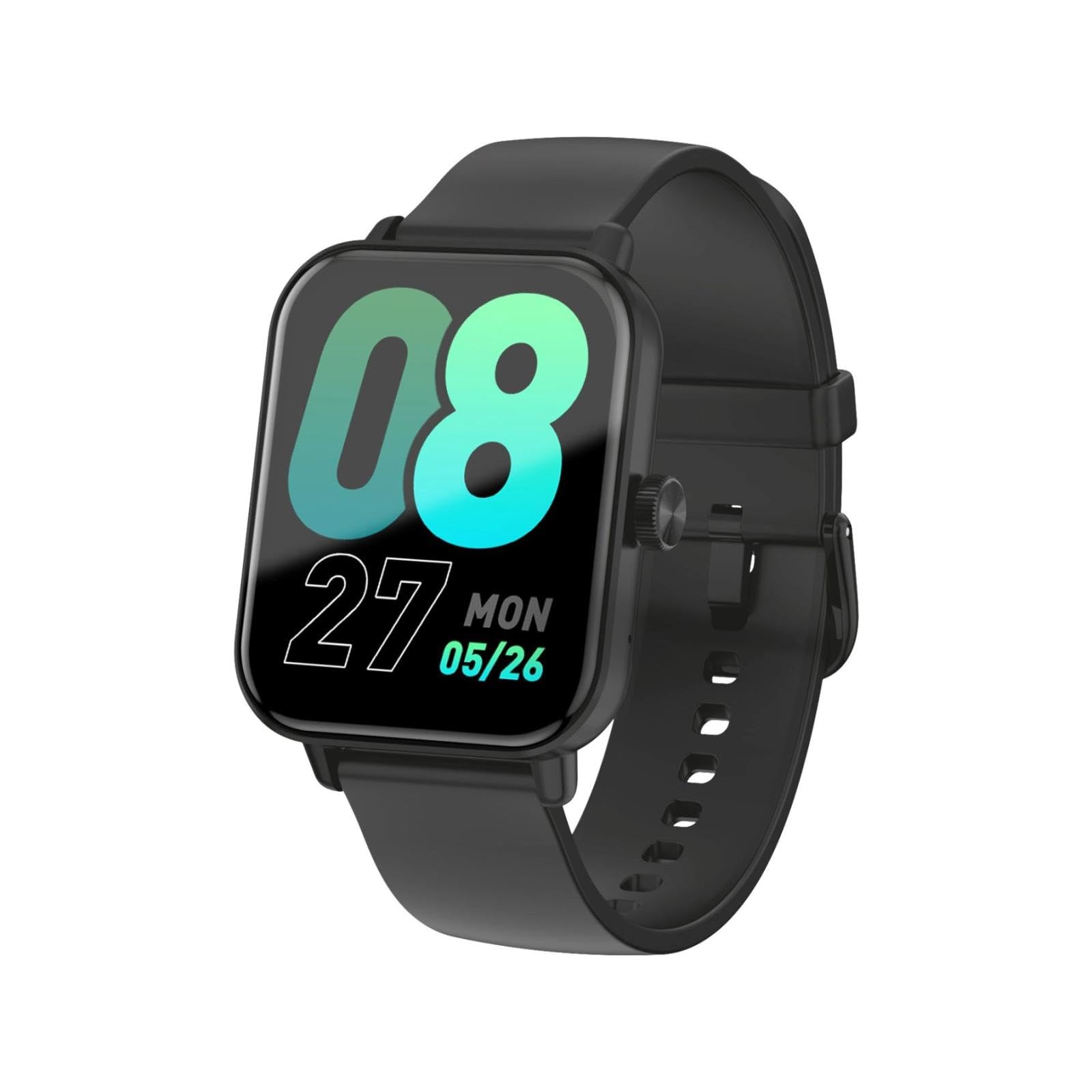
This image shows the LAMAX BFit Call smartwatch worn on the wrist of a child who is engaged in writing. The watch face displays digital time and other metrics, highlighting its comfortable fit and clear display during daily activities.
| Marke | LAMAX |
| Modellname | BFit Call |
| Anzeigegröße | 1.83 Zoll |
| Anzeigetyp | TFT |
| Batteriekapazität | 300 mAh |
| Durchschnittliche Akkulaufzeit | Bis zu 7 Tage |
| Konnektivität | Bluetooth |
| Besondere Merkmale | Alarm clock, Touch screen, Cycle tracking, Time display |
| Gewicht | 35 g |
Garantie und Support
For warranty information and technical support, please refer to the official LAMAX webBesuchen Sie unsere Website oder wenden Sie sich an Ihren Händler vor Ort. Bewahren Sie Ihren Kaufbeleg als Kaufnachweis für Garantieansprüche auf.


