1. Einleitung
Thank you for choosing the AYANEO AM01 Retro Mini PC. This manual provides essential information for setting up, operating, maintaining, and troubleshooting your device. Please read this manual thoroughly before use to ensure optimal performance and longevity of your Mini PC.
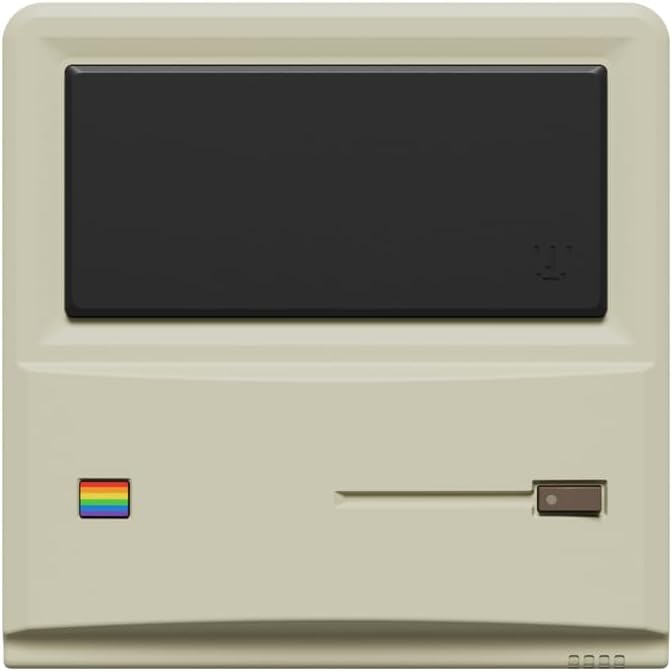
Abbildung 1: Vorderseite view of the AYANEO AM01 Retro Mini PC.
2. Sicherheitshinweise
To prevent damage to the device or injury to yourself and others, please observe the following safety precautions:
- Das Gerät darf weder Wasser, Feuchtigkeit noch extremen Temperaturen ausgesetzt werden.
- Vermeiden Sie, das Gerät in der Nähe von Wärmequellen oder in direktem Sonnenlicht aufzustellen.
- Verwenden Sie nur das mitgelieferte Netzteil.
- Versuchen Sie nicht, das Gerät selbst zu öffnen oder zu reparieren. Wenden Sie sich an qualifiziertes Servicepersonal.
- Sorgen Sie für eine ausreichende Belüftung rund um das Gerät, um eine Überhitzung zu vermeiden.
3. Packungsinhalt
Überprüfen Sie, ob alle Artikel im Paket vorhanden sind:
- 1 x AYANEO AM01 Mini PC
- 1 x Netzteil
- 1 x 2.5-inch hard drive bracket with Screws
- 1 x HDMI-Kabel
- 1 x 2.5-inch hard SATA cable
- 2 x Benutzerhandbuch
4. Produktüberschreitungview
The AYANEO AM01 Mini PC features a compact design with various ports for connectivity.
4.1 Frontplatte
The front panel includes decorative elements and a power indicator.

Figure 2: Close-up of the AM01 front panel, highlighting the retro design and decorative elements. The virtual screen is for decoration only.
4.2 Rück- und Seitenwände
The rear and side panels house the primary connectivity ports and ventilation.
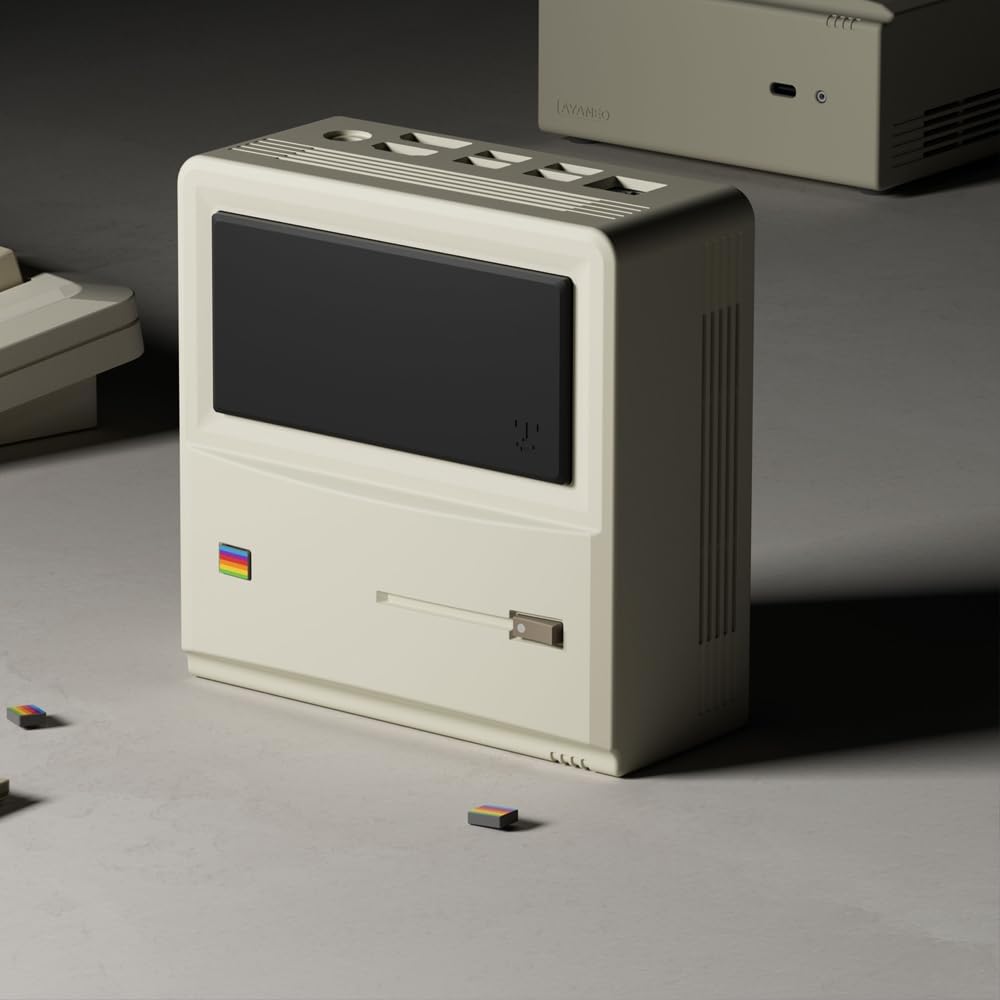
Abbildung 3: Rück- und Seitenansicht view of the AM01, illustrating the various input/output ports and ventilation grilles.
Zu den wichtigsten Anschlüssen gehören:
- USB 3.2 Gen 2-Anschlüsse
- HDMI 2.0-Anschluss
- DisplayPort 1.4
- Gigabit-Ethernet-Anschluss
- 3.5-mm-Audiobuchse
- Max. Leistungsaufnahme
5. Einrichtung
5.1 Anschließen von Peripheriegeräten
- Connect your monitor(s) to the HDMI and/or DisplayPort outputs.
- Schließen Sie Ihre Tastatur und Maus an die verfügbaren USB-Anschlüsse an.
- If using a wired network, connect an Ethernet cable to the Gigabit Ethernet port.
5.2 Einschalten
- Connect the power adapter to the Mini PC's power input and then to a power outlet.
- Press the power button located on the device. The power indicator will illuminate.
5.3 Erste Windows 11-Einrichtung
Upon first boot, you will be guided through the Windows 11 Home setup process. Follow the on-screen instructions to configure your language, region, network, and user account.
5.4 Netzwerkverbindungen
- W-lan: During Windows setup or via Windows Settings, select your Wi-Fi network and enter the password. The AM01 supports Wi-Fi 6.
- Ethernet: If an Ethernet cable is connected, the system will automatically detect and connect to the wired network.
6. Bedienungsanleitung
6.1 Grundlegende Verwendung
The AYANEO AM01 runs on Windows 11 Home, providing a familiar desktop environment. You can install applications, browse the web, and perform various computing tasks.

Figure 4: The AM01 Mini PC integrated into an office workspace, demonstrating its use for productivity tasks.
6.2 AYASpace Software
The AM01 is compatible with AYASpace, a Windows management software developed by AYANEO. This software offers features such as game library management, real-time performance monitoring (FPS Thunder), and fan control strategies.

Abbildung 5: Überview of the AYASpace software interface, showing features like game library search, FPS monitoring, and fan scheduling.
For barebone versions, AYASpace can be downloaded and installed from the AYANEO website after Windows installation.
6.3 Speicher- und Arbeitsspeichererweiterung
The AM01 offers flexibility for upgrades:
- RAM: Dual DDR4 memory slots support up to 64GB RAM.
- Lagerung: Includes a 512GB PCIe 3.0 SSD and a 2.5-inch SATA 3.0 slot for additional SSDs or HDDs.
Consult a qualified technician for hardware upgrades to avoid voiding your warranty or damaging the device.
7. Wartung
7.1 Reinigung
- Verwenden Sie ein weiches, trockenes Tuch, um die Außenseite des Mini-PCs zu reinigen.
- Zur Entfernung von Staubablagerungen in Lüftungsschlitzen Druckluft verwenden. Vor der Reinigung sicherstellen, dass das Gerät ausgeschaltet ist.
- Verwenden Sie keine flüssigen Reinigungsmittel oder Scheuermittel.
7.2 Softwareaktualisierungen
Regularly update your Windows operating system and device drivers to ensure optimal performance and security. Windows Update can be accessed via the Settings menu.
7.3-Kühlsystem
The AM01 features a 35W high-pressure turbo fan and a four-copper-pipe cooling module for efficient heat dissipation. Ensure that the ventilation grilles are not obstructed to maintain proper airflow.

Abbildung 6: Intern view illustrating the AM01's cooling system components, including the fan and copper pipes.
8. Fehlerbehebung
If you encounter issues with your AYANEO AM01, refer to the following common solutions:
- Kein Strom: Stellen Sie sicher, dass das Netzteil fest mit dem Mini-PC und einer funktionierenden Steckdose verbunden ist. Versuchen Sie es mit einer anderen Steckdose.
- Kein Bildschirm: Verify that the monitor is powered on and correctly connected to the Mini PC via HDMI or DisplayPort. Try a different cable or monitor.
- Keine Internetverbindung: Check Wi-Fi settings or ensure the Ethernet cable is properly connected. Restart your router/modem.
- Langsame Leistung: Close unnecessary applications. Check for background updates. Ensure adequate ventilation.
- System friert ein: Halten Sie den Netzschalter 10 Sekunden lang gedrückt, um das Gerät auszuschalten, und starten Sie es anschließend neu.
For persistent issues, contact AYANEO customer support or visit their official webWebsite für weitere Unterstützung.
9. Spezifikationen
Detailed technical specifications for the AYANEO AM01 Mini PC:
| Besonderheit | Spezifikation |
|---|---|
| Modell | AM01 |
| Prozessor | AMD Ryzen 7 5825U |
| RAM | 32 GB DDR4 (erweiterbar auf bis zu 64 GB) |
| Lagerung | 512GB SSD (PCIe 3.0), 2.5-inch SATA 3.0 slot available |
| Betriebssystem | Windows 11 Home |
| Grafik | Integrierte Grafik |
| Maximale Bildschirmauflösung | 3840x2160 (4K) |
| Konnektivität | Wi-Fi 6, Bluetooth 5.2, Gigabit-Ethernet |
| Häfen | USB 3.2 Gen 2 (x3), USB 2.0 (x1), HDMI 2.0 (x1), DisplayPort 1.4 (x1), 3.5mm Audio Jack (x1) |
| Maße | 132 × 132 × 60.5mm (approx.) |
| Artikelgewicht | 1.1 Pfund (ca.) |
10. Garantie und Support
The AYANEO AM01 Retro Mini PC comes with a manufacturer's warranty. Please refer to the warranty card included in your package or visit the official AYANEO webAuf der Webseite finden Sie die detaillierten Garantiebedingungen.
For technical support, product inquiries, or service requests, please contact AYANEO customer support through their official channels. Keep your purchase receipt and product serial number handy when contacting support.


