1. Einleitung
This manual provides essential instructions for setting up, operating, and maintaining your PEJE Smartwatch. Please read this manual thoroughly before using the device to ensure proper function and longevity.
2. Lieferumfang
Upon unboxing your PEJE Smartwatch, verify that all components are present:
- 1x PEJE Smartwatch
- 1x Magnetisches Ladekabel
- 1x Benutzerhandbuch (dieses Dokument)

Image: Contents of the PEJE Smartwatch packaging.
3. Produktüberschreitungview und Abmessungen
The PEJE Smartwatch features a 1.45-inch HD TFT display. Understanding its dimensions can help with comfortable wear and accessory selection.

Image: PEJE Smartwatch dimensions.
4. Einrichtung
4.1 Aufladen der Smartwatch
Before initial use, fully charge your smartwatch. Connect the magnetic charging cable to the charging points on the back of the watch and plug the USB end into a power source.
- Eine vollständige Aufladung dauert in der Regel 2-2.5 Stunden.
- The 180mAh polymer battery provides approximately 4-6 days of normal use Und 8-12 Tage im Standby.

Image: Smartwatch charging and battery life indication.
4.2 Koppeln mit Ihrem Smartphone
To unlock the full functionality of your PEJE Smartwatch, pair it with your smartphone via the dedicated app.
- Laden Sie die App herunter: Suchen nach the official PEJE Smartwatch app on your smartphone's app store (compatible with Android 5.0+ and iOS 9.0+).
- Bluetooth aktivieren: Stellen Sie sicher, dass Bluetooth auf Ihrem Smartphone aktiviert ist.
- Öffnen Sie die App: Launch the PEJE Smartwatch app and follow the on-screen instructions to add a new device.
- Select Your Device: The app will scan for available devices. Select your PEJE Smartwatch from the list.
- Kopplung bestätigen: Bestätigen Sie die Kopplungsanfrage sowohl auf Ihrem Smartphone als auch auf der Smartwatch.
5. Bedienungsanleitung
5.1 Grundlegende Navigation
The smartwatch features a 1.45-inch HD TFT full touchscreen display. Swipe left, right, up, or down to navigate through menus and functions. Tap to select items.
5.2 Bluetooth-Anrufe und Benachrichtigungen
With Bluetooth 5.2, your smartwatch allows you to manage calls and receive notifications directly on your wrist.
- Anrufe tätigen/empfangen: Use the built-in microphone and speaker to answer or make calls. Access call lists and sync over 100 contacts via the app.
- Nachrichtenbenachrichtigungen: Receive real-time notifications for SMS, WhatsApp, and other applications.
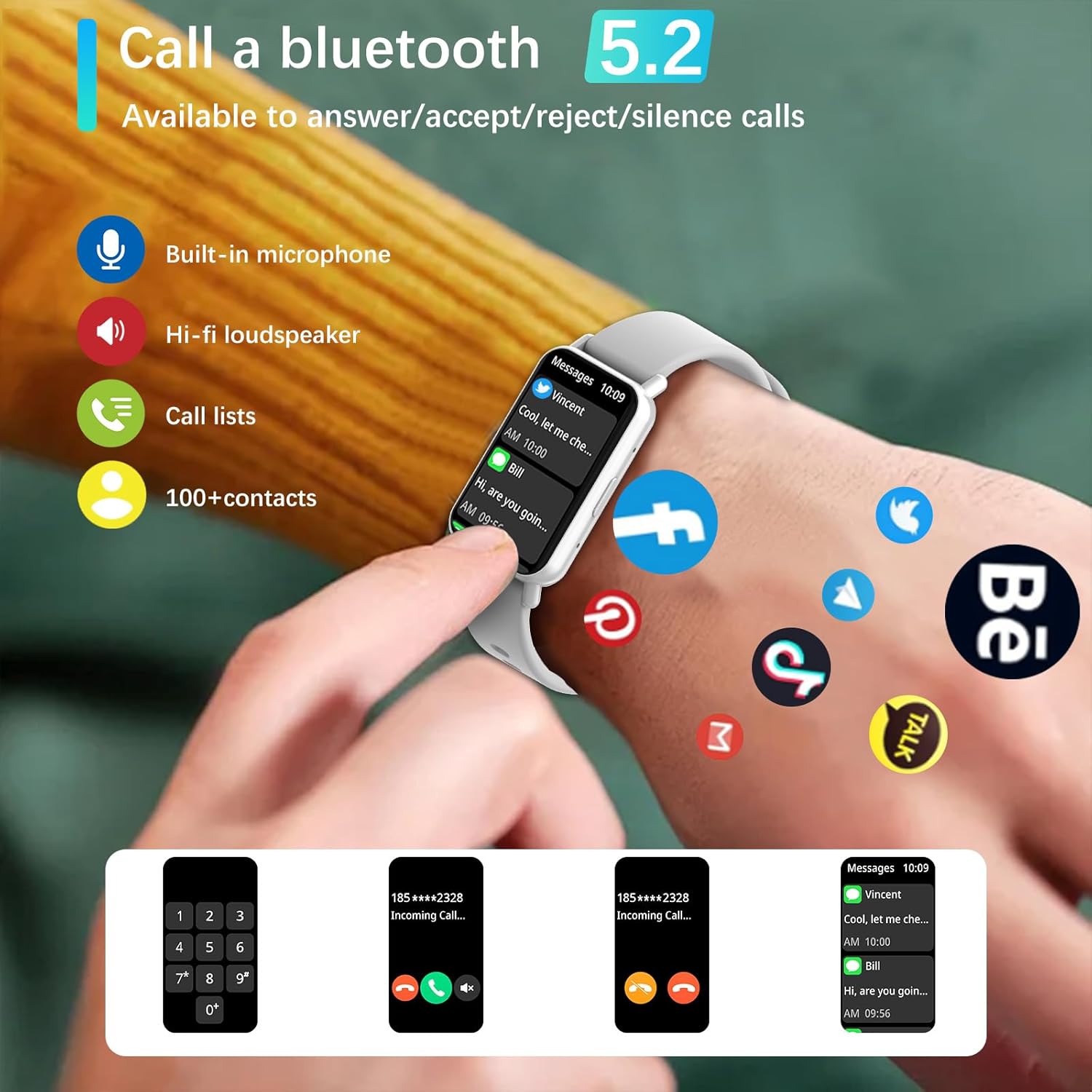
Image: Bluetooth 5.2 calling and message notifications.
5.3 Gesundheitsüberwachung
Die Smartwatch ist mit fortschrittlichen Sensoren für eine umfassende Gesundheitsüberwachung ausgestattet:
- Herzfrequenz-Überwachung: Kontinuierliche Herzfrequenzmessung rund um die Uhr.
- Blood Pressure & Blood Oxygen (SpO2) Monitoring: Messen Sie Ihren Blutdruck und Ihren Blutsauerstoffgehalt.
- Schlaf-Tracking: Monitors sleep patterns from 10 PM to 8 AM.
- Atemtraining: Geführte Atemübungen zur Entspannung.
- Bewegungsmangel-Erinnerungen: Benachrichtigungen, um nach Phasen der Inaktivität zur Bewegung anzuregen.
5.4 Sportmodi und Fitness-Tracking
Engage in various physical activities with 123 built-in sports modes, including walking, running, cycling, and swimming. The watch tracks essential data:
- Durchgeführte Schritte
- Zurückgelegte Strecke
- Kalorienverbrauch
- Herzfrequenz während des Trainings
- GPS routes (via smartphone)
Receive goal achievement notifications and reminders to drink water.
5.5 Benutzerdefinierte Zifferblätter
Personalize your smartwatch display:
- Choose from 5 default watch face designs.
- Create custom watch faces using your favorite photos via the app.
- Download additional watch faces from the watch face market within the PEJE app.
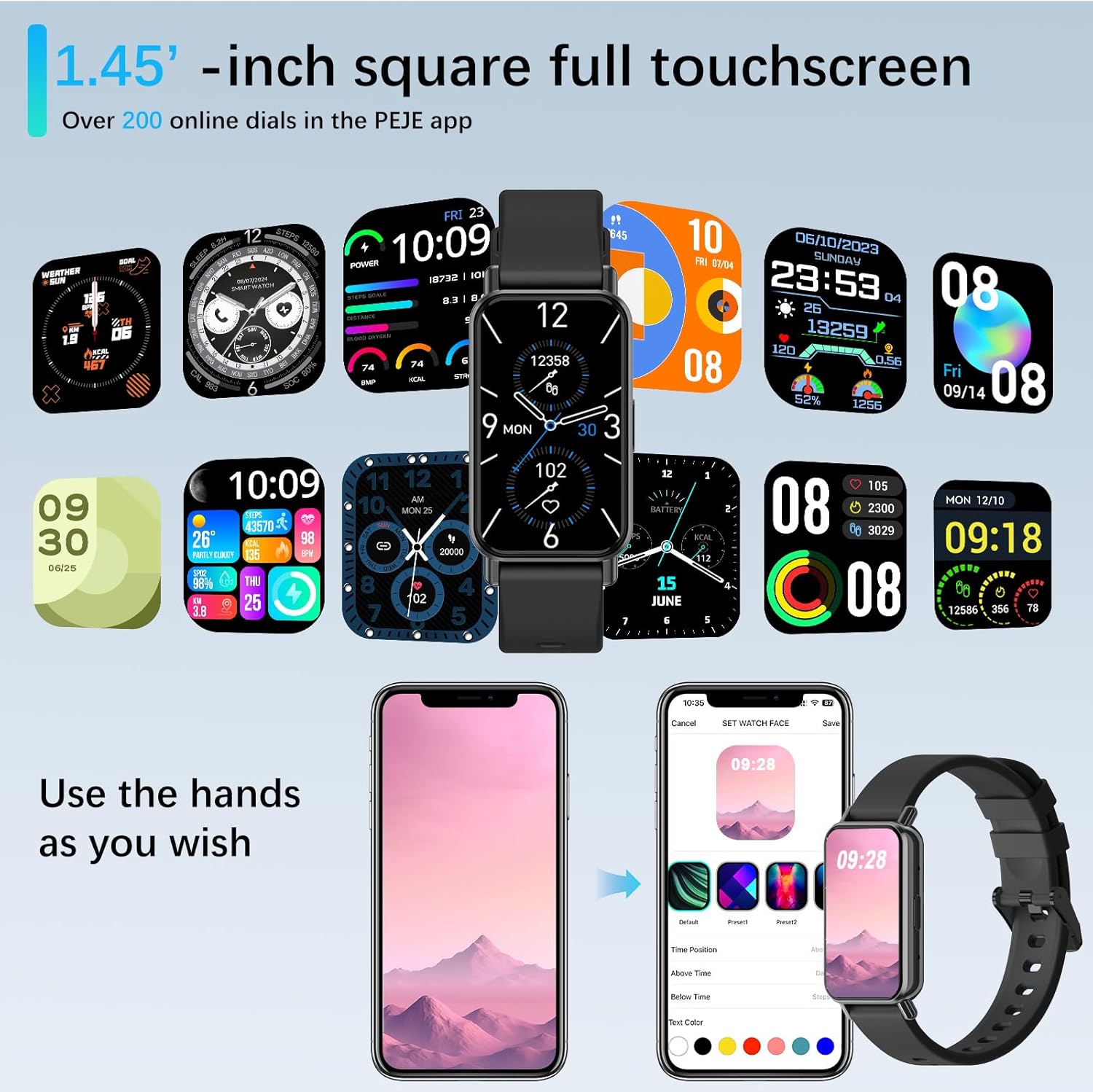
Image: Customizing watch faces through the PEJE app.
5.6 zusätzliche Funktionen
- Fernsteuerung der Kamera: Shake your wrist or tap the watch to remotely trigger your smartphone's camera.
- Musiksteuerung: Manage music playback (play, pause, skip) directly from your wrist.
- Wetter-Updates: View current weather conditions and 5-day forecasts.
- Find My Phone & Watch: Locate your paired smartphone or smartwatch using the app.
- Werkzeuge: Access a stopwatch, calculator, and 4 built-in games.
- „Bitte nicht stören“-Modus: Benachrichtigungen zu bestimmten Zeiten stummschalten.
- Schnell-View: Heben Sie Ihr Handgelenk an, um den Bildschirm automatisch zu aktivieren.
- Muslim Prayer Reminders: Receive timely reminders for prayer.
- Tasbih Reminder: Set reminders for Tasbih practice.
- Qibla-Richtung: Displays Qibla angle and device's angle to Qibla.

Image: Qibla Direction and Tasbih Reminder features.
6. Wartung
6.1 Wasserbeständigkeit
The PEJE Smartwatch has an Wasserdichtigkeit gemäß IP68, making it resistant to splashes, rain, and sweat. It is suitable for daily use and light water exposure.
Note: The device is not suitable for prolonged immersion in water, hot water, or diving. Avoid exposure to high-pressure water streams.
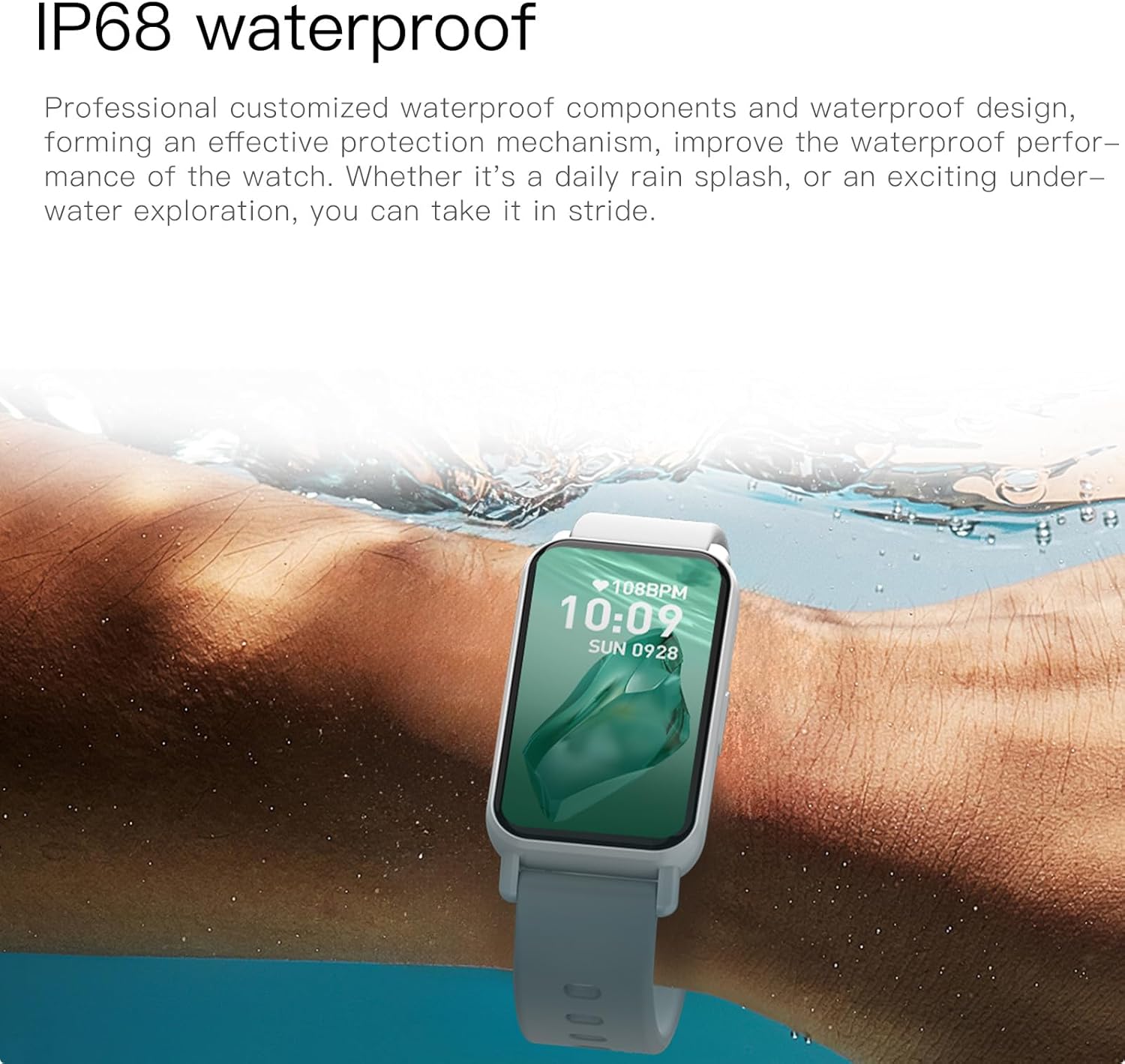
Image: PEJE Smartwatch demonstrating IP68 water resistance.
6.2 Reinigung und Pflege
- Reinigen Sie Uhr und Armband regelmäßig mit einem weichen, trockenen Tuch.
- Vermeiden Sie die Verwendung aggressiver Chemikalien oder Scheuermittel.
- Vor dem Laden sicherstellen, dass die Ladekontakte sauber und trocken sind.
7. Fehlerbehebung
If you encounter issues with your PEJE Smartwatch, try the following steps:
- Gerät lässt sich nicht einschalten: Stellen Sie sicher, dass die Uhr vollständig aufgeladen ist. Schließen Sie sie für mindestens 30 Minuten an das Ladegerät an.
- Kopplung mit dem Telefon nicht möglich:
- Stellen Sie sicher, dass Bluetooth auf Ihrem Telefon und Ihrer Uhr aktiviert ist.
- Stellen Sie sicher, dass sich die Uhr in Reichweite Ihres Telefons befindet.
- Starten Sie sowohl Ihr Smartphone als auch Ihre Smartwatch neu.
- Leeren Sie den Cache der App oder installieren Sie die App neu.
- Benachrichtigungen werden nicht angezeigt:
- Überprüfen Sie die App-Benachrichtigungsberechtigungen auf Ihrem Telefon.
- Ensure Do-Not-Disturb mode is not active on the watch.
- Verify the watch is properly connected to the app.
- Ungenaue Gesundheitsdaten: Achten Sie darauf, dass die Uhr eng am Handgelenk sitzt, weder zu eng noch zu locker. Reinigen Sie den Sensorbereich regelmäßig.
8. Spezifikationen
| Besonderheit | Spezifikation |
|---|---|
| Marke | PEJE |
| Modell | PEJE Smartwatch |
| Bildschirmgröße | 1.45 Zoll |
| Anzeigetyp | HD TFT |
| Konnektivitätstechnologie | Bluetooth 5.2 |
| Drahtloser Kommunikationsstandard | Bluetooth |
| Batteriekapazität | 180 Milliamp Std |
| Zusammensetzung der Batteriezellen | Lithium Polymer |
| Wasserbeständigkeit | IP68 |
| GPS | GPS per Smartphone |
| Kompatibilität | Android 5.0+ / iOS 9.0+ |
| Besondere Merkmale | Notifications, Health Monitoring, 123 Sport Modes, Bluetooth Calling |
| Verpackungsabmessungen | 16.2 x 10.4 x 3.4 cm |
| Artikelgewicht | 110 g |
| Ursprungsland | China |
9. Garantie und Support
9.1 Garantieinformationen
Warranty details for your PEJE Smartwatch are typically provided with your purchase documentation or can be found on the official PEJE webBitte bewahren Sie Ihren Kaufbeleg für Garantieansprüche auf.
9.2 Kundendienst
For further assistance, technical support, or inquiries not covered in this manual, please visit the official PEJE Store or contact PEJE customer service through their website. You can find the PEJE Store at https://www.amazon.sa/-/en/stores/StaySmartStayStylish/page/70BC458D-9595-4688-8DEF-D60BE431932F.


