1. Einleitung
This manual provides essential instructions for the setup, operation, and maintenance of your PEJE Smartwatch. Please read this manual thoroughly before using the device to ensure proper function and to maximize your user experience. Keep this manual for future reference.
2. Packungsinhalt
Prüfen Sie, ob alle Artikel in Ihrer Produktverpackung enthalten sind:
- PEJE Smartwatch
- USB-Magnet-Schnellladekabel
- Bedienungsanleitung

Image: Contents of the PEJE Smartwatch package, showing the smartwatch, a USB magnetic charging cable, and the user manual.
3. Produktüberschreitungview
The PEJE Smartwatch features a 1.45-inch HD TFT display and a rectangular design. It is equipped with a comfortable strap suitable for daily wear.

Bild: Vorderseite view of the PEJE Smartwatch, illustrating its display with time, step count, and heart rate. A smaller inset shows an incoming call screen.
3.1 Abmessungen
The smartwatch has the following approximate dimensions:
- Watch Case Length: 49mm
- Watch Case Width: 25mm
- Dicke des Uhrengehäuses: 11 mm
- Bandbreite: 15mm
- Total Length (Watch + Strap): 254mm

Image: Detailed diagram illustrating the physical dimensions of the PEJE Smartwatch, including the watch case and strap measurements.
4. Einrichtung
4.1 Aufladen der Smartwatch
Before initial use, fully charge your smartwatch. Connect the magnetic charging cable to the charging contacts on the back of the watch and plug the USB end into a power adapter (not included) or a computer's USB port. A full charge typically takes 2-2.5 hours.

Image: The PEJE Smartwatch displaying a charging indicator on its screen, illustrating the charging process.
4.2 App-Installation und -Kopplung
To utilize all features of your smartwatch, you must pair it with your smartphone via the dedicated application.
- Aktivieren Sie die Bluetooth-Funktion auf Ihrem Mobiltelefon.
- Open Google Play Store (for Android) or Apple App Store (for iOS), search for the "PEJE" application, and download it.
- Open the PEJE application, click on "Add device", then "Select Device", locate "Band 1" (or similar device name) and connect to it.
- Once connected, navigate to "Others" within the app settings and then select "Language" to set your preferred language.

Image: A visual guide demonstrating the four steps to connect the PEJE Smartwatch to a smartphone, including activating Bluetooth, downloading the PEJE app, selecting the device, and setting the language.
5. Bedienungsanleitung
5.1 Bluetooth-Anrufe und Benachrichtigungen
The smartwatch supports Bluetooth 5.2 for stable connectivity, allowing you to make and receive calls directly from your wrist using the built-in microphone and speaker. It also displays real-time notifications for SMS, WhatsApp, and other applications.
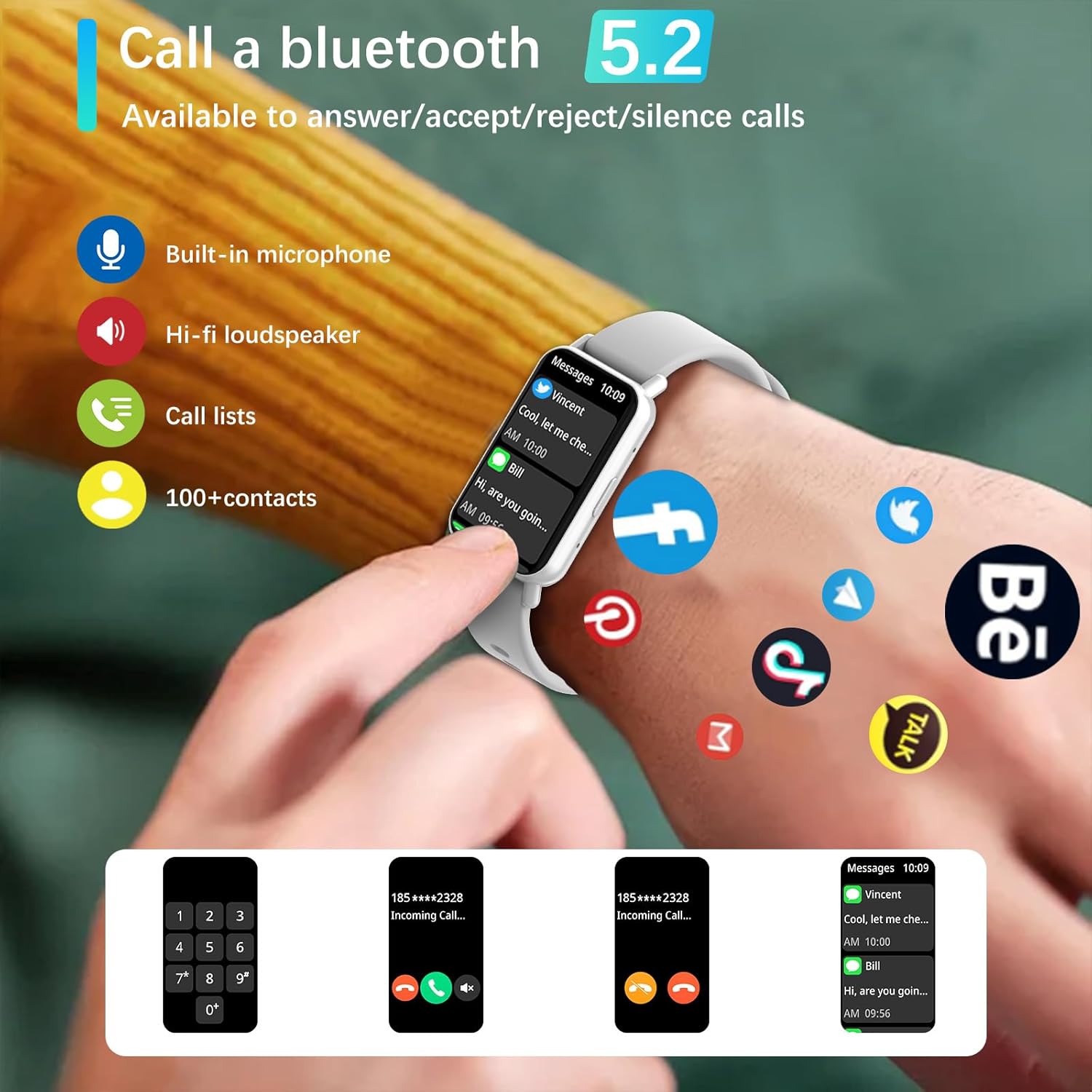
Image: The PEJE Smartwatch displaying an incoming call, highlighting its Bluetooth calling capabilities with icons for microphone, speaker, call lists, and contacts.
5.2 Benutzerdefinierte Zifferblätter
Personalize your smartwatch display. Choose from 5 default watch faces, create a custom one using your photos, or download additional designs from the watch face market within the PEJE app.
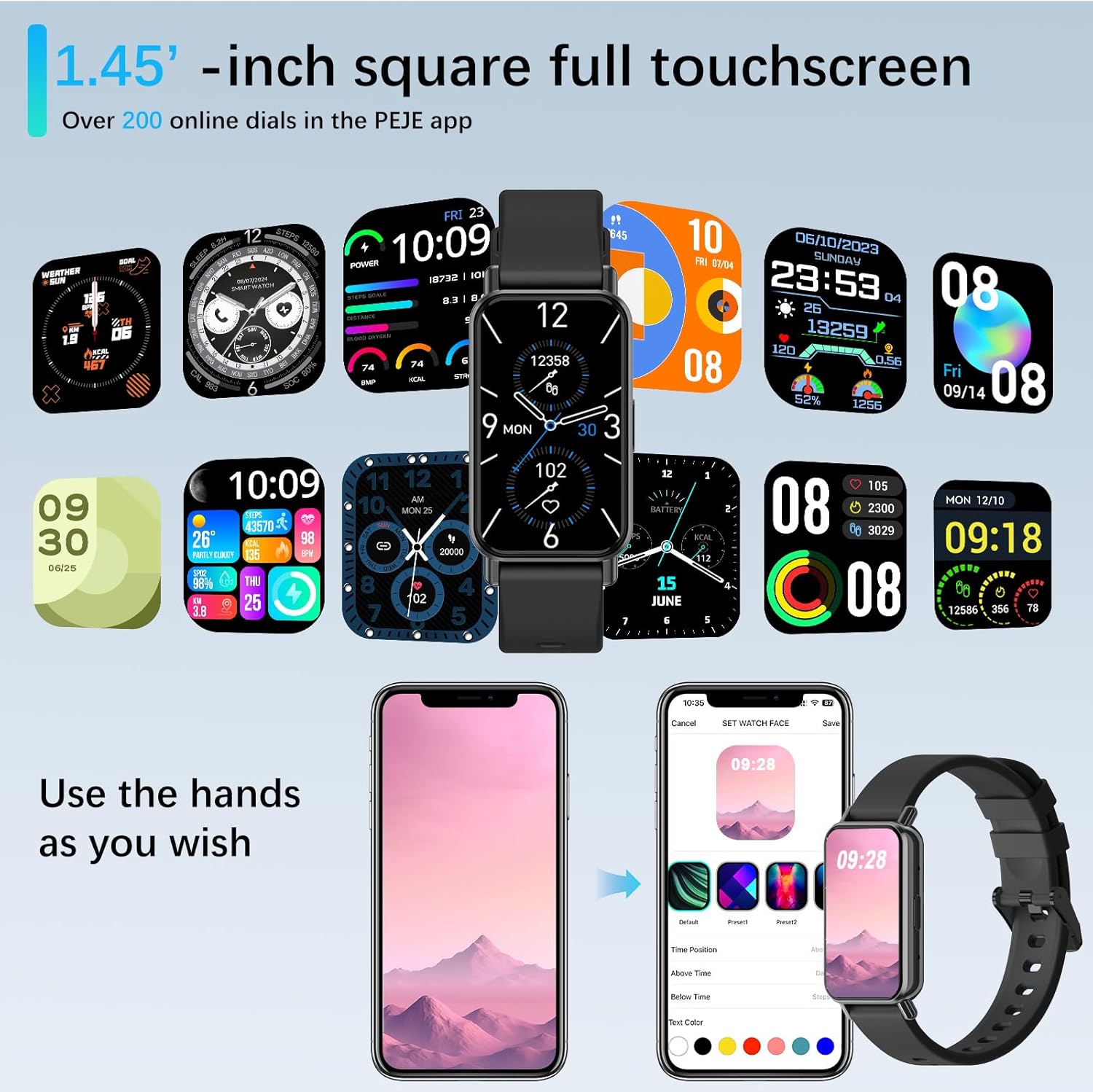
Image: A display of multiple watch face options for the PEJE Smartwatch, demonstrating customization through the companion app.
5.3 Advanced Health Monitoring
Die Smartwatch bietet umfassende Funktionen zur Gesundheitsüberwachung:
- Herzfrequenz-Überwachung: 24/7-Überwachung Ihrer Herzfrequenz.
- SpO2-Überwachung: Misst den Sauerstoffgehalt im Blut.
- Schlafüberwachung: Analysiert Schlafmuster und -qualität.
- Stressüberwachung: Hilft dabei, den Stresspegel zu überwachen.
- Atemtraining: Geführte Atemübungen zur Entspannung.
5.4 Sportmodi und Fitness-Tracking
With over 123 sports modes, the smartwatch tracks various activities, including walking, running, cycling, and swimming. It records essential data such as steps, distance, calories burned, heart rate, and GPS routes (via smartphone). The device also provides goal achievement notifications, drink reminders, and sedentary alerts to encourage an active lifestyle.

Image: The PEJE Smartwatch displaying activity tracking data, including steps, heart rate, calories, and distance, set against a background of hikers.

Image: A visual representation of the 123+ sports modes supported by the PEJE Smartwatch, with icons for different activities.

Image: A user wearing the PEJE Smartwatch while running, with the watch display showing activity rings and step count.

Image: A user engaged in yoga, with the PEJE Smartwatch displaying a menu of diverse sports modes.
5.5 Weitere intelligente Funktionen
The smartwatch includes additional functionalities to enhance daily convenience:
- Nachrichtenerinnerungen: Receive alerts for incoming messages.
- Intelligenter Sprachassistent: Steuern Sie Ihr Gerät mit Sprachbefehlen.
- Ferngesteuerte Fotografie: Verwenden Sie Ihre Uhr als Fernauslöser für die Kamera Ihres Telefons.
- Telefon finden: Finden Sie Ihr verlegtes Smartphone.
- Taschenrechner: Führen Sie einfache Berechnungen direkt am Handgelenk durch.
- Musik-Player-Steuerung: Verwalten Sie die Musikwiedergabe auf Ihrem angeschlossenen Gerät.
- Alarm: Stellen Sie Alarme zur Erinnerung ein.
- Blutdruck und Blutsauerstoff: Monitor these health metrics (for reference, not medical use).
- Qibla Direction & Tasbih Reminder: Features for religious observance, including Qibla angle and customizable Tasbih reminders.

Image: Multiple smartwatch screens showcasing various features such as Find Phone, Calculator, Camera Shutter, Music Player, Alarm, Blood Pressure, and SpO2.

Image: The PEJE Smartwatch displaying Qibla direction and Tasbih reminder settings, including interval, start, and end times.

Image: A user receiving a 'Time to Drink Water' reminder on the PEJE Smartwatch, promoting hydration.
6. Wasserdichtigkeit (IP68)
The PEJE Smartwatch has an IP68 waterproof rating, meaning it is resistant to dust and can withstand immersion in water up to 1.5 meters for up to 30 minutes. This makes it suitable for daily use, including splashes, rain, and sweat. Notiz: It is not suitable for hot water, prolonged immersion, diving, or high-pressure water activities.
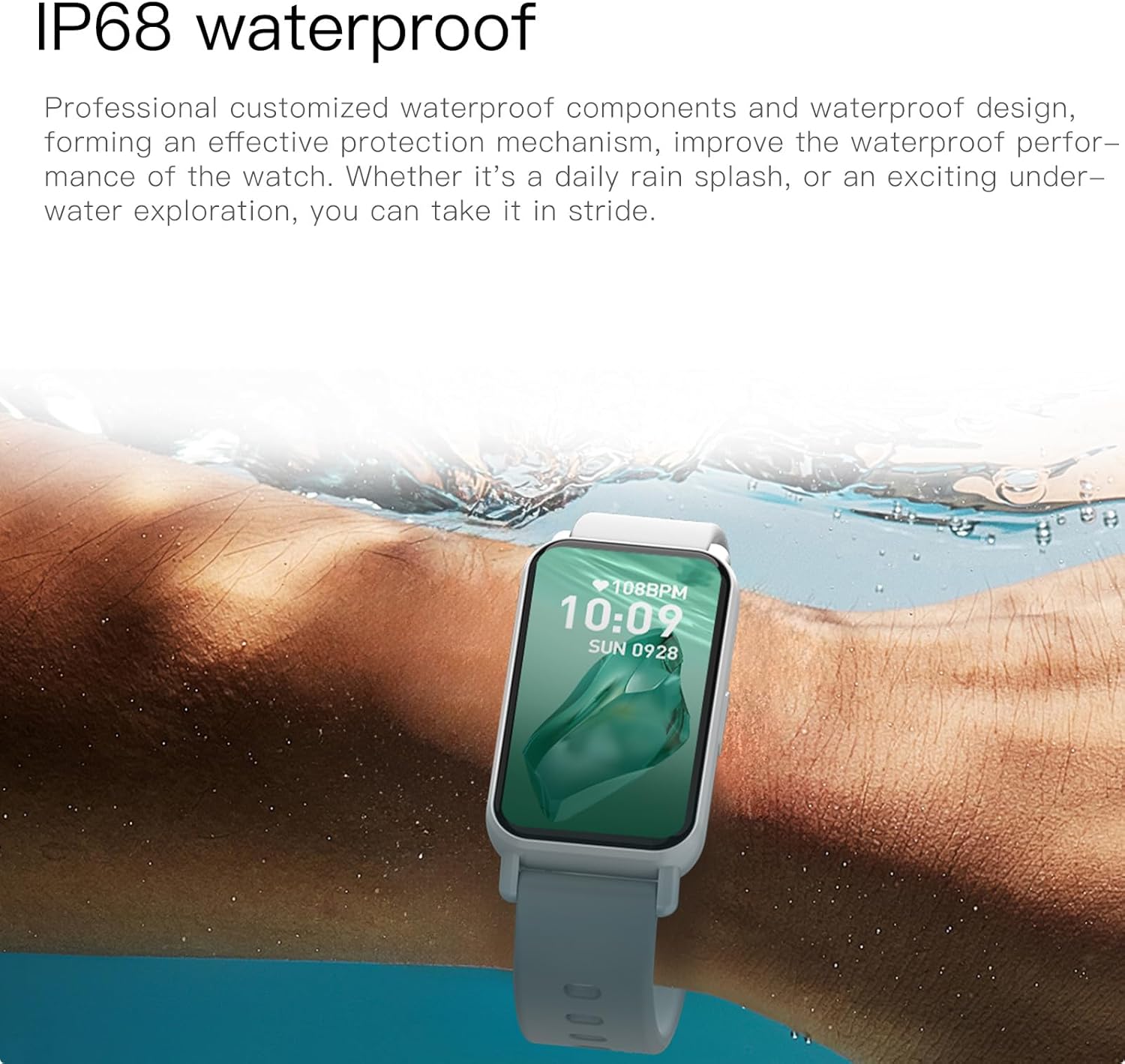
Image: The PEJE Smartwatch being used in water, demonstrating its IP68 water resistance.
7. Akkulaufzeit
The smartwatch is equipped with a 180mAh polymer battery. Expected battery performance is:
- Normaler Gebrauch: 4-6 Tage
- Standby-Zeit: 8-12 Tage
Battery life may vary based on usage habits and activated features.
8. Wartung
To ensure the longevity and optimal performance of your PEJE Smartwatch, follow these maintenance guidelines:
- Reinigung: Reinigen Sie das Uhrendisplay und das Armband regelmäßig mit einem weichen, trockenen Tuch. Verwenden Sie bei Bedarf ein leicht öliges Tuch.amp Mit einem Tuch abwischen und anschließend gründlich trocknen lassen. Scharfe Chemikalien und scheuernde Materialien vermeiden.
- Laden: Verwenden Sie ausschließlich das mitgelieferte magnetische Ladekabel. Stellen Sie vor dem Laden sicher, dass die Ladekontakte sauber und trocken sind.
- Lagerung: Bewahren Sie die Smartwatch bei Nichtgebrauch an einem kühlen, trockenen Ort auf. Vermeiden Sie extreme Temperaturen.
- Auswirkungen vermeiden: Protect the watch from strong impacts or drops, which can damage the screen or internal components.
9. Fehlerbehebung
Sollten Sie Probleme mit Ihrer Smartwatch haben, beachten Sie bitte die folgenden gängigen Lösungsansätze:
| Ausgabe | Mögliche Lösung |
|---|---|
| Smartwatch lässt sich nicht einschalten | Stellen Sie sicher, dass die Uhr vollständig aufgeladen ist. Schließen Sie sie für mindestens 30 Minuten an das Ladegerät an. |
| Kopplung mit dem Telefon nicht möglich | 1. Ensure Bluetooth is enabled on your phone. 2. Make sure the PEJE app is installed and open. 3. Restart both the smartwatch and your phone. 4. Ensure the watch is not already paired with another device. |
| Nicht erhaltene Benachrichtigungen | 1. Check app notification permissions on your phone. 2. Ensure the PEJE app is running in the background. 3. Verify notification settings within the PEJE app. |
| Ungenaue Gesundheitsdaten | Ensure the watch is worn snugly on your wrist, not too tight or too loose. Clean the sensor on the back of the watch. Note that health data is for reference and not for medical diagnosis. |
| Kurze Akkulaufzeit | Reduce screen brightness, disable unnecessary features (e.g., continuous heart rate monitoring if not needed), and limit frequent use of Bluetooth calling. |
10. Spezifikationen
Key technical specifications for the PEJE Smartwatch (Model B0DX789NH1):
| Besonderheit | Detail |
|---|---|
| Anzeige | 1.45-inch HD TFT (172*320 resolution) |
| Konnektivität | Bluetooth 5.2 |
| Batteriekapazität | 180 mAh Lithium-Polymer |
| Wasserbeständigkeit | IP68 |
| Gesundheitsüberwachung | Herzfrequenz, SpO2, Schlaf, Stress, Atemtraining |
| Sportmodi | 123+ |
| Kompatibilität | Android, iOS |
| Speicherkapazität | 128 MB |
| Betriebssystem | AsteroidOS |
| GPS | Per Smartphone |
| Hersteller | PEJE |
11. Garantie und Support
For warranty information and customer support, please refer to the documentation provided with your purchase or contact PEJE customer service through the official channels. Keep your proof of purchase for warranty claims.

