1. Einleitung
The MINIX C1 Plus USB-C HDMI Wireless Extender is designed to provide a seamless wireless video transmission experience. It allows you to mirror or extend your screen from a USB-C enabled device to an HDMI display with resolutions up to 1080p at 60Hz. This device operates on a plug-and-play principle, eliminating the need for drivers, apps, or Wi-Fi logins, ensuring a direct and reliable connection.
2. Produktüberschreitungview
The MINIX C1 Plus consists of a USB-C transmitter (Tx) and an HDMI receiver (Rx). Key features include:
- Mühelose Einrichtung: Plug-and-play design requires no drivers or apps.
- Crystal Clear 1080P 60Hz: Supports ultra-high-definition resolution at 60Hz for sharp and vibrant visuals.
- 5-GHz-Verbindung: Ensures swift and lag-free transmission, suitable for high-bandwidth activities.
- Flexible Anzeigeoptionen: Supports both mirror and extend modes to suit various needs.
- Erweiterte Reichweite: Transmits video signals up to 50 meters (164 ft).
- Instant Swap and Share: Facilitates easy switching between devices for teaching, entertainment, or collaboration.

Image: The MINIX C1 Plus transmitter connected to a laptop, highlighting its plug-and-play functionality, no login requirement, and no app installation needed.
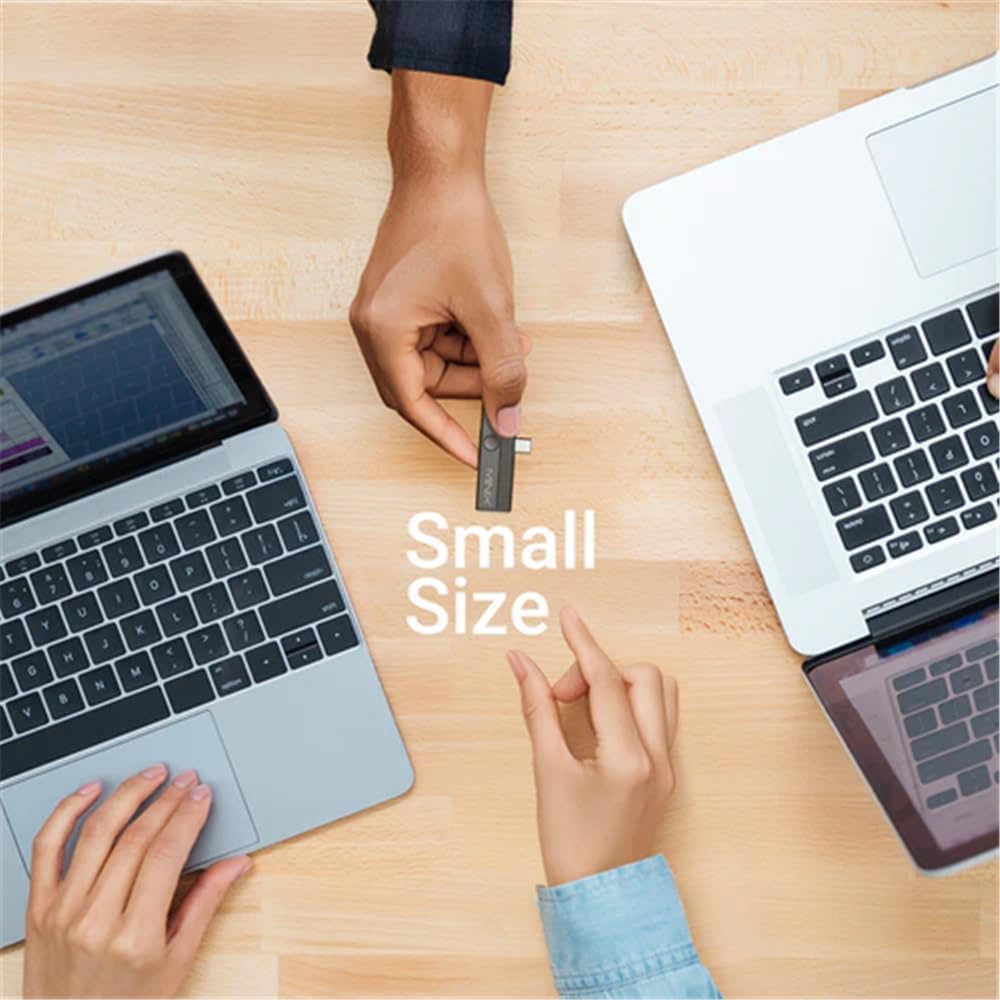
Image: The compact size of the MINIX C1 Plus transmitter, shown being held between two hands, emphasizing its portability.

Image: A visual representation of the MINIX C1 Plus's 50-meter (164 ft) wireless transmission range, depicted in a city landscape.
3. Einrichtungsanweisungen
Follow these steps to set up your MINIX C1 Plus wireless extender:
-
Step 1: Connect Receiver to Display
Connect the wireless HDMI display receiver (RX) to an available HDMI port on your TV or monitor. Then, power on the receiver by plugging its USB male port into an external USB-A power source. A minimum of 5V/0.5A output is required for the receiver to function correctly. -
Step 2: Connect Transmitter to Source Device
Plug the C1 Plus transmitter into the USB-C port of your laptop, smartphone, or tablet. Ensure that your device's USB-C port supports DisplayPort Alternate Mode (DP-Alt) for video output. The screen mirroring or extension will establish automatically within approximately 12 seconds.
Image: The MINIX C1 Plus transmitter connected to a laptop's USB-C port, indicating support for DisplayPort Alt Mode.
-
Step 3: Stop and Restart Transmission
To stop screen mirroring or extension, simply unplug the C1 Plus transmitter from the USB-C port of your source device. To restart, plug the C1 Plus transmitter back into the USB-C port.
Wichtiger Hinweis: Ensure that the USB-C port on your computer, smartphone, laptop, or tablet is full-featured (DP-Alt), supporting display, data transfer, and Power Delivery (PD).
4. Bedienungsanleitung
Once the setup is complete, the MINIX C1 Plus will automatically begin transmitting your screen. You can choose between two display modes based on your needs:
- Spiegelmodus: Duplicates your device's screen onto the external display. This is ideal for presentations or sharing content directly.
- Erweiterungsmodus: Expands your desktop across both your device's screen and the external display, providing more workspace for enhanced productivity. This mode is typically managed through your operating system's display settings.
The device is designed for instant swap and share, allowing you to quickly connect and disconnect the transmitter from different source devices as needed.
5. Wartung
To ensure the longevity and optimal performance of your MINIX C1 Plus, please follow these maintenance guidelines:
- Reinigung: Use a soft, dry cloth to clean the device. Avoid using liquid cleaners or aerosols, which may damage the plastic enclosure.
- Lagerung: Store the device in a cool, dry place away from direct sunlight and extreme temperatures. Recommended storage conditions are -20°C to 80°C (-4°F to 176°F) with 5% to 95% relative humidity, within 2km above sea level.
- Handhabung: Behandeln Sie das Gerät mit Sorgfalt. Vermeiden Sie es, es fallen zu lassen oder starken Stößen auszusetzen.
- Leistung: Always use a compatible power source for the receiver (minimum 5V/0.5A).
6. Fehlerbehebung
If you encounter issues with your MINIX C1 Plus, refer to the following common problems and solutions:
-
No Display on TV/Monitor:
- Ensure the receiver is properly connected to the HDMI port of your display.
- Verify that the receiver is receiving adequate power from a 5V/0.5A (minimum) USB-A power source.
- Confirm that the transmitter is securely plugged into your source device's USB-C port.
- Check if your source device's USB-C port supports DisplayPort Alternate Mode (DP-Alt). Not all USB-C ports support video output.
- Try restarting the transmission by unplugging and replugging the transmitter.
-
Poor Signal Quality or Intermittent Connection:
- Reduce the distance between the transmitter and receiver. The maximum range is 50 meters (164 ft) under ideal conditions.
- Stellen Sie sicher, dass sich zwischen Sender und Empfänger keine wesentlichen Hindernisse (z. B. dicke Wände, große Metallgegenstände) befinden.
- Avoid placing the devices near sources of strong electromagnetic interference.
-
Kein Ton:
- Check the audio settings on your TV/monitor and source device to ensure the correct audio output is selected.
- Ensure the HDMI cable connection to the display is secure.
7. Spezifikationen

Image: Detailed diagram showing the dimensions and port configurations of the MINIX C1 Plus transmitter and receiver components.
| Verbindung | USB-C Transmitter (Tx) + HDMI Receiver (Rx) |
| Bildschirmauflösung | Bis zu 1080p bei 60 Hz |
| Artikelgewicht | 35 Gramm |
| Transmitter Charging Port Input | 5 V⎓2A |
| Leistungsbedarf des Empfängers | External USB-A power source with minimum 5V/0.5A output |
| Kompatible Geräte | Laptops, Smartphones, Tablets that support DP-Alt video output |
| Konnektivitätstechnologie | Kabellos (5 GHz) |
| Besonderheit | Plug-and-Play |
| Material | Plastik |
| Farbe | Schwarz |
| Lagerbedingungen | -20°C~80°C, 5%~95% RH, within 2km above sea level |
| Hersteller | MINIX |
8. Garantieinformationen
The MINIX C1 Plus USB-C HDMI Wireless Extender is covered by a 1 Jahr Herstellergarantie. This warranty covers defects in materials and workmanship under normal use. Please retain your proof of purchase (receipt or invoice) as it will be required for any warranty claims. For specific terms and conditions, please refer to the official MINIX warranty policy or contact customer support.
9. Unterstützung
For further assistance, technical support, or inquiries regarding your MINIX C1 Plus, please visit the official MINIX webSie können die Website besuchen oder sich an den Kundendienst wenden. Weitere Informationen und Unterstützungsressourcen finden Sie unter MINIX Store on Amazon.


