1. Einleitung
This manual provides essential information for the safe and efficient use of your JVC VIDAA LT-43VDF5455 43-inch Full HD Smart TV. Please read these instructions thoroughly before operating the device and retain them for future reference.
The JVC LT-43VDF5455 is a 43-inch Full HD Smart TV featuring HDR10 support for enhanced contrast and natural colors. It includes an integrated triple tuner (DVB-C/T2/S2) for versatile program reception and runs on the VIDAA operating system, offering access to various streaming applications.
2. Wichtige Sicherheitshinweise
- Stromversorgung: Stellen Sie sicher, dass der Fernseher an eine Steckdose mit der richtigen Spannung angeschlossen ist.tage. Steckdosen nicht überlasten.
- Belüftung: Blockieren Sie keine Lüftungsöffnungen. Sorgen Sie für ausreichend Platz um den Fernseher herum, um eine gute Luftzirkulation zu gewährleisten und eine Überhitzung zu vermeiden.
- Wasser und Feuchtigkeit: Setzen Sie den Fernseher weder Regen noch Feuchtigkeit aus und stellen Sie keine mit Flüssigkeiten gefüllten Gegenstände auf oder in die Nähe des Fernsehers.
- Reinigung: Ziehen Sie vor der Reinigung den Netzstecker des Fernsehers. Verwenden Sie ein weiches, trockenes Tuch. Verwenden Sie keine flüssigen oder Aerosol-Reinigungsmittel.
- Platzierung: Stellen Sie den Fernseher auf eine stabile, ebene Fläche. Vermeiden Sie direkte Sonneneinstrahlung und die Nähe zu Wärmequellen.
- Wartung: Versuchen Sie nicht, den Fernseher selbst zu reparieren. Überlassen Sie alle Reparaturen qualifiziertem Fachpersonal.
3. Packungsinhalt
Bitte prüfen Sie, ob alle Artikel vorhanden und in gutem Zustand sind:
- JVC VIDAA LT-43VDF5455 43-inch Full HD Smart TV
- Fernbedienung (inkl. 2 AAA-Batterien)
- TV-Füße (Ständer)
- Benutzerhandbuch (dieses Dokument)
4. Einrichtung
4.1 Anbringen des TV-Ständers
Carefully place the TV screen-down on a soft, flat surface to prevent damage. Attach the provided feet to the designated slots on the bottom of the TV using the screws supplied. Ensure the stand is securely fastened before placing the TV upright.

Bild: Vorderseite view of the JVC LT-43VDF5455 Smart TV with its stand attached.
4.2 Physikalische Abmessungen und Aufstellung
The TV has a width of 96.5 cm, a height of 60 cm (with stand), and a depth of 26.1 cm (with stand). The screen diagonal is 43 inches (108 cm). For wall mounting, the VESA standard is M4 100x100. Ensure adequate space for ventilation.

Image: Diagram illustrating the physical dimensions of the JVC LT-43VDF5455 television, including width, height with stand, depth with stand, and screen diagonal.
4.3 Stromanschluss
Verbinden Sie das Netzkabel mit dem Stromeingang des Fernsehers und anschließend mit einer geeigneten Wandsteckdose.
4.4 Ersteinrichtungsassistent
Upon first power-on, the TV will guide you through an initial setup wizard. This includes language selection, country, network connection (Wi-Fi), and channel scanning for the integrated triple tuner (DVB-C/T2/S2).
5. Bedienung Ihres Fernsehgeräts
5.1 Fernbedienungsfunktionen
The provided remote control allows you to navigate the TV's features. Key functions include:
- Netzschalter: Schaltet den Fernseher ein/aus oder in den Standby-Modus.
- Eingabetaste: Selects input sources (HDMI, USB, Tuner).
- Zifferntasten: Direkte Kanalauswahl.
- Lautstärke +/-: Passt die Lautstärke an.
- Kanal +/-: Wechselt die Kanäle.
- Navigationstasten (Hoch/Runter/Links/Rechts) & OK: Zur Menünavigation und -auswahl.
- App-Schnelltasten: Direct access to popular streaming services like Netflix, YouTube, Prime Video, Disney+.

Image: The remote control for the JVC Smart TV, highlighting dedicated buttons for popular streaming applications such as YouTube, Netflix, Prime Video, and Disney+.
5.2 Smart-TV-Funktionen (VIDAA OS)
Your JVC TV runs on the VIDAA operating system, providing a user-friendly interface for accessing a wide range of applications and services.
- App Store: Browse and download additional applications.
- Streaming-Dienste: Enjoy pre-installed apps like Netflix, Prime Video, Disney+, YouTube, and DAZN.
- Web Browser: Greifen Sie direkt über Ihren Fernseher auf das Internet zu.
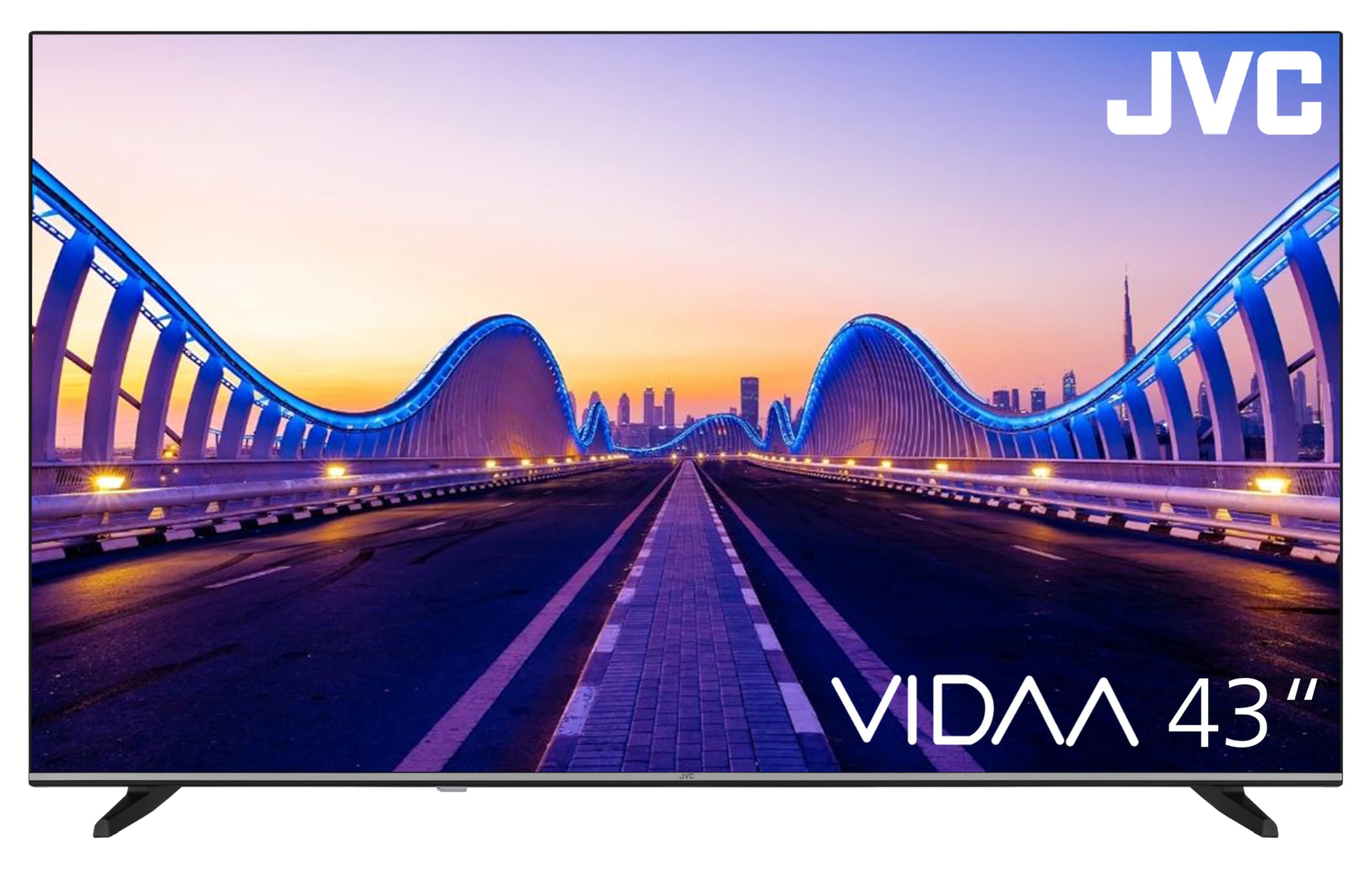
Image: The JVC Smart TV displaying the VIDAA operating system home screen, featuring a selection of popular streaming applications and content recommendations.
5.3 Bild- und Toneinstellungen
Access the TV's menu to adjust picture settings (brightness, contrast, color, sharpness, HDR mode) and sound settings (equalizer, sound mode). The TV supports HDR10 for enhanced dynamic range.

Image: A JVC Smart TV screen showcasing content with high dynamic range (HDR), demonstrating improved detail and contrast.
6. Verbindungen
Your JVC TV offers various connection options for external devices:
- HDMI-Anschlüsse (x2): Connect devices such as Blu-ray players, game consoles, or set-top boxes. One port supports ARC (Audio Return Channel) for simplified audio connections to soundbars or AV receivers, and both support CEC (Consumer Electronics Control).
- USB-Anschluss (x1): Schließen Sie USB-Speichergeräte an, um Medien abzuspielen files (photos, music, videos) using the integrated media player.
- Antenneneingang: Connect an antenna for DVB-T2 (terrestrial) reception or a cable for DVB-C (cable) reception.
- Satelliteneingang: Connect a satellite dish for DVB-S2 (satellite) reception.
- LAN-Anschluss: Für eine kabelgebundene Internetverbindung.
- Digitaler Audioausgang: Connect to an external audio system for high-quality digital sound.
- Kopfhöreranschluss: Schließen Sie Kopfhörer für privates Hören an.
- CI-Steckplatz: For Common Interface modules, typically used with pay-TV services.
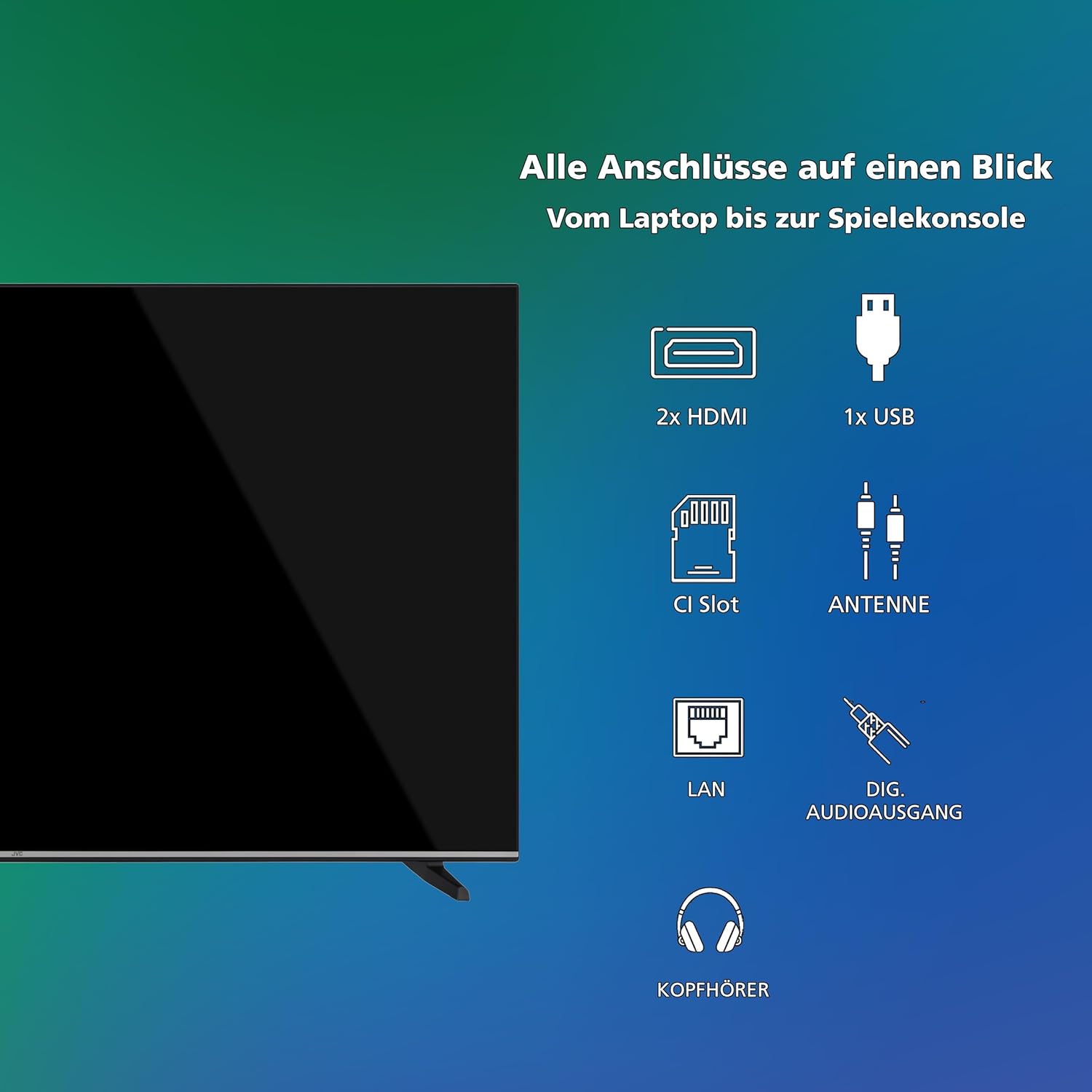
Bild: Eine visuelle Darstellung überview of all available connection ports on the JVC Smart TV, including HDMI, USB, CI Slot, Antenna, LAN, Digital Audio Output, and Headphone jack.
7. Wartung
- Bildschirmreinigung: Wischen Sie den Bildschirm vorsichtig mit einem weichen, fusselfreien Tuch ab. Bei hartnäckigen Flecken leicht andrücken.ampBefeuchten Sie das Tuch mit Wasser oder einem speziellen Bildschirmreiniger (auf das Tuch auftragen, nicht direkt auf den Bildschirm).
- Schrankreinigung: Reinigen Sie den Fernsehschrank mit einem weichen, trockenen Tuch.
- Staubentfernung: Regularly dust the ventilation openings to prevent dust buildup, which can affect performance and lifespan.
- Netzkabel: Überprüfen Sie das Netzkabel regelmäßig auf Beschädigungen.
8. Fehlerbehebung
Sollten Sie Probleme mit Ihrem Fernseher haben, beachten Sie bitte die folgenden gängigen Lösungsansätze:
- Kein Strom:
- Prüfen Sie, ob das Netzkabel sowohl am Fernseher als auch an der Wandsteckdose fest eingesteckt ist.
- Prüfen Sie die Funktionsfähigkeit der Wandsteckdose, indem Sie sie mit einem anderen Gerät testen.
- Drücken Sie den Ein-/Ausschalter auf der Fernbedienung oder am Fernseher selbst.
- Kein Bild/Ton:
- Verify that the correct input source is selected (e.g., HDMI 1, DTV).
- Prüfen Sie, ob alle Kabelverbindungen (HDMI, Antenne usw.) fest sitzen.
- Stellen Sie sicher, dass die Lautstärke nicht stummgeschaltet oder auf Minimum eingestellt ist.
- Schlechte Bildqualität:
- Check antenna or cable connections.
- Passen Sie die Bildeinstellungen (Helligkeit, Kontrast, Schärfe) im TV-Menü an.
- Wenn Sie ein externes Gerät verwenden, überprüfen Sie dessen Ausgaberesolution.
- Fernbedienung funktioniert nicht:
- Die Batterien (2 AAA) müssen ausgetauscht werden.
- Stellen Sie sicher, dass sich keine Hindernisse zwischen der Fernbedienung und dem Infrarotsensor des Fernsehers befinden.
- Smart TV Apps Not Loading/Working:
- Check your internet connection (Wi-Fi or LAN).
- Restart the TV by unplugging it for a few minutes and plugging it back in.
- Stellen Sie sicher, dass die Software Ihres Fernsehers auf dem neuesten Stand ist.
9. Spezifikationen
| Modellnummer | LT-43VDF5455 |
| Marke | JVC |
| Bildschirmgröße | 43 Zoll (108 cm) |
| Auflösung | 1080p (Full HD) |
| Display-Technologie | LCD, LED |
| Bildwiederholrate | 120 Hz |
| Betriebssystem | VIDAA |
| Besondere Merkmale | VIDAA Smart TV, HDR10 |
| Konnektivität | 2x HDMI (CEC, ARC), 1x USB, Wi-Fi, LAN, Digital Audio Out, Headphone, CI Slot |
| Tunertyp | Integrated DVB-C/T2/S2 Triple Tuner |
| Abmessungen (mit Ständer) | 96.5 cm (B) x 60 cm (H) x 26.1 cm (T) |
| SDR Energy Consumption | 42 kWh/1000h |
| HDR-Energieverbrauch | 62 kWh/1000h |
| Verfügbarkeit von Ersatzteilen | 7 Jahre |
9.1 Energieinformationen
Detailed energy consumption data and product information can be found on the EU EPREL database.

Image: The EU Energy Label for the JVC LT-43VDF5455 television, showing energy efficiency class E and consumption values.
Weitere Einzelheiten finden Sie im EPREL-Datenbank (QR-Code 2198541).

Image: The official product data sheet for the JVC LT-43VDF5455 television, detailing technical parameters and compliance information.
Weitere Informationen finden Sie auf der EPREL-Datenbank (QR-Code 2198541).
9.2 Optimal ViewEntfernung
For the JVC LT-43VDF5455 (43-inch Full HD), the recommended optimal viewDer Abstand beträgt ungefähr 216 cm.

Image: A table providing recommended optimal viewing distances based on TV screen size and resolution (4K, Full HD, HD).
10. Garantie und Support
JVC products are manufactured to high standards and are designed for reliable performance.
- Ersatzteile: Spare parts for this model are guaranteed to be available for up to 7 years from the date of market placement.
- Software-Updates: Informationen zu garantierten Software-Updates sind nicht verfügbar.
- Kundendienst: For technical assistance, warranty claims, or further inquiries, please contact JVC customer support. Refer to the official JVC webDie Kontaktdaten finden Sie auf der Website oder in Ihren Kaufunterlagen.


