Einführung
Thank you for choosing the Pro Breeze 25L Smart Dehumidifier. This appliance is designed to efficiently remove excess moisture from your indoor environment, helping to prevent mold, mildew, and dampness. Featuring smart Wi-Fi connectivity, a digital display, and multiple operating modes, this dehumidifier offers advanced control and convenience. Please read this manual thoroughly before operation to ensure safe and optimal performance.
Wichtige Sicherheitshinweise
Beachten Sie beim Gebrauch elektrischer Geräte stets die grundlegenden Sicherheitsvorkehrungen, um das Risiko von Bränden, Stromschlägen und Verletzungen zu verringern.
- Stellen Sie sicher, dass das Netzteil mit der Lautstärke übereinstimmttage ist auf dem Typenschild angegeben.
- Betreiben Sie den Luftentfeuchter nicht mit einem beschädigten Kabel oder Stecker.
- Keep the appliance at least 20 cm (8 inches) away from walls and other objects to ensure proper airflow.
- Das Gerät, das Netzkabel und der Stecker dürfen nicht in Wasser oder andere Flüssigkeiten getaucht werden.
- Ziehen Sie vor der Reinigung, Wartung oder wenn der Luftentfeuchter nicht in Gebrauch ist, den Netzstecker.
- Dieses Gerät ist nur für den Gebrauch in Innenräumen bestimmt.
- Blockieren Sie nicht den Lufteinlass oder -auslass.
- Beaufsichtigen Sie Kinder und achten Sie darauf, dass sie nicht mit dem Gerät spielen.
- Versuchen Sie nicht, das Gerät selbst zu reparieren oder zu verändern. Wenden Sie sich an qualifiziertes Servicepersonal.
Produkteigenschaften

Image: The Pro Breeze 25L Smart Dehumidifier, showcasing its compact design and highlighting features such as Wi-Fi compatibility, 25L extraction rate, energy efficiency, and laundry mode. Dimensions are also indicated.
- Leistungsstarke Entfeuchtung: Extracts up to 25 liters of moisture per day, effectively combating persistent humidity, mold, and condensation in large rooms.
- Großer Wassertank: Features a 5.5-liter water tank with automatic shut-off when full. A drainage hose is included for continuous operation.
- Energieeffizient: Utilizes a high-performance compressor, 24-hour timer, and automatic stop system to reduce energy consumption.
- Leiser Betrieb: Designed with silent technology, making it suitable for use in bedrooms, living rooms, offices, and other quiet environments.
- Smarte Steuerung per App: Manage all functions remotely using the free Pro Breeze app or voice commands with Alexa and Google Home (compatible with iPhone and Android).
- Digital Display & Humidity Sensor: An intuitive LED screen allows selection of fan speed and humidity levels between 30% and 80%. The smart sensor displays real-time humidity and automatically stops the dehumidifier once the target is reached.
- Mehrere Betriebsmodi: Includes a 24-hour timer and 4 operating modes, including a dedicated Wäschetrocknungsmodus. Also features a Kindersicherung, Automatic Defrost Mode, Und Nachtanzeige.

Image: The Pro Breeze dehumidifier positioned next to a large 25-liter water bottle, visually representing its daily moisture extraction capacity and the benefit of fewer tank emptying cycles.
Packungsinhalt
Bitte kreuzen Sie das Kästchen für die folgenden Elemente an:
- Pro Breeze 25L Smart Dehumidifier Unit
- Kontinuierlicher Ablaufschlauch
- Bedienungsanleitung
Aufstellen
- Auspacken: Nehmen Sie den Luftentfeuchter vorsichtig aus der Verpackung. Bewahren Sie die Verpackung für die spätere Lagerung oder den Transport auf.
- Platzierung: Place the dehumidifier on a firm, level surface. Ensure there is at least 20 cm (8 inches) of clear space around the air inlet and outlet to allow for efficient airflow. Avoid placing it near heat sources or in direct sunlight.
- Stromanschluss: Stecken Sie das Netzkabel in eine geerdete Steckdose. Stellen Sie sicher, dass die Lautstärketage entspricht den Anforderungen der Einheit.
- Installation des Wassertanks: Ensure the water tank is correctly inserted into the unit. The dehumidifier will not operate if the tank is not properly seated or is full.
- Kontinuierliche Entwässerung (optional): For continuous operation without emptying the tank, connect the provided drainage hose to the continuous drainage port on the back of the unit. Route the hose to a suitable drain, ensuring it is sloped downwards to allow water to flow freely.
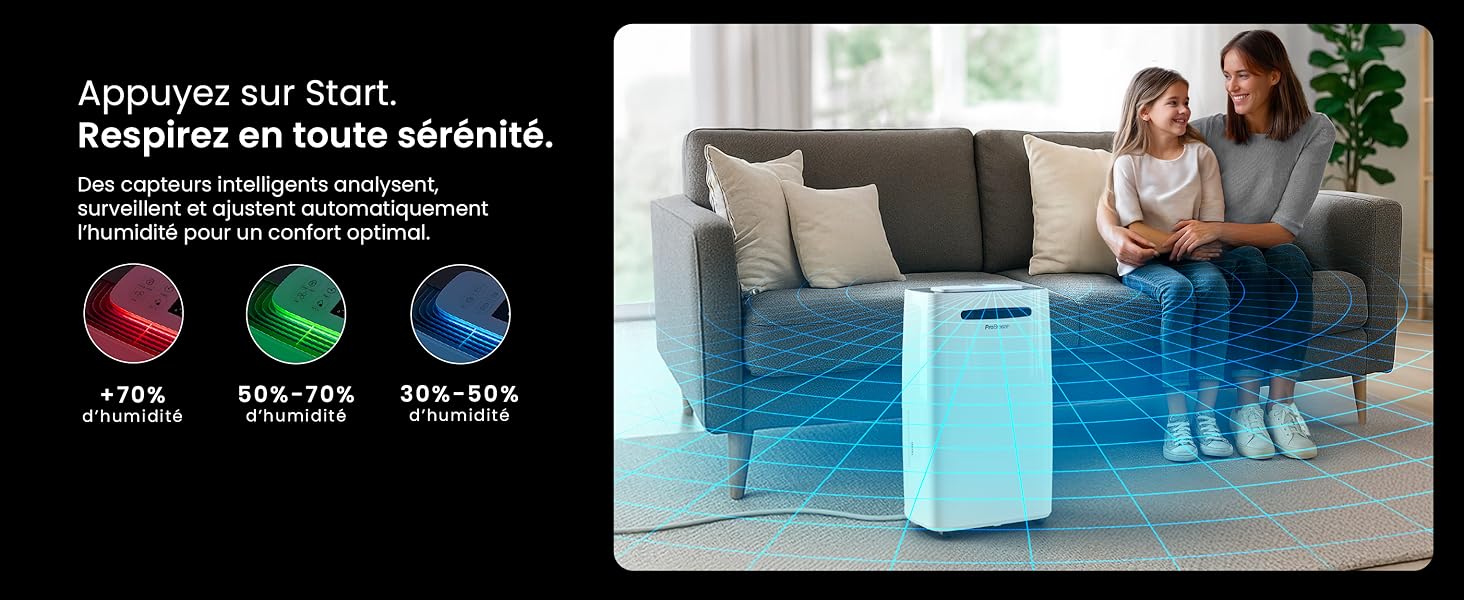
Image: The dehumidifier shown in different environments such as a garage, home office, and laundry room, illustrating its versatility and suitability for various spaces. Icons for continuous drainage and automatic defrost are also present.
Bedienungsanleitung
Systemsteuerung überview

Bild: Eine detaillierte view of the dehumidifier's illuminated digital control panel, showing buttons for power, mode, fan speed, timer, child lock, and humidity settings, along with the LED display.
The intuitive LED display and touch controls allow for easy operation.
- Netzschalter: Drücken, um das Gerät ein- oder auszuschalten.
- Modus-Taste: Durchlaufen Sie die verfügbaren Betriebsmodi: Normal, Wäsche trocknen, Und Nachtmodus.
- Lüftergeschwindigkeitstaste: Adjust the fan speed between Niedrig Und Hoch.
- Humidity Setting (SET %): Use the up/down arrows to set your desired humidity level (30% - 80%). The unit will operate until this level is reached.
- Timer-Taste: Set a 24-hour timer for automatic power ON or OFF.
- Kindersicherungstaste: Zum Aktivieren/Deaktivieren der Kindersicherung gedrückt halten, um versehentliche Änderungen der Einstellungen zu verhindern.
- Anzeigetaste: Turn the LED display lights ON or OFF, useful for night mode.
Wi-Fi- und App-Steuerung

Image: A user interacting with the Pro Breeze mobile application on a smartphone, demonstrating remote control capabilities for the dehumidifier. The app shows current humidity and temperature settings.
The Pro Breeze 25L Smart Dehumidifier can be controlled remotely via the Pro Breeze app. Download the app from your smartphone's app store and follow the in-app instructions to connect your device to your home Wi-Fi network. Once connected, you can control all functions, set schedules, and monitor humidity levels from anywhere.
The unit is also compatible with Amazon Alexa and Google Home for voice control. Refer to the app's help section for detailed instructions on integrating with these smart home platforms.
Wartung
Entleeren des Wassertanks
When the water tank is full, the dehumidifier will automatically shut off and an indicator light will illuminate. Carefully remove the water tank from the unit, empty the collected water, and reinsert the tank securely. The unit will resume operation.
Reinigen des Luftfilters
A clogged filter can reduce efficiency. It is recommended to clean the air filter every two weeks or more frequently depending on usage and air quality.
- Schalten Sie den Luftentfeuchter aus und ziehen Sie den Stecker aus der Steckdose.
- Locate and remove the air filter (usually on the back or side of the unit).
- Reinigen Sie den Filter mit einem Staubsauger oder waschen Sie ihn vorsichtig mit warmem Seifenwasser ab.
- Spülen Sie den Filter gründlich aus und lassen Sie ihn vollständig an der Luft trocknen, bevor Sie ihn wieder in das Gerät einsetzen.
Reinigen der Außenseite
Wischen Sie die Außenseite des Luftentfeuchters mit einem weichen,amp Mit einem Tuch abwischen. Verwenden Sie keine scharfen Chemikalien, Scheuermittel oder Lösungsmittel, da diese die Oberfläche beschädigen können.
Lagerung
If storing the unit for an extended period, ensure the water tank is empty and clean, and the filter is clean and dry. Store the dehumidifier in a cool, dry place, preferably in its original packaging.
Fehlerbehebung
| Problem | Mögliche Ursache | Lösung |
|---|---|---|
| Der Luftentfeuchter schaltet sich nicht ein. | No power; water tank full or incorrectly inserted; ambient temperature too low. | Check power connection; empty and reinsert water tank; ensure room temperature is above 5°C (41°F). |
| Das Gerät läuft, sammelt aber kein Wasser. | Humidity level too low; air filter clogged; room temperature too low; unit size too small for space. | Adjust desired humidity setting lower; clean air filter; ensure room temperature is adequate; consider if unit is appropriate for room size. |
| Das Gerät ist laut. | Unit not on a level surface; air filter clogged; internal components vibrating. | Place on a flat, stable surface; clean air filter; if noise persists, contact support. |
| Probleme mit der WLAN-Verbindung. | Incorrect Wi-Fi password; unit too far from router; router issues; app issues. | Verify Wi-Fi password; move unit closer to router; restart router; reinstall Pro Breeze app. |
| Auf den Spulen bildet sich Frost. | Niedrige Umgebungstemperatur. | Das Gerät verfügt über eine automatische Abtaufunktion. Sollte sich weiterhin Frost gebildet haben, erhöhen Sie die Raumtemperatur. |
Technische Daten
| Spezifikation | Detail |
|---|---|
| Modellnummer | PB-D-37W-W-EU |
| Marke | Pro Breeze |
| Feuchtigkeitsentzugskapazität | 25 Liter/Tag |
| Fassungsvermögen des Wassertanks | 5.5 Liter |
| Abmessungen (L x B x H) | 38.6 cm x 26 cm x 50 cm |
| Gewicht | 15.1 Kilogramm |
| Lüftergeschwindigkeiten | 2 |
| Besondere Merkmale | Adjustable Humidity Control, Night Mode, Continuous Drainage, Wi-Fi Connectivity, Digital Display, 24h Timer, Laundry Drying Mode, Child Lock, Automatic Defrost |
| Empfohlene Bodenfläche | Bis zu 322 Quadratfuß (30 m²) |

Image: The Pro Breeze dehumidifier highlighting its elegant and discreet design, along with its dimensions (50cm H, 38.6cm L, 26cm P) and four easy-to-move caster wheels.
Garantie und Support
Pro Breeze products are manufactured to the highest standards. This product comes with a standard manufacturer's warranty. For specific warranty details, please refer to the warranty card included in your package or visit the official Pro Breeze webWebsite.
If you encounter any issues or have questions regarding your dehumidifier, please contact Pro Breeze customer support. Contact information can typically be found on the Pro Breeze webauf der Website oder auf der Produktverpackung.


