Einführung
Thank you for choosing the Okin Small Electric Standing Desk. This 36" x 24" height-adjustable desk is designed to enhance your workspace with ergonomic flexibility, allowing you to seamlessly switch between sitting and standing positions. Featuring a robust motor, a one-piece desktop, and optional casters for mobility, this desk is ideal for home offices and compact spaces. Please read this manual thoroughly before assembly and operation to ensure safe and efficient use.

Figure 1: Okin Small Electric Standing Desk (Oak+casters 36 Inch)
Sicherheitshinweise
- Vergewissern Sie sich vor der Verwendung, dass alle Komponenten sicher befestigt sind.
- Do not exceed the maximum weight capacity of 154 lbs (70 kg). While tested to 176 lbs, adhering to the stated capacity ensures optimal performance and longevity.
- Halten Sie Kinder und Haustiere während der Höhenverstellung vom Schreibtisch fern.
- Vermeiden Sie es, Flüssigkeiten direkt auf das Bedienfeld oder die Motorkomponenten zu bringen.
- Vor der Reinigung oder Durchführung von Wartungsarbeiten die Stromzufuhr unterbrechen.
- Verwenden Sie ausschließlich das mitgelieferte Netzteil und die mitgelieferten Komponenten.
Packungsinhalt
Bitte prüfen Sie vor Beginn der Montage, ob alle Teile vorhanden sind. Sollten Teile fehlen oder beschädigt sein, wenden Sie sich bitte an den Kundendienst.

Figure 2: Included Components for Assembly
- Desktop (36" x 24" one-piece, Oak finish)
- Schreibtischbeine (2)
- Querträger-/Rahmenkomponenten
- Elektromotor und Steuerkasten
- Bedienfeld
- Netzteil und Kabel
- Verstellbare Fußpolster (4)
- Lockable Casters (4)
- Kopfhörerhaken
- Montagezubehör (Schrauben, Bolzen, Inbusschlüssel)
- Bedienungsanleitung
Montageanleitung
Assembly is straightforward with pre-drilled holes and included accessories. It is recommended to have two people for easier assembly due to the weight of some components.
- Komponenten auspacken: Carefully remove all parts from the packaging and lay them out on a clean, soft surface to prevent scratches. Refer to Figure 2 for a visual guide of all components.
- Tischbeine an der Querstange befestigen: Secure the desk legs to the central crossbar using the provided screws and tools. Ensure all connections are firm.
- Motor und Steuerkasten einbauen: Mount the electric motor and control box to the designated areas on the frame, following the pre-drilled holes. Connect the motor cable to the control box.
- Desktop anbinden: Carefully place the desktop upside down on a soft surface. Align the assembled frame with the pre-drilled holes on the underside of the desktop. Secure the desktop to the frame using the appropriate screws.
- Systemsteuerung installieren: Attach the control panel to the underside of the desktop in a convenient location. Connect its cable to the control box.
- Basisoption auswählen:
- Verstellbare Fußpolster: Screw the adjustable foot pads into the bottom of the desk legs for stationary use and leveling.

Figure 3: Adjustable Foot Pads
- Feststellbare Rollen: Alternatively, screw the lockable casters into the bottom of the desk legs for mobility. Ensure the casters are locked when the desk is in use to maintain stability.

Abbildung 4: Feststellbare Rollen
- Verstellbare Fußpolster: Screw the adjustable foot pads into the bottom of the desk legs for stationary use and leveling.
- Kopfhörerhaken anbringen: Attach the headphone hook to the side of the desktop as desired.
- Kabelmanagement: Utilize the specially designed grooves at the back of the tabletop for easy cable arrangement, keeping your workspace tidy.

Figure 5: Cable Management Features
- Strom anschließen: Stecken Sie den Netzadapter in die Steuereinheit und anschließend in eine Wandsteckdose.
Bedienungsanleitung
Höhenverstellung
The Okin Electric Standing Desk allows for smooth height adjustment with a single button press. The desk adjusts from 27.56" to 45.28" (or 29.53" to 47.25" with casters) with low noise operation (below 50 dB).
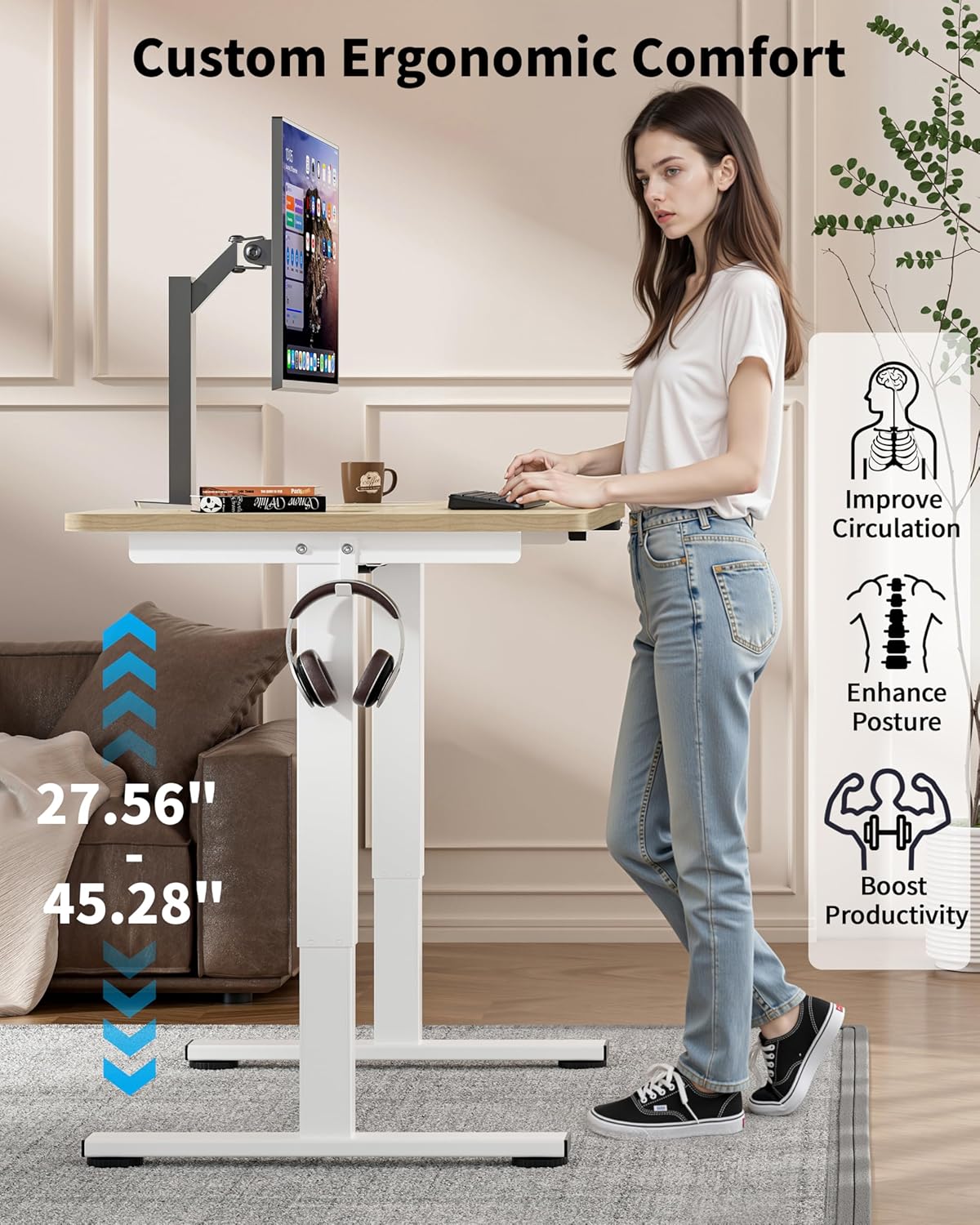
Figure 6: Ergonomic Height Adjustment in Use
- Schreibtisch erhöhen: Press and hold the "Up" button on the control panel until the desired height is reached.
- Unterer Schreibtisch: Press and hold the "Down" button on the control panel until the desired height is reached.
- Memory Presets (if available): Some models may feature memory buttons (e.g., M1, M2) to save preferred sitting and standing heights. Consult your control panel for specific instructions on setting and recalling these presets.
Rollen verwenden
If you have installed the lockable casters, you can easily move the desk. Unlock the casters to roll the desk to a new location. Always lock the casters once the desk is in its desired position to ensure stability during use.

Figure 7: Desk with Casters for Mobility
Wartung
- Reinigung: Wipe the desktop and frame with a dry or slightly damp Verwenden Sie kein scheuerndes Reinigungsmittel oder aggressive Chemikalien, die die Oberfläche beschädigen könnten.
- Kabelmanagement: Periodically check cables to ensure they are neatly arranged and not pinched or tangled, which could affect desk operation or pose a safety hazard.
- Befestigungsmaterial: Überprüfen Sie gelegentlich alle Schrauben und Bolzen, um sicherzustellen, dass sie fest sitzen. Ziehen Sie sie gegebenenfalls nach.
Fehlerbehebung
If you encounter issues with your Okin Electric Standing Desk, refer to the following common problems and solutions:
| Problem | Mögliche Ursache | Lösung |
|---|---|---|
| Der Schreibtisch bewegt sich nicht. | Stromkabel getrennt, Strom austage, motor issue. | Check if the power cable is securely plugged into the desk and the wall outlet. Verify the wall outlet has power. If the issue persists, contact customer support. |
| Der Schreibtisch wackelt ungleichmäßig oder macht ungewöhnliche Geräusche. | Loose fasteners, obstruction, uneven weight distribution. | Check and tighten all assembly screws. Ensure there are no obstructions under or around the desk. Distribute weight evenly on the desktop. |
| Error Code E-3 displayed on control panel. | Motor overload or sensor issue. | Unplug the desk from the power outlet for 10-15 minutes, then plug it back in. Reduce the load on the desk. If the error persists, contact customer support. |
| Desk reaches maximum/minimum height but doesn't respond. | Kalibrierung erforderlich. | Refer to your control panel's specific instructions for recalibration. Typically, this involves holding the "Down" button until the desk reaches its lowest point and then holding it again for a few seconds until a reset is indicated. |
Technische Daten

Abbildung 8: Abmessungen des Schreibtisches
| Besonderheit | Detail |
|---|---|
| Modellnummer | OKSM6545W3624OO-CA |
| Desktop-Abmessungen | 36" (Width) x 24" (Depth) |
| Höhenverstellbereich (ohne Rollen) | 27.56" bis 45.28" |
| Höhenverstellbereich (mit Rollen) | 29.53" to 47.25" (approximate, based on 1.97" wheel diameter) |
| Maximale Gewichtskapazität | 154 kg |
| Motorgeräuschpegel | < 50 dB |
| Desktop-Material | Wood (Oak finish) |
| Grundmaterial | Legierter Stahl |
| Besondere Merkmale | Höhenverstellbar, elektrisch, ergonomisch, Rollen (optional), Kopfhörerhaken, Kabelführungsschlitze |
| Leistungsaufnahme | 100 V bis 240 V |

Abbildung 9: Leistungsstarker und leiser Motor
Garantie und Support
The Okin Small Electric Standing Desk comes with a Limited Warranty. For specific warranty terms and conditions, please refer to the warranty card included in your package or visit the official Okin webWebsite.
For technical support, troubleshooting assistance, or to inquire about replacement parts, please contact Okin customer service:
- WebWebsite: Okin Official Store on Amazon
- E-Mail: support@okin.com (Examp(eigentliche E-Mail-Adresse nicht angegeben)
- Telefon: 1-800-XXX-XXXX (Examp(Telefonnummer nicht angegeben)
Please have your model number (OKSM6545W3624OO-CA) and purchase date ready when contacting support.


