1. Einleitung
Vielen Dank, dass Sie sich für GOLDCH entschieden haben.AMP 990B SMD Tweezers Meter. This device is designed for precise measurement of surface-mount device (SMD) components, offering functions such as resistance, capacitance, diode, and continuity testing. Its compact design and automatic features make it an ideal tool for electronics repair, manufacturing, and DIY projects.
This manual provides essential information for the safe and effective operation of your 990B SMD Tweezers Meter. Please read it thoroughly before use and retain it for future reference.

Abbildung 1: GOLDCHAMP 990B SMD Tweezers Meter and included accessories.
2. Sicherheitshinweise
To ensure safe operation and prevent damage to the meter, please observe the following safety precautions:
- Always inspect the meter for any damage before use. Do not use if damaged.
- Nicht anwenden voltage exceeding the maximum input rating (36V DC/AC) to the test pins.
- Ensure the device under test is de-energized before performing resistance, capacitance, or continuity measurements.
- Avoid touching the metal parts of the test pins during measurements to prevent electric shock.
- Tauschen Sie die Batterien umgehend aus, sobald die Anzeige für niedrigen Batteriestand erscheint, um genaue Messwerte zu gewährleisten.
- Das Messgerät darf nicht in explosionsgefährdeten Bereichen oder in Gegenwart von brennbaren Gasen oder Stäuben betrieben werden.
- Halten Sie das Gerät trocken und sauber.
3. Produktüberschreitungview
Die GOLDCHAMP 990B SMD Tweezers Meter features a clear LCD display and intuitive controls for efficient component testing. Below is a diagram illustrating the key components of the device.

Figure 2: Structure of the GOLDCHAMP 990B SMD Tweezers Meter.
Schlüsselkomponenten:
- LCD Anzeige: Zeigt Messwerte und Indikatoren an.
- Halte den Knopf: Friert den aktuellen Messwert auf dem Display ein.
- FUNC-Taste: Selects measurement functions (Resistance, Capacitance, Diode, Continuity, LED/Semiconductor Test).
- Funktionsschalter: Rotary switch for selecting primary measurement modes (R/D/C, DC 36V, LED/Semiconductor Test).
- Test Pins (Gold-plated): Used to contact SMD components for measurement. Gold plating ensures better conductivity and durability.
- Pin Holder: Connects to external test leads for larger components or traditional multimeter use.
4. Einrichtung
4.1 Einlegen der Batterie
Die GOLDCHAMP 990B is powered by 1.5V (AAA) batteries. To install or replace batteries:
- Suchen Sie den Batteriefachdeckel auf der Rückseite des Messgeräts.
- Schieben Sie die Abdeckung auf.
- Legen Sie die Batterien ein und achten Sie dabei auf die richtige Polarität (+/-).
- Schließen Sie den Batteriefachdeckel fest.
4.2 Erstes Einschalten
To turn on the meter, rotate the Function Switch to any desired measurement mode. The LCD display will illuminate, indicating the meter is ready for use. The meter features an auto power-off function after 15 minutes of inactivity to conserve battery life.

Figure 3: Package contents including the meter, case, test leads, and batteries.
5. Bedienungsanleitung
The 990B SMD Tweezers Meter offers various measurement modes and smart functions for efficient testing.
5.1 Messmodi
The meter can perform the following tests:
- Widerstand: Measures resistance from 400Ω to 40MΩ.
- Kapazität: Measures capacitance from 5.12nF to 200µF.
- Diodentest: Prüft die Vorwärtsvolatilitättage Tropfen von Dioden.
- Kontinuitätsprüfung: Indicates continuity with an audible buzzer if resistance is below a certain threshold (<30Ω).
- LED/Semiconductor Test: Tests LEDs and other semiconductors.

Figure 4: The 990B meter displaying its various measurement capabilities.
5.2 Durchführung von Messungen
- Funktion auswählen: Rotate the Function Switch to the desired primary mode (R/D/C for Resistance, Diode, Capacitance, or LED/Semiconductor Test). Use the FUNK button to cycle through specific functions within that mode.
- Contact Component: Gently pinch the SMD component with the gold-plated test pins. Ensure good contact for accurate readings.
- Leseanzeige: The measurement will be shown on the LCD display. The meter features auto-ranging, so it will automatically select the appropriate range.
- Lesen halten: Drücken Sie die HALTEN Drücken Sie diese Taste, um den aktuellen Messwert auf dem Display einzufrieren. Zum Entsperren erneut drücken.

Abbildung 5: Bspamples of Resistance Measurement, Diode Test, Auto Range Test, and LED Test.
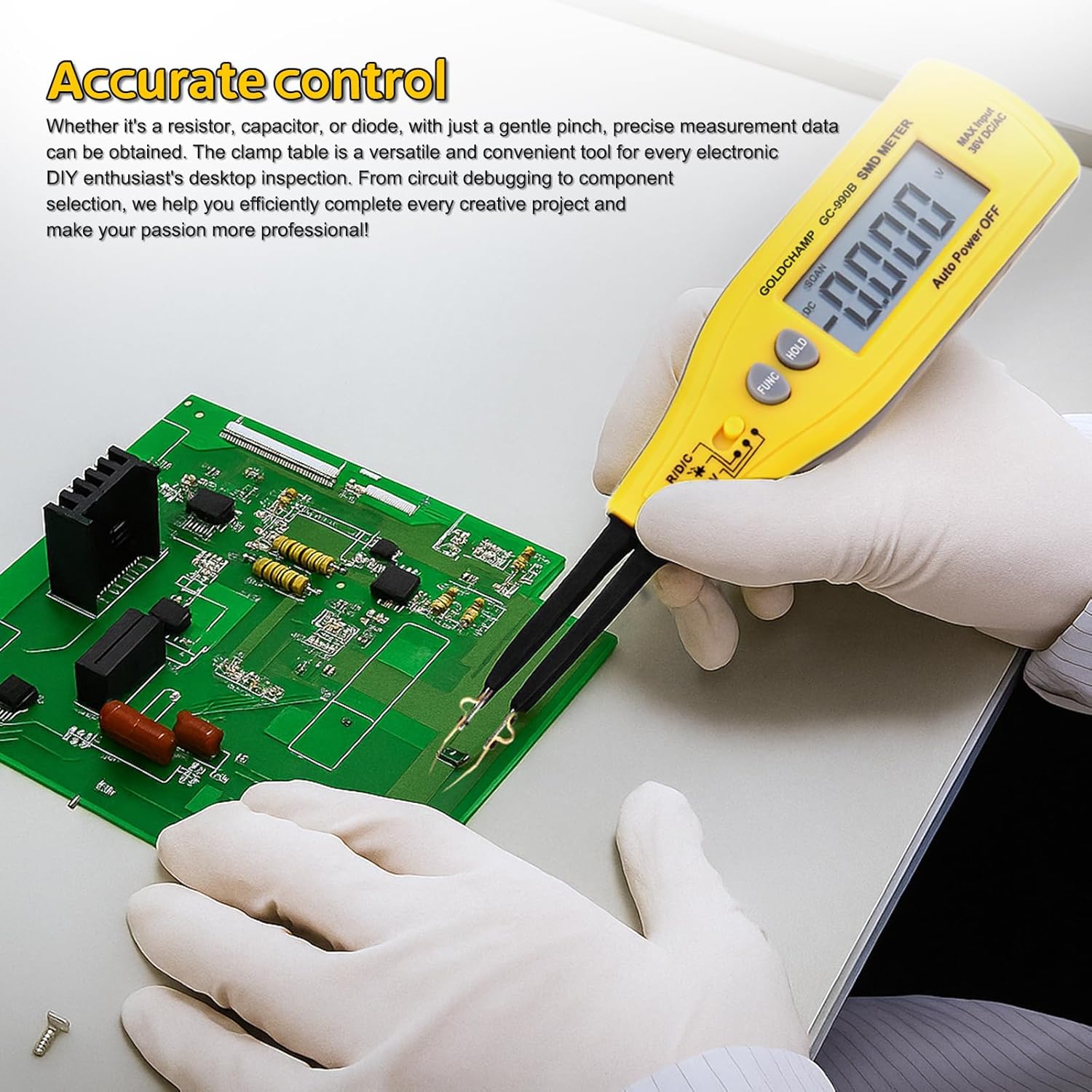
Figure 6: Using the 990B for accurate control and testing on a circuit board.
5.3 Intelligente Funktionen
- Auto-Range: The meter automatically selects the correct measurement range, eliminating the need for manual range selection.
- Automatische Abschaltung: The meter will automatically power off after 15 minutes of inactivity to save battery power.
- Relative Wertmessung: This function allows you to measure the difference between a stored reference value and the current measurement.
6. Wartung
6.1 Reinigung
Um die Genauigkeit und Lebensdauer Ihres Messgeräts zu erhalten:
- Wischen Sie das Messgerät mit einem weichen, fusselfreien Tuch ab.amp Tuch. Keine Scheuer- oder Lösungsmittel verwenden.
- Keep the test pins clean and free of debris to ensure good electrical contact.
6.2 Batteriewechsel
When the low battery warning appears on the display, replace the batteries as described in Section 4.1. Always use fresh 1.5V (AAA) batteries.
6.3 Speicherung
When not in use for extended periods, remove the batteries to prevent leakage. Store the meter in its protective case in a cool, dry place, away from direct sunlight and extreme temperatures.
7. Fehlerbehebung
| Problem | Mögliche Ursache | Lösung |
|---|---|---|
| Das Messgerät lässt sich nicht einschalten. | Defekte oder falsch eingesetzte Batterien. | Überprüfen Sie die Batteriepolarität oder ersetzen Sie die Batterien durch neue. |
| Low battery warning displayed. | Die Batterien sind schwach. | Ersetzen Sie die Batterien sofort. |
| "OL" (Overload) indicator. | Die Messung überschreitet den Messbereich des Messgeräts. | Ensure the component value is within the meter's specifications for the selected range. |
| Ungenaue oder instabile Messwerte. | Poor contact with component, dirty test pins, or environmental interference. | Ensure firm contact, clean test pins, and perform measurements in a stable environment. |
| Auto power-off too soon. | Meter inactive for 15 minutes. | This is a normal function to save battery. Reactivate by pressing a button or rotating the switch. |
8. Spezifikationen
The following table outlines the technical specifications of the GOLDCHAMP 990B SMD Tweezers Meter:
| Besonderheit | Spezifikation |
|---|---|
| Anzahl anzeigen | 4000 |
| Widerstandsbereich | 400Ω – 40MΩ |
| Kapazitätsbereich | 5.12nF – 200µF |
| Diodentest Voltage | 1.5 V |
| Durchgangsprüfung | <30Ω (audible buzzer) |
| DC-Voltage Test (via Pin Holder) | 36 V (max.) |
| Automatische Reichweite | Ja |
| Automatische Abschaltung | 15 Мinuten |
| Überlastschutz | Yes (OL indicator) |
| Warnung bei niedrigem Batteriestand | Ja |
| Stromversorgung | 1.5V (AAA) battery |
| Maße | 207 × 36 × 24 mm (8 × 2.8 × 1.3 Zoll) |
| Gewicht | 50 g (2.4 Unzen) |
| Material | ABS |

Figure 7: Comparison of GOLDCHAMP 990A and 990B models.
9. Garantie und Support
9.1 Garantieinformationen
Die GOLDCHAMP 990B SMD Tweezers Meter comes with a 365-day warranty from the date of purchase, covering manufacturing defects. This warranty does not cover damage caused by misuse, accidents, unauthorized modifications, or improper operation.
9.2 Kundendienst
If you have any questions regarding the operation, maintenance, or troubleshooting of your GOLDCHAMP 990B SMD Tweezers Meter, please do not hesitate to contact our customer support team. We are committed to providing assistance and ensuring your satisfaction.


