1. Einleitung
This manual provides detailed instructions for the setup, operation, maintenance, and troubleshooting of your SGIN 17.3 Inch Laptop Computer (Model M17S). Please read this manual thoroughly before using your laptop to ensure proper functionality and to maximize its lifespan. Keep this manual for future reference.

Figure 1.1: SGIN 17.3 Inch Laptop Computer Overview
The SGIN M17S laptop is designed for a wide range of applications, including study, work, entertainment, and internet browsing, offering a balance of performance and portability.
2. Packungsinhalt
Verify that all items listed below are included in your package. If any items are missing or damaged, please contact SGIN customer support.
- SGIN 17.3 Inch Laptop Computer (M17S) x 1
- Power Adapter/Charger x 1
- Benutzerhandbuch x 1
3. Produktmerkmale überview
3.1 Anzeige
The laptop features a 17.3-inch Full HD (1920x1080) IPS screen. This display technology provides sharp, clear text and vivid colors, along with wide viewwinkeln.

Abbildung 3.1: Hochauflösendes IPS-Display
3.2 Prozessor
Equipped with an Intel Core i3-5005U processor, operating at 2.4GHz Turbo Boost. This dual-core, four-thread processor is designed for efficient multitasking and handling various workloads.

Figure 3.2: Intel Core i3-5005U Processor
3.3 Speicher und Speicher
The laptop comes with 4GB DDR4 RAM and a 128GB SSD for fast boot times and application loading. Storage can be expanded with an additional SSD (up to 1TB) and a MicroSD card (up to 512GB).

Abbildung 3.3: Speicher- und Speicherkonfiguration
3.4 Batterie
A 8000 mWh (60Wh) lithium-ion battery provides extended usage time, with an estimated 8 hours of typical use on a single charge.

Abbildung 3.4: Langlebige Batterie
3.5 Anschlüsse und Konnektivität
The laptop offers a variety of ports for versatile connectivity:
- USB 3.2-Anschlüsse (x2)
- HDMI Port (for external monitors/projectors)
- Typ-C-Anschluss
- 3.5-mm-Kopfhörerbuchse
- MicroSD-Karten-Slot
- Gleichstromeingang
Wireless connectivity includes 5G Wi-Fi (802.11ac) and Bluetooth 4.2.

Abbildung 3.5: Verfügbare Anschlüsse
3.6 Audio und WebNocken
The laptop includes stereo speakers and a digital microphone for audio input and output. A 0.3MP webcam is integrated for video calls and conferencing.

Abbildung 3.6: Audio und WebKamerafunktionen
4. Getting Started (Setup Guide)
4.1 Auspacken
Carefully remove the laptop and all accessories from the packaging. Retain the packaging materials for future transport or storage.
4.2 Laden des Akkus
Before first use, fully charge the laptop battery. Connect the power adapter to the DC-in port on the laptop and then plug the adapter into a power outlet. The charging indicator light will illuminate.
4.3 Erstes Einschalten und Ersteinrichtung
Press the power button to turn on the laptop. The system will guide you through the initial Windows 11 setup process. This includes selecting your region, language, connecting to a Wi-Fi network, and setting up your user account.
5. Grundlegende Bedienung
5.1 Power On/Off/Sleep
- Einschalten: Drücken Sie den Netzschalter auf der Tastatur.
- Ausschalten: Klicken Sie auf die Schaltfläche „Start“, dann auf „Ein/Aus“ und wählen Sie „Herunterfahren“.
- Schlafmodus: Klicken Sie auf die Schaltfläche „Start“, dann auf „Ein/Aus“ und wählen Sie „Ruhezustand“ oder schließen Sie den Laptopdeckel.
5.2 Verwendung der Tastatur und des Touchpads
The laptop features a full-size keyboard with a numeric keypad and a multi-touch touchpad. Refer to Windows 11 settings for customizing touchpad gestures and keyboard shortcuts.
5.3 Mit WLAN verbinden
So stellen Sie eine Verbindung zu einem drahtlosen Netzwerk her:
- Klicken Sie auf das Wi-Fi-Symbol in der Taskleiste (unten rechts auf dem Bildschirm).
- Wählen Sie das gewünschte Netzwerk aus der Liste aus.
- Geben Sie gegebenenfalls das Netzwerkpasswort ein und klicken Sie anschließend auf „Verbinden“.
5.4 Verbinden von Bluetooth-Geräten
So koppeln Sie ein Bluetooth-Gerät:
- Go to 'Settings' > 'Bluetooth & devices'.
- Stellen Sie sicher, dass Bluetooth eingeschaltet ist.
- Klicken Sie auf „Gerät hinzufügen“ und wählen Sie „Bluetooth“ aus.
- Choose your device from the list and follow the on-screen pairing instructions.
5.5 Verwendung externer Displays (HDMI)
Connect an external monitor or projector to the laptop's HDMI port. Press Windows-Taste + P um den Anzeigemodus auszuwählen (z. B. Duplizieren, Erweitern, Nur zweiter Bildschirm).
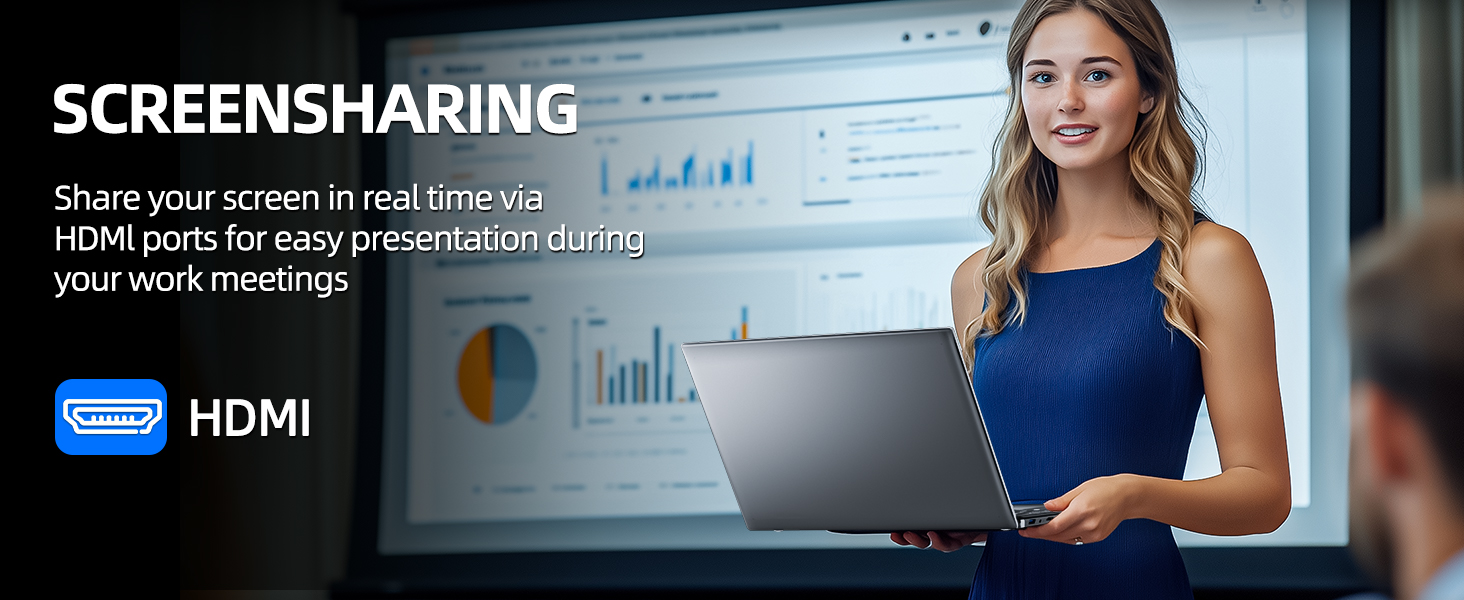
Figure 5.1: Screen Sharing via HDMI
5.6 Verwendung von USB-Geräten
Connect USB devices such as external hard drives, keyboards, or mice to the available USB 3.2 ports. The laptop will automatically detect and install necessary drivers.
6. Storage and Memory Management
6.1 Erweiterung des Speichers
Your SGIN laptop supports storage expansion:
- Additional SSD: An extra slot is available for installing an M.2 SSD, supporting up to 1TB. Consult a qualified technician for installation.
- MicroSD-Karte: Insert a MicroSD card into the dedicated slot for up to 512GB of additional storage.
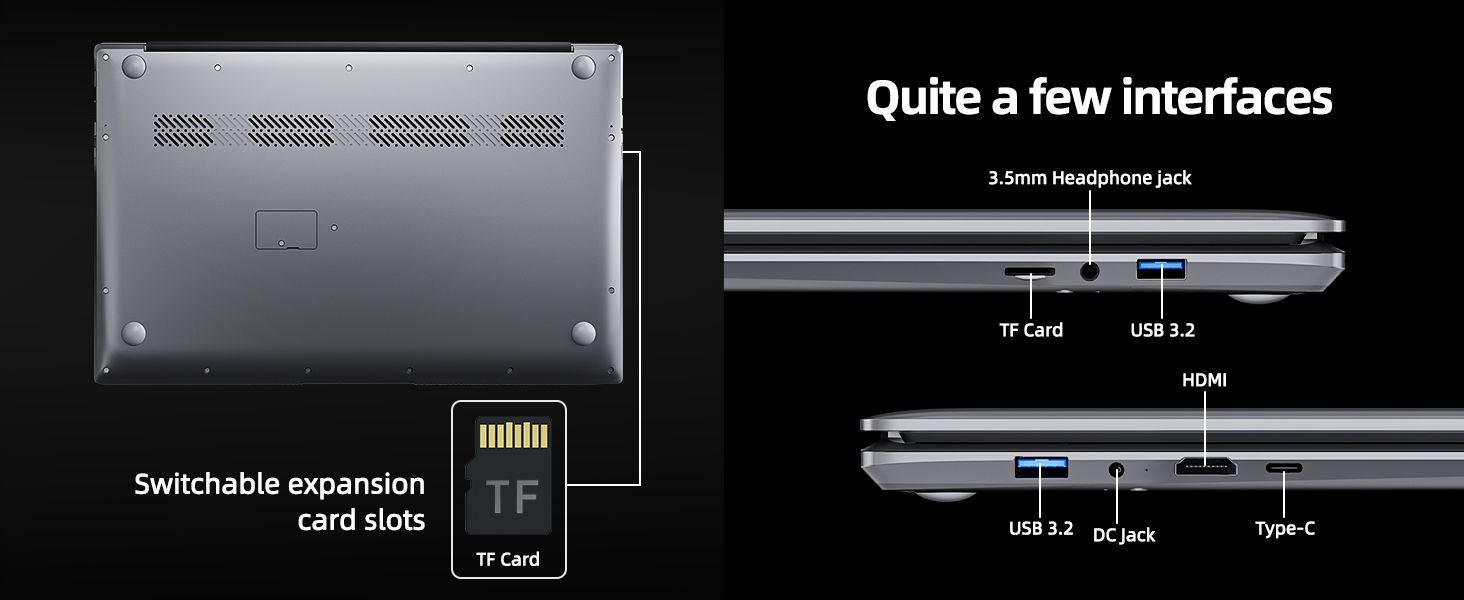
Figure 6.1: Expansion Card Slots
7. Batteriepflege
7.1 Gebührenrichtlinien
Always use the original SGIN power adapter provided with your laptop. Avoid using third-party chargers that may not meet the required specifications.
7.2 Optimieren der Akkulaufzeit
So verlängern Sie die Akkulaufzeit:
- Stellen Sie die Bildschirmhelligkeit auf ein angenehmes, aber niedrigeres Niveau ein.
- Schließen Sie nicht benötigte Anwendungen und Browser-Tabs.
- Disconnect external peripherals when not in use.
- Enable Windows Battery Saver mode.
- Vermeiden Sie extreme Temperaturen.
8. Wartung und Pflege
8.1 Reinigung des Laptops
Mit einem weichen, fusselfreien Tuch leichtampReinigen Sie das Display mit Wasser oder einem Bildschirmreiniger. Für Tastatur und Gehäuse verwenden Sie ein weiches, trockenes Tuch. Vermeiden Sie aggressive Chemikalien oder Scheuermittel.
8.2 Softwareaktualisierungen
Regularly check for and install Windows updates to ensure system stability, security, and optimal performance. Go to 'Settings' > 'Windows Update'.
8.3 Allgemeine Handhabung
Handle your laptop with care. Avoid dropping it or exposing it to liquids, extreme temperatures, or direct sunlight. Do not place heavy objects on the laptop.
9. Fehlerbehebung
This section addresses common issues you might encounter with your SGIN laptop.
| Problem | Mögliche Ursache | Lösung |
|---|---|---|
| Laptop won't turn on | Low battery; Power adapter issue; Hardware malfunction | Ensure battery is charged. Check power adapter connection. Try a different outlet. If problem persists, contact support. |
| WLAN verbindet sich nicht | Wi-Fi disabled; Incorrect password; Router issue | Ensure Wi-Fi is enabled in settings. Verify password. Restart router and laptop. |
| Langsame Leistung | Too many applications running; Low storage space; Malware | Close unnecessary programs. Free up disk space. Run a virus scan. Consider adding more RAM or upgrading SSD if frequently slow. |
| Kein Ton | Volume muted; Incorrect audio output; Driver issue | Check volume levels and mute status. Ensure correct output device is selected. Update audio drivers. |
| WebKamera funktioniert nicht | Privacy settings; Driver issue; Application access | Check Windows privacy settings for camera access. Update webcam drivers. Ensure the application has permission to use the camera. |
10. Technische Daten
Detailed specifications for the SGIN M17S Laptop Computer:
| Besonderheit | Spezifikation |
|---|---|
| Modellname | M17S |
| Anzeigegröße des Standbildschirms | 17.3 Zoll |
| Bildschirmauflösung | 1920 x 1080 Pixel (Full HD IPS) |
| Prozessor | Intel Core i3-5005U (2.4 GHz, 2 Cores, 4 Threads) |
| RAM | 4 GB DDR4 |
| Festplatte | SSD mit 128 GB |
| Grafik-Coprozessor | Integriert |
| Kabelloser Typ | 802.11ac (5G-WLAN) |
| Bluetooth | Bluetooth 4.2 |
| Betriebssystem | Windows 11 Home |
| Artikelgewicht | 5.89 Pfund |
| Technische Daten | 17.3 x 10 x 0.6 Zoll |
| Batterie | 8000 mWh Lithium Ion (60Wh) |
| Farbe | Schwarz |
| Besonderheit | Memory Card Slot (MicroSD) |
11. Garantie und Support
Your SGIN laptop includes a 1-year comprehensive after-sales warranty covering essential components. For technical assistance, warranty claims, or any product-related inquiries, please contact SGIN customer service. Our professional customer service team aims to respond within 12 hours.
For more information and support, please visit the official SGIN webBesuchen Sie die Website oder beachten Sie die Kontaktdaten, die Ihrer Produktverpackung beiliegen.


