1. Einleitung
Vielen Dank für Ihren Einkauf.asing the Gembird GMB Audio TWS-LCD-ANC-01-W Wireless In-Ear Headphones. These headphones are designed to provide a high-quality audio experience for music and calls, featuring Active Noise Cancellation (ANC) and an integrated microphone. This manual provides essential information for setting up, operating, maintaining, and troubleshooting your device.
2. Packungsinhalt
- 1x Pair of Gembird GMB Audio TWS-LCD-ANC-01-W Wireless In-Ear Headphones
- 1x Ladekoffer
- 1x USB Typ-C Ladekabel
3. Produktüberschreitungview
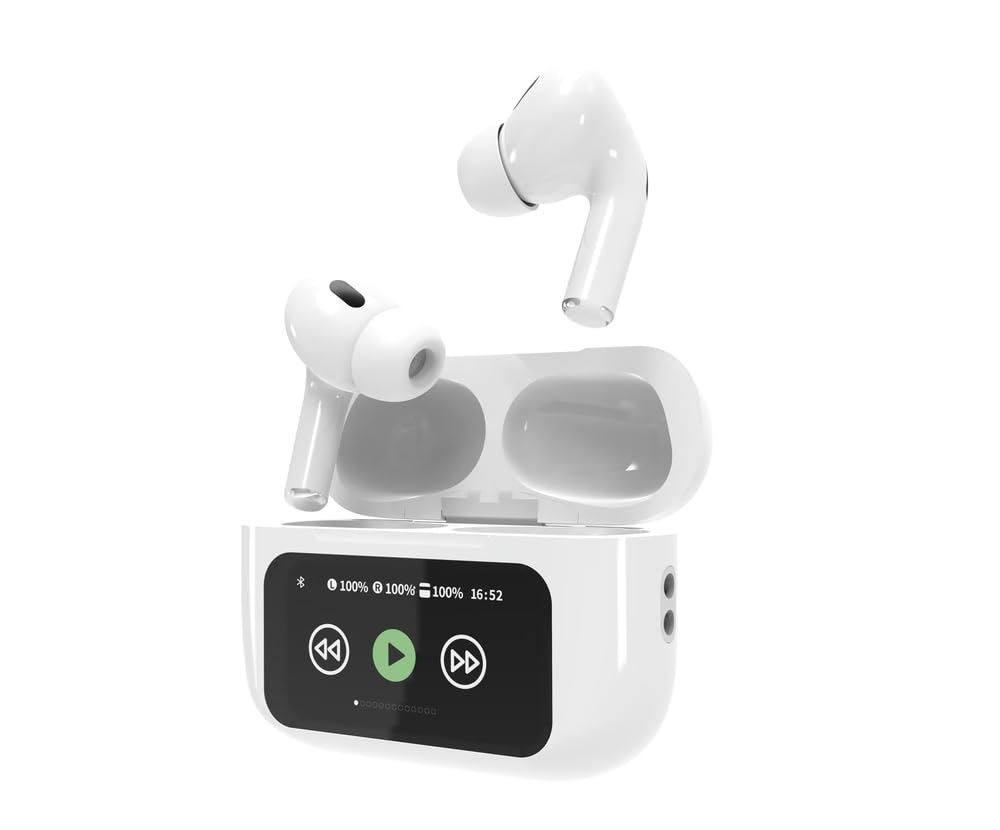
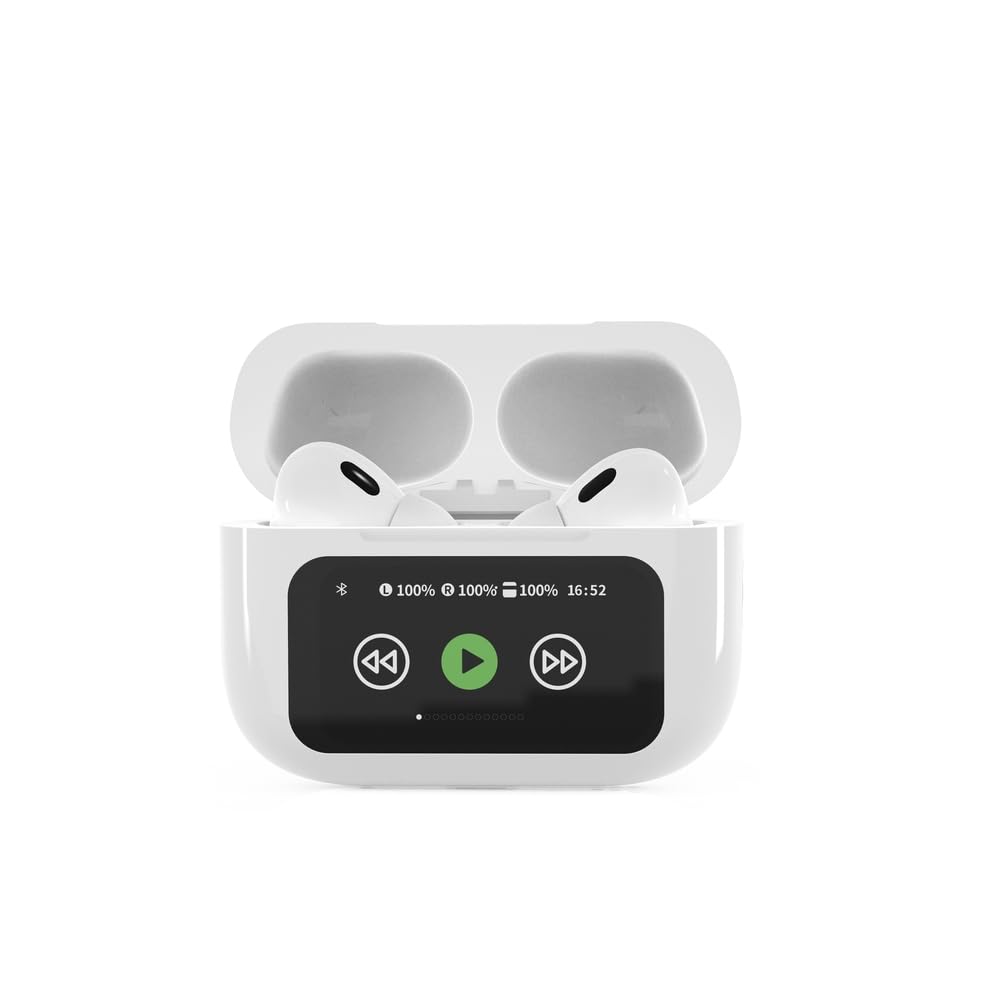

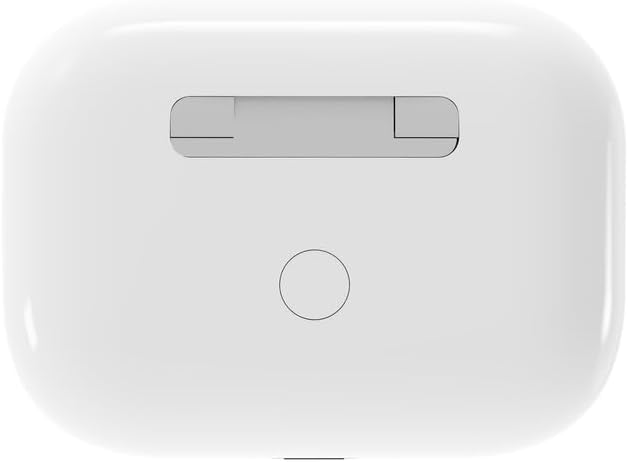

4. Einrichtung
4.1 Erstaufladung
Before first use, fully charge the headphones and the charging case. Connect the supplied USB Type-C cable to the charging port on the case and plug the other end into a compatible USB power source (e.g., computer, wall adapter). The LED indicator on the case will show charging status. A full charge typically takes approximately 2 hours.
4.2 Bluetooth-Kopplung
- Ensure the headphones are in the charging case and the case is open. The headphones will automatically enter pairing mode.
- Aktivieren Sie Bluetooth auf Ihrem Mobilgerät (Smartphone, Tablet, Laptop).
- Suchen nach available Bluetooth devices and select 'Gembird TWS-LCD-ANC-01-W' from the list.
- Once connected, the headphones will indicate successful pairing, and the device name will appear as 'Connected' on your mobile device.
5. Bedienungsanleitung
5.1 Ein-/Ausschalten
- Einschalten: The headphones automatically power on when removed from the charging case.
- Ausschalten: The headphones automatically power off and begin charging when placed back into the charging case and the lid is closed.
5.2 Musikwiedergabe
Control music playback using the touch-sensitive areas on the earbuds or the display on the charging case.
- Abspielen/Pause: Single tap on either earbud or press the play/pause icon on the case display.
- Nächster Titel: Double tap on the right earbud or press the 'next' icon on the case display.
- Vorheriges Lied: Double tap on the left earbud or press the 'previous' icon on the case display.
5.3 Anrufmanagement
When an incoming call is received, music playback will automatically pause.
- Anruf annehmen: Tippen Sie einmal auf einen der Ohrhörer.
- Anruf beenden: Einmaliges Antippen eines der Ohrhörer während eines Anrufs.
- Anruf ablehnen: Halten Sie einen der Ohrhörer 2 Sekunden lang gedrückt.
5.4 Aktive Geräuschunterdrückung (ANC)
Activate or deactivate the Active Noise Cancellation feature to reduce ambient noise.
- ANC umschalten: Press and hold the touch-sensitive area on the left earbud for 2 seconds, or use the dedicated ANC control on the charging case display.
5.5 Lautstärkeregelung
Adjust the volume directly from your connected device or through the touch controls on the earbuds (if supported by the specific model's firmware) or the charging case display.
6. Wartung
6.1 Reinigung
- Wischen Sie die Ohrhörer und das Ladecase mit einem weichen, trockenen, fusselfreien Tuch ab.
- Verwenden Sie keine Scheuermittel, Lösungsmittel oder aggressive Chemikalien.
- Stellen Sie sicher, dass die Ladekontakte an beiden Ohrhörern und am Ladecase sauber und trocken sind.
6.2 Speicherung
- Bewahren Sie die Kopfhörer immer im Ladeetui auf, wenn Sie sie nicht benutzen, um sie zu schützen und geladen zu halten.
- An einem kühlen, trockenen Ort aufbewahren und vor direkter Sonneneinstrahlung und extremen Temperaturen schützen.
6.3 Batteriepflege
- Laden Sie das Gerät regelmäßig auf, auch wenn Sie es nicht häufig benutzen, um die Batterieleistung zu erhalten.
- Vermeiden Sie häufiges vollständiges Entladen des Akkus.
7. Fehlerbehebung
| Problem | Mögliche Ursache | Lösung |
|---|---|---|
| Die Kopfhörer lassen sich nicht einschalten. | Niedriger oder kein Akkuladestand. | Place headphones in the charging case and ensure the case is charged. Charge the case fully. |
| Kein Ton aus den Kopfhörern. | Not connected via Bluetooth; volume too low; media paused. | Verify Bluetooth connection. Increase volume on both headphones and connected device. Check if media is playing. |
| Kopplung mit dem Gerät nicht möglich. | Headphones not in pairing mode; device already connected to another Bluetooth device; interference. | Ensure headphones are in pairing mode (open case). Turn off Bluetooth on other nearby devices. Forget the device in your phone's Bluetooth settings and try re-pairing. |
| Active Noise Cancellation (ANC) is ineffective. | ANC not activated; improper earbud fit. | Ensure ANC is toggled on. Adjust earbud position for a secure and sealed fit in your ear canal. |
| Das Mikrofon funktioniert während Anrufen nicht. | Mikrofon gesperrt; Geräteeinstellungen. | Ensure the microphone port on the earbuds is not obstructed. Check your device's audio input settings to ensure the headphones are selected. |
8. Spezifikationen
- Modell: TWS-LCD-ANC-01-W
- Konnektivität: Kabellos, Bluetooth 5.3
- Bluetooth Profiles: A2DP, AVRCP, HPF, HSP
- Ladeanschluss: USB Typ C
- Audiofrequenzbereich: 20 - 20000 Hz
- Mikrofon: Integriert
- Ohrhörertyp: In-ear, Binaural
- Kontrollmethode: Berühren
- Geräuschpegelkontrolle: Aktive Geräuschunterdrückung (ANC)
- Akku-Typ: Integrated Lithium Polymer (LiPo)
- Ladekoffer Batteriekapazität: 300 mAh
- Akkukapazität der Ohrhörer: 30 mAh (jeweils)
- Continuous Audio Playback: Bis zu 8 Stunden
- Ladezeit: Ungefähr 2 Stunden
- Produktgewicht: 66 g
- Produktabmessungen (Gehäuse): 40 mm (Breite) x 60 mm (Tiefe) x 25 mm (Höhe)
- Kompatible Geräte: Laptop, Tablet, Mobiltelefon
- Wasserbeständigkeit: Wasserfest
- Zertifizierungen: RoHS
9. Garantie und Support
9.1 Garantieinformationen
This product comes with a three-year warranty against manufacturing defects from the date of purchase. Please retain your proof of purchase for warranty claims. The warranty does not cover damage caused by misuse, accidents, unauthorized modifications, or normal wear and tear.
9.2 Kundendienst
For technical support, warranty claims, or further assistance, please contact your retailer or visit the official Gembird website. Contact information can typically be found on the product packaging or the Gembird corporate webWebsite.


