Einführung
This manual provides detailed instructions for the setup, operation, and maintenance of your Lotus Smartwatch 50050/4. Please read this manual thoroughly before using your device to ensure proper functionality and to maximize its features.
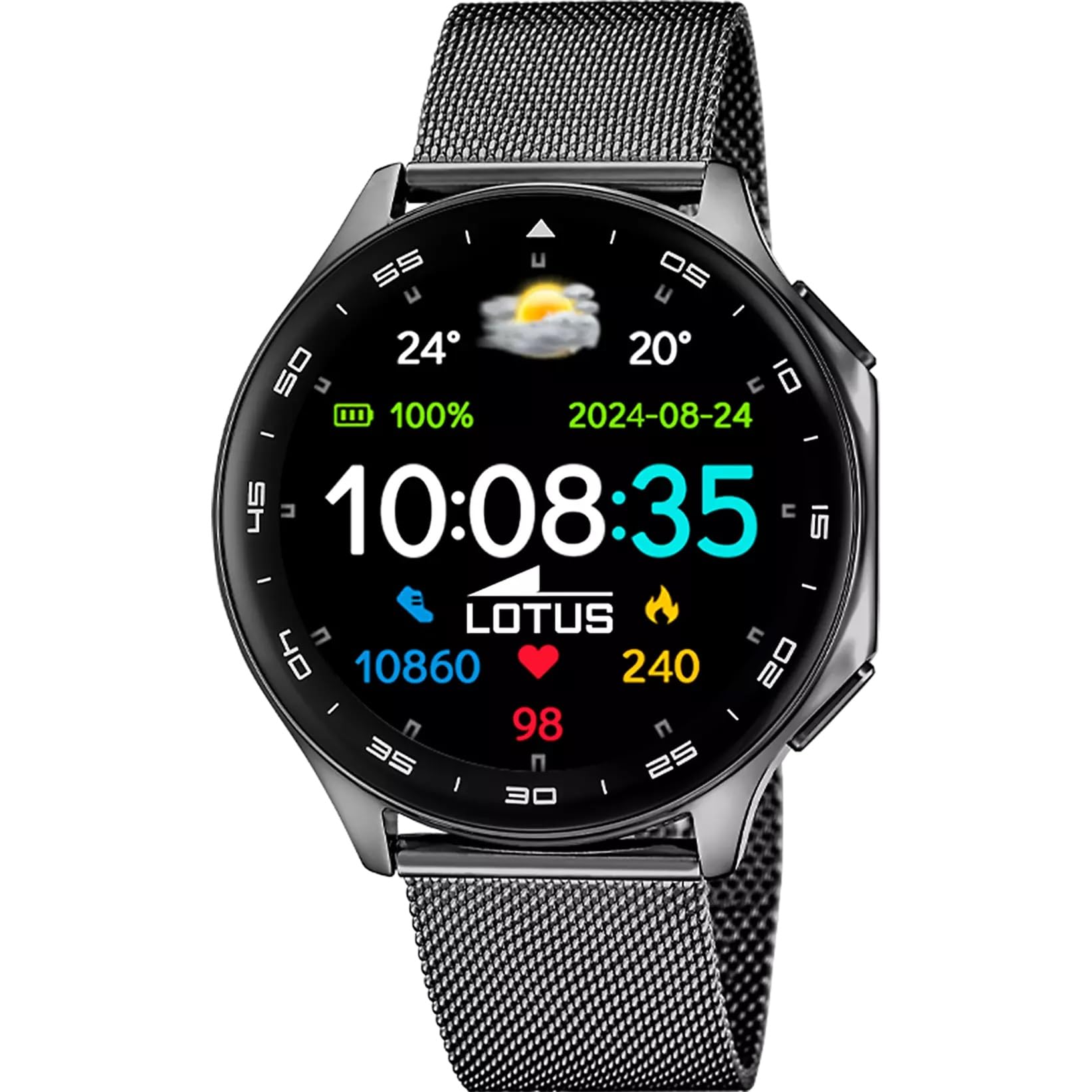
The Lotus Smartwatch 50050/4 is an outdoor sports watch designed for active lifestyles. It features a durable zinc alloy case, a black Milanese steel mesh strap, and a digital display. The watch offers a range of functions including sports tracking, health monitoring, and smart notifications.
Lieferumfang
- Lotus Smartwatch 50050/4
- Ladekabel
- Benutzerhandbuch (dieses Dokument)
- Zusätzlicher Gurt
Aufstellen
1. Aufladen der Smartwatch
Before initial use, fully charge your smartwatch. Connect the charging cable to the charging port on the back of the watch and plug the other end into a USB power adapter (not included) or a computer's USB port. The watch display will indicate charging status.
Notiz: Use a standard 5V/1A USB charger. Overcharging or using incompatible chargers may damage the device.
2. Ein-/Ausschalten
- So schalten Sie das Gerät ein: Press and hold the side button for a few seconds until the Lotus logo appears.
- So schalten Sie das Gerät aus: Halten Sie die seitliche Taste gedrückt und wählen Sie dann auf dem Bildschirm „Ausschalten“ aus.
3. App-Installation und -Kopplung
To unlock the full potential of your smartwatch, download the official Lotus Smartwatch application on your smartphone. The app is compatible with Android devices.
- Suchen nach the "Lotus Smartwatch" app in your smartphone's app store (Google Play Store for Android).
- Installieren Sie die Anwendung.
- Öffnen Sie die App und folgen Sie den Anweisungen auf dem Bildschirm, um ein Konto zu erstellen oder sich anzumelden.
- Aktivieren Sie Bluetooth auf Ihrem Smartphone.
- In the app, navigate to the device pairing section and select your Lotus Smartwatch 50050/4 from the list of available devices.
- Bestätigen Sie die Kopplungsanfrage sowohl auf Ihrem Smartphone als auch auf der Smartwatch.
Once paired, the watch will synchronize time, date, and other settings with your smartphone.
Bedienungsanleitung
Grundlegende Navigation
- Touch-Screen: Swipe left, right, up, or down to navigate through menus and functions. Tap to select an item.
- Seitentaste: Press to return to the previous screen or to the watch face. Press and hold for power options.
Wichtige Funktionen
- Sportmodi: Access various sports modes (e.g., running, walking, cycling) to track your activity, including steps, calories burned, and distance.
- Gesundheitsüberwachung:
- Herzfrequenz: Überwachen Sie Ihre Herzfrequenz in Echtzeit.
- Blutsauerstoff: Messen Sie Ihren Blutsauerstoffgehalt.
- Schlaf-Tracking: Analysiere dein Schlafverhalten (Tiefschlaf, Leichtschlaf, Wachphasen).
- Atemübungen: Geführte Atemübungen zur Entspannung.
- Benachrichtigungen: Receive notifications for incoming calls, SMS messages, and app alerts directly on your watch. You can reject calls from the watch.
- Musiksteuerung: Steuern Sie die Musikwiedergabe auf Ihrem verbundenen Smartphone (Wiedergabe, Pause, Titel überspringen).
- Wetter: View aktuelle Wetterbedingungen und Vorhersagen.
- Alarme & Timer: Set alarms, use the stopwatch, or set a countdown timer.
- Kamerafernbedienung: Verwenden Sie Ihre Uhr als Fernauslöser für die Kamera Ihres Smartphones.
- Video Calculator: Access a video calculator function.
- AI Voice Calculator: Utilize an AI voice-activated calculator.
- Telefonfinder: Finden Sie Ihr gekoppeltes Smartphone, indem Sie es klingeln lassen.
- Taschenlampe: Den Bildschirm als Taschenlampe aktivieren.
- Wählscheibenanpassung: Change the watch face (dial) through the watch settings or the companion app.
- Firmware Update: Update the watch's software via the companion app to ensure optimal performance and access new features.
- Language, Time, and Date: Adjust these settings through the watch or the companion app.
Wartung
Reinigung und Pflege
- Reinigen Sie den Bildschirm und das Gehäuse der Uhr mit einem weichen, trockenen, fusselfreien Tuch.
- Bei hartnäckigen Flecken leicht dampBefeuchten Sie das Tuch mit Wasser. Verwenden Sie keine scharfen Chemikalien oder Scheuermittel.
- Vor dem Laden sicherstellen, dass die Ladekontakte sauber und trocken sind.
Wasserbeständigkeit (IP65)
The Lotus Smartwatch 50050/4 has an IP65 rating, meaning it is protected against dust ingress and low-pressure water jets from any direction. This rating indicates resistance to splashes and light rain. It is not suitable for swimming, showering, or submersion in water. Exposure to high-pressure water or prolonged submersion may cause damage.
Armbandaustausch
The watch comes with an additional strap. To replace the strap, locate the quick-release pins on the underside of the strap where it connects to the watch case. Slide the pin to detach the strap, then align the new strap and slide the pin back into place to secure it.
Fehlerbehebung
Uhr lässt sich nicht einschalten
- Stellen Sie sicher, dass die Uhr vollständig aufgeladen ist. Schließen Sie sie für mindestens 30 Minuten an das Ladegerät an.
- Versuchen Sie, die Seitentaste 10-15 Sekunden lang gedrückt zu halten, um einen Neustart zu erzwingen.
Kopplung mit Smartphone nicht möglich
- Stellen Sie sicher, dass Bluetooth auf Ihrem Smartphone aktiviert ist.
- Ensure the watch is within range of your smartphone (typically 10 meters).
- Starten Sie sowohl Ihr Smartphone als auch Ihre Smartwatch neu.
- Löschen Sie gegebenenfalls den Bluetooth-Cache Ihres Smartphones und versuchen Sie es erneut mit der Kopplung.
- Ensure the Lotus Smartwatch app is updated to the latest version.
Ungenaue Gesundheitsdaten
- Achten Sie darauf, dass die Uhr eng am Handgelenk sitzt, aber nicht zu eng.
- Halten Sie den Sensor auf der Rückseite der Uhr sauber und frei von Verunreinigungen.
- Umweltfaktoren und die individuelle Physiologie können die Genauigkeit von Sensoren beeinflussen.
Werksrücksetzung
If you experience persistent issues, a factory reset may resolve them. This will erase all data on the watch and restore it to its original settings. Consult the watch's settings menu or the companion app for the factory reset option.
Technische Daten
| Modellnummer | 50050/4 |
| Marke | Lotus |
| Anzeigegröße | 46.7 mm |
| Form | Runden |
| Gehäusematerial | Zinklegierung |
| Armbandmaterial | Milanese Steel Mesh |
| Wasserbeständigkeit | IP65 (Spritzwasser- und staubgeschützt) |
| Konnektivität | Bluetooth |
| Kompatibles Betriebssystem | Android (für die Begleit-App) |
| GPS | NEIN |
| Besondere Merkmale | Advanced sport and health functions |
Garantie und Support
The Lotus Smartwatch 50050/4 comes with a 3 Jahr Garantie from the date of purchase. This warranty covers manufacturing defects. It does not cover damage caused by misuse, accidents, unauthorized modifications, or failure to follow the instructions in this manual, including water damage beyond the specified IP65 rating.
For warranty claims or technical support, please contact your authorized Lotus retailer or visit the official Lotus webWebsite mit Kundendienstinformationen.
Rückgaberecht: If purchased from Amazon, the product is subject to a 30-day return policy for refund or replacement, as per Amazon's terms.
Abbildung des Produkts