Einführung
Thank you for choosing the ADESSO Xtream T2 Bluetooth Wireless Earbuds. These earbuds are designed to provide a high-quality audio experience with features such as Active Noise Cancelling (ANC), a built-in microphone for calls, and convenient touch controls. This manual will guide you through the setup, operation, and maintenance of your new earbuds.
Lieferumfang
- ADESSO Xtream T2 Wireless Earbuds (Left and Right)
- Kabelloses Ladecase
- USB-Ladekabel
- Ohrstöpsel in verschiedenen Größen (S, M, L)
- Bedienungsanleitung
Produkt überview
The ADESSO Xtream T2 earbuds feature an ergonomic in-ear design for a secure and comfortable fit. The compact charging case not only protects your earbuds but also provides additional battery life and supports wireless charging.

Image: The ADESSO Xtream T2 wireless earbuds are shown resting inside their open white charging case. The case has the 'adesso' logo on the front and four small LED indicator lights below it. The earbuds are white with a sleek, minimalist design.

Bild: Eine Nahaufnahme view of the two white ADESSO Xtream T2 earbuds, showing their in-ear design and the small microphone openings. The left and right indicators are visible on the stems.
Aufstellen
1. Aufladen der Ohrhörer und des Ladecase
Before first use, fully charge the earbuds and the charging case. Place the earbuds into the charging case. Connect the USB charging cable to the charging port on the case and to a power source. The LED indicators on the case will show the charging status. Alternatively, place the charging case on a compatible wireless charging pad.
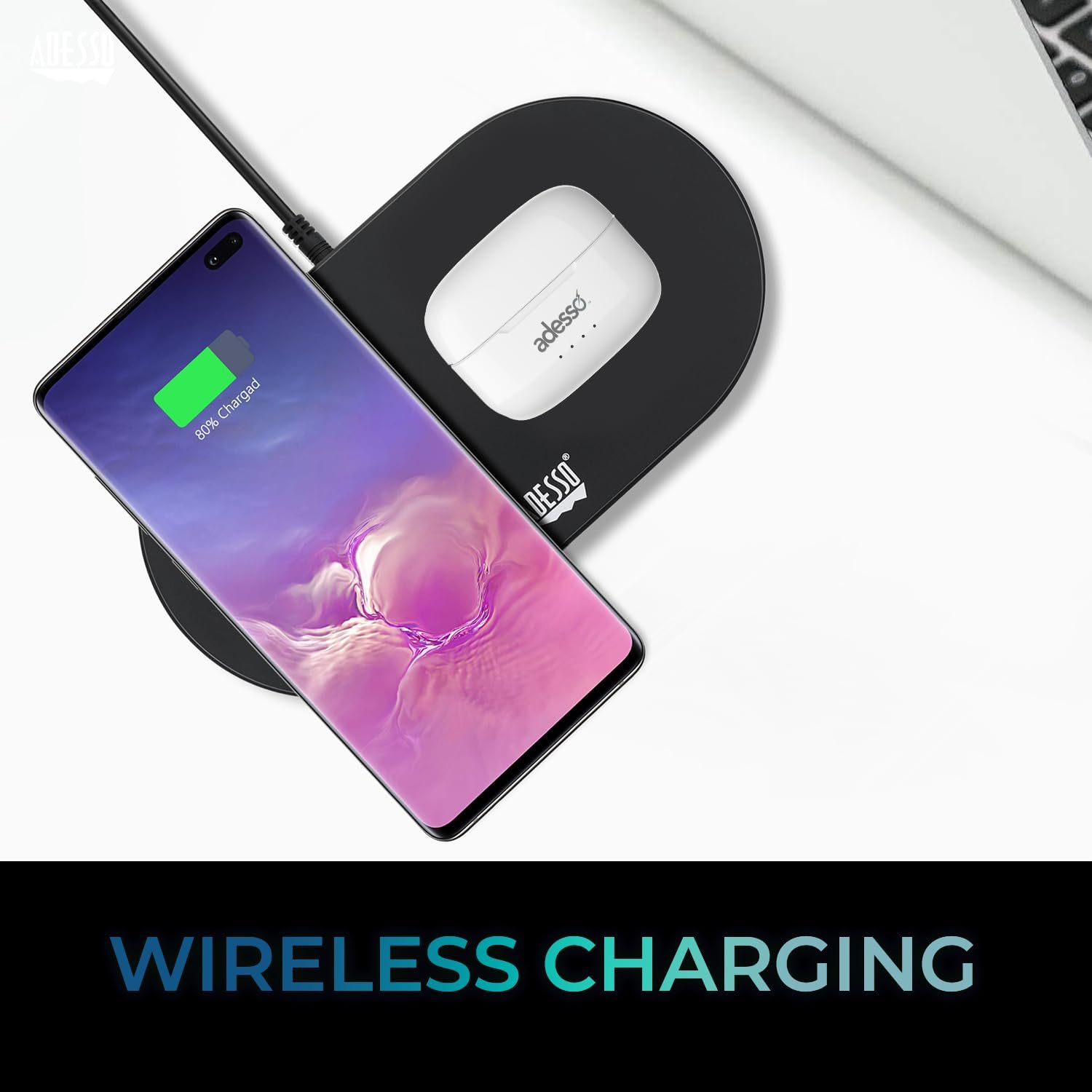
Image: The white ADESSO Xtream T2 charging case is placed on a black wireless charging pad next to a smartphone that is also wirelessly charging. This illustrates the wireless charging capability of the earbud case.
2. Bluetooth-Kopplung
- Stellen Sie sicher, dass die Ohrhörer aufgeladen sind.
- Öffnen Sie das Ladecase. Die Ohrhörer wechseln automatisch in den Kopplungsmodus, was durch eine blinkende LED-Leuchte an den Ohrhörern angezeigt wird.
- Gehen Sie auf Ihrem Gerät (Smartphone, Tablet usw.) zu den Bluetooth-Einstellungen.
- Suchen nach verfügbare Geräte auswählenADESSO Xtream T2" von der Liste.
- Sobald die Verbindung hergestellt ist, hört die LED-Anzeige an den Ohrhörern auf zu blinken, und Ihr Gerät bestätigt die Verbindung.
Die Ohrhörer verbinden sich beim Herausnehmen aus dem Ladecase automatisch wieder mit dem zuletzt gekoppelten Gerät, sofern Bluetooth auf dem Gerät aktiviert ist.

Image: A stylized image depicting a Bluetooth chip on a circuit board, with the ADESSO Xtream T2 earbuds in their charging case in the foreground. This visually represents the Bluetooth wireless connectivity feature.
Bedienungsanleitung
Touch-Bedienelemente
The Xtream T2 earbuds feature intuitive touch controls on each earbud. The specific functions may vary slightly depending on the operating system of your connected device.

Image: A woman is shown gently touching the side of her white ADESSO Xtream T2 earbud, demonstrating the touch control feature. She is smiling and looking at her smartphone.
| Aktion | Funktion |
|---|---|
| Einmaliges Tippen (linker/rechter Ohrhörer) | Musik abspielen/pausieren, Anruf annehmen/beenden |
| Doppeltippen (rechter Ohrhörer) | Nächster Titel |
| Doppeltippen (linker Ohrhörer) | Vorheriger Titel |
| Dreifach tippen (rechter Ohrhörer) | Lautstärke erhöhen |
| Dreifach tippen (linker Ohrhörer) | Lautstärke verringern |
| Langes Drücken (2 Sekunden) | Sprachassistent aktivieren (Siri, Google Assistant) |
| Langes Drücken (3 Sekunden) | ANC-/Transparenzmodus umschalten |
| Incoming Call Long Press (2 seconds) | Anruf ablehnen |
Aktive Geräuschunterdrückung (ANC)
The Xtream T2 earbuds feature Active Noise Cancelling technology to reduce ambient noise, allowing for a more immersive listening experience. To activate or deactivate ANC, long-press the touch sensor on either earbud for approximately 3 seconds until you hear an audible prompt.

Image: A graphic illustrating sound waves being blocked around the ADESSO Xtream T2 earbuds, with text indicating "30dB" and "Active Noise Cancelling." This highlights the noise reduction capability.
Akkulaufzeit und Aufladen
The earbuds provide approximately 6-7 hours of talk and listen time on a single charge. The charging case extends this duration by providing multiple recharges. For optimal performance, ensure both earbuds and case are regularly charged.

Image: A woman is using the ADESSO Xtream T2 earbuds while looking at her phone. A battery icon with a full charge is displayed, indicating "6-7 Hour Talk & Listen Time."
Wartung
Reinigung
Regelmäßige Reinigung trägt zur Erhaltung der Klangqualität und Hygiene bei:
- Verwenden Sie ein weiches, trockenes, fusselfreies Tuch, um die Ohrhörer und das Ladecase abzuwischen.
- Entfernen Sie Ohrenschmalz oder Ablagerungen vorsichtig mit einer kleinen, weichen Bürste oder einem Wattestäbchen von den Ohrstöpseln und dem Lautsprechergitter.
- Verwenden Sie keine Scheuermittel, Alkohol oder chemische Lösungsmittel.
Lagerung
Bewahren Sie die Ohrhörer bei Nichtgebrauch im Ladecase auf, um sie vor Staub und Beschädigungen zu schützen und sie geladen zu halten.
Fehlerbehebung
| Problem | Mögliche Lösung |
|---|---|
| Ohrhörer lassen sich nicht koppeln | Stellen Sie sicher, dass Ihre Ohrhörer geladen sind. Schalten Sie Bluetooth auf Ihrem Gerät aus und wieder ein. Entkoppeln Sie das Gerät in den Bluetooth-Einstellungen und koppeln Sie es erneut. |
| Nur ein Ohrhörer funktioniert | Place both earbuds back in the case, close it, then open it again. Ensure both earbuds are charged. |
| Kein Ton | Check device volume. Ensure earbuds are connected. Try playing audio from a different application or device. |
| ANC funktioniert nicht | Ensure ANC is activated via touch control (long press). Check for proper earbud fit. |
| Ladeprobleme | Ensure charging cable is securely connected. For wireless charging, ensure the case is correctly placed on a compatible pad. Clean charging contacts on earbuds and case. |
Technische Daten

Image: The ADESSO Xtream T2 earbuds and charging case are shown in front of various electronic devices including a smartphone, tablet, laptop, and desktop computer, illustrating their multi-platform compatibility.
| Besonderheit | Detail |
|---|---|
| Modellname | Xtream T2 |
| Konnektivitätstechnologie | Kabellos (Bluetooth) |
| Bluetooth-Version | 5.3 |
| Lärmschutz | Aktive Geräuschunterdrückung (ANC) |
| Mikrofon | Eingebaut |
| Steuerungstyp | Touch-Steuerung |
| Form der Hörmuschel | In-Ear |
| Material | Kunststoff, Silikon |
| Artikelgewicht | 37 Grams (earbuds and case) |
| Kabelloses Laden | Unterstützt |
| Kompatible Geräte | Smartphones, Tablets, Laptops, Desktop-Computer, Smart Speaker, Fernseher, Autos, Motorräder |
| UPC | 783750011013 |
Garantie und Support
For warranty information and technical support, please refer to the warranty card included with your product or visit the official ADESSO website. You can also contact ADESSO customer service for assistance with any product-related inquiries.
WebWebsite: www.adesso.com (ExampBitte überprüfen Sie den Link, um die tatsächliche Unterstützung zu ermitteln. URL)


