Einführung
Das Schwarzeview W50Pro Military Smart Watch is designed for durability and comprehensive functionality, suitable for various environments and activities. This manual provides essential information for setting up, operating, and maintaining your device to ensure optimal performance.
Lieferumfang
- Smartwatch x1
- Silikonband x1
- Nylon Braided Strap x1
- Magnetisches Ladekabel x1
- Benutzerhandbuch x1
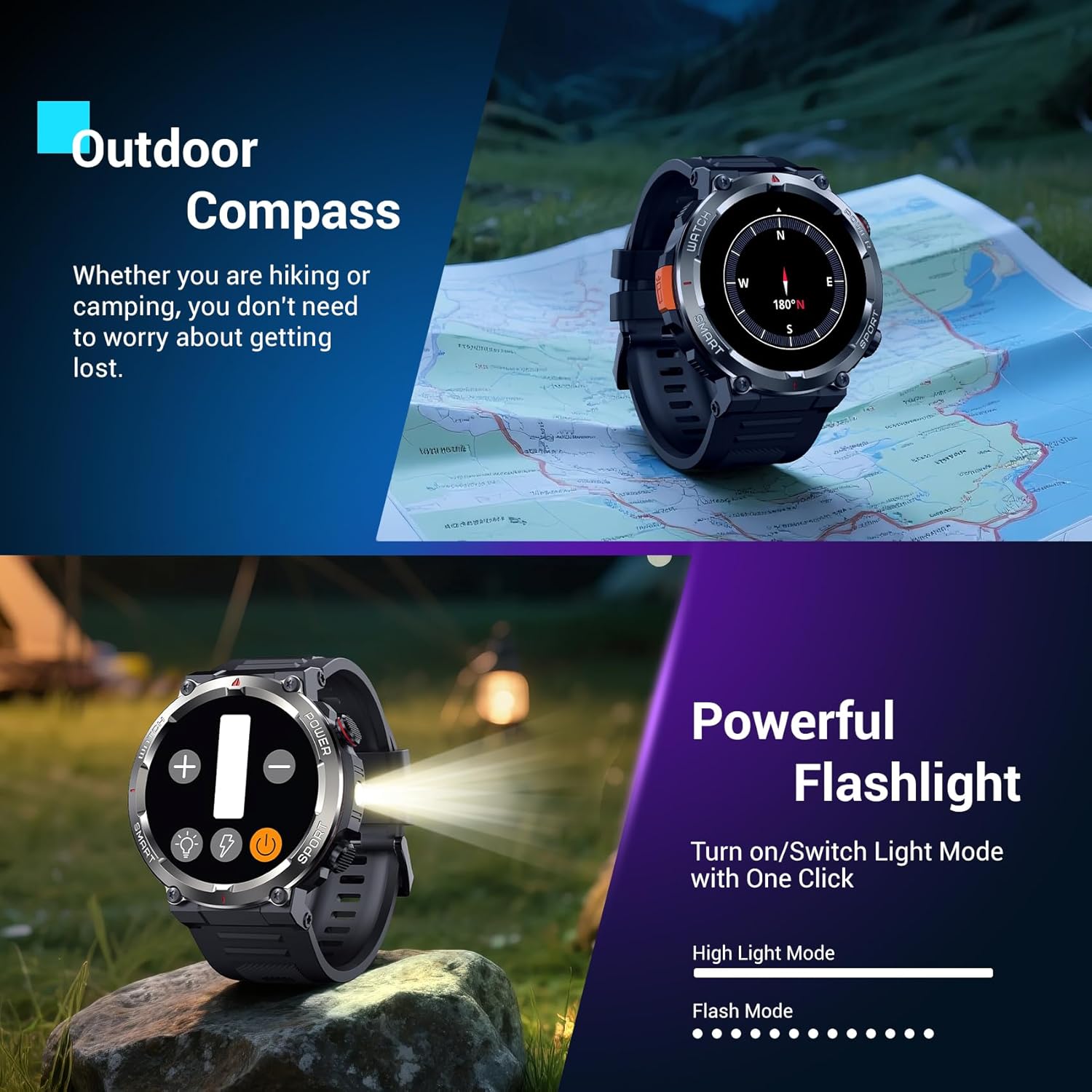
Bild: Das Schwarzeview W50Pro Smart Watch and its accessories, including two interchangeable straps, a magnetic charging cable, and the user manual.
Aufstellen
1. Aufladen der Smartwatch
Laden Sie Ihren Black vor der ersten Benutzung vollständig auf.view W50Pro Smart Watch. Connect the magnetic charging cable to the charging points on the back of the watch and plug the USB end into a compatible power source (e.g., computer USB port, USB wall adapter). The watch features a 960mAh battery, offering over 100 days of standby time and over 30 days of daily use.
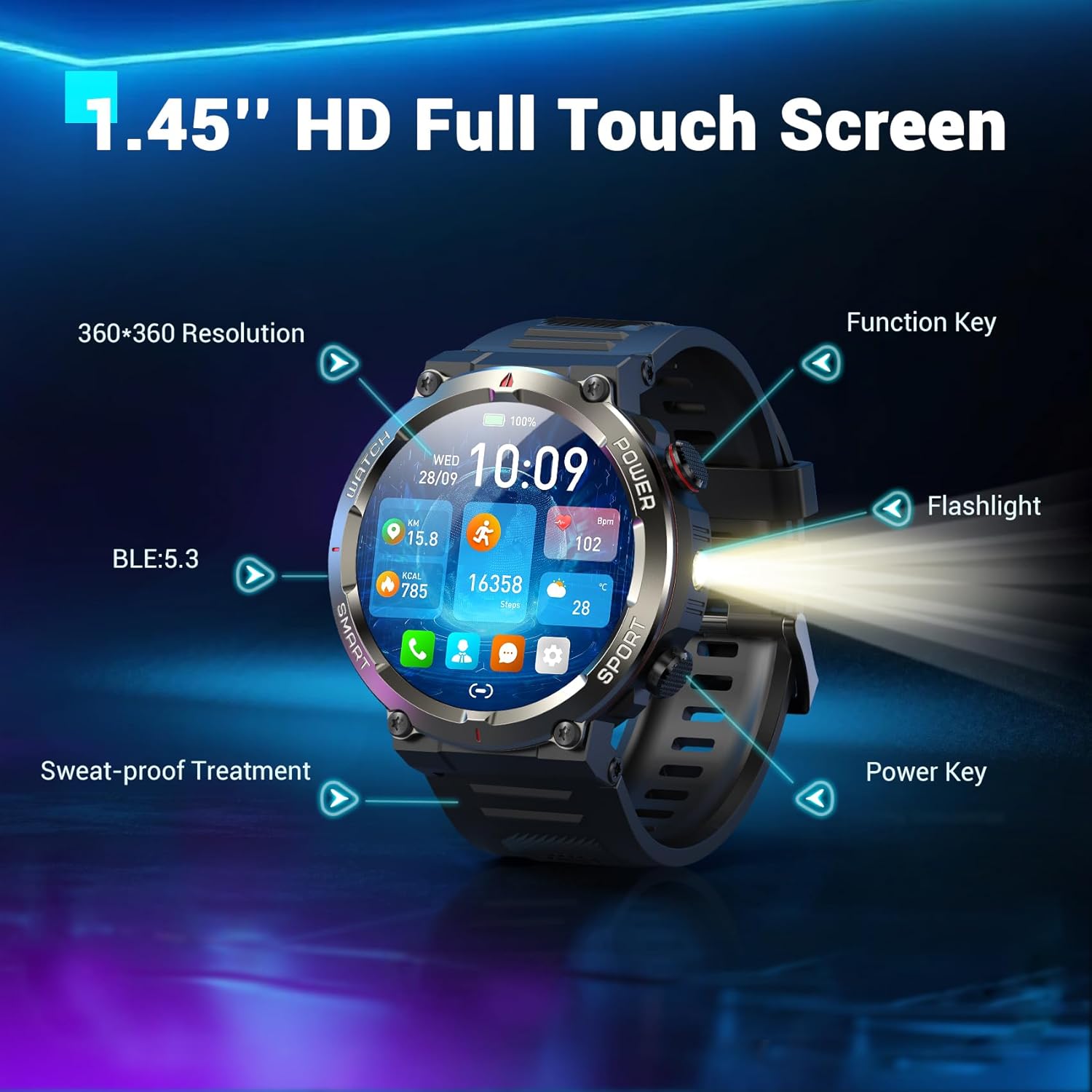
Bild: Das Schwarzeview W50Pro Smart Watch connected to its magnetic charging cable, illustrating the charging process.
2. App-Download und Kopplung
To unlock the full potential of your smartwatch, download the "Da Fit" app on your smartphone. Scan the QR code provided in the user manual or search for "Da Fit" in your phone's app store (compatible with Android 6.0+ and iOS 9.0+).
Sobald die App installiert ist:
- Aktivieren Sie Bluetooth auf Ihrem Smartphone.
- Öffnen Sie die App „Da Fit“ und folgen Sie den Anweisungen auf dem Bildschirm, um ein neues Gerät hinzuzufügen.
- Select your Blackview W50Pro (model W50Pro) from the list of available devices.
- Confirm pairing on both your phone and the smartwatch.
- Grant necessary permissions for notifications and health data tracking.
Video: A demonstration of connecting the KPEP K67A Military Smart Watch (similar model) to a smartphone via Bluetooth and the Da Fit app, showing the pairing process and initial setup steps.
3. Gurtmontage
The watch comes with two straps: a silicone strap and a nylon braided strap. To attach a strap, align the pins on the strap with the holes on the watch casing and slide the pin into place. Ensure both sides are securely fastened.
Bedienungsanleitung
Navigation
- Touch-Screen: Wischen Sie nach links, rechts, oben oder unten, um durch Menüs und Funktionen zu navigieren. Tippen Sie zum Auswählen.
- Funktionstaste: Typically used to return to the previous screen or activate specific features.
- Kraftschlüssel: Long press to power on/off. Short press to wake/sleep the screen.
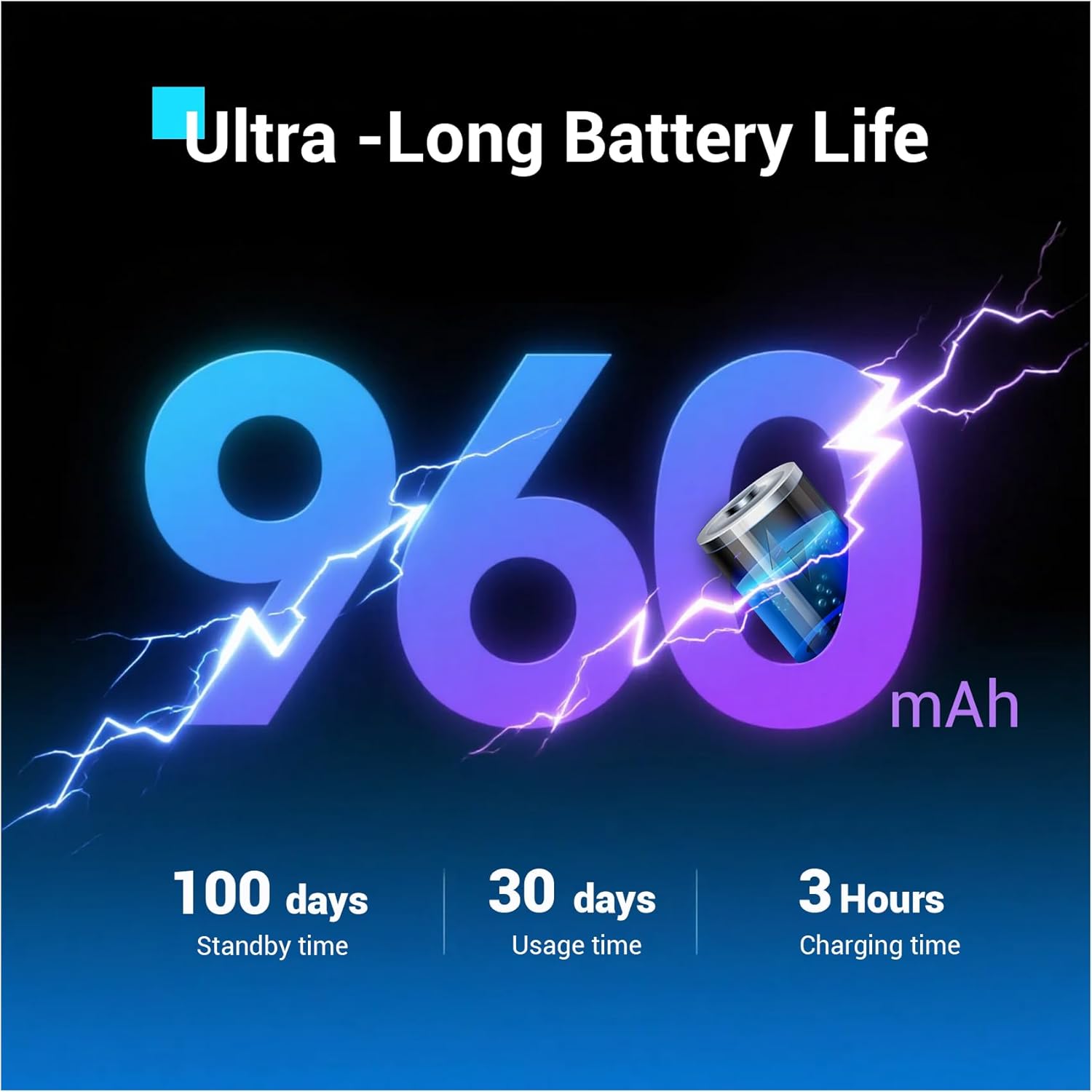
Abbildung: Nahaufnahme des Schwarzenview W50Pro Smart Watch highlighting its 1.45-inch HD full touch screen, function key, flashlight, and power key.
Anpassbare Zifferblätter
Personalize your watch face by long-pressing the screen or selecting from the "Da Fit" app. Choose from a vast online library or set personal photos as backgrounds.
Answering/Making Calls
Once paired via Bluetooth, you can answer and make calls directly from your watch. The "Da Fit" app allows you to store contacts for quick dialing. The watch also displays real-time notifications for calls and messages from various apps.
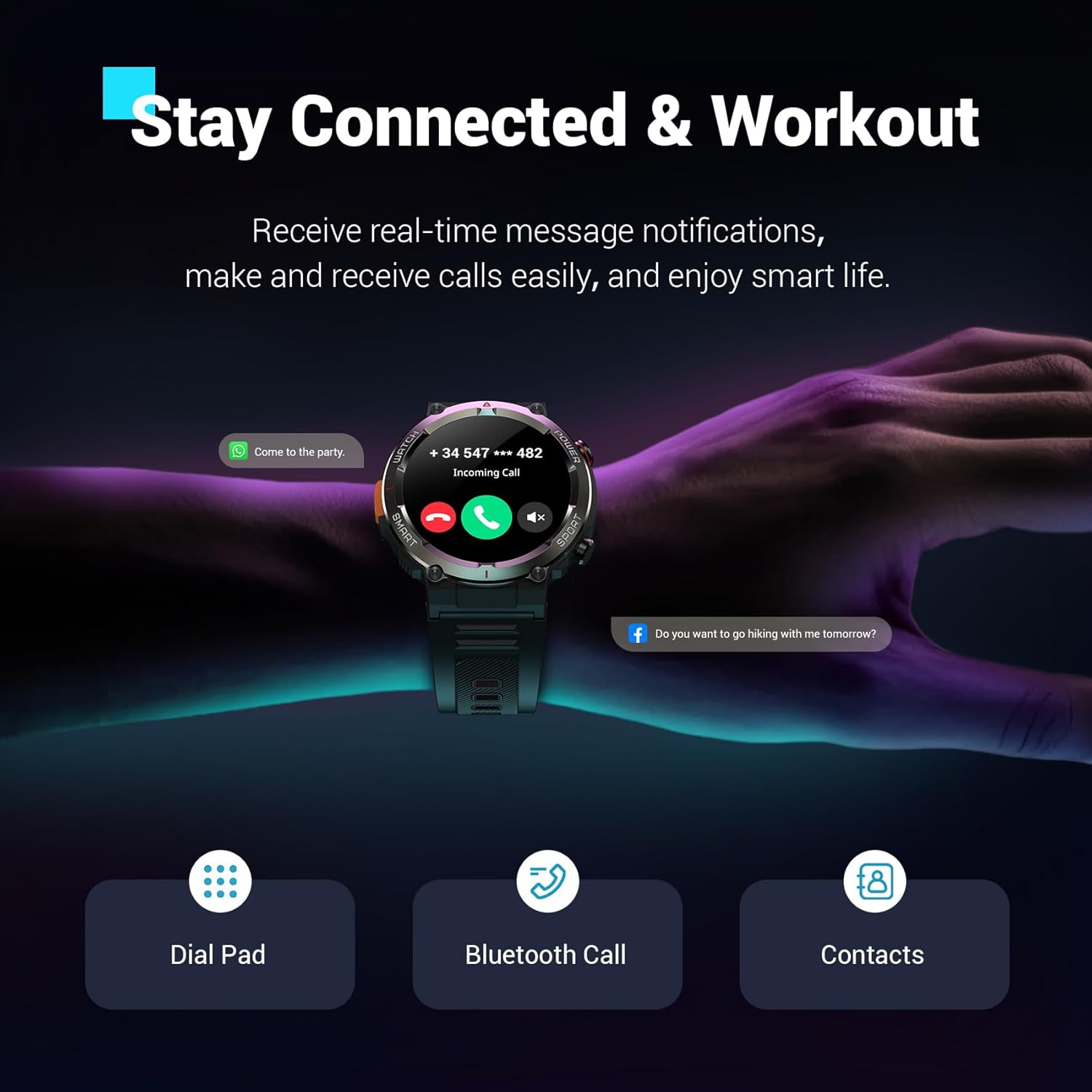
Bild: Das Schwarzeview W50Pro Smart Watch showing an incoming call notification and message alerts, demonstrating its communication features.
Gesundheitsüberwachung
Das Schwarzeview W50Pro offers comprehensive health monitoring features:
- Herzfrequenz-Überwachung: Herzfrequenzmessung in Echtzeit rund um die Uhr.
- Überwachung des Blutsauerstoffs (SpO2): Real-time blood oxygen level checks.
- Stressüberwachung: Verfolgen Sie Ihren Stresspegel im Laufe des Tages.
- Schlafüberwachung: Records sleep time and identifies deep sleep, light sleep, and REM sleep patterns.
Notiz: This product is not a medical device. Test data is for reference only and should not be used to diagnose or monitor any medical conditions.
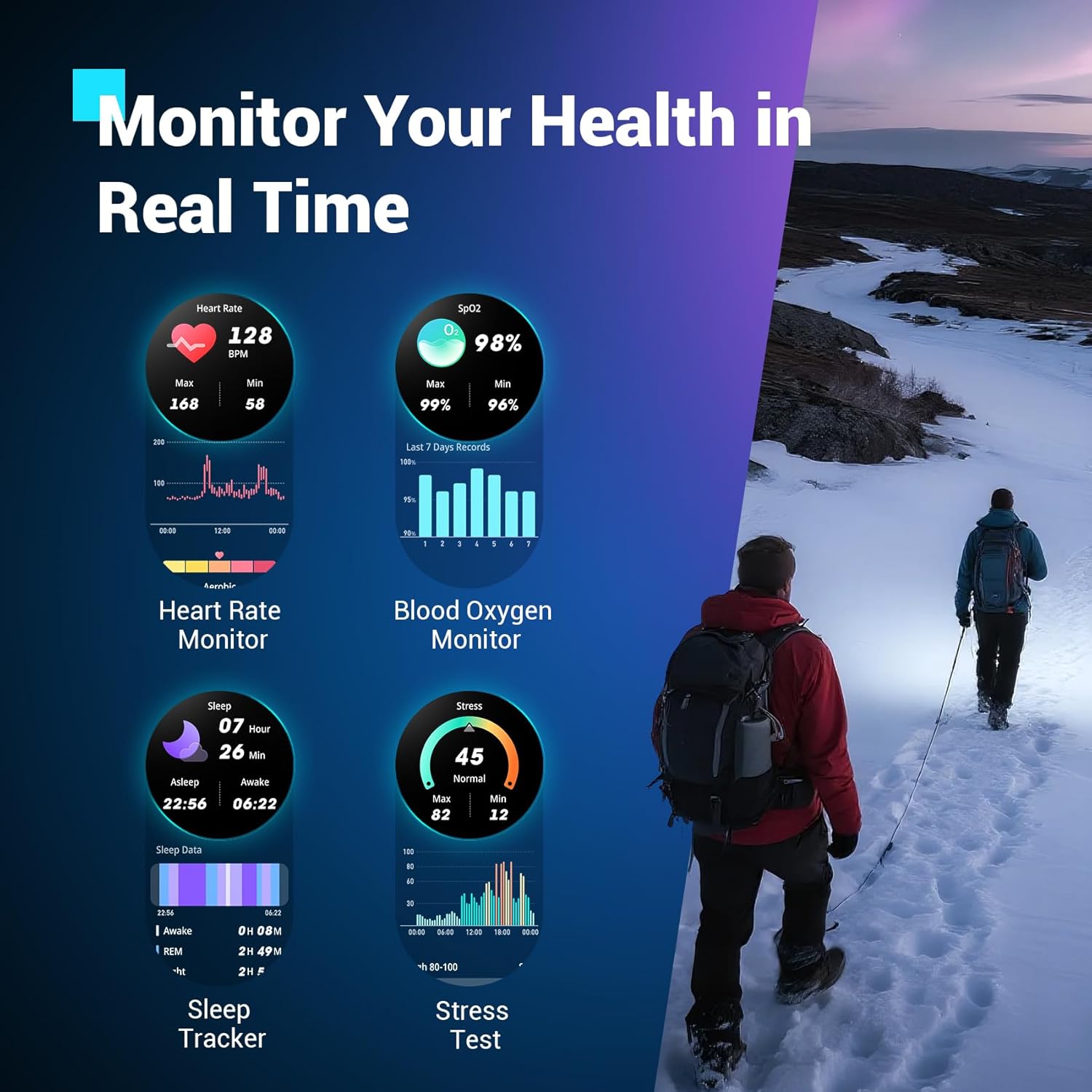
Bild: Das Schwarzeview W50Pro Smart Watch interface showing various health metrics including heart rate, blood oxygen, sleep data, and stress test results.
Sportmodi und GPS
The smartwatch supports over 100 sports modes, including cycling, running, basketball, rugby, skiing, and more. Connect to the "Da Fit" app via Bluetooth to track daily stats like steps, time, distance, and calories. Utilize your phone's GPS through the app to record all your training routes and fitness data.
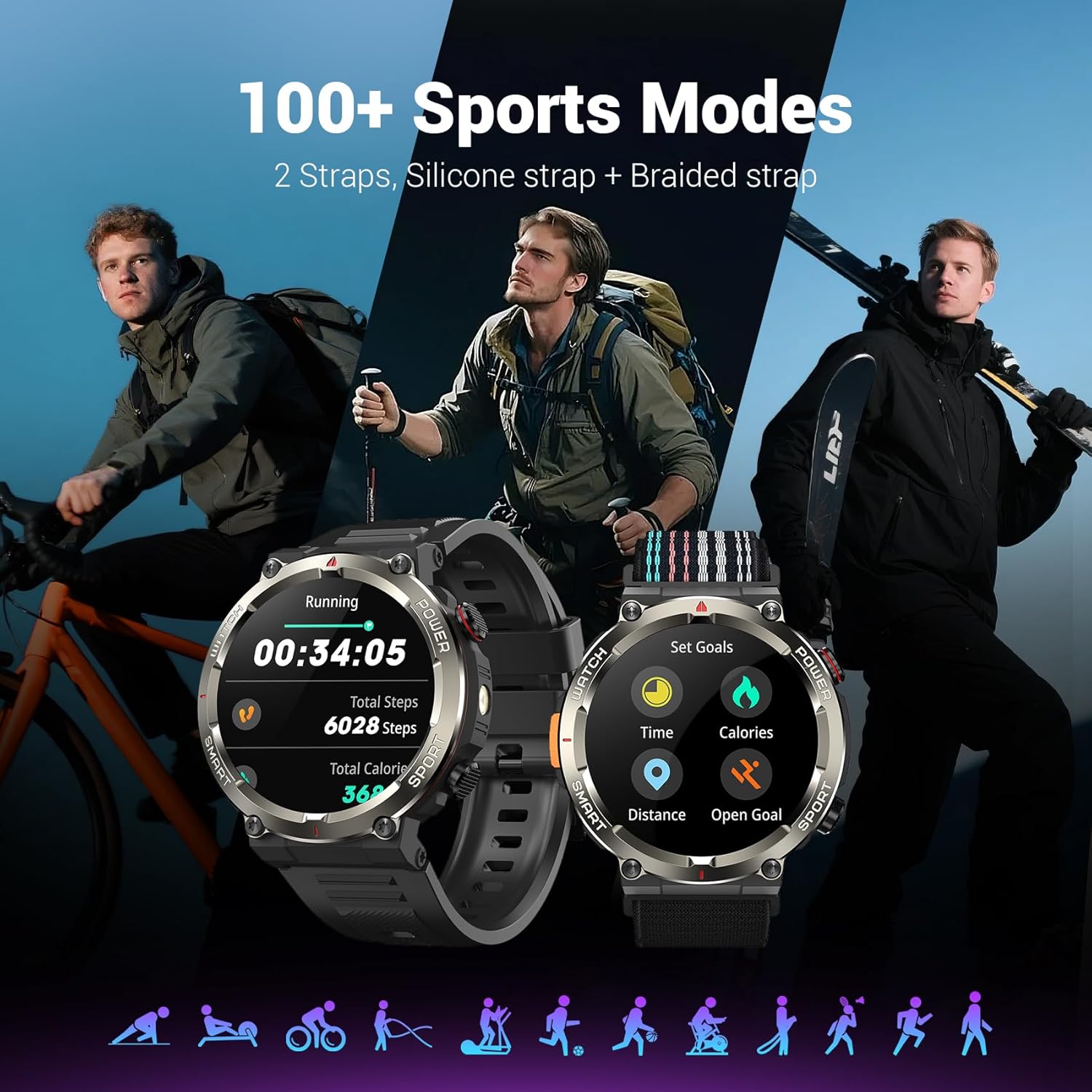
Bild: Das Schwarzeview W50Pro Smart Watch showcasing seine über 100 Sportmodi, mit examples of activity tracking for running and goal setting.
Außenmerkmale
- LED-Taschenlampe: Activate the high-brightness LED flashlight with a single button for nighttime visibility or emergencies.
- Precision Compass: Navigate quickly when lost or without signal, providing essential direction for outdoor adventures.
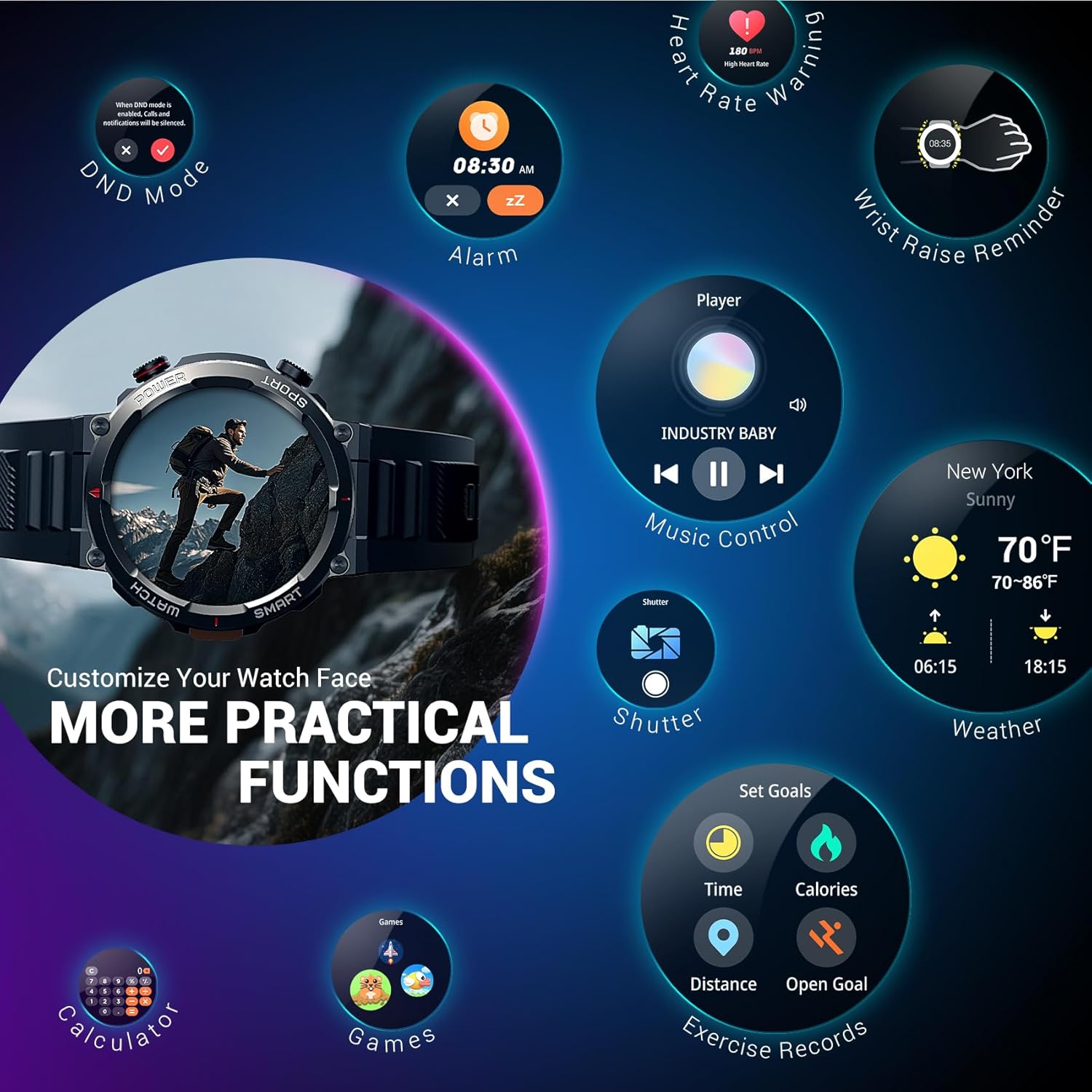
Bild: Das Schwarzeview W50Pro Smart Watch highlighting its outdoor compass feature on the display and demonstrating its powerful LED flashlight in a dark environment.
More Useful Tools
Das Schwarzeview W50Pro includes additional practical functions:
- Musiksteuerung
- Kamerasteuerung
- Wettervorhersage
- Wecker
- Stoppuhr
- Timer
- Kalkulator
- Finden Telefon
- Nicht stören (DND) -Modus
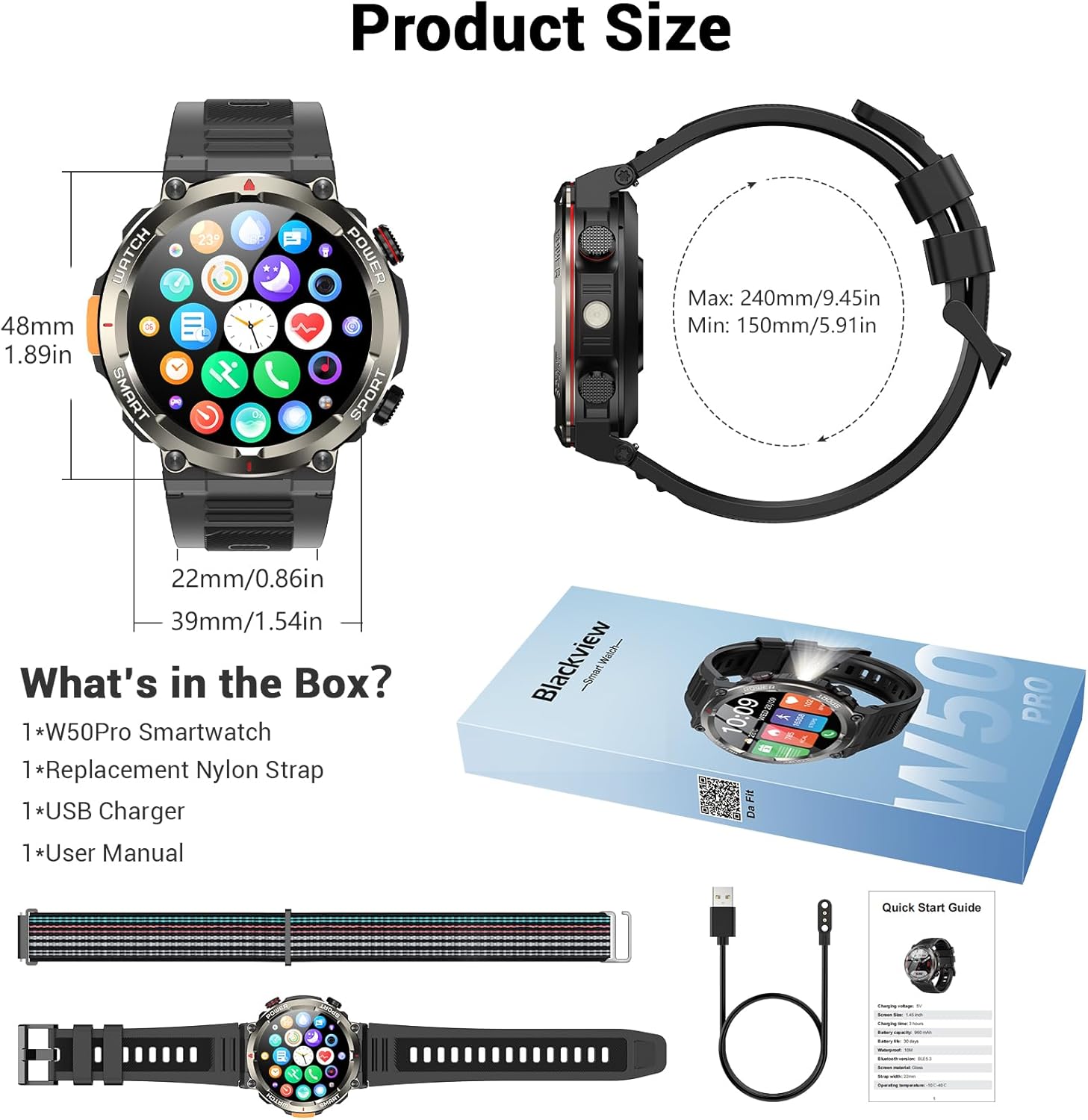
Bild: Das Schwarzeview W50Pro Smart Watch screen showing icons for various practical functions such as music control, weather, calculator, and exercise records.
Durability and Waterproofing
The watch features a durable plastic case and zinc alloy housing, designed to withstand outdoor bumps, dust, and sand. It has an IP68 waterproof rating, making it safe for everyday use like hand washing or rain. However, it is not suitable for saunas, hot tubs, swimming, or diving.
Video: Ein kurzer Vorberichtview video demonstrating the IP68 waterproof rating of a KPEP smartwatch (similar model), showing it being submerged in water.
Technische Daten
| Technische Daten | 7.19 x 3.5 x 0.79 Zoll |
| Artikelgewicht | 5.6 Unzen (0.16 Kilogramm) |
| Artikelmodellnummer | W50Pro |
| Batterien | 1 A Batterien erforderlich (im Lieferumfang enthalten) |
| Anzeigegröße des Standbildschirms | 1.45 Zoll |
| Speicherkapazität | 1 GB |
| Größe des installierten RAM-Speichers | 128 MB |
| Betriebssystem | Android und iOS |
| Batteriekapazität | 960 Milliamp Std |
| Konnektivitätstechnologie | Bluetooth |
| Drahtloser Kommunikationsstandard | Bluetooth |
| GPS | GPS per Smartphone |
| Form | Runden |
Wartung
Um die Langlebigkeit und optimale Leistung Ihres Black zu gewährleistenview W50Pro Smart Watch, follow these maintenance guidelines:
- Reinigung: Reinigen Sie das Uhrendisplay und die Armbänder regelmäßig mit einem weichen, trockenen Tuch. Bei hartnäckigem Schmutz verwenden Sie ein leicht dämpfendes Tuch.amp Mit einem Tuch und milder Seife behandeln, anschließend gründlich ausspülen und trocknen.
- Vermeiden Sie aggressive Chemikalien: Setzen Sie die Uhr keinen starken Chemikalien, Lösungsmitteln oder Reinigungsmitteln aus, da diese die Materialien beschädigen können.
- Laden: Use only the provided magnetic charging cable. Avoid exposing the charging contacts to water or corrosive substances.
- Lagerung: Bewahren Sie die Uhr an einem kühlen, trockenen Ort fern von direkter Sonneneinstrahlung und extremen Temperaturen auf.
- Wassereinwirkung: While IP68 waterproof, avoid prolonged submersion or exposure to high-pressure water jets. Dry the watch completely after contact with water.
Fehlerbehebung
Sollten Sie Probleme mit Ihrem Schwarzen habenview W50Pro Smart Watch, try the following solutions:
- Uhr schaltet sich nicht ein: Stellen Sie sicher, dass die Uhr vollständig aufgeladen ist. Schließen Sie sie für mindestens 30 Minuten an das Ladegerät an.
- Kopplung mit dem Telefon nicht möglich: Make sure Bluetooth is enabled on your phone and the watch is within range. Restart both devices and try pairing again. Ensure the "Da Fit" app has necessary permissions.
- Benachrichtigungen nicht erhalten: Check app permissions on your phone and ensure notifications are enabled within the "Da Fit" app settings for specific applications.
- Ungenaue Gesundheitsdaten: Achten Sie darauf, dass die Uhr eng am Handgelenk sitzt, weder zu eng noch zu locker. Reinigen Sie den Sensor auf der Rückseite der Uhr.
- Bildschirm reagiert nicht: Restart the watch by long-pressing the power key. If unresponsive, allow the battery to drain completely and then recharge.
Garantie und Support
For warranty information or further support, please refer to the documentation included in your product packaging or contact Blackview customer service. Protection plans are available for purchase separately.


