1. Einleitung
This manual provides detailed instructions for the installation and operation of your CAMECHO 8-Core Qualcomm Snapdragon 4G+64G Car Radio. This Android 15 head unit features a 10-inch IPS touch screen, CarPlay, Android Auto, DSP, Hi-Res audio, Bluetooth 5.1, GPS, WiFi, FM radio, and AHD backup camera support. It is designed for Nissan Sentra and Sylphy models from 2013, 2014, and 2015 (low-end versions without Canbus). Please read this manual thoroughly before installation and use to ensure proper functionality and safety.
Notiz: This unit is not compatible with original car radios that have a large navigation screen.
2. Lieferumfang
Ihr Paket sollte die folgenden Artikel enthalten:
- 1 x Android-Autoradio
- 1 x AHD-Rückfahrkamera
- 1 x externes Mikrofon
- 1 x GPS-Antenne
- 1 x Stromkabel
- 1 x Rückfahrkamera-Eingangskabel
- 1 x RCA Kabel
- 2 x USB Kabel
- 1 x Zubehörset
- 1 x Installationswerkzeugsatz

Bild: Detailliert view of all components included in the package, along with the dimensions of the head unit.
3. Einrichtung und Installation
Eine fachgerechte Installation ist für eine optimale Leistung unerlässlich. Es wird empfohlen, die Installation von einem qualifizierten Fachmann durchführen zu lassen.
3.1. Vorinstallationsprüfung
- Verify all components listed in the 'What's in the Box' section are present.
- Ensure your vehicle is a Nissan Sentra/Sylphy (2013-2015) low-end version without a factory large navigation screen.
3.2. Kabelverbindungen
Follow the wiring diagram carefully. Ensure all connections are secure to prevent malfunctions.
Video: This video demonstrates the general wiring connections for the car radio, including power, RCA, USB, and GPS antenna connections.
Video: This video provides a general guide for car radio installation, covering various steps and considerations.
3.3. Installation der AHD-Rückfahrkamera
The AHD rear view camera is equipped with an IP67 waterproof rating and enhanced night vision for clear images on the car radio touchscreen.
- Connect the yellow RCA video cable from the camera to the 'CAM-IN' port on the head unit.
- Schließen Sie das Stromkabel der Kamera an die Rückfahrscheinwerfer-Stromquelle des Fahrzeugs an.
- Ensure the reversing input is plugged in, even if the camera is not used.
- After connecting, set the camera resolution via: Fahrzeugeinstellungen > Werkseinstellungen (Password: 8888) > Protocol parameter settings > Einstellungen umkehren > Reverse video resolution (NTSC/PAL or AHD/25) and restart your car.

Image: Diagram illustrating the wiring connections for the AHD backup camera.
3.4. Lenkradsteuerungslernen
After connecting the power cable, you need to configure the steering wheel controls.
- Gehe zu Fahrzeugeinstellungen > Lenkung lernen.
- Folgen Sie den Anweisungen auf dem Bildschirm, um den Tasten an Ihrem Lenkrad Funktionen zuzuweisen.
- If learning fails, repeat the process.

Image: Screenshot of the steering wheel control learning interface.
4. Bedienungsanleitung
4.1. Kabelloses Apple CarPlay & Android Auto
Verbinden Sie Ihr Smartphone drahtlos für eine nahtlose Integration von Navigation, Musik, Anrufen und Nachrichten.
- Für Apple CarPlay: Enable Bluetooth on your iPhone and pair with the car radio. Open the 'ZLINK' app. If connection fails, connect your phone to the car radio's hotspot and reopen 'ZLINK'. Maintain both Bluetooth and hotspot connections.
- Für Android Auto: Ensure you have the Android Auto app installed on your phone. Enable Bluetooth on your Android phone and pair with the car radio. Open the 'ZLINK' app.
Video: This video demonstrates the wireless CarPlay and Android Auto connection process and features.
Video: This video shows the wireless CarPlay functionality in a Nissan Sentra.
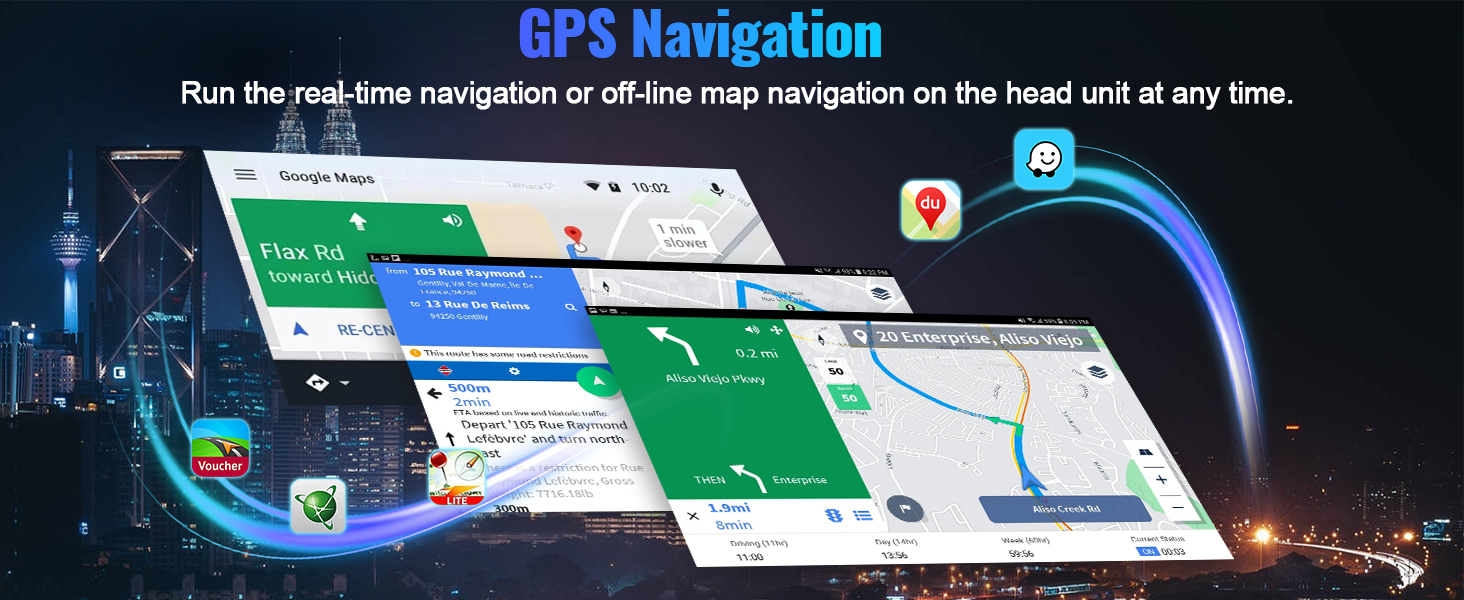
Image: The car radio display showing the CarPlay and Android Auto interfaces with various app icons.
4.2. GPS-Navigation & WLAN
The unit features a built-in GPS module for both online and offline navigation. Connect to WiFi via your mobile hotspot to access third-party apps from the Google Play Store.

Image: The car radio displaying GPS navigation and various app icons for WiFi connectivity.
4.3. DSP Hi-Res Audio & Equalizer
Experience dynamic sound quality with the built-in DSP Hi-Res audio processor. Customize your listening experience with the equalizer settings.

Image: Screenshot of the DSP and equalizer settings interface.
4.4. Bluetooth 5.1 & FM RDS Radio
Enjoy distraction-free hands-free calling and wireless audio streaming via Bluetooth 5.1. Tune into FM/RDS radio with 10-station presets for live broadcasting.

Image: The car radio displaying Bluetooth calling and FM radio interfaces.
4.5. Weitere Funktionen
- 1080p-Videowiedergabe: Supports video playback with a resolution of 1280*720.
- Spiegel Link: Supports phone mirror link function (Note: Does not support video output).
- 3D-Automodellanzeige: Features a decent user interface with 3D car model display and multiple UI design options.
- Dual USB Ports: Zum Anschluss externer Geräte.
5. Fehlerbehebung
If you encounter any issues with your CAMECHO car radio, please refer to the following common solutions:
- Kein Strom: Check all power connections. Ensure the power cable is securely connected and the vehicle's fuse is intact.
- Kein Ton: Verify speaker connections. Check audio settings (DSP, equalizer, balance). Ensure the volume is not muted or set too low.
- Probleme mit der Bluetooth-Verbindung: Ensure Bluetooth is enabled on both the car radio and your smartphone. Delete previous pairings and try reconnecting. Restart both devices if necessary.
- CarPlay/Android Auto verbindet sich nicht: Confirm Bluetooth and/or hotspot connections are active. Reopen the 'ZLINK' app. Ensure your phone's operating system is up to date.
- GPS-Signalverlust: Stellen Sie sicher, dass die GPS-Antenne ordnungsgemäß installiert ist und eine freie Sicht hat. view des Himmels. Überprüfen Sie die GPS-Einstellungen des Geräts.
- Lenkradbedienelemente funktionieren nicht: Re-perform the steering wheel learning process as described in Section 3.4.
- Anzeigeprobleme mit der Rückfahrkamera: Check camera wiring and ensure the video input is correctly selected. Verify camera resolution settings in Factory Settings.
Bei anhaltenden Problemen wenden Sie sich bitte an den Kundendienst.
6. Spezifikationen
| Besonderheit | Detail |
|---|---|
| Artikelgewicht | 4.4 Pfund |
| Technische Daten | 13.3 x 1.97 x 8 Zoll |
| Anzeigegröße | 10.1 Zoll |
| Modellname | 8-Core Qualcomm Snapdragon 4G+64G Car Radio |
| Betriebssystem | Android 15 |
| Besonderheit | 4GB RAM + 64GB ROM, 8-Core Qualcomm Snapdragon, Android Auto, Apple CarPlay, Bluetooth 5.1, DSP Hi-Res |
| Konnektivitätstechnologie | Bluetooth, WLAN, USB |
| Fahrzeug-Servicetyp | Car (Nissan Sentra 2013-2015) |
| Kartentyp | Worldwide (GPS) |
7. Garantie und Support
7.1. Garantieinformationen
This product comes with a 1-year manufacturer's warranty. For specific details regarding warranty claims, please refer to your purchase documentation.
7.2. Rückgaberecht
A 30-day refund/replacement policy is available from the date of purchase. Please check the seller's return policy for full details.
7.3. Kundendienst
For technical assistance, troubleshooting, or any inquiries regarding your CAMECHO car radio, please contact the seller directly through the Amazon platform. The seller, Dongguan Yanningqiu Trading Company, can be reached by clicking on their name in the product listing and then selecting 'Ask a question'.

Image: Visual guide on how to contact customer support via Amazon.


