1. Einleitung
This manual provides essential information for setting up, operating, and maintaining your Hisense 32E5Q Smart QLED Google TV. Please read it thoroughly before using the television to ensure proper functionality and safety. Keep this manual for future reference.
The Hisense 32E5Q is an 80 cm (32-inch) HD Ready Smart QLED Google TV, featuring HDR10 support, 30W powerful speakers with Dolby Audio, a Super Bright Panel, Google Assistant, and built-in Chromecast for an enhanced viewErfahrung.
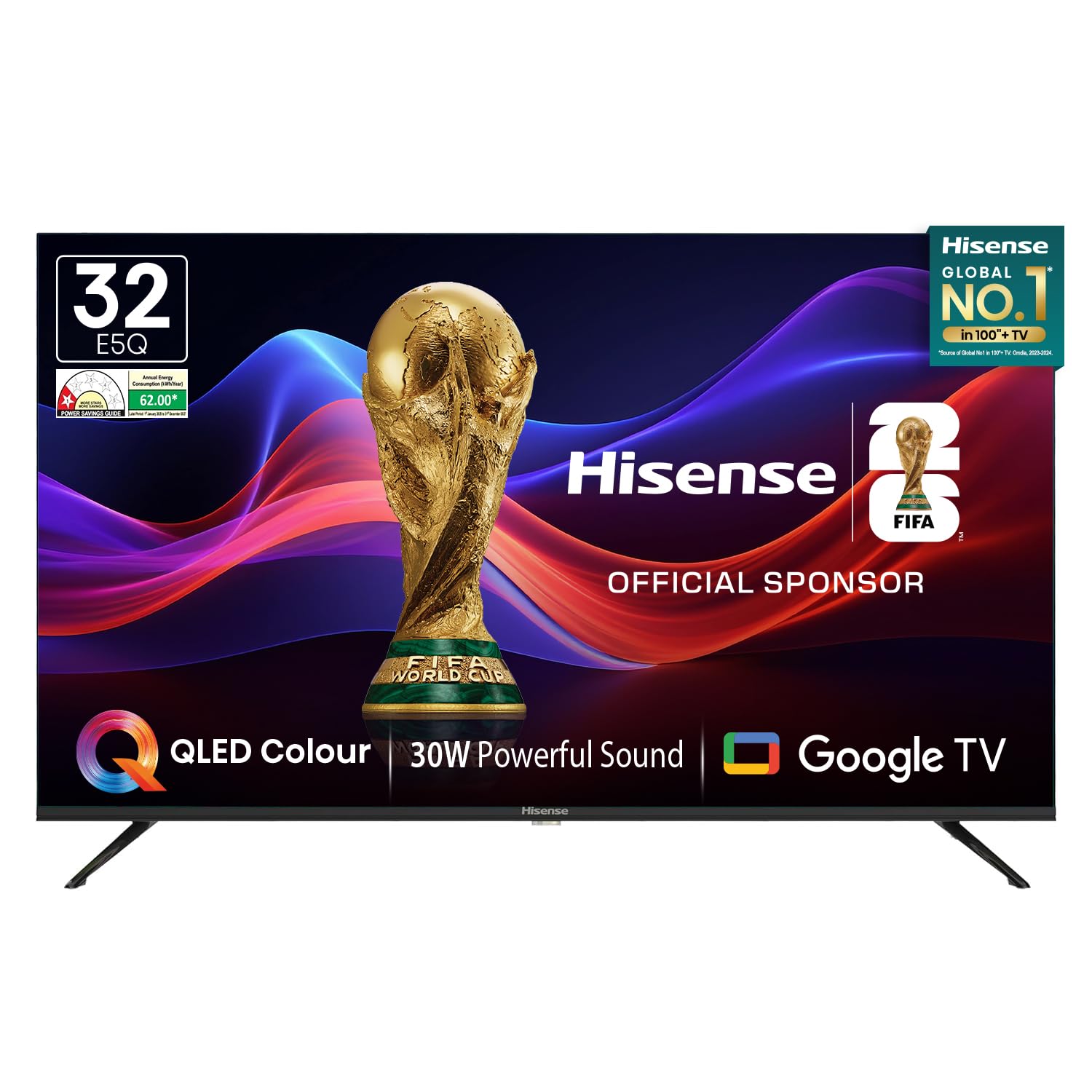
Image: Hisense 32E5Q Smart QLED Google TV, front view.
2. Lieferumfang
Packen Sie den Karton vorsichtig aus und vergewissern Sie sich, dass alle Artikel vorhanden und unbeschädigt sind. Sollten Artikel fehlen oder beschädigt sein, kontaktieren Sie bitte umgehend Ihren Händler.
- 1 x Hisense 32E5Q LED TV
- 2 x Tischständer
- 1 x Benutzerhandbuch (dieses Dokument)
- 1 x Garantiekarte
- 1 x Fernbedienung
- 2 x AAA-Batterien

Image: Diagram showing the Hisense TV, remote, table stands, batteries, warranty card, and manual included in the box.
3. Einrichtung
3.1. Standmontage
To install the table stand bases:
- Legen Sie den Fernseher mit dem Bildschirm nach unten auf eine weiche, ebene Unterlage, um Kratzer zu vermeiden.
- Align each stand base with the corresponding slots on the bottom of the TV.
- Befestigen Sie die Ständer mit den mitgelieferten Schrauben. Achten Sie darauf, dass sie fest sitzen.

Image: Diagram illustrating the dimensions of the Hisense E5Q QLED TV and how the table stands attach.
3.2. Wandmontage
This TV supports wall mounting. For wall mounting, please refer to the instructions provided with your wall mount kit. Ensure the wall mount is compatible with the TV's VESA mounting pattern and weight. Professional installation is recommended for wall mounting.
3.3. Geräte anschließen
Connect your external devices to the TV using the appropriate ports. Ensure the TV and all devices are powered off before making connections.
- HDMI-Anschlüsse (x3): For connecting set-top boxes, gaming consoles, Blu-ray players, etc.
- USB 2.0-Anschlüsse (x2): For connecting USB storage devices (hard drives, flash drives) to play media.
- Ethernet (RJ45): Für eine kabelgebundene Internetverbindung.
- Kopfhöreranschluss: Zum Anschließen von Kopfhörern.
- AV-Eingang: Zum Anschluss älterer Geräte über Composite-Video- und Stereo-Audiokabel.
- VGA-Eingang: Zum Anschließen eines Computers.
- AMEISE: Zum Anschluss einer Antenne für terrestrische Rundfunkübertragungen.

Image: Detailed diagram of the Hisense TV's rear and side connectivity ports, including HDMI, USB, Ethernet, AV, VGA, and Headphone.
4. Bedienung des Fernsehers
4.1. Ein-/Ausschalten
Connect the power cord to the TV and a power outlet. Press the power button on the remote control or the TV to turn it on or off.
4.2. Ersteinrichtung (Google TV)
Beim ersten Einschalten führt Sie der Fernseher durch die Ersteinrichtung. Dies umfasst:
- Sprachauswahl.
- Netzwerkverbindung (Wi-Fi oder Ethernet).
- Anmeldung mit Google-Konto für Google TV-Funktionen.
- Google Assistant setup.
- Channel scanning (if using an antenna).
4.3. Smart-TV-Funktionen
Your Hisense 32E5Q TV runs on Google TV, offering a personalized entertainment experience.
- Google TV: Access a vast library of movies, shows, and apps from various streaming services.
- Integrierter Chromecast: Übertragen Sie Inhalte direkt von Ihrem Smartphone, Tablet oder Computer auf den Fernseher.
- Google Assistant: Nutzen Sie Sprachbefehle, um nach Inhalten zu suchen, Smart-Home-Geräte zu steuern und Informationen abzurufen.
- Unterstützte Apps: Pre-installed and downloadable apps include Netflix, YouTube, Prime Video, Hotstar, SonyLiv, Hungama, JioCinema, Zee5, Eros Now, and many more.

Image: Screenshot of the Google TV home screen displaying popular streaming applications like Prime Video, Netflix, YouTube, and Disney+ Hotstar.
4.4. Fernbedienung
The included remote control features dedicated buttons for popular streaming services and voice control functionality.
- Sprachsteuerung: Press the Google Assistant button and speak into the remote to issue commands.
- One-touch Access: Quickly launch Netflix, YouTube, Prime Video, and other apps with dedicated buttons.

Image: The Hisense voice remote control, highlighting the power, volume, channel, navigation, and dedicated app buttons.
4.5. Anzeigeeinstellungen
Optimieren Sie Ihre viewing experience with the following display features:
- QLED-Display: Delivers vibrant colors and enhanced picture quality.
- HDR10: Bietet überragenden Kontrast und Farbgenauigkeit für kompatible Inhalte.
- Super Bright Panel: Ensures high brightness levels for clear visibility in various lighting conditions.
- Bildmodi: Choose from Standard, Dynamic, Movie, ECO, Gentle, Vivid, Sport, Game, and Personal to suit your content.
- Natürlicher Farbverstärker: Fine-tunes colors for a more realistic and immersive visual experience.
- Rauschunterdrückung: Reduces visual noise and graininess for a clearer picture.
- Dynamischer Kontrast: Enhances the contrast between light and dark areas of the screen.

Image: Visual representation of key display technologies including QLED Color, HDR10 comparison, and 4K Digital Noise Reduction.
4.6. Audioeinstellungen
Experience rich and powerful sound with the TV's audio features:
- 30W Powerful Speakers: Delivers clear and immersive audio.
- Dolby-Audio: Provides enhanced sound quality for movies, music, and games.
- Klangmodi: Select from Standard, Music, Cinema, News, and Personal to optimize audio for different content types.

Image: Graphic illustrating the Dolby Audio and 30W Powerful Sound features, showing sound waves emanating from the TV.
4.7. Bildschirmspiegelung
Share content from your devices to the TV screen:
- Chromecast integriert: Easily cast videos, photos, and music from compatible apps on your smartphone or tablet.
- DLNA, Miracast, Airplay: Supports various screen mirroring protocols for seamless content sharing.
5. Spezifikationen
| Besonderheit | Spezifikation |
|---|---|
| Modell | 32E5Q |
| Bildschirmgröße | 32 Zoll (80 cm) |
| Display-Technologie | QLED |
| Auflösung | HD-fähig (1366x768) |
| Bildwiederholrate | 60 Hertz |
| Viewing-Winkel | 178 Grad |
| Helligkeit | 330-Nissen |
| Kontrastverhältnis | 3000:1 (Nativ) |
| HDR-Unterstützung | HDR 10 |
| Betriebssystem | Google TV |
| RAM-Speicher | 1.5 GB |
| Speicherkapazität | 8 GB |
| Lautsprecherausgang | 30 Watt |
| Audiotechnik | Dolby Audio |
| HDMI-Anschlüsse | 3 |
| USB-Anschlüsse | 2 (USB-2.0) |
| Konnektivität | Built-in Wi-Fi, Bluetooth 5.0, Ethernet RJ45 |
| Produktabmessungen (mit Ständer) | 71.6 x 48.78 x 22.45 cm |
| Produktabmessungen (ohne Standfuß) | 71.6 x 43.34 x 8.61 cm |
| Artikelgewicht | 3.9 kg |
| Energieaufnahme | 55 Watt |
6. Wartung
6.1. Reinigung des Fernsehers
- Vor der Reinigung immer den Netzstecker des Fernsehers ziehen.
- Verwenden Sie ein weiches, trockenes, fusselfreies Tuch, um den Bildschirm und das Gehäuse abzuwischen.
- Bei hartnäckigen Flecken leicht andrücken.ampen the cloth with water or a mild screen cleaner. Never spray cleaner directly onto the screen.
- Vermeiden Sie die Verwendung von Scheuermitteln, Wachsen oder Lösungsmitteln, da diese die Oberfläche des Fernsehers beschädigen können.
6.2. Sicherheitshinweise
- Belüftungsöffnungen nicht blockieren.
- Halten Sie den Fernseher von direkter Sonneneinstrahlung, Wärmequellen und übermäßigem Staub fern.
- Avoid placing liquids or heavy objects on top of the TV.
- If the TV emits smoke or unusual odors, immediately unplug it and contact customer support.
7. Fehlerbehebung
Sollten Sie Probleme mit Ihrem Fernseher haben, beachten Sie bitte die folgenden gängigen Lösungsansätze:
- Kein Strom: Vergewissern Sie sich, dass das Netzkabel fest mit dem Fernseher und einer funktionierenden Steckdose verbunden ist. Prüfen Sie, ob die Steckdose Strom liefert.
- Kein Bild/Ton: Verify that the correct input source is selected. Check all cable connections (HDMI, AV, etc.). Try restarting the TV.
- Fernbedienung funktioniert nicht: Tauschen Sie die AAA-Batterien in der Fernbedienung aus. Stellen Sie sicher, dass sich keine Hindernisse zwischen Fernbedienung und Fernseher befinden.
- Netzwerkverbindungsprobleme: For Wi-Fi, check your router and ensure the TV is within range. For Ethernet, verify the cable connection. Try restarting your router and the TV.
- Probleme mit der Bildqualität: Passen Sie die Bildeinstellungen (Helligkeit, Kontrast, Farbe) im TV-Menü an. Stellen Sie sicher, dass die Inhaltsquelle eine hohe Qualität aufweist.
For more detailed troubleshooting or persistent issues, please contact Hisense customer support.
8. Garantie und Support
8.1. Garantieinformationen
Your Hisense 32E5Q TV comes with a 1 Jahr Garantie ab Kaufdatum des Fernsehgeräts und einem 1 Jahr Garantie on the remote control, provided by the brand.
Warranty claims can be processed using your Amazon e-invoice as proof of purchase. Please retain your invoice for warranty purposes.
8.2. Kundendienst
For technical assistance, service requests, or any other inquiries, please contact Hisense customer support. Refer to the warranty card or Hisense's official webWebsite für Kontaktdaten.
You may also consider extended warranty plans offered by third-party providers for additional coverage beyond the standard manufacturer's warranty.
9. Produktvideo beendetview
Sehen Sie sich dieses Video an, um einen visuellen Überblick zu erhalten.view of the Hisense E5Q Series HD Ready Smart QLED Google TV's features and benefits.
Video: Ein kurzer Überblickview highlighting the QLED display, HD Ready resolution, 60Hz refresh rate, 178-degree viewing angle, 330 nits brightness, 3000:1 contrast ratio, HDR10, Google TV, Chromecast, Google Assistant, 3 HDMI ports, 2 USB 2.0 ports, built-in Wi-Fi, Bluetooth 5.0, Ethernet RJ45, headphone port, 30W speaker output, and Dolby Audio. It also shows the contents of the box and warranty information.


