Einführung
The Sudio N3 Pro Wireless Earbuds are designed to provide a high-definition listening experience with active noise cancelling. These earbuds offer up to 30 hours of total playtime, are sweat and splashproof, and feature an eco-friendly design incorporating recycled plastics. Their comfortable fit and premium metallic finish make them suitable for all-day wear, seamlessly transitioning from work to leisure activities.
The pebble-inspired charging case is smooth to the touch and compact, fitting easily into your pocket. With multipoint connection, the Sudio N3 Pro allows convenient sharing across multiple devices.
Lieferumfang
- Sudio N3 Pro Earbuds and Charging Case
- USB-C-Ladekabel
- Eartip Card with 4 Silicone Eartip Sizes
- Bedienungsanleitung

Image: Contents of the Sudio N3 Pro package, showing the earbuds, charging case, USB-C cable, and different sized silicone eartips.
Produkt überview
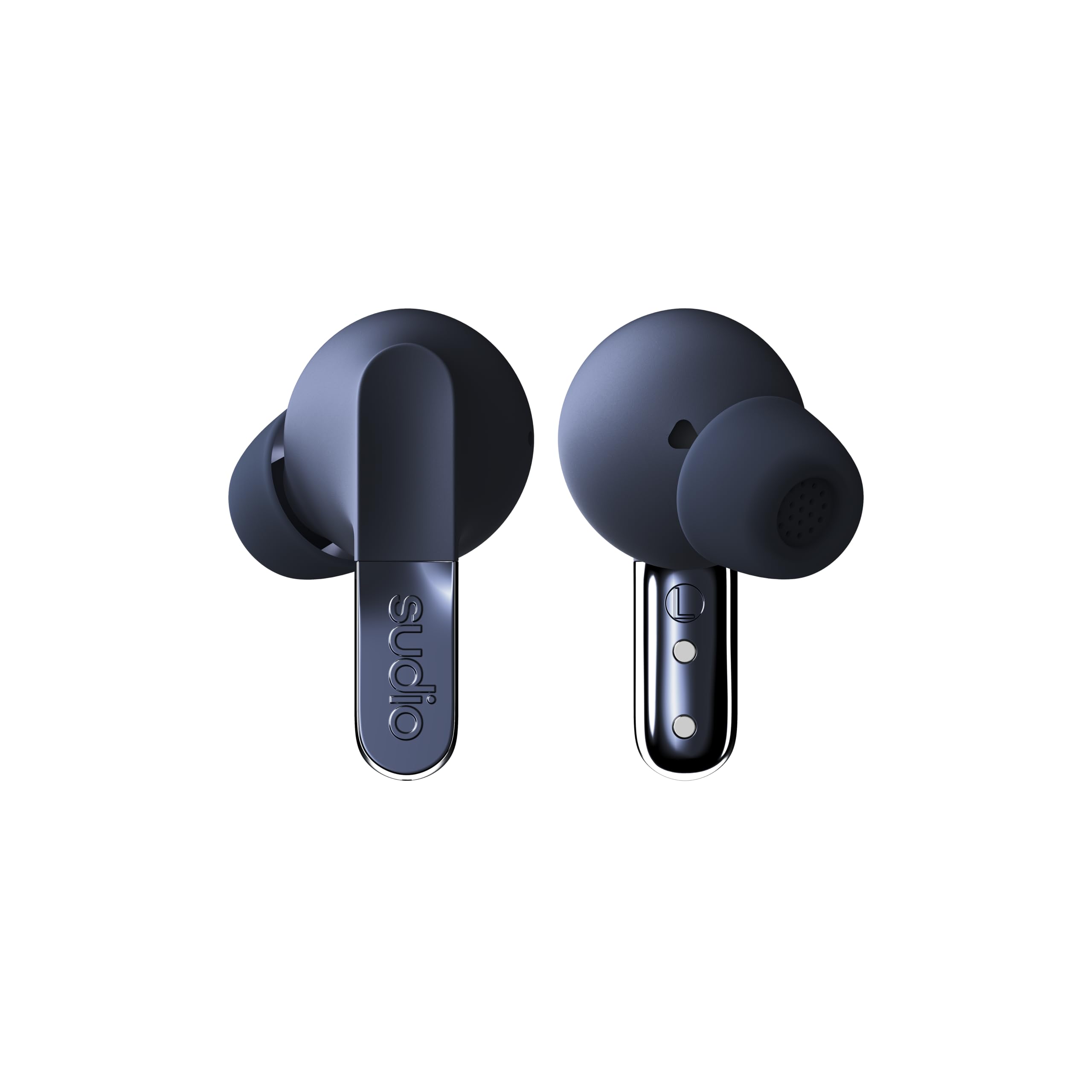
Image: The Sudio N3 Pro earbuds and their pebble-shaped charging case.
The Sudio N3 Pro earbuds are designed for a comfortable in-ear fit, featuring a stem design with touch controls. The compact charging case not only protects the earbuds but also provides additional battery life and features a USB-C charging port.
Aufstellen
Erste Verwendung
- Auspacken: Carefully remove the earbuds and charging case from the packaging.
- Schutzfolie entfernen: Before first use, remove any protective film covering the charging contacts on the earbuds.
- Aufladung: Place the earbuds into the charging case and connect the USB-C cable to a power source to fully charge the device. The LED indicator on the case will show charging status.
- Ohrstöpsel auswählen: Choose the silicone eartips that provide the most comfortable and secure fit for your ears. A good seal is crucial for optimal sound quality and Active Noise Cancelling performance.
Bluetooth-Kopplung
- Öffnen Sie das Ladeetui. Die Ohrhörer wechseln automatisch in den Kopplungsmodus.
- Gehen Sie auf Ihrem Gerät (Smartphone, Tablet usw.) zu den Bluetooth-Einstellungen.
- Wählen Sie „Studio N3 Pro“ aus der Liste der verfügbaren Geräte aus.
- Sobald die Verbindung hergestellt ist, hören Sie eine Audioansage, die die erfolgreiche Kopplung bestätigt.

Image: A user wearing the Sudio N3 Pro earbuds, illustrating the in-ear fit.
Bedienungsanleitung
Ein-/Ausschalten
- Einschalten: Öffnen Sie das Ladecase, und die Ohrhörer schalten sich automatisch ein und versuchen, eine Verbindung zum zuletzt gekoppelten Gerät herzustellen.
- Ausschalten: Legen Sie die Ohrhörer zurück in das Ladecase und schließen Sie den Deckel. Sie schalten sich automatisch aus und beginnen mit dem Ladevorgang.
Musikwiedergabe
- Abspielen/Pause: Tippen Sie einmal auf einen der Ohrhörer.
- Nächster Titel: Doppeltippen Sie auf den rechten Ohrhörer.
- Vorheriges Lied: Doppeltippen Sie auf den linken Ohrhörer.
Anruf-Management
- Anruf annehmen/beenden: Tippen Sie einmal auf einen der Ohrhörer.
- Anruf ablehnen: Halten Sie einen der Ohrhörer 2 Sekunden lang gedrückt.
Sprachassistent
- Sprachassistenten aktivieren: Tippen Sie dreimal auf einen der Ohrhörer.
Aktive Geräuschunterdrückung (ANC)
The Sudio N3 Pro features adaptive hybrid Active Noise Cancelling technology, capable of reducing ambient noise by up to -50dB. This allows you to focus on your audio content without distractions from your surroundings.
ANC-Modi
- ANC ein: Blendet die meisten Außengeräusche aus.
- Transparenzmodus: Allows ambient sounds to pass through, keeping you aware of your surroundings while still enjoying your audio.
- ANC aus: Disables noise cancelling and transparency modes.
Toggling ANC Modes
Press and hold the touch sensor on either earbud for 2 seconds to cycle through ANC On, Transparency Mode, and ANC Off.

Image: Sudio N3 Pro earbuds in their charging case, illustrating the Active Noise Cancelling feature.
Touch-Bedienelemente
The Sudio N3 Pro earbuds feature intuitive touch controls on both earbuds for easy management of music, calls, and noise cancelling modes.
| Aktion | Funktion |
|---|---|
| Einmaliges Tippen (beide Ohrhörer) | Musik abspielen/pausieren, Anruf annehmen/beenden |
| Doppeltippen (rechter Ohrhörer) | Nächster Titel |
| Doppeltippen (linker Ohrhörer) | Vorheriger Titel |
| Dreifachtippen (beide Ohrhörer) | Sprachassistent aktivieren |
| Press & Hold (2s, Either Earbud) | Cycle ANC Modes (ANC On / Transparency / ANC Off), Reject Call |
Akku und Laden
The Sudio N3 Pro earbuds offer extended listening times, ensuring your music accompanies you throughout the day.
- Ohrhörer-Spielzeit: Bis zu 5.5 Stunden mit einer einzigen Ladung.
- Gesamtwiedergabezeit Bis zu 30 Stunden Laufzeit mit dem Ladecase.
- Ladeschnittstelle: USB-C.
Aufladen des Gehäuses
- Connect the provided USB-C charging cable to the port on the charging case.
- Verbinden Sie das andere Ende des Kabels mit einem kompatiblen USB-Netzteil (nicht im Lieferumfang enthalten).
- The LED indicator on the case will illuminate to show charging status and turn off when fully charged.

Image: Sudio N3 Pro charging case and earbuds, highlighting battery life and USB-C charging.
Pflege und Wartung
Proper care ensures the longevity and optimal performance of your Sudio N3 Pro earbuds.
- Reinigung: Regularly clean the earbuds, especially the eartips and charging contacts, with a soft, dry cloth. Avoid using harsh chemicals or abrasive materials.
- Wasserbeständigkeit: The earbuds are sweat and splashproof (IPX4 equivalent). Avoid submerging them in water or exposing them to heavy rain. Dry them thoroughly before placing them back in the charging case.
- Lagerung: Bewahren Sie die Ohrhörer bei Nichtgebrauch im Ladeetui auf, um sie zu schützen und geladen zu halten.
- Temperatur: Avoid exposing the earbuds to extreme temperatures, as this can affect battery life and overall performance.
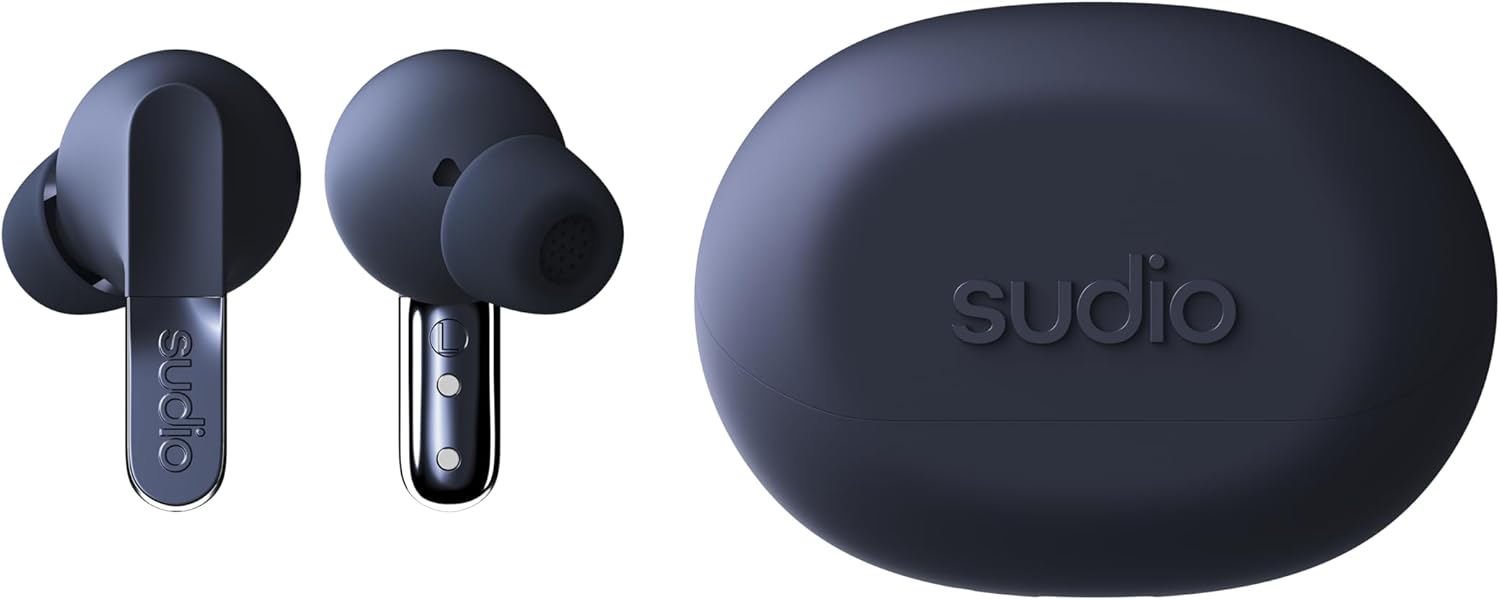
Bild: Detailliert view of the Sudio N3 Pro earbuds, emphasizing their design and eartips.
Fehlerbehebung
If you encounter any issues with your Sudio N3 Pro earbuds, refer to the following common solutions:
- Kein Ton/Schlechte Tonqualität:
- Stellen Sie sicher, dass die Ohrhörer aufgeladen sind.
- Prüfen Sie die Bluetooth-Verbindung und stellen Sie sicher, dass die Ohrhörer korrekt gekoppelt sind.
- Stellen Sie die Lautstärke sowohl an Ihrem Gerät als auch an den Ohrhörern ein.
- Probieren Sie Ohrstöpsel in verschiedenen Größen aus, um eine bessere Abdichtung zu erzielen.
- Kopplungsprobleme:
- Stellen Sie sicher, dass sich die Ohrhörer im Kopplungsmodus befinden (Ladecase öffnen).
- Schalten Sie Bluetooth auf Ihrem Gerät aus und wieder ein.
- Forget "Sudio N3 Pro" from your device's Bluetooth list and re-pair.
- Stellen Sie sicher, dass die Ohrhörer vollständig aufgeladen sind.
- Ladeprobleme:
- Stellen Sie sicher, dass das USB-C-Kabel sowohl mit dem Gehäuse als auch mit der Stromquelle fest verbunden ist.
- Prüfen Sie, ob die Ladekontakte an den Ohrhörern und im Inneren des Ladecase sauber und frei von Verunreinigungen sind.
- Versuchen Sie es mit einem anderen USB-C-Kabel oder Netzteil.
Technische Daten
| Besonderheit | Detail |
|---|---|
| Modellname | SUDIO N3 Pro |
| Lärmschutz | Aktive Geräuschunterdrückung |
| Akkulaufzeit | Bis zu 30 Stunden (mit Ladeetui) |
| Konnektivitätstechnologie | Kabellos (Bluetooth) |
| Bluetooth-Version | 5.4 |
| Wasserbeständigkeit | Wasserabweisend (schweiß- und spritzwassergeschützt) |
| Material | Plastic, Silicone (20% recycled plastics) |
| Kontrollmethode | Berühren |
| Audiotreibertyp | Dynamischer Treiber |
| Artikelgewicht | 94.7 Gramm (3.34 Unzen) |
Garantie und Support
For warranty information, product support, or to register your Sudio N3 Pro earbuds, please visit the official Sudio webWebsite oder wenden Sie sich direkt an den Kundendienst.
Hersteller: Studio
WebWebsite: www.studio.com


