Einführung
The UGREEN Revodok NVMe Docking Station 10-in-1 USB-C Hub (Model 55735) is designed to expand the connectivity and storage capabilities of your laptop, tablet, or other compatible devices. This versatile hub provides a comprehensive solution for connecting multiple peripherals, external displays, and network connections, while also offering an integrated M.2 NVMe SSD slot for convenient storage expansion. This manual provides detailed instructions for setup, operation, maintenance, and troubleshooting to ensure optimal performance and user experience.
Produkteigenschaften
- All-in-One Connectivity: Features 10 ports including 4K@60Hz HDMI, 2x USB-A 5Gbps, 1x USB-A 10Gbps, 1x USB-C 10Gbps, Gigabit Ethernet, SD/TF card reader, and M.2 NVMe SSD slot for seamless expansion of storage, network, and peripherals.
- Hochgeschwindigkeitsdatenübertragung: Equipped with USB 3.2 Gen2 ports supporting up to 10Gbps, ideal for transferring large files, editing videos, and backing up photos swiftly without lag.
- 4K Ultra HD & Smooth Display: HDMI 2.0 delivers stunning 4K@60Hz video output, perfect for streaming, gaming, and multitasking across external monitors or TVs.
- PD 100W Charging & M.2 SSD Expansion: Supports 100W power delivery to charge your laptop while in use, and includes a built-in M.2 NVMe slot for instant storage upgrade without extra enclosures.
- Wide Compatibility & Plug & Play: Works with MacBook, Windows laptops, iPad Pro, Steam Deck, ROG Ally, and more. No drivers needed—simply connect and start using immediately.
Packungsinhalt
- UGREEN Revodok NVMe Docking Station 10-in-1 USB-C Hub
- USB-C-auf-USB-C-Kabel
- Bedienungsanleitung
- Notiz: A power adapter (100W PD recommended for full functionality) is not included and sold separately.
Schnittstellenlayout
The UGREEN Revodok NVMe Docking Station features a comprehensive array of ports for diverse connectivity needs. Familiarize yourself with the port layout for optimal use.

Image: UGREEN Revodok NVMe Docking Station with labels for each of its 10 ports, including HDMI, Ethernet, USB-C Upstream, USB-C PD Input, 2x USB-A 5Gbps, M.2 NVMe SSD Enclosure, USB-A 10Gbps, SD & TF 3.0, USB-C 10Gbps, and Power Button.
- USB-C-Upstream-Anschluss: Verbindet sich mit Ihrem Hostgerät (Laptop, Tablet).
- USB-C PD Input (100W Max): For connecting a power adapter to supply power to the dock and charge your host device.
- HDMI 2.0 (4K@60Hz): Zum Anschluss eines externen Displays.
- Gigabit Ethernet (1Gbps): Für kabelgebundene Netzwerkverbindung.
- 2x USB-A (5 Gbit/s): Zum Anschluss von Standard-USB-Peripheriegeräten.
- 1x USB-A (10 Gbit/s): For high-speed data transfer with USB-A devices.
- 1x USB-C (10 Gbit/s): For high-speed data transfer with USB-C devices (does not support display or charging).
- SD & TF 3.0 Card Reader (170MB/s): For reading SD and Micro SD cards.
- M.2 NVMe SSD Enclosure (10Gbps): For installing an M.2 NVMe SSD for expanded storage.
- Netzschalter: Zum Ein-/Ausschalten der Dockingstation.
Setup und Installation
Verbindung zum Hostgerät herstellen
Connect the included USB-C to USB-C cable from the dock's USB-C Upstream Port to a compatible USB-C port on your laptop, tablet, or host device. Ensure your host device's USB-C port supports data, power delivery, and display output for full functionality.
Stromversorgung des Docks
For stable operation and to enable charging of your host device, connect a compatible 100W Power Delivery (PD) USB-C power adapter (not included) to the dock's USB-C PD Input port. The dock requires external power to support all its functions, especially when connecting multiple peripherals or an external display.

Image: The UGREEN Revodok Docking Station connected to a laptop, illustrating 100W Max power input and 85W Max power output for fast charging. A note indicates that the wall charger and cable are not included.
M.2 NVMe SSD Installation
The docking station features a built-in M.2 NVMe SSD enclosure for convenient storage expansion. Follow these steps to install your SSD:

Image: The UGREEN Revodok Docking Station highlighting its compatibility with M Key and B&M Key NVMe SSDs, supporting various sizes including 2280, 2260, 2242, and 2230.

Image: A visual guide demonstrating five steps for M.2 NVMe SSD installation: 1. Disconnect the dock and remove the bottom panel. 2. Loosen screws. 3. Insert the SSD. 4. Reattach panel and tighten screws. 5. Connect to laptop.
- Schritt 1: Disconnect the dock from all connected devices. Position it on its side with the cover facing upward.
- Schritt 2: Loosen the screws and remove the bottom panel. Then, loosen the M.2 SSD fixing screw.
- Schritt 3: Insert the drive (compatible with B&M-Key or M-Key) into the slot and secure it with the screw.
- Schritt 4: Bringen Sie die Bodenplatte wieder an und ziehen Sie die Schrauben fest.
- Schritt 5: Connect the docking station to your laptop. A new drive letter will appear upon successful installation.
Bedienungsanleitung
Anzeigeverbindung
Connect your external monitor or TV to the HDMI 2.0 port on the docking station. This port supports stunning 4K resolution at a 60Hz refresh rate, providing a smooth and clear visual experience for streaming, gaming, or multitasking.
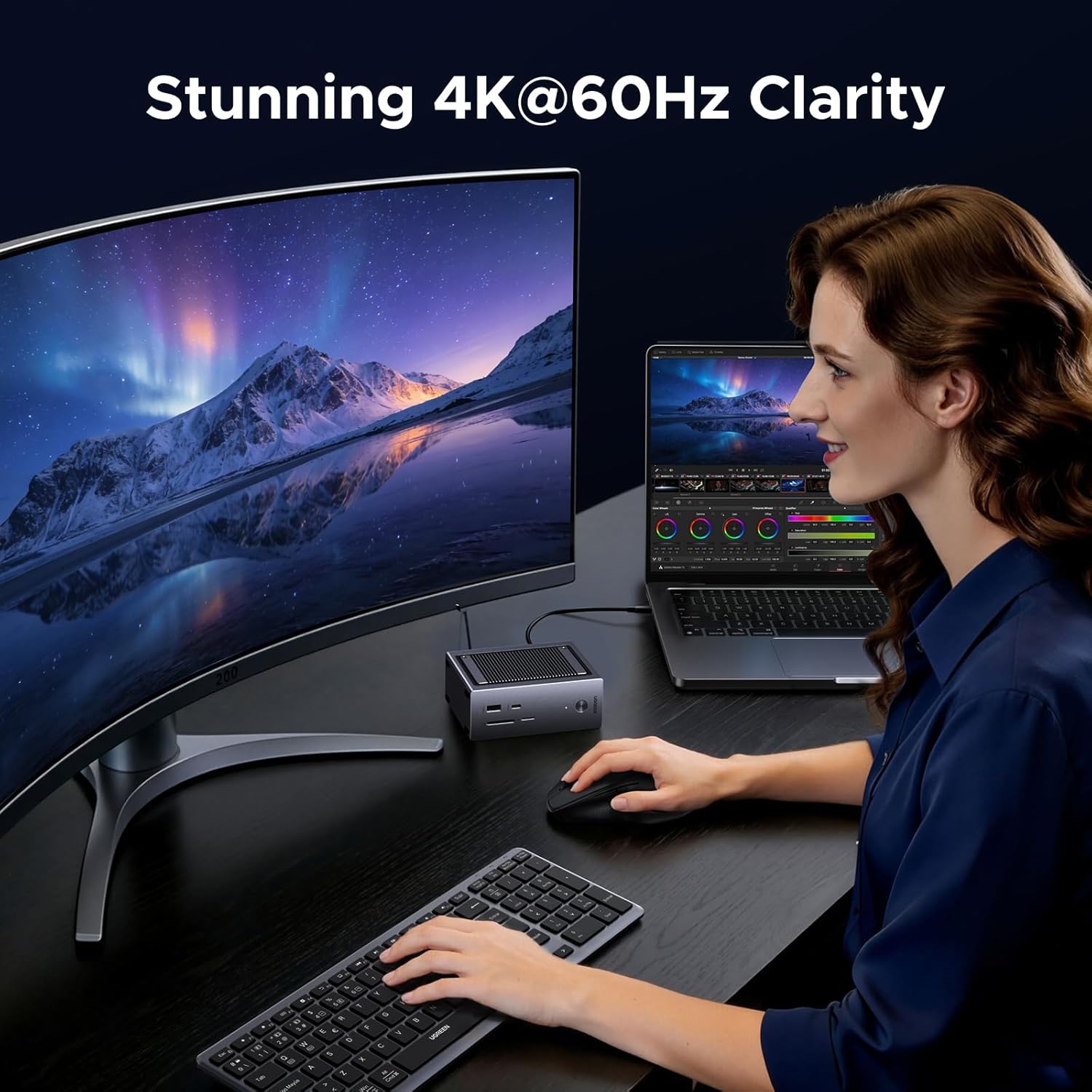
Image: A user is shown working with a laptop and an external curved monitor, both connected to the UGREEN Revodok Docking Station, demonstrating 4K@60Hz display clarity.
High-Speed-Datenübertragung
Utilize the 10Gbps USB-A and USB-C ports for rapid data transfer. These ports are ideal for connecting external hard drives, SSDs, or other high-bandwidth peripherals, allowing you to transfer large files, edit videos, and back up photos in seconds.

Image: A user is transferring files from a camera to a laptop using the UGREEN Revodok Docking Station, emphasizing the fast data transfer capabilities of 10Gbps.
Gigabit Ethernet
For a stable and reliable internet connection, plug an Ethernet cable into the Gigabit Ethernet port. This provides a faster and more consistent network connection compared to Wi-Fi, crucial for online gaming, large downloads, or video conferencing.
SD/TF-Kartenleser
Insert your SD or TF (Micro SD) cards into the dedicated card reader slots for quick access to photos, videos, and other media. The card reader supports speeds up to 170MB/s, making it efficient for photographers and content creators.

Bild: Eine detaillierte view of the UGREEN Revodok Docking Station's SD and TF card reader slots, with an SD card partially inserted, highlighting its 170MB/s speed.
Power Delivery (PD)-Laden
When connected to a 100W PD power adapter (not included), the dock can deliver up to 85W of power to your host device, ensuring your laptop or tablet stays charged even under heavy use. This allows for a single-cable solution for both connectivity and power.
Technische Daten
| Besonderheit | Spezifikation |
|---|---|
| Modellnummer | 55735 |
| Verpackungsabmessungen | 5.28 x 5.12 x 2.99 Zoll |
| Artikelgewicht | 1.45 Pfund |
| Hardware-Schnittstelle | USB Typ C |
| Kompatible Geräte | Mac Mini M4, MacBook Air, MacBook Pro, Microsoft Surface Pro, iPad Pro, Steam Deck, ROG Ally |
| Besonderheit | Plug-and-Play |
| HDMI-Ausgang | 4K bei 60 Hz |
| USB-Datenübertragungsgeschwindigkeit | Bis zu 10 Gbit/s |
| Stromversorgung | 100 W (Eingang), 85 W (Ausgang) |
| Ethernet | Gigabit (1Gbps) |
| Kartenlesergeschwindigkeit | 170MB/s (SD/TF) |
Fehlerbehebung
- Kein Strom/Ladevorgang: Ensure a compatible 100W Power Delivery (PD) USB-C power adapter is connected to the dock's USB-C PD Input port. Not all USB-C chargers provide sufficient power for the dock and host charging.
- Anzeige funktioniert nicht: Verify that your host device's USB-C port supports DisplayPort Alternate Mode. Try connecting the HDMI cable to a different HDMI port on your monitor/TV. Ensure the HDMI cable is securely connected at both ends.
- Langsame Datenübertragung: Ensure you are using the 10Gbps USB-A or USB-C ports for high-speed devices. Check that your connected device and cable also support 10Gbps speeds.
- Intermittierende Konnektivität: Ensure all cables are securely connected. Disconnect and reconnect the dock from your host device. Try restarting your host device.
- M.2 NVMe SSD Not Detected: Verify the SSD is correctly installed and secured within the enclosure. Ensure the SSD is compatible (M-Key or B&M-Key) and formatted correctly for your operating system.
Sicherheitshinweise
- Keep the device away from water, fire, and high-temperature environments.
- Versuchen Sie nicht, das Gerät zu zerlegen, zu reparieren oder zu modifizieren.
- Lassen Sie das Gerät nicht fallen und setzen Sie es keinen starken Stößen aus.
- Um Schäden zu vermeiden, verwenden Sie ausschließlich kompatible Netzteile und Kabel.
- Ensure proper ventilation to prevent overheating, especially during prolonged use or when an SSD is installed.
Garantie und Support
UGREEN products are designed and manufactured to the highest quality standards. For warranty information, technical support, or any inquiries regarding your UGREEN Revodok NVMe Docking Station, please visit the official UGREEN webBesuchen Sie die Website oder kontaktieren Sie direkt den Kundenservice. Bitte bewahren Sie Ihren Kaufbeleg für Garantieansprüche auf.