Einführung
The PatrolEyes DV10-PRO WiFi GPS police body camera is a high-definition video recorder designed specifically for law enforcement. It features true 1080P HD video, a 140° wide-angle lens, and 64GB of internal storage, capable of capturing up to 12 hours of footage in 1080p. Recording can be initiated with a single button press even when the camera is powered off, and an automatic infrared sensor ensures clear recording day or night. Built-in WiFi allows for in-field review of videos, photos, or audio recordings directly from your smartphone. The DV10-PRO boasts a durable housing with an IP67 waterproof and dust rating, ensuring reliability in various weather conditions. It also includes built-in GPS that embeds coordinates onto each video file, Advanced Electronic Image Stabilization (EIS) with 6-axis stabilization for steady footage, and AES256 file encryption for enhanced security.
Lieferumfang
- Körperkamera
- Krokodilklemme
- Dockingstation
- USB-Wandladegerät
- USB Car Charger
- Bedienungsanleitung
- One Year Manufacturer's Warranty
Produkt überview
Familiarize yourself with the various components and features of your PE-DV10-PRO body camera.


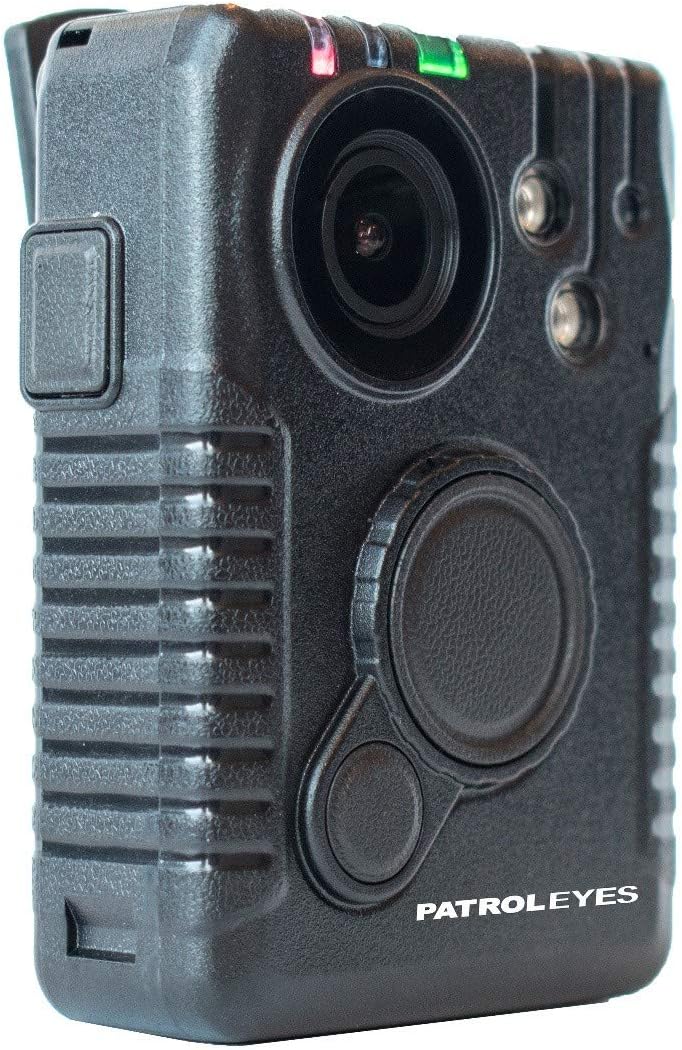
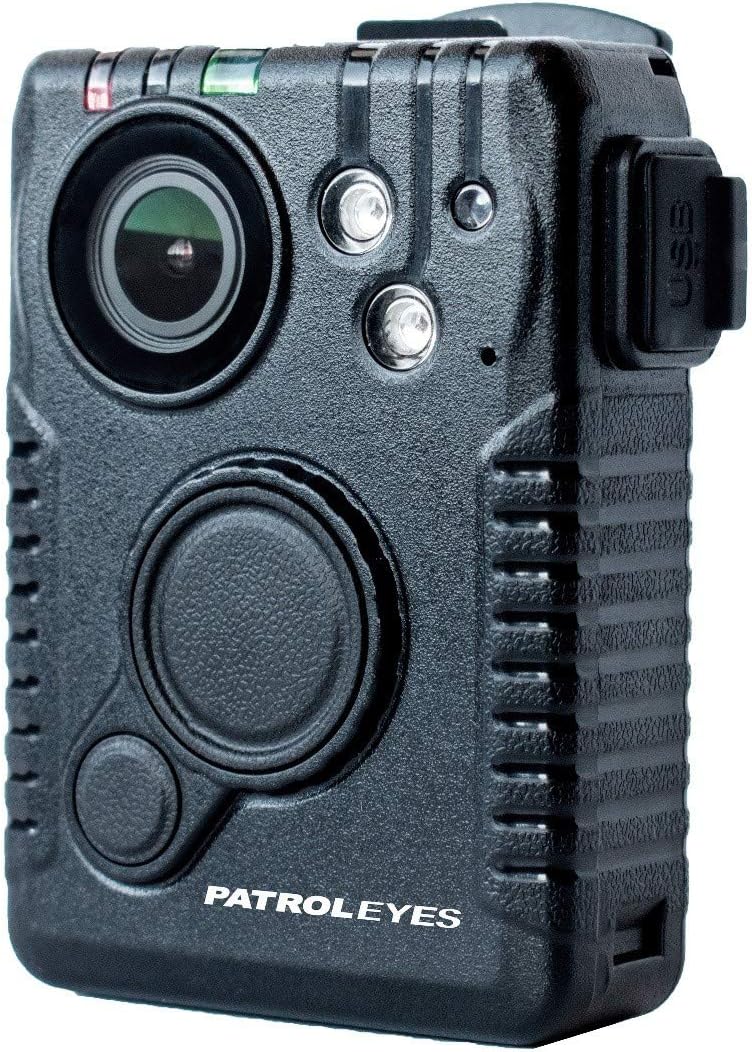
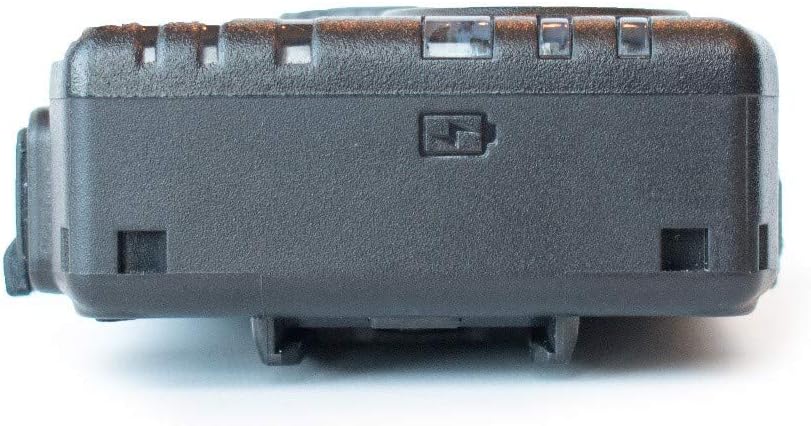

Aufstellen
Erstladung
Before first use, fully charge your PE-DV10-PRO body camera. Connect the camera to the docking station, then connect the docking station to the provided USB wall charger or USB car charger. The charging indicator light on the camera will show the charging status. A full charge provides up to 12 hours of recording in 1080P.
Ein-/Ausschalten
To power on the camera, press and hold the Power button until the indicator lights illuminate. To power off, press and hold the Power button again until the lights turn off.
Bedienungsanleitung
Videoaufzeichnung
To start video recording, press the dedicated Record button. The camera is designed to begin recording with a single press even when initially powered off, ensuring no critical moments are missed.
The camera supports pre and post-event recording, allowing it to capture up to 2 minutes of footage prior to pressing record (available in 720p/480p mode).
The Advanced Electronic Image Stabilization (EIS) with 6-axis stabilization helps achieve clear, steady images even when the camera is subject to movement or shaking.
Audioaufnahme
For dedicated audio recording, refer to the camera's on-screen menu or specific button functions as detailed in the full digital manual.
Fotoaufnahme
To capture still photos, use the designated Photo button. The camera supports a maximum image resolution of 32 MP.
Wi-Fi-Funktionalität
The built-in Wi-Fi function enables you to review videos, photos, or audio recordings directly from your smartphone. Consult the digital download cam manager program for detailed connection and usage instructions.
GPS-Funktionalität
The integrated GPS module automatically embeds location coordinates onto each video file, providing valuable geographical data for recorded events.
Passwortschutz
The camera can be password protected to prevent unauthorized access to recorded data. A unique 6-digit password can be set when connected to the included cam manager program (digital download).
Wartung
Reinigung
Regularly clean the camera lens and body with a soft, dry, lint-free cloth. Avoid using abrasive cleaners, solvents, or harsh chemicals, as these can damage the camera's surfaces or internal components.
Lagerung
Store the camera in a cool, dry place away from direct sunlight, high humidity, and extreme temperatures. For long-term storage, ensure the battery is partially charged (around 50%) to maintain battery health.
Fehlerbehebung
Kamera lässt sich nicht einschalten
Ensure the camera is fully charged. Connect it to the charger and observe the charging indicator light. If the light does not illuminate, check the charger and cable connections.
Aufnahmeprobleme
Check the available storage space. The camera comes with 64GB of built-in storage. If storage is full, transfer or delete old files. Ensure the camera is not in a low-power state; charge it if necessary.
Probleme mit der Wi-Fi-Verbindung
Verify that the Wi-Fi function is enabled on both the camera and your smartphone. Ensure you are within effective range of the camera's Wi-Fi signal. Refer to the cam manager program's instructions for detailed Wi-Fi setup and troubleshooting steps.
Image/Video Quality Issues
Ensure the camera lens is clean and free from smudges, dust, or debris. For shaky footage, confirm that the Advanced Electronic Image Stabilization (EIS) feature is enabled in the camera settings.
Technische Daten
| Besonderheit | Detail |
|---|---|
| Modellname | PE-DV10-PRO |
| Marke | PatrolEyes |
| Auflösung der Videoaufnahme | 1080p |
| Maximal Webcam-Bildauflösung | 32 Megapixel |
| Flash-Speichertyp | Eingebaute 64 GB |
| Akkulaufzeit | Up to 12 hours (1080P recording) |
| Konnektivitätstechnologie | Kabellos (Wi-Fi) |
| Besondere Merkmale | Night Vision, One Touch Recording, GPS, Anti-Shake (EIS) |
| Wasserdicht/staubdicht | IP67 |
| Abmessungen (L x B x H) | 4 x 2 x 1 Zoll |
| Montagetyp | Krokodilklemme |
| Empfohlene Verwendung | Law Enforcement, Security |
Garantie und Support
Garantieinformationen
The PatrolEyes PE-DV10-PRO Body Camera comes with a One Year Manufacturer's Warranty. Please retain your proof of purchase for all warranty claims and inquiries.
Kundenservice
For technical support, troubleshooting assistance, or warranty-related questions, please contact the seller, Stunt Cams, or visit the official PatrolEyes webWebsite für weitere Unterstützung.
You can find more information and contact details on the Amazon product page: PatrolEyes PE-DV10-PRO Product Page.


