Einführung
Thank you for choosing the Monster S290 Portable Bluetooth Speaker. This manual provides essential information for setting up, operating, and maintaining your speaker to ensure optimal performance and longevity. Please read these instructions carefully before using the product.
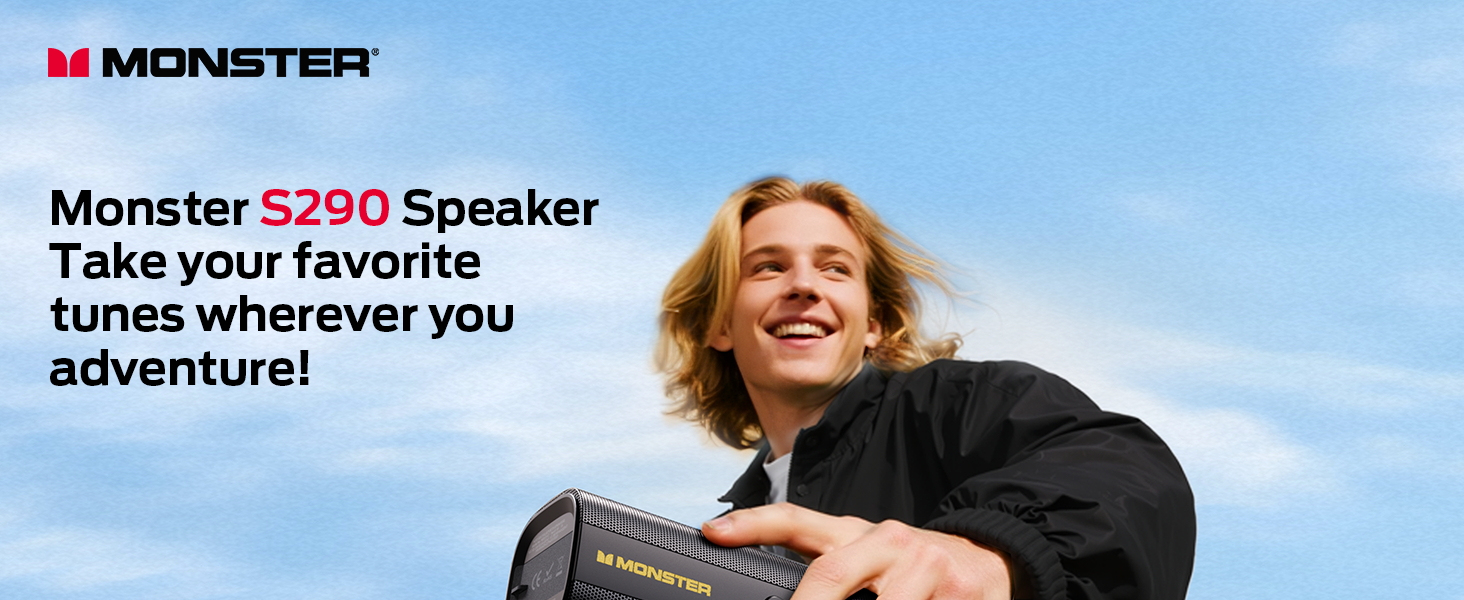
Image: The Monster S290 speaker, designed for portability, shown being carried by a person outdoors.
Packungsinhalt
Bitte überprüfen Sie, ob alle unten aufgeführten Artikel in Ihrem Paket enthalten sind:
- Monster S290 Speaker x1
- AUX-IN Cable x1
- USB-C-Ladekabel x1
- Kurzanleitung x1
- Garantiekarte x1
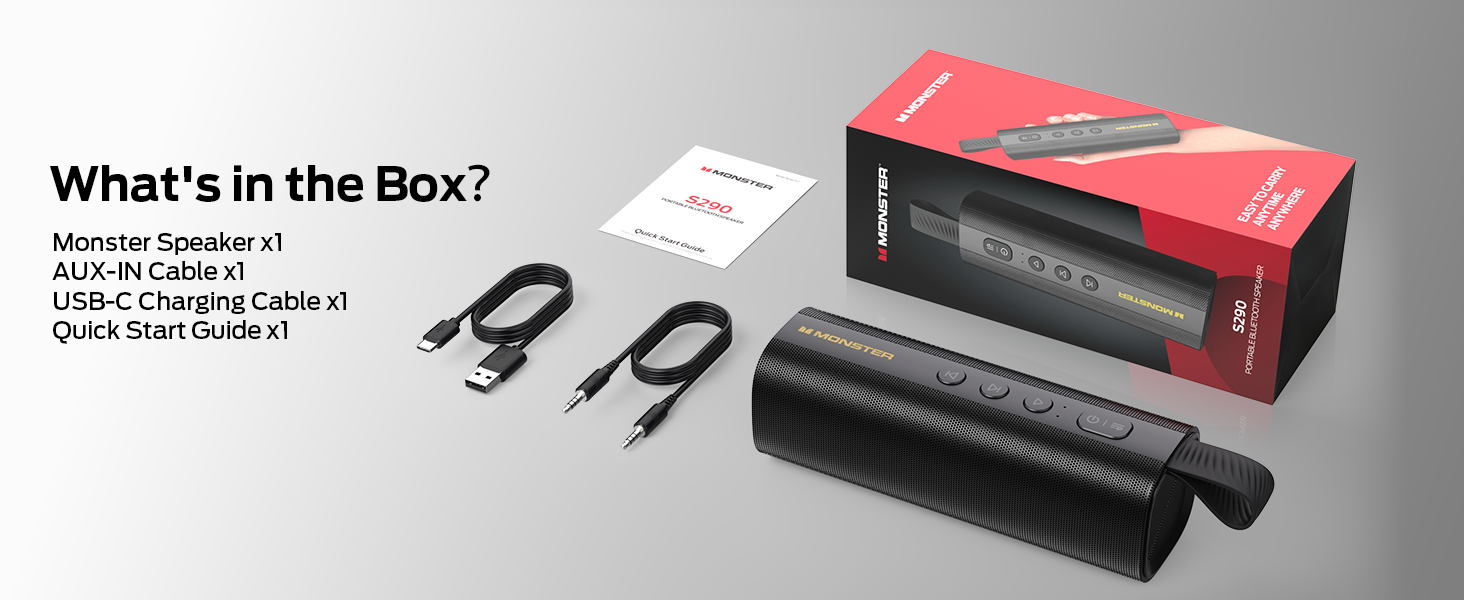
Image: A visual representation of the Monster S290 speaker and its included accessories: AUX-IN cable, USB-C charging cable, quick start guide, and warranty card.
Produkt überview
Lautsprecheranordnung
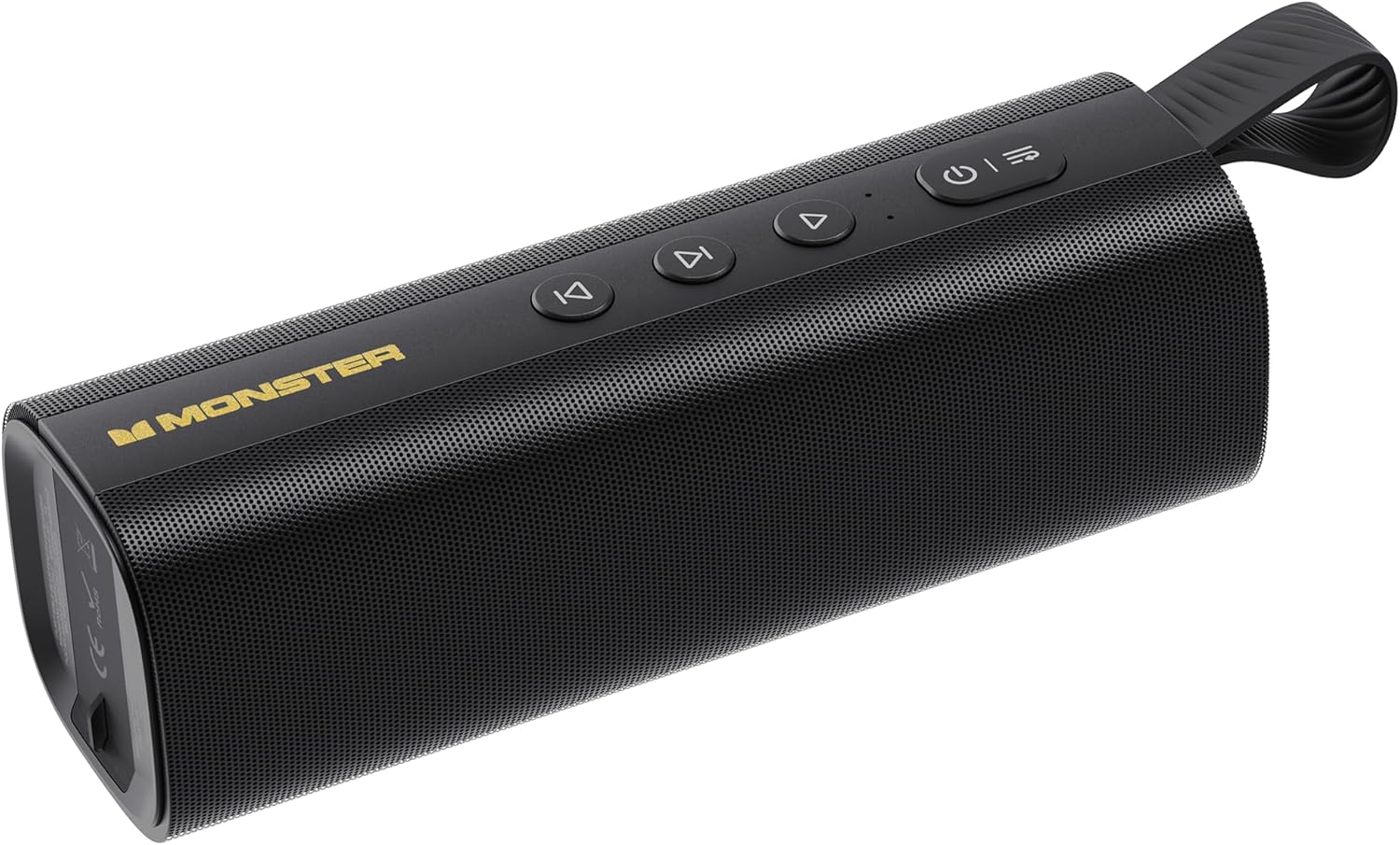
Image: The Monster S290 Portable Bluetooth Speaker, showcasing its cylindrical design, control buttons on top, and integrated carrying strap.
Bedientasten
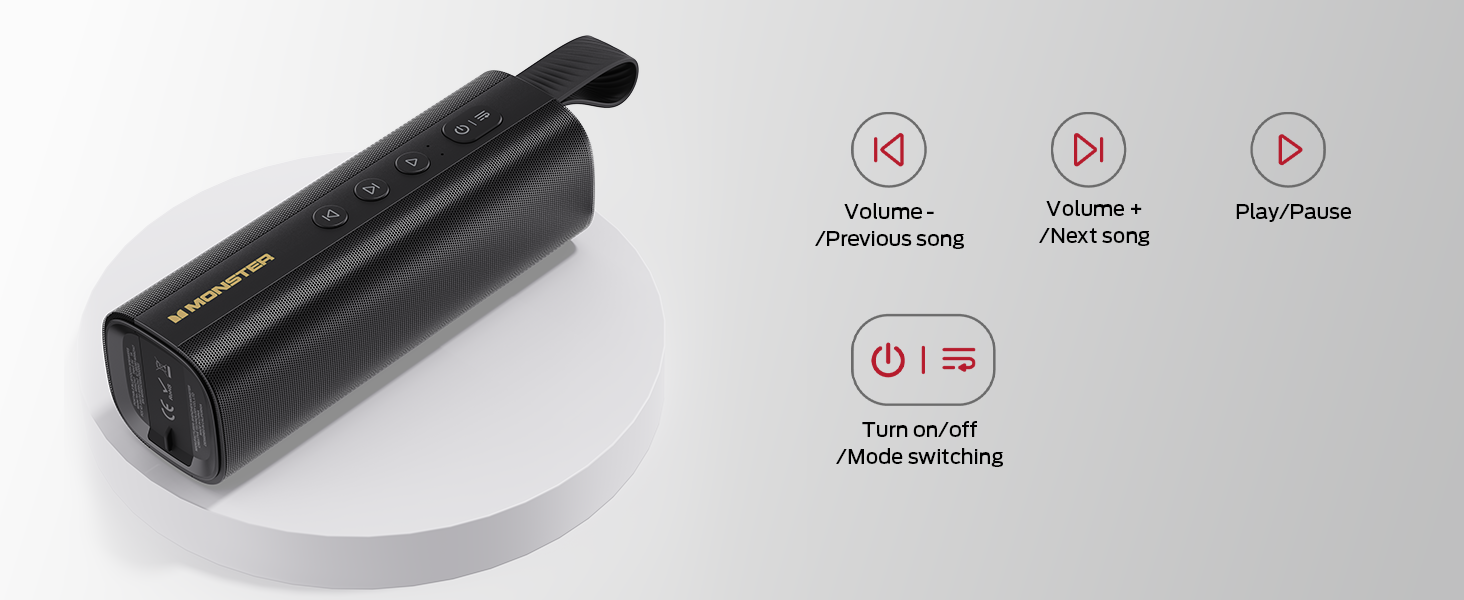
Image: A diagram detailing the functions of the speaker's buttons: Power On/Off/Mode Switching, Volume Down/Previous Song, Volume Up/Next Song, and Play/Pause.
- Power-Taste (⏻): Press and hold to power on/off. Short press to switch between input modes (Bluetooth, AUX, TF Card, USB).
- Lautstärke verringern / Vorheriges Lied (⏮): Short press for previous song. Press and hold to decrease volume.
- Play / Pause (⏯): Kurz drücken, um die Audiowiedergabe zu starten oder zu pausieren.
- Lautstärke erhöhen / Nächstes Lied (⏭): Short press for next song. Press and hold to increase volume.
Eingangsanschlüsse

Bild: Eine detaillierte view of the speaker's connectivity panel, showing the TF card slot, USB port, USB-C charging port, and AUX-IN port, protected by a rubber flap.
- TF-Karten-Slot: For playing audio directly from a MicroSD/TF card.
- USB-Anschluss: For playing audio directly from a USB flash drive.
- USB-C (DC 5V): Charging port for the speaker.
- AUX-Eingang: 3.5mm audio input for wired connection to devices.
Aufstellen
Aufladen des Lautsprechers
- Schließen Sie das mitgelieferte USB-C-Ladekabel an den USB-C-Anschluss des Lautsprechers an.
- Verbinden Sie das andere Ende des Kabels mit einem USB-Netzteil (nicht im Lieferumfang enthalten) oder einem USB-Anschluss Ihres Computers.
- Die Ladeanzeigeleuchte leuchtet während des Ladevorgangs und erlischt, sobald der Akku vollständig geladen ist.
- Eine vollständige Ladung ermöglicht eine Spielzeit von etwa 15 Stunden.

Image: The Monster S290 speaker held in a hand, visually representing its extended battery life of up to 15 hours on a single charge.
Ein-/Ausschalten
- Einschalten: Halten Sie die Ein-/Aus-Taste gedrückt (⏻) for approximately 2-3 seconds until you hear an audible prompt and the indicator light turns on.
- Zum Ausschalten: Halten Sie die Ein-/Aus-Taste gedrückt (⏻) for approximately 2-3 seconds until you hear an audible prompt and the indicator light turns off.
Bedienungsanleitung
Bluetooth-Kopplung (Einzelner Lautsprecher)
- Ensure the speaker is powered on and in Bluetooth pairing mode (indicated by a flashing blue LED). If not, short press the Power button (⏻) to cycle through modes until Bluetooth mode is active.
- Aktivieren Sie Bluetooth auf Ihrem Mobilgerät (Smartphone, Tablet usw.).
- Suchen nach available Bluetooth devices. You should see "Monster S290" in the list.
- Select "Monster S290" to connect. Once connected, the indicator light will turn solid blue, and you will hear a confirmation sound.
- Der Lautsprecher versucht beim Einschalten automatisch, die Verbindung zum zuletzt gekoppelten Gerät wiederherzustellen.

Abbildung: Ein Röntgenbild view of the Monster S290 speaker, emphasizing the integrated Bluetooth 6.0 chip for stable and efficient wireless connectivity.
TWS-Pairing (True Wireless Stereo)
TWS pairing allows you to connect two Monster S290 speakers together for a stereo sound experience.
- Stellen Sie sicher, dass beide Monster S290 Lautsprecher eingeschaltet und nicht mit einem Bluetooth-Gerät verbunden sind.
- On one of the speakers (this will be the primary speaker), press and hold the Play/Pause button (⏯) for 2-3 seconds. You will hear a prompt indicating TWS pairing mode.
- The two speakers will automatically search for and connect to each other. Once connected, you will hear a confirmation sound, and the primary speaker's indicator light will flash, while the secondary speaker's light will be solid.
- Verbinden Sie nun Ihr Mobilgerät über Bluetooth mit dem Hauptlautsprecher, wie im Abschnitt „Bluetooth-Kopplung“ beschrieben.
- Der Ton wird nun in Stereo über beide Lautsprecher wiedergegeben.

Image: Two Monster S290 speakers demonstrating TWS connectivity, allowing them to play audio in stereo from a single Bluetooth source.
AUX-IN-Modus
- Connect one end of the 3.5mm AUX-IN cable to the AUX-IN port on the speaker.
- Verbinden Sie das andere Ende des Kabels mit der Audioausgangsbuchse Ihres Geräts.
- Drücken Sie kurz die Ein-/Aus-Taste (⏻) to switch to AUX mode. The speaker will announce "AUX mode".
- Steuern Sie Wiedergabe und Lautstärke über Ihr angeschlossenes Gerät.
TF-Karten-Wiedergabemodus
- Legen Sie eine TF-Karte (MicroSD-Karte) mit Audio ein. files in den TF-Kartensteckplatz.
- Drücken Sie kurz die Ein-/Aus-Taste (⏻) to switch to TF Card mode. The speaker will announce "TF card mode" and begin playing audio.
- Use the speaker's control buttons for playback (Play/Pause, Next/Previous Song, Volume Up/Down).
USB-Wiedergabemodus
- Stecken Sie einen USB-Stick mit Audio files in den USB-Port.
- Drücken Sie kurz die Ein-/Aus-Taste (⏻) to switch to USB mode. The speaker will announce "USB mode" and begin playing audio.
- Use the speaker's control buttons for playback (Play/Pause, Next/Previous Song, Volume Up/Down).
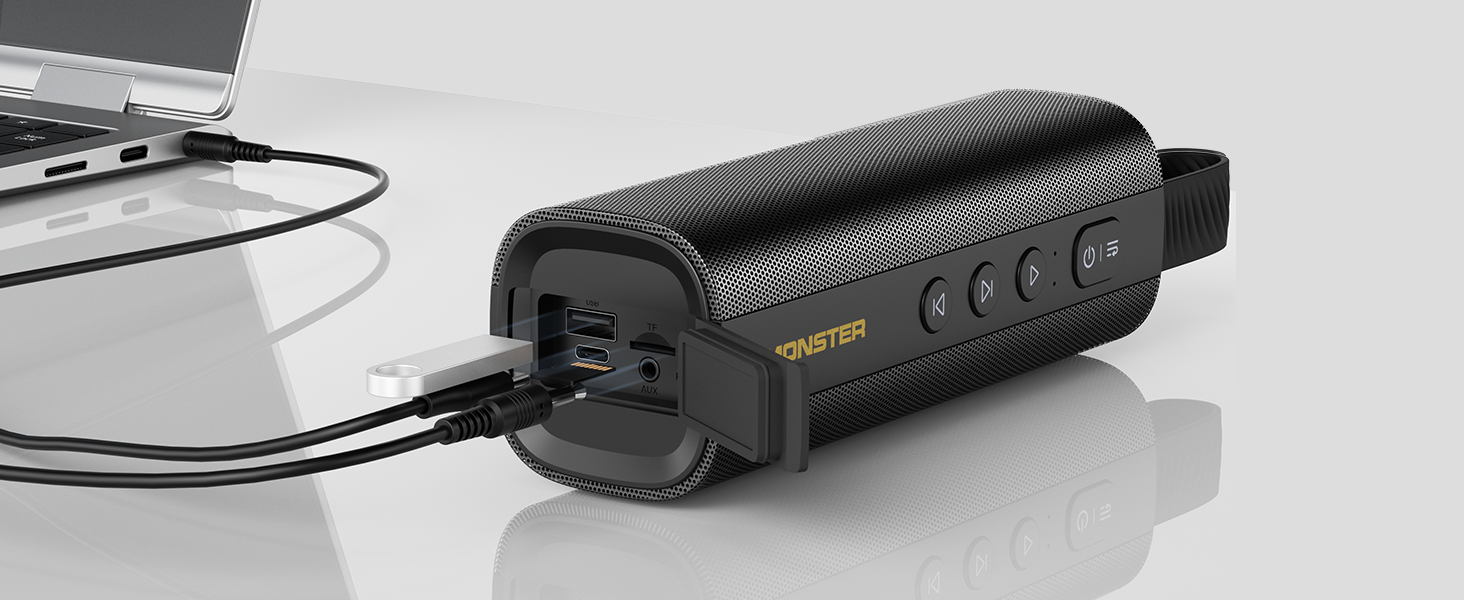
Image: The Monster S290 speaker connected to a laptop, illustrating its versatility with AUX, USB, and TF card input options.
Wartung
Wasserbeständigkeit (IPX6)
The Monster S290 speaker features an IPX6 waterproof rating, meaning it is protected against high-pressure water jets from any direction. This makes it suitable for outdoor use and resistant to splashes, rain, and sweat.
- Ensure the rubber flap covering the charging and input ports is securely closed to maintain water resistance.
- Tauchen Sie den Lautsprecher nicht in Wasser.
- Nach Kontakt mit Wasser sollte der Lautsprecher vor dem Aufladen oder dem Öffnen der Anschlussabdeckung mit einem weichen Tuch trocken gewischt werden.

Image: The Monster S290 speaker positioned near a pool, illustrating its IPX6 waterproof capability, making it suitable for use in wet environments.
Reinigung und Lagerung
- Reinigen Sie den Lautsprecher mit einem weichenamp Tuch. Keine Scheuer- oder Lösungsmittel verwenden.
- Bewahren Sie den Lautsprecher an einem kühlen, trockenen Ort fern von direkter Sonneneinstrahlung und extremen Temperaturen auf.
- Bei längerer Lagerung sollte der Akku regelmäßig aufgeladen werden, um seine Leistungsfähigkeit zu erhalten.
Fehlerbehebung
| Problem | Mögliche Ursache | Lösung |
|---|---|---|
| Der Lautsprecher lässt sich nicht einschalten. | Schwache Batterie. | Laden Sie den Lautsprecher mit dem mitgelieferten USB-C-Kabel auf. |
| Kein Ton. | Lautstärke am Lautsprecher oder angeschlossenen Gerät zu niedrig. Falscher Eingangsmodus. | Increase volume on both speaker and device. Ensure correct input mode is selected (Bluetooth, AUX, TF, USB). |
| Kopplung via Bluetooth nicht möglich. | Speaker not in pairing mode. Device Bluetooth is off. Speaker already connected to another device. | Ensure speaker is in Bluetooth pairing mode (flashing blue LED). Turn on Bluetooth on your device. Disconnect from other devices or restart the speaker. |
| TWS-Kopplung fehlgeschlagen. | Speakers are too far apart. One speaker is already paired to a device. | Ensure speakers are within 10 meters of each other. Disconnect both speakers from any Bluetooth devices before initiating TWS pairing. |
| Schlechte Tonqualität. | Low battery. Device too far from speaker (Bluetooth). Interference. | Charge the speaker. Move device closer to the speaker. Avoid obstacles between device and speaker. |
Technische Daten
- Modellname: S290 (Item Model Number: S38)
- Marke: Monster
- Bluetooth-Version: 6.0
- AudioausgangLeistung: 30 W
- Spielzeit: Up to 15 hours (varies by volume and content)
- WasserdichtigkeitSchutzart: IPX6
- Eingabeschnittstellen: Bluetooth, AUX-IN, TF Card, USB
- Ladeanschluss: USB-C (DC 5V)
- Batterie: 1 A Batterie (im Lieferumfang enthalten)
- Technische Daten: 2.36 x 7.24 x 2.68 Zoll
- Artikelgewicht: 1.08 Pfund
- Material: Plastik
- Farbe: Schwarz
Garantie und Support
The Monster S290 Portable Bluetooth Speaker comes with a warranty. Please refer to the included "Warranty Card" for detailed terms and conditions. For further assistance or technical support, please consult the "Quick Start Guide" or visit the official Monster support webWebsite.
Bewahren Sie Ihren Kaufbeleg als Kaufnachweis für Garantieansprüche auf.


