1. Einleitung
This manual provides detailed instructions for the VGN F1 Pro Max Wireless Gaming Mouse. Please read this guide thoroughly before using the product to ensure proper setup, operation, and maintenance. This mouse offers dual-mode connectivity (2.4GHz wireless and Type-C wired), a high-precision sensor, and programmable buttons for an optimized user experience.
2. Lieferumfang
Überprüfen Sie, ob alle Komponenten im Paket vorhanden sind:
- 1 x VGN F1 Pro Max Gaming Mouse
- 1 x USB-Empfänger (für 2.4-GHz-Funkverbindung)
- 1 x Typ-C Ladekabel
- 1 x PTFE Feet (replacement set)
- 1 x Benutzerhandbuch
- 1 x Extender (for USB receiver)
- 1 x Grip Tape
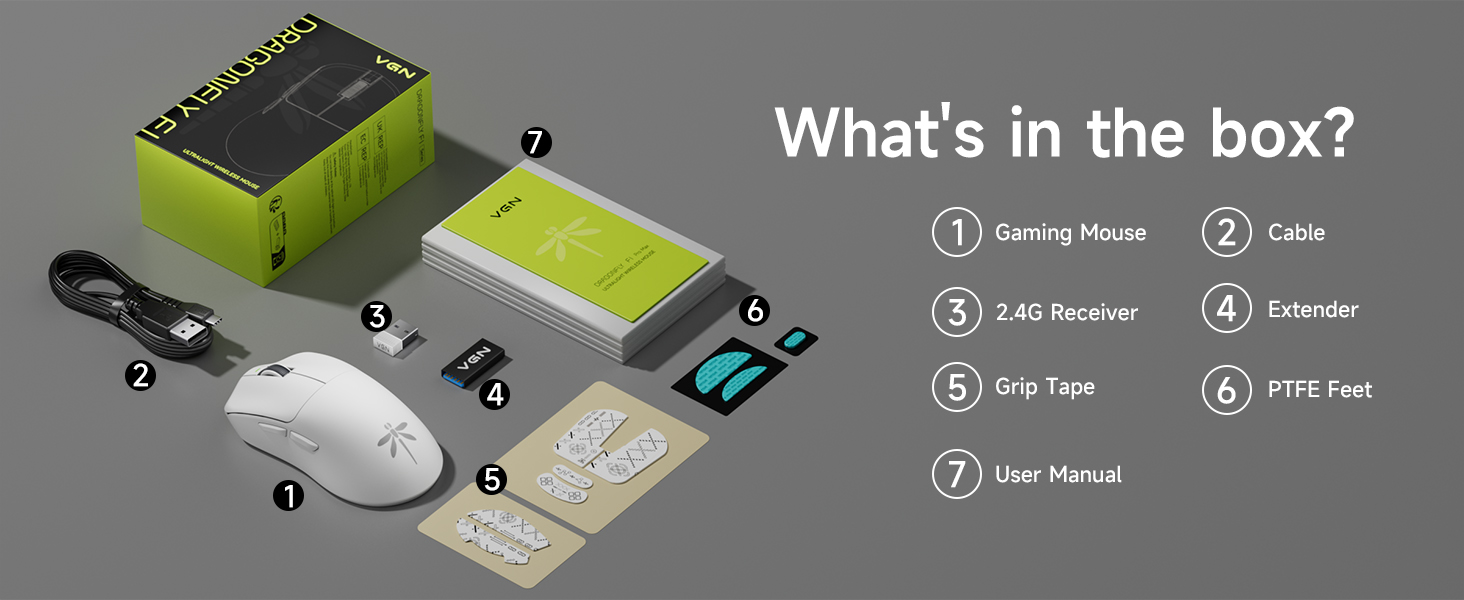
Image: Contents of the VGN F1 Pro Max package.
3. Produktmerkmale
3.1. PAW 3395 Sensor
The VGN F1 Pro Max is equipped with a PAW 3395 sensor, offering high precision and responsiveness. It features 650 IPS (Inches Per Second) tracking speed and 50G acceleration. The DPI (Dots Per Inch) is adjustable from 50 to 26,000. The default polling rate is 1,000Hz, with support for up to 4,000Hz with a separately purchased 4K receiver.
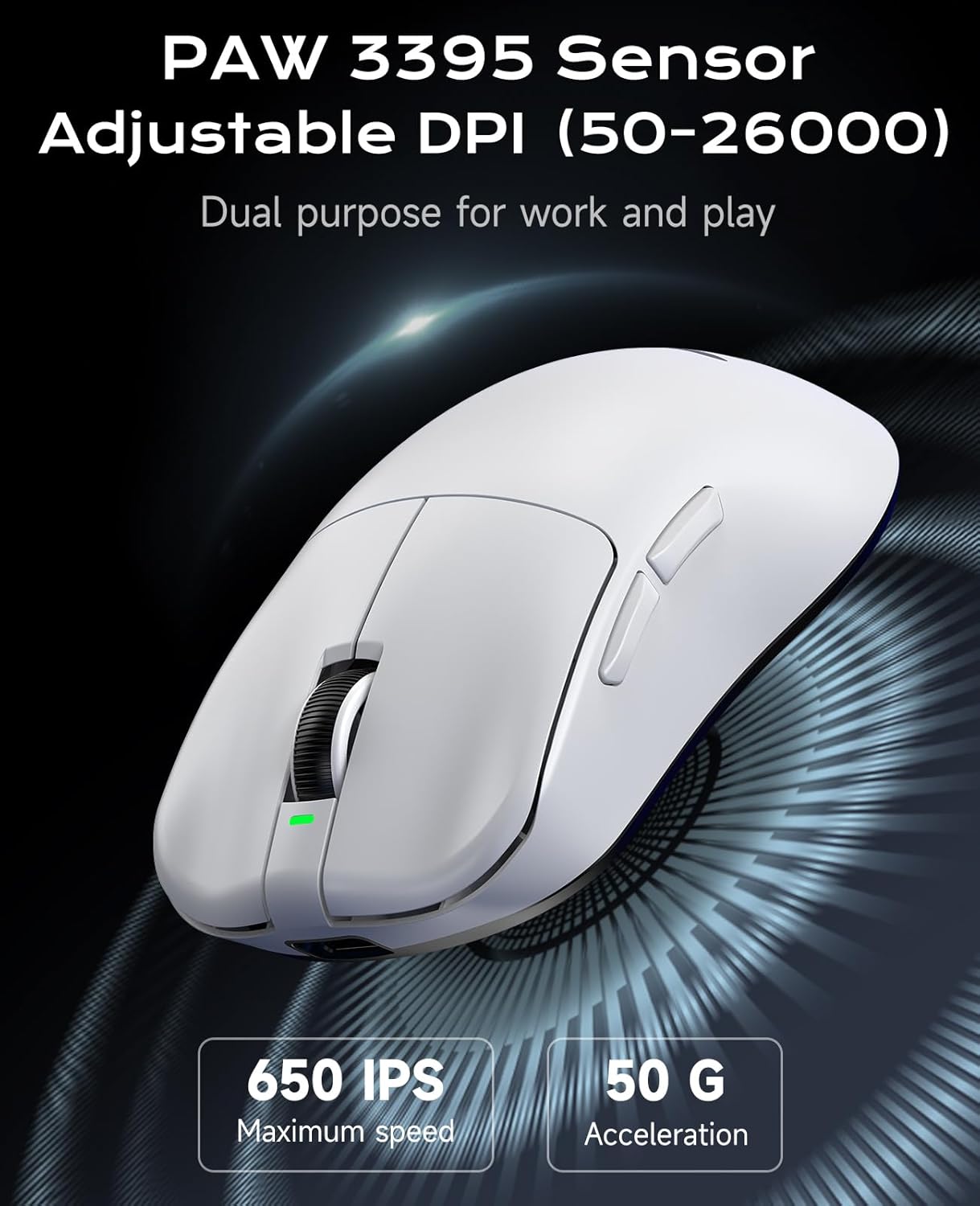
Image: PAW 3395 Sensor capabilities.
3.2. Black Gold Mamba Micro Motion Switches
This mouse utilizes Black Gold Mamba Micro Motion switches, designed for a distinct click feel with clear feedback and rapid rebound. These switches have a long lifespan of over 90 million clicks, making them suitable for demanding gaming scenarios.

Image: Black Gold Mamba Micro Motion switches.
3.3. Ultra-Lightweight Design
Weighing approximately 55g, the F1 Pro Max mouse features an ultra-lightweight design. This construction aims to reduce hand fatigue during extended use and enhance maneuverability.

Image: Ultra-lightweight design of the mouse.
3.4. Dual-Mode-Konnektivität
The mouse supports both 2.4GHz wireless connectivity via a USB receiver and wired connectivity via a Type-C cable. This allows for flexible usage depending on user preference and charging needs.
3.5. Verlängerte Akkulaufzeit
Utilizing Smart Speed Wireless technology, the F1 Pro Max offers a continuous working battery life ranging from 130 hours to a maximum of 200 hours, depending on usage patterns.
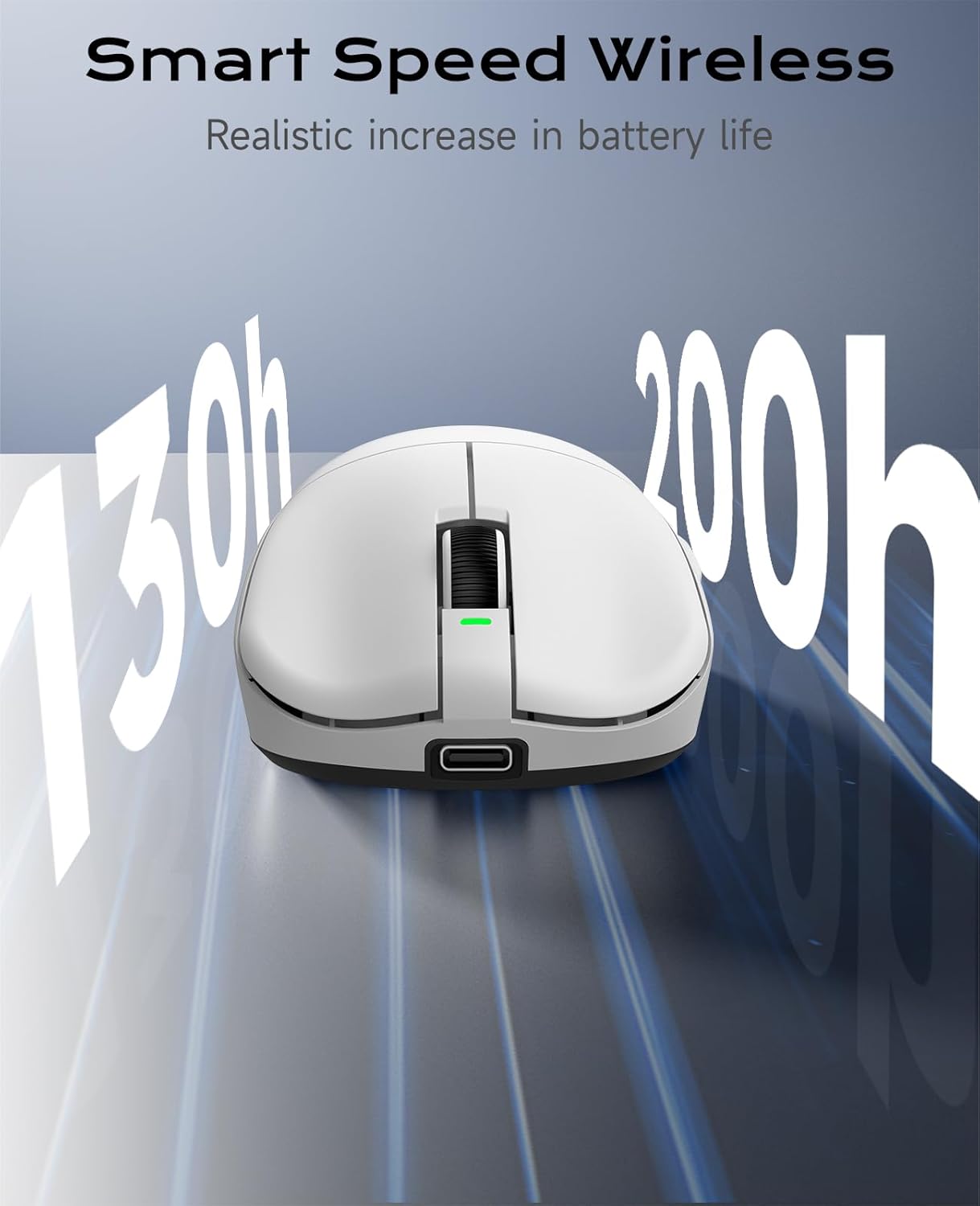
Image: Smart Speed Wireless for extended battery life.
4. Einrichtung
4.1. Wireless Connection (2.4GHz)
- Suchen Sie den USB-Empfänger, der sich im Fach an der Unterseite der Maus befindet.
- Stecken Sie den USB-Empfänger in einen freien USB-Port Ihres Computers.
- Turn on the mouse using the Power Switch located on the underside.
- Die Maus sollte sich automatisch mit Ihrem Computer verbinden.
4.2. Kabelgebundene Verbindung (Typ-C)
- Connect one end of the provided Type-C charging cable to the Type-C interface on the front of the mouse.
- Verbinden Sie das andere Ende des Kabels mit einem freien USB-Anschluss Ihres Computers.
- Die Maus funktioniert im kabelgebundenen Modus und wird gleichzeitig aufgeladen.

Image: Wireless and Wired connection options.
5. Bedienungsanleitung
5.1. Tastenfunktionen
The VGN F1 Pro Max mouse features 6 programmable buttons:
- Linke Taste: Primäre Klickfunktion.
- Rechter Knopf: Sekundärklickfunktion.
- Scrollrad: Scrollt den Inhalt nach oben/unten. Kann auch für eine Mittelklick-Funktion gedrückt werden.
- Vorwärts-Taste: Navigiert vorwärts in web Browser oder Anwendungen.
- Rückwärts-Taste: Navigiert rückwärts in web Browser oder Anwendungen.
- DPI-Taste: Durchläuft voreingestellte DPI-Stufen.
5.2. Power Switch and Receiver Storage
On the underside of the mouse, you will find:
- Stromschalter: To turn the mouse ON or OFF.
- Aufbewahrungsfach für Empfänger: A secure compartment for storing the USB receiver when not in use or during travel.

Image: Multi-function buttons and underside components.
6. Customization (VGN HUB Driver)
The VGN HUB custom driver software allows for advanced configuration of your F1 Pro Max mouse. This software enables you to:
- DPI-Einstellungen anpassen.
- Modify the polling rate.
- Assign custom functions to macro keys.
- Program various other settings.
Notiz: The VGN HUB software is compatible only with Windows 10 and above operating systems. Please visit the official VGN webWebseite zum Herunterladen der neuesten Treibersoftware.
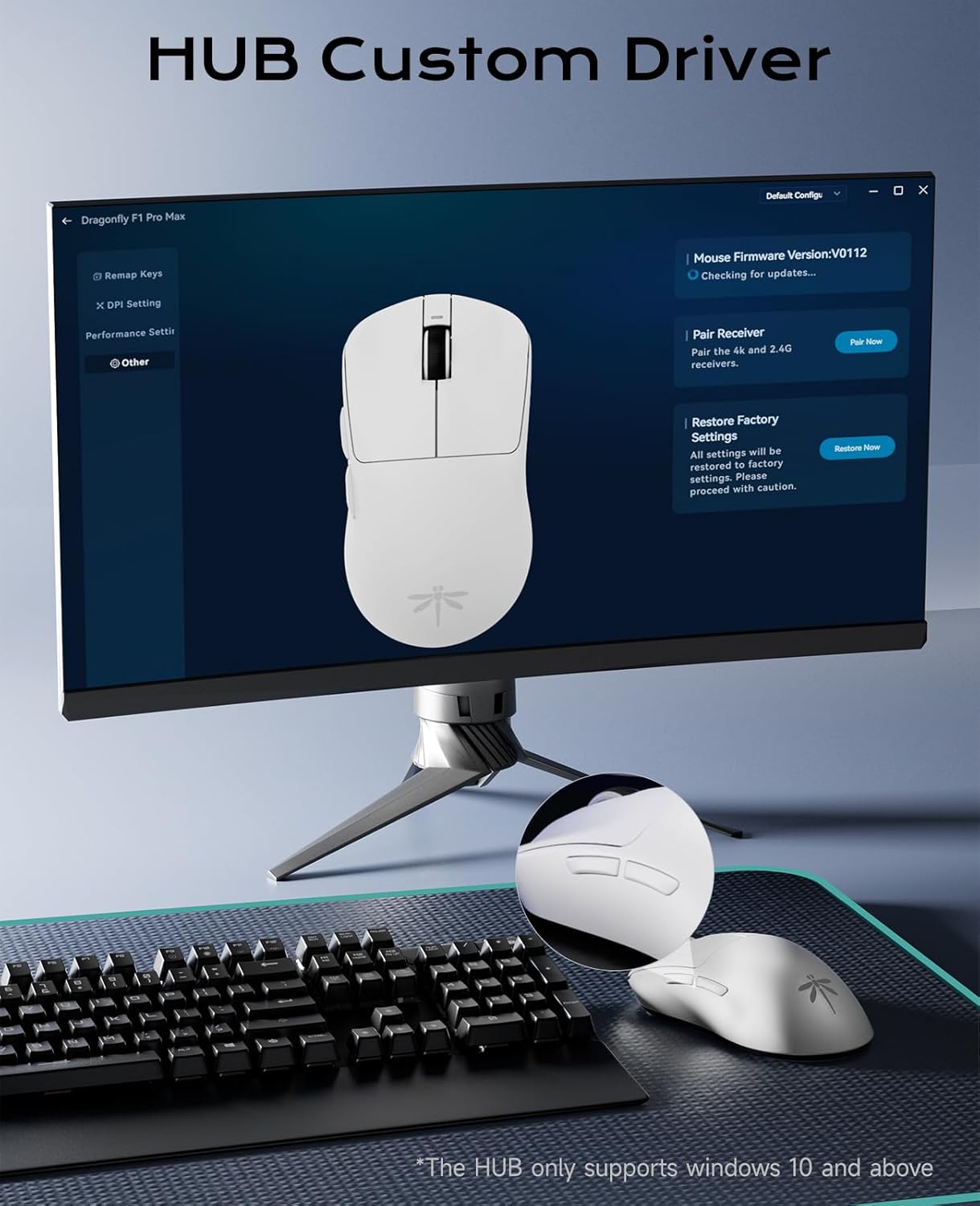
Image: VGN HUB custom driver interface.
7. Laden und Akkulaufzeit
7.1. Aufladen der Maus
To charge the mouse, connect the provided Type-C cable to the mouse's Type-C port and the other end to a USB power source (e.g., computer USB port, USB wall adapter). The mouse can be used in wired mode while charging.
7.2. Batterieanzeige
The charging indicator light provides information about the battery status:
- Grün: Battery normal.
- Orange: Gerät wird aufgeladen.
- Rot: Batterie schwach.
8. Wartung
To ensure the longevity and optimal performance of your VGN F1 Pro Max mouse:
- Reinigen Sie die Maus, indem Sie sie mit einem weichen, trockenen Tuch abwischen. Vermeiden Sie die Verwendung von scharfen Chemikalien oder scheuernden Materialien.
- Für eine genaue Erfassung muss sichergestellt sein, dass der optische Sensor an der Unterseite frei von Staub und Schmutz ist.
- Store the USB receiver in its designated slot when transporting the mouse to prevent loss.
- If using the included grip tape, ensure it is applied cleanly to prevent residue buildup.

Image: Mouse with optional anti-slip tape.
9. Fehlerbehebung
9.1. Maus reagiert nicht
- Ensure the mouse is turned ON using the power switch.
- For wireless mode, check if the USB receiver is securely plugged into a working USB port. Try a different USB port.
- For wired mode, ensure the Type-C cable is properly connected to both the mouse and the computer.
- Prüfen Sie den Akkustand. Ist er niedrig, schließen Sie das Ladekabel an.
- Starten Sie Ihren Computer neu.
9.2. Unregelmäßige Cursorbewegung
- Reinigen Sie den optischen Sensor an der Unterseite der Maus.
- Stellen Sie sicher, dass Sie die Maus auf einer geeigneten Oberfläche (z. B. einem Mauspad) verwenden.
- Interference from other wireless devices might affect performance. Try moving the receiver closer to the mouse or using a wired connection.
9.3. Tasten funktionieren nicht
- Check if the VGN HUB software has remapped the buttons incorrectly. Reset to default settings if necessary.
- Ensure the mouse firmware is up to date via the VGN HUB software.
10. Spezifikationen
| Modell | F1 Pro Max |
| Konnektivität | 2.4-GHz-Funkverbindung, kabelgebundene Verbindung über Typ-C |
| Sensor | Optischer Sensor PAW 3395 |
| DPI-Bereich | 50 - 26,000 (einstellbar) |
| IPS | 650 |
| Beschleunigung | 50 G |
| Abfragerate | 1,000Hz (up to 4,000Hz with optional receiver) |
| Schalter | Black Gold Mamba Micro Motion (90M+ clicks) |
| Schaltflächen | 6 programmierbare Tasten |
| Akkulaufzeit | 130–200 Stunden (Dauerbetrieb) |
| Gewicht | Ca. 55g |
| Technische Daten | 4.77 x 2.5 x 0.1 Zoll |
| OS Compatibility (VGN HUB) | Windows 10 und höher |
11. Garantie und Support
For warranty information and technical support, please refer to the documentation included with your purchase or visit the official VGN webBewahren Sie Ihren Kaufbeleg für eventuelle Garantieansprüche auf.