Einführung
This manual provides comprehensive instructions for the AOC 2025 AMD Laptop (Model: RX16). It covers setup, operation, maintenance, and troubleshooting to ensure optimal performance and longevity of your device. The AOC RX16 is a high-performance laptop designed for both productivity and entertainment, featuring an AMD Ryzen 7 7735HS processor, 16GB DDR5 RAM, a 512GB NVMe SSD, and a 16-inch FHD display.

Abbildung 1: Vorderseite view of the AOC 2025 AMD Laptop, showcasing sein schlankes Design und sein brillantes Display.
1. Einrichtung
1.1 Auspacken und erste Inspektion
Nehmen Sie alle Komponenten vorsichtig aus der Verpackung. Prüfen Sie, ob folgende Artikel enthalten sind:
- 1 × AOC 2025 AMD Laptop (16GB RAM + 512GB SSD)
- 1 × Netzteil
- 1 × Benutzerhandbuch (dieses Dokument)
Inspect the laptop for any physical damage. If any components are missing or damaged, contact customer support immediately.
1.2 An die Stromversorgung anschließen
Before first use, ensure the laptop is fully charged. Connect the power adapter to the laptop's DC-in port and then to a power outlet. The charging indicator light will illuminate.
1.3 Erste Inbetriebnahme und Einrichtung des Betriebssystems
Press the power button located on the keyboard. The laptop will boot up and guide you through the Windows 11 setup process. Follow the on-screen prompts to configure language, region, network, and user accounts.
1.4 Anschließen von Peripheriegeräten und externen Geräten
The AOC RX16 laptop offers a variety of ports for connecting external devices:
- USB 2.0-Anschluss: Zum Anschließen älterer USB-Geräte.
- USB 3.2 Ports: Für schnelle Datenübertragung mit kompatiblen USB-Geräten.
- HDMI-Anschluss: Schließen Sie externe Monitore oder Projektoren für eine erweiterte Anzeige an.
- Typ-C-Anschluss (voller Funktionsumfang): Unterstützt Datenübertragung, Videoausgabe und Stromversorgung.
- 3.5mm Kopfhörerbuchse: Zur Audioausgabe an Kopfhörer oder externe Lautsprecher.
- TF-Kartensockel: For reading and writing to TF (microSD) cards.

Figure 2: Comprehensive interface compatibility of the AOC RX16 laptop, detailing available ports.
1.5 Netzwerkverbindung (Wi-Fi 6)
So stellen Sie eine Verbindung zu einem drahtlosen Netzwerk her:
- Klicken Sie auf das WLAN-Symbol in der Taskleiste.
- Wählen Sie das gewünschte WLAN-Netzwerk aus der Liste aus.
- Geben Sie das Netzwerkkennwort ein, wenn Sie dazu aufgefordert werden.
- Klicken Sie auf „Verbinden“.
The laptop supports Wi-Fi 6 for faster and more stable wireless connectivity.
2. Bedienung Ihres Laptops
2.1 Tastatur und Touchpad
The AOC RX16 features a backlit keyboard for comfortable typing in various lighting conditions and a responsive touchpad with anti-mistouch design for precise cursor control.

Abbildung 3: Ausführlich view of the individual digital backlit keyboard and responsive touchpad.
Funktionstasten: Utilize the dedicated shortcut keys (Fn + F-keys) for quick access to functions like brightness control, volume adjustment, and microphone on/off.
2.2 Anzeigefunktionen
Experience captivating visuals on the 16.0-inch Full HD (1920x1200p) IPS display. The IPS technology provides wide viewing angles and accurate color reproduction, while eye protection features help reduce strain during prolonged use.

Figure 4: The 16.0-inch FHD display delivers captivating visuals with vivid clarity.
2.3 Leistung und Multitasking
The AOC RX16 is powered by an AMD Ryzen 7 7735HS processor, offering high-level performance for demanding tasks. Coupled with 16GB of DDR5 RAM and a 512GB NVMe SSD, the laptop ensures rapid multitasking, quick boot times, and fast file Überweisungen.
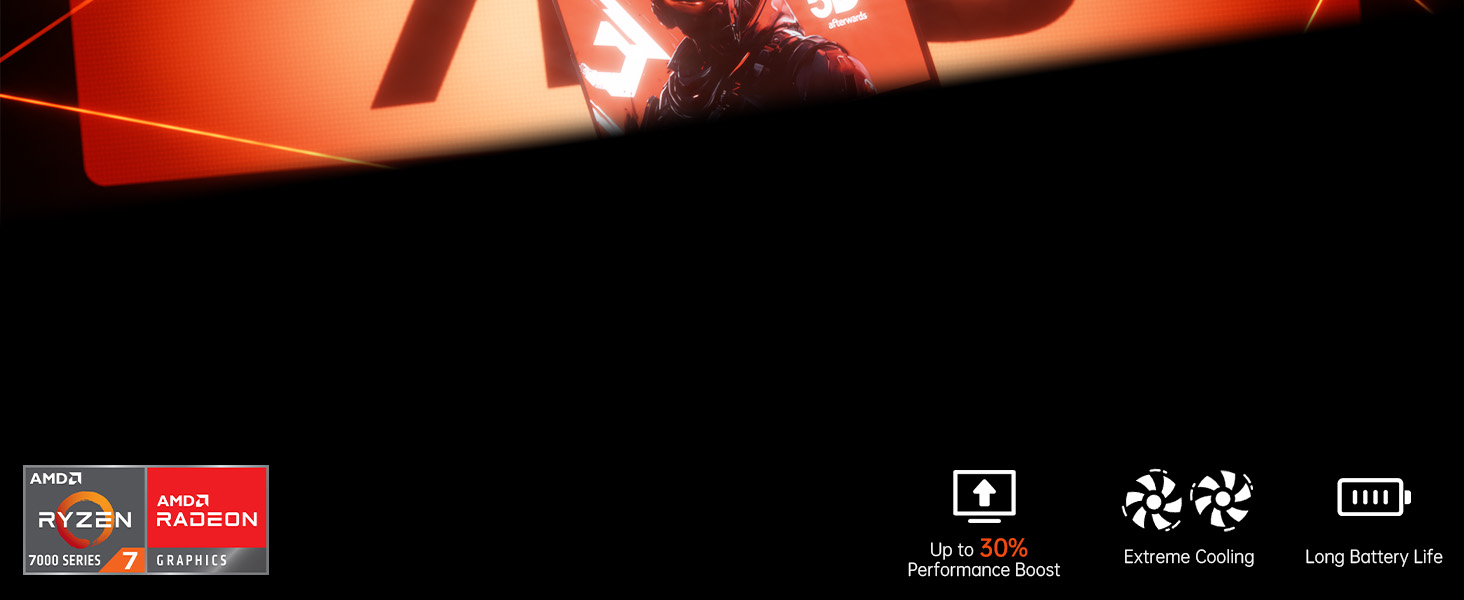
Figure 5: High-level performance delivered by the AMD Ryzen 7 7735HS processor.

Figure 6: Rapid multitasking capabilities with DDR5 RAM and PCIe 3.0 SSD.
2.4-Kühlsystem
The laptop incorporates a super cooling system with dual fans and dual heat dissipation copper tubes. This advanced design ensures efficient heat dissipation, maintaining optimal performance even during intensive use and extended work sessions.

Figure 7: Super cooling system with dual fans and copper pipes for efficient heat dissipation.
2.5 Batteriemanagement
The AOC RX16 is equipped with a 4400mAh (51Wh) battery, providing ultra-long battery life for extended use. To maximize battery life:
- Bildschirmhelligkeit anpassen.
- Nicht verwendete Anwendungen schließen.
- Enable power-saving modes in Windows settings.
- Disconnect unnecessary peripherals.

Figure 8: The 4400mAh battery ensures uninterrupted power and extended usage.
2.6 Triple-Screen Display Support
Expand your workspace by connecting up to two external monitors using the HDMI and Type-C (Full Function) ports. This allows for a comprehensive triple-screen setup, enhancing productivity and immersive experiences.

Figure 9: The laptop supports triple-screen display for an expanded visual experience.
2.7 Audiofunktionen
Enjoy exceptional surround-sound quality with the integrated stereo speakers and digital microphone, providing an immersive audio experience for multimedia and communication.

Figure 10: Exceptional surround-sound quality for an immersive experience.
2.8 180° Flat Laying Design
The laptop features a full flat design, allowing the screen to lay completely flat (180 degrees). This design provides versatile viewing angles, making it ideal for collaborative work and sharing content with others.

Figure 11: The 180° flat laying design offers versatile viewing angles for collaboration.
3. Wartung
3.1 Reinigung Ihres Laptops
Regelmäßige Reinigung trägt dazu bei, das Aussehen und die Funktionalität des Laptops zu erhalten:
- Verwenden Sie ein weiches, fusselfreies Tuch dampmit Wasser oder einem speziellen Bildschirmreiniger für das Display abspülen.
- Reinigen Sie Tastatur und Gehäuse mit einem weichen Tuch. Vermeiden Sie aggressive Chemikalien.
- Use compressed air to clear dust from vents and ports.
3.2 Softwareaktualisierungen
Keep your Windows 11 operating system and drivers updated to ensure optimal performance, security, and compatibility. Windows Update typically handles this automatically, but you can manually check for updates in Settings.
3.3 Speicher- und Arbeitsspeichererweiterungen
The laptop's 512GB M.2 NVMe SSD can be upgraded to 4TB, and the dual-channel DDR5 memory (16GB installed) supports upgrades up to 64GB (2x32GB). Consult a qualified technician for hardware upgrades to avoid voiding your warranty or damaging components.
4. Fehlerbehebung
Dieser Abschnitt behandelt häufig auftretende Probleme. Bei komplexeren Problemen konsultieren Sie bitte den Supportbereich.
| Problem | Mögliche Ursache | Lösung |
|---|---|---|
| Der Laptop lässt sich nicht einschalten. | Problem mit schwacher Batterie oder defektem Netzteil. | Ensure power adapter is securely connected and plugged into a working outlet. Allow battery to charge for a few minutes before attempting to power on again. |
| Es wird nichts auf dem Bildschirm angezeigt. | Screen brightness too low, external monitor issue, or system crash. | Increase brightness using function keys. Disconnect external monitors. Perform a hard reset by holding the power button for 10-15 seconds. |
| Probleme mit der WLAN-Verbindung. | Falsches Passwort, Routerproblem oder deaktivierter WLAN-Adapter. | Überprüfen Sie Ihr WLAN-Passwort. Starten Sie Ihren Router neu. Überprüfen Sie die WLAN-Einstellungen in Windows, um sicherzustellen, dass der Adapter aktiviert ist. |
| Langsame Leistung. | Zu viele laufende Anwendungen, zu wenig Speicherplatz oder veraltete Treiber. | Schließen Sie unnötige Programme. Geben Sie Speicherplatz frei. Aktualisieren Sie Windows und Gerätetreiber. |
5. Spezifikationen
Detailed technical specifications for the AOC 2025 AMD Laptop (Model: RX16).

Figure 12: Key specifications of the AOC RX16 laptop.
| Besonderheit | Spezifikation |
|---|---|
| Modellname | RX16 |
| Betriebssystem | Windows 11 |
| Prozessor | AMD Ryzen 7 7735HS (8 Kerne/16 Threads, bis zu 4.75 GHz) |
| Grafik-Coprozessor | AMD Radeon™ 680M |
| RAM | 16 GB DDR5 (erweiterbar auf 64 GB) |
| Lagerung | 512 GB NVMe SSD (erweiterbar auf 4 TB) |
| Bildschirmgröße | 16 Zoll |
| Maximale Bildschirmauflösung | 1920x1080 Pixel |
| Kabellose Konnektivität | WiFi 6, Bluetooth 5.0 |
| Häfen | 1x USB 2.0, 2x USB 3.0, 1x HDMI, 1x Type-C (Full Function), 1x 3.5mm Headphone Jack, 1x TF Card Socket |
| Batterie | 4400 mAh (51 Wh) |
| Artikelgewicht | 6.05 Pfund |
| Technische Daten | 14.06 x 9.75 x 0.78 Zoll |
6. Garantie und Support
AOC provides comprehensive support for your laptop. Enjoy peace of mind with unlimited technical support and a 12-month repair service for all customers.
6.1 Garantieinformationen
We provide customers with a one-year effective warranty period, including free return or exchange service. Offline maintenance services are also available for products beyond the initial warranty period.
6.2 Technischer Support
If you have any questions or concerns regarding your AOC laptop, our professional service team is ready to assist you. You can consult us by telephone or email. We are committed to your satisfaction.
For contact details, please refer to the information provided with your product or visit the official AOC support webWebsite.


