1. Einleitung
This manual provides essential information for setting up, operating, maintaining, and troubleshooting your NIMO 17.3-inch FHD Laptop N171. Please read this guide thoroughly to ensure proper use and to maximize the lifespan of your device.
2. Lieferumfang
- 1 x NIMO N171 Laptop
- 1 x Typ-C 65W PD Schnellladegerät
- 1 x Benutzerhandbuch
- Windows 11 Home (vorinstalliert)
3. Einrichtung
3.1 Erstes Einschalten und Laden
Before first use, ensure your laptop is fully charged. Connect the provided 65W Type-C PD Fast Charger to the laptop's Type-C charging port and then to a power outlet. The charging indicator light will illuminate.

Image: The 65W Type-C PD charger, illustrating its compatibility with laptops, tablets, and smartphones, and emphasizing a clutter-free charging solution.
Press the power button located on the keyboard to turn on the laptop. Follow the on-screen instructions to complete the initial Windows 11 setup, including language, region, network connection, and user account creation.
3.2 Einrichtung des Fingerabdrucklesers
For enhanced security and quick login, set up the fingerprint reader. During the Windows 11 setup or later via Windows Settings (Accounts > Sign-in options), you can register your fingerprints. The fingerprint sensor is integrated into the touchpad.

Image: Close-up of the fingerprint sensor integrated into the laptop's touchpad, highlighting its secure one-touch login capability.
4. Bedienungsanleitung
4.1 Anzeige
Your NIMO N171 features a 17.3-inch Full HD (1920x1080) IPS anti-glare display. This screen provides wide viewing angles and vibrant colors for an immersive visual experience. The narrow bezels contribute to an 85% screen-to-body ratio.

Abbildung: Die NIMO-Laptop-Präsentationasing its 17.3-inch FHD IPS display with narrow bezels, emphasizing visual enjoyment and eye protection features.
4.2 Tastatur und Touchpad
The laptop is equipped with a full-size backlit keyboard, allowing for comfortable typing in various lighting conditions. It also includes a numeric keypad for efficient data entry. The integrated touchpad supports multi-touch gestures for navigation.

Image: The NIMO laptop's backlit keyboard and touchpad with an integrated fingerprint reader, illustrating ease of use in low-light conditions and secure login.
4.3 Anschlüsse und Konnektivität
The NIMO N171 offers a variety of ports for connecting peripherals and external displays:
- USB 3.2 Gen1 ports (multiple)
- USB 2.0-Anschluss
- USB Type-C 3.2 Gen1 port (data and charging)
- Standard HDMI 1.4 port
- Audio-Buchse
- Micro SD-Kartensteckplatz
- Steckplatz für Kensington-Schloss

Image: A detailed diagram showing the various ports on the NIMO laptop, including USB, HDMI, Type-C, Audio Jack, and Micro SD slot, highlighting versatility.
4.4 Batteriemanagement
The laptop is equipped with a 53.58 Wh battery, providing up to 7 hours of usage. For optimal battery life, avoid extreme temperatures and do not overcharge. Use only the provided 65W Type-C PD charger.

Image: Two individuals using the NIMO laptop in different settings, illustrating the laptop's large capacity battery and its suitability for extended use.
4.5 WebKamera-Privatsphäre
Der Laptop verfügt über einen integrierten Schalter zum Deaktivieren der Privatsphäre-Kamera für die 2.0-MP-Kamera. webcam. Slide the switch to physically disable the camera when not in use, ensuring your privacy.
5. Wartung
- Reinigung: Mit einem weichen, fusselfreien Tuch leichtampened with water or a screen cleaner to clean the display. For the keyboard and chassis, use a dry, soft cloth. Avoid harsh chemicals.
- Lagerung: Bewahren Sie den Laptop an einem kühlen, trockenen Ort fern von direkter Sonneneinstrahlung und extremen Temperaturen auf.
- Schutz: Use a protective case when transporting the laptop. Avoid placing heavy objects on top of it.
- Software-Updates: Aktualisieren Sie regelmäßig Ihr Betriebssystem und Ihre Treiber, um optimale Leistung und Sicherheit zu gewährleisten.
6. Fehlerbehebung
- Laptop lässt sich nicht einschalten: Vergewissern Sie sich, dass das Ladegerät richtig angeschlossen ist und der Akku ausreichend geladen ist. Versuchen Sie es mit einer anderen Steckdose.
- Bildschirm ist leer: Connect an external monitor to check if the display output is working. Restart the laptop.
- Langsame Leistung: Schließen Sie unnötige Anwendungen, prüfen Sie auf Schadsoftware und stellen Sie sicher, dass ausreichend freier Speicherplatz vorhanden ist.
- Verbindungsprobleme (WLAN/Bluetooth): Check if wireless features are enabled. Restart your router or Bluetooth device.
- Überhitzung: Stellen Sie sicher, dass die Lüftungsschlitze des Laptops nicht blockiert sind. Verwenden Sie den Laptop auf einer harten, ebenen Oberfläche.
For persistent issues, refer to the NIMO support section or contact customer service.
7. Spezifikationen
| Besonderheit | Spezifikation |
|---|---|
| Modellname | NIMO N171 |
| Anzeige | 17.3 Inches FHD (1920x1080) IPS Anti-Glare |
| Prozessor | Intel Core i3-1215U (6 Cores, 8 Threads, up to 4.4GHz) |
| RAM | 16 GB DDR4 (3200 MHz) |
| Lagerung | 256 GB PCIe SSD |
| Grafik | Intel Integrated Graphics |
| Betriebssystem | Windows 11 Home |
| Kabellose Konnektivität | 802.11a/b/g/n/ac, Bluetooth 5.2 |
| Häfen | USB 3.2 Gen1, USB 2.0, USB Type-C (PD), HDMI 1.4, Audio Jack, Micro SD |
| Akkulaufzeit | Up to 9 Hours (53.58 Wh) |
| WebNocken | 2 MP with Privacy Switch |
| Besondere Merkmale | Fingerprint Reader, Backlit Keyboard, Numeric Keypad |
| Abmessungen (LxBxH) | 15.61 x 9.84 x 0.76 Zoll |
| Gewicht | 4.6 Pfund |
8. Garantie und Support
Your NIMO N171 laptop comes with comprehensive support:
- 2 Jahr Garantie: Nimo Direct Inc. provides a 2-year warranty covering manufacturing defects.
- 90-Tage-Rückgaberecht: You may return any Nimo product for any reason within 90 days of purchase from Nimo Direct Inc.
- Kundensupport rund um die Uhr: Dedicated support is available for instant issue resolution.
Kontaktinformationen:
For product-related questions or support, please contact us:
- E-Mail: service@nimopc.com
- Online: Besuchen Sie die offizielle NIMO-Website. website or product page for contact options.
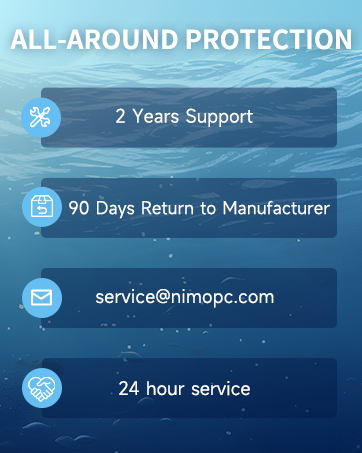
Image: Two customer service representatives with headsets, representing professional customer assistance.

Image: A technician working on a circuit board, symbolizing the 2-year support provided for Nimo products.

Image: A delivery person handing a package to a customer, representing the 90-day return policy.
9. Sicherheitshinweise
Please adhere to the following safety guidelines to prevent damage to your laptop and ensure personal safety:
- Verwenden Sie ausschließlich Original-Ladegeräte und überprüfen Sie die Kabel regelmäßig auf Beschädigungen.
- Handle the laptop by its base and consider using a protective case.
- Avoid placing heavy items on the laptop.
- Place the laptop on a hard, flat surface to prevent overheating. Keep it away from extreme temperatures and moisture.
- Laden Sie den Akku nicht über. Stellen Sie die Verwendung ein, wenn der Akku aufquillt oder Anzeichen von Beschädigung aufweist.
- Verwenden Sie sichere Passwörter, halten Sie Ihre Software auf dem neuesten Stand, nutzen Sie einen Virenschutz und sichern Sie Ihre Daten regelmäßig.
- Im Falle eines Flüssigkeitsaustritts ziehen Sie sofort den Netzstecker des Laptops und lassen Sie ihn vollständig trocknen, bevor Sie versuchen, ihn einzuschalten.
- For any issues, consult professionals. Do not attempt to disassemble or repair the laptop yourself.
This laptop is provided "as is," with no express or implied warranties except the manufacturer's limited warranty (if applicable). Implied warranties of merchantability or fitness for a specific purpose are disclaimed. We are not liable for damages resulting from misuse (e.g., non-approved chargers, unauthorized repairs), physical damage, or failure to follow safety rules, including data loss or business interruption. Users must back up data regularly. This disclaimer does not exclude liability for manufacturing defects or violations of mandatory local laws. Using the laptop signifies your acceptance of these terms, governed by applicable jurisdiction laws.


