1. Einleitung
This manual provides essential instructions for setting up, operating, and maintaining your LEFFOT H618 Plus 4K Ultra HD Streaming Device. Please read this guide thoroughly before use to ensure proper functionality and to maximize your entertainment experience.
2. Sicherheitshinweise
- Um ein versehentliches Herunterfallen zu verhindern, stellen Sie sicher, dass das Gerät auf einer stabilen, ebenen Fläche steht.
- Das Gerät darf weder Wasser, Feuchtigkeit noch extremen Temperaturen ausgesetzt werden.
- Vermeiden Sie es, die Lüftungsöffnungen zu blockieren, um eine Überhitzung zu vermeiden.
- Verwenden Sie ausschließlich das mitgelieferte Netzteil, um Schäden zu vermeiden.
- Bewahren Sie das Gerät und das Zubehör außerhalb der Reichweite von Kindern auf.
- Versuchen Sie nicht, das Gerät selbst zu zerlegen oder zu reparieren. Wenden Sie sich an qualifiziertes Servicepersonal.
3. Packungsinhalt
Überprüfen Sie, ob alle Artikel im Paket vorhanden sind:
- LEFFOT H618 Plus Streaming Device
- Sprachfernbedienung
- Netzteil
- HDMI-Kabel
- Bedienungsanleitung

Abbildung 3.1: Packungsinhalt
4. Einrichtungsanweisungen
4.1 Anschließen des Geräts
- Anschluss an den Fernseher: Plug one end of the HDMI cable into the HDMI port on the LEFFOT H618 Plus device and the other end into an available HDMI input on your television.
- Strom anschließen: Connect the power adapter to the DC port on the device and then plug the adapter into a wall outlet.
- Einschalten: Das Gerät sollte sich automatisch einschalten. Falls nicht, drücken Sie die Ein-/Aus-Taste auf der Fernbedienung.

Figure 4.1: Connection Overview
4.2 Einrichtung der Fernbedienung
- Batterien einlegen: Open the battery compartment on the back of the voice remote control and insert two AAA batteries (included), ensuring correct polarity.
- Paarung: The remote control should automatically pair with the device upon first use. If not, follow the on-screen instructions or press and hold the pairing button (usually located inside the battery compartment or on the side of the remote) until the indicator light flashes.
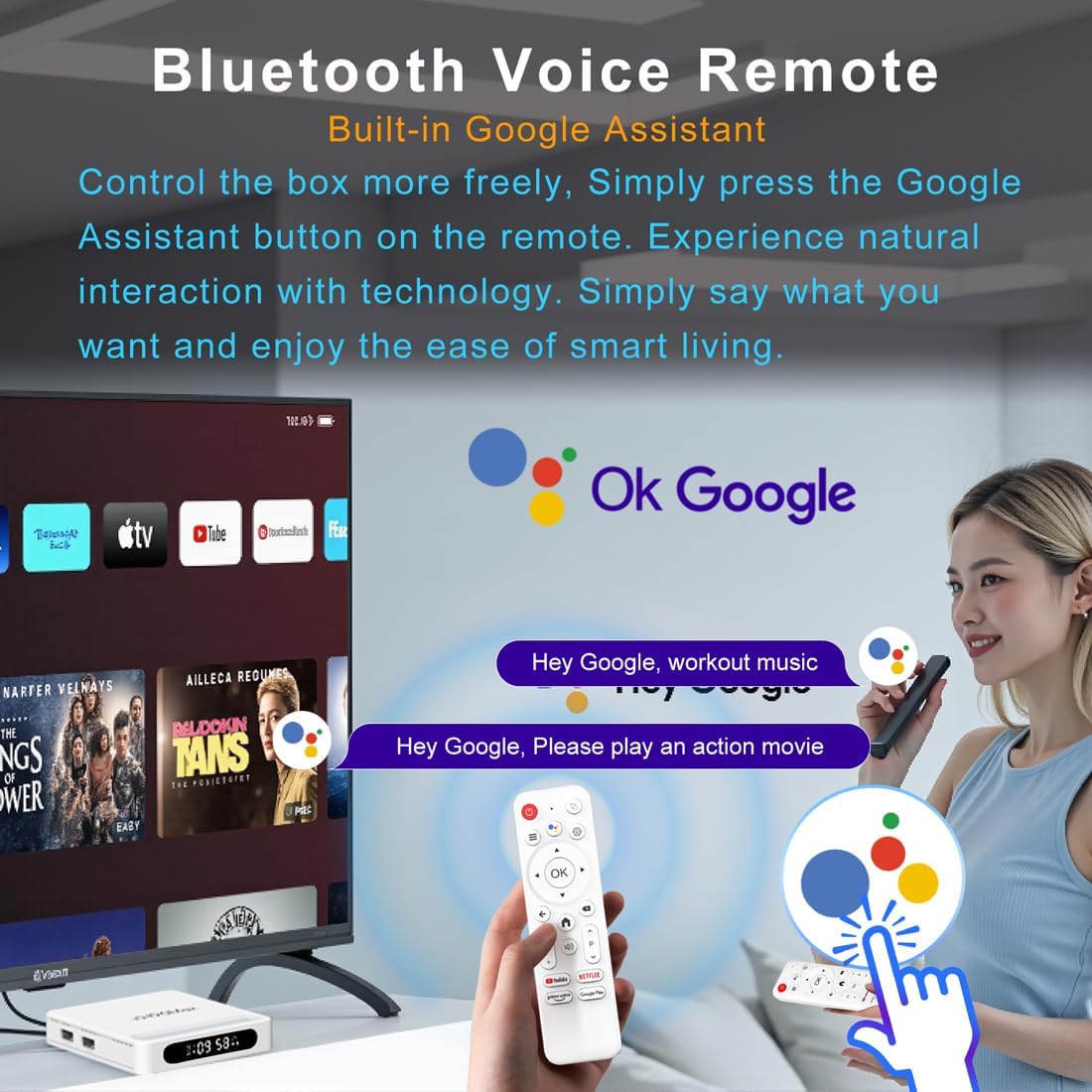
Abbildung 4.2: Sprachfernbedienung
4.3 Erste Gerätekonfiguration
Folgen Sie den Anweisungen auf dem Bildschirm, um die Ersteinrichtung abzuschließen, die in der Regel Folgendes umfasst:
- Sprachauswahl.
- Connecting to a Wi-Fi network or Ethernet.
- Anmeldung mit Ihrem Google-Konto.
- Installing essential applications.
5. Bedienungsanleitung
5.1 Navigation und Benutzeroberfläche
Use the directional pad (D-pad) on your remote to navigate through the Android TV interface. The 'OK' button confirms selections, 'Back' returns to the previous screen, and 'Home' takes you to the main screen.
5.2 Voice Remote with Google Assistant
Press the Google Assistant button on your remote and speak your commands. You can search for content, open apps, control playback, and more using your voice.
5.3 Zugriff auf Anwendungen
The device comes pre-loaded with Google Play, allowing access to over 5000+ applications. Navigate to the 'Apps' section on the home screen to browse, download, and manage your applications.

Figure 5.1: Accessing Apps via Google Play
5.4 4K UHD Playback and HDR10
The LEFFOT H618 Plus supports 8K@22fps decoding and 4K@60fps playback with HDR10. Ensure your television is 4K HDR compatible and that you are streaming 4K HDR content for the best visual experience.
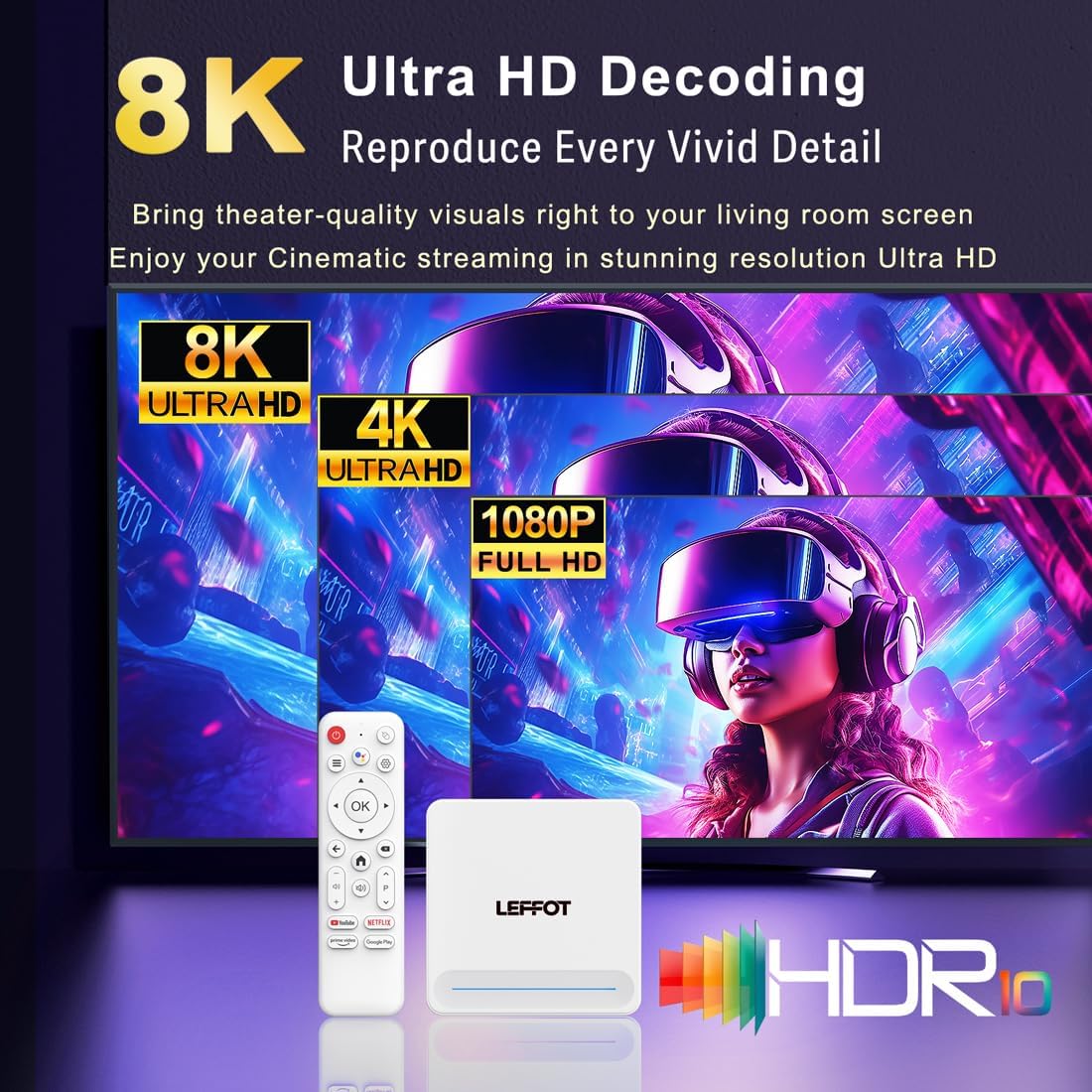
Figure 5.2: 4K UHD and HDR10 Visuals
5.5 Bildschirmübertragung
Utilize the built-in Airplay and Miracast features to cast content from your smartphone or tablet directly to your TV screen.
6. Spezifikationen
| Besonderheit | Beschreibung |
|---|---|
| Marke | LEFFOT |
| Modellname | H618Plus |
| Betriebssystem | Android 14 |
| CPU | Allwinner H618 Quad-Core ARM Cortex A53 |
| Grafikkarte | Mali-G31 MP2 |
| RAM | 2 GB |
| ROM | 16 GB |
| Videodekodierung | 8K@22fps, 4K@60fps with HDR10 |
| Konnektivität | Dual-band WiFi 6 (2.4G/5G), 100M Ethernet, Bluetooth 5.4 |
| Häfen | HDMI 2.0a, USB 2.0 (x2), AV, DC |
| Besondere Merkmale | Voice Remote with Google Assistant, Airplay, Miracast |
| Maße | 3.2 x 3.2 x 0.67 Zoll |
| Gewicht | 4.1 Unzen |

Abbildung 6.1: Hauptmerkmale im Überblickview
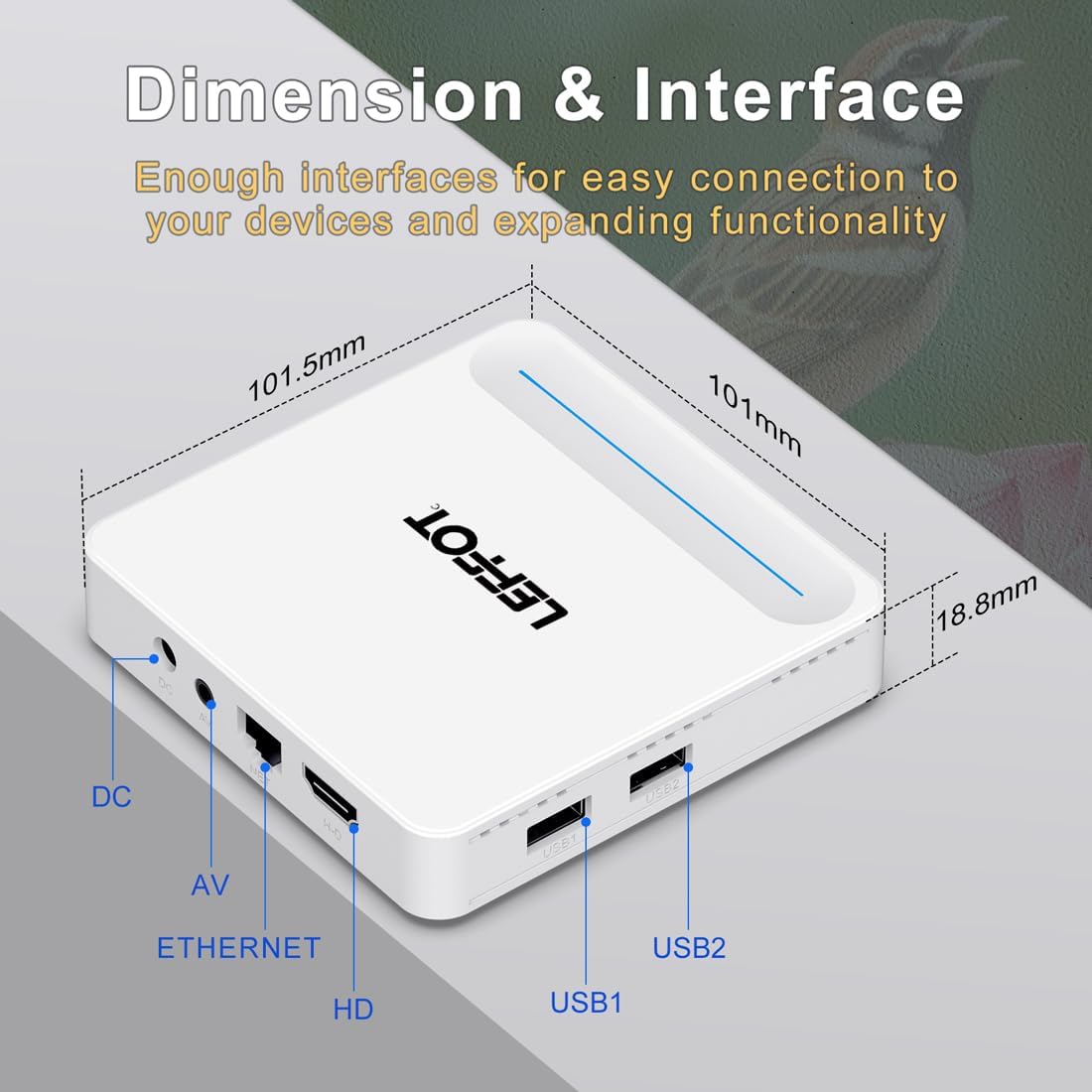
Figure 6.2: Device Dimensions and Interface
7. Fehlerbehebung
7.1 Kein Strom / Gerät schaltet sich nicht ein
- Prüfen Sie, ob das Netzteil fest mit dem Gerät und der Steckdose verbunden ist.
- Ensure the power outlet is functional. Try plugging another device into the same outlet.
- Press the power button on the remote control or the device itself.
7.2 No Signal on TV Screen
- Verify that the HDMI cable is securely connected to both the device and the TV.
- Stellen Sie sicher, dass Ihr Fernseher auf die richtige HDMI-Eingangsquelle eingestellt ist.
- Try using a different HDMI cable or a different HDMI port on your TV.
- Restart the streaming device and your TV.
7.3 Fernbedienung reagiert nicht
- Überprüfen und ersetzen Sie die Batterien in der Fernbedienung.
- Stellen Sie sicher, dass sich zwischen der Fernbedienung und dem Gerät keine Hindernisse befinden.
- Re-pair the remote control with the device by following the instructions in Section 4.2.
7.4 Buffering or Slow Performance
- Check your internet connection speed. A stable and fast connection is crucial for streaming 4K content.
- If using Wi-Fi, try moving the device closer to your router or connecting via an Ethernet cable for a more stable connection.
- Close any unused applications running in the background on the device.
- Clear the cache of streaming applications.
- Restart your router, modem, and the streaming device.
8. Wartung
- Reinigen Sie das Gerät regelmäßig mit einem weichen, trockenen Tuch. Verwenden Sie keine flüssigen Reiniger oder Sprays.
- Keep the device free from dust and debris, especially around ventilation areas.
- Bewahren Sie das Gerät an einem kühlen, trockenen Ort auf, wenn es längere Zeit nicht benutzt wird.
9. Garantie und Support
For warranty information and technical support, please refer to the documentation included with your purchase or visit the official LEFFOT webBewahren Sie Ihren Kaufbeleg für Garantieansprüche auf.


