Einführung
This manual provides essential information for setting up, operating, and maintaining your LEFFOT M1 Plus Android 14 TV Box. Please read it thoroughly to ensure proper usage and to maximize your entertainment experience.
Lieferumfang
Bitte überprüfen Sie, ob alle unten aufgeführten Artikel in Ihrem Paket enthalten sind:
- 1 x LEFFOT M1 Plus Android 14 TV Box
- 1 x Sprachfernbedienung
- 1 x Netzteil
- 1 x HD Kabel
- 1 x Benutzerhandbuch

Produkt überview
The LEFFOT M1 Plus is a compact 4K Ultra HD streaming device designed to enhance your television experience. It features a sleek design with various ports for connectivity.

Wichtige Schnittstellen:
- Gleichstromeingang: Zum Anschluss des Netzteils.
- AV-Anschluss: For older televisions or audio systems.
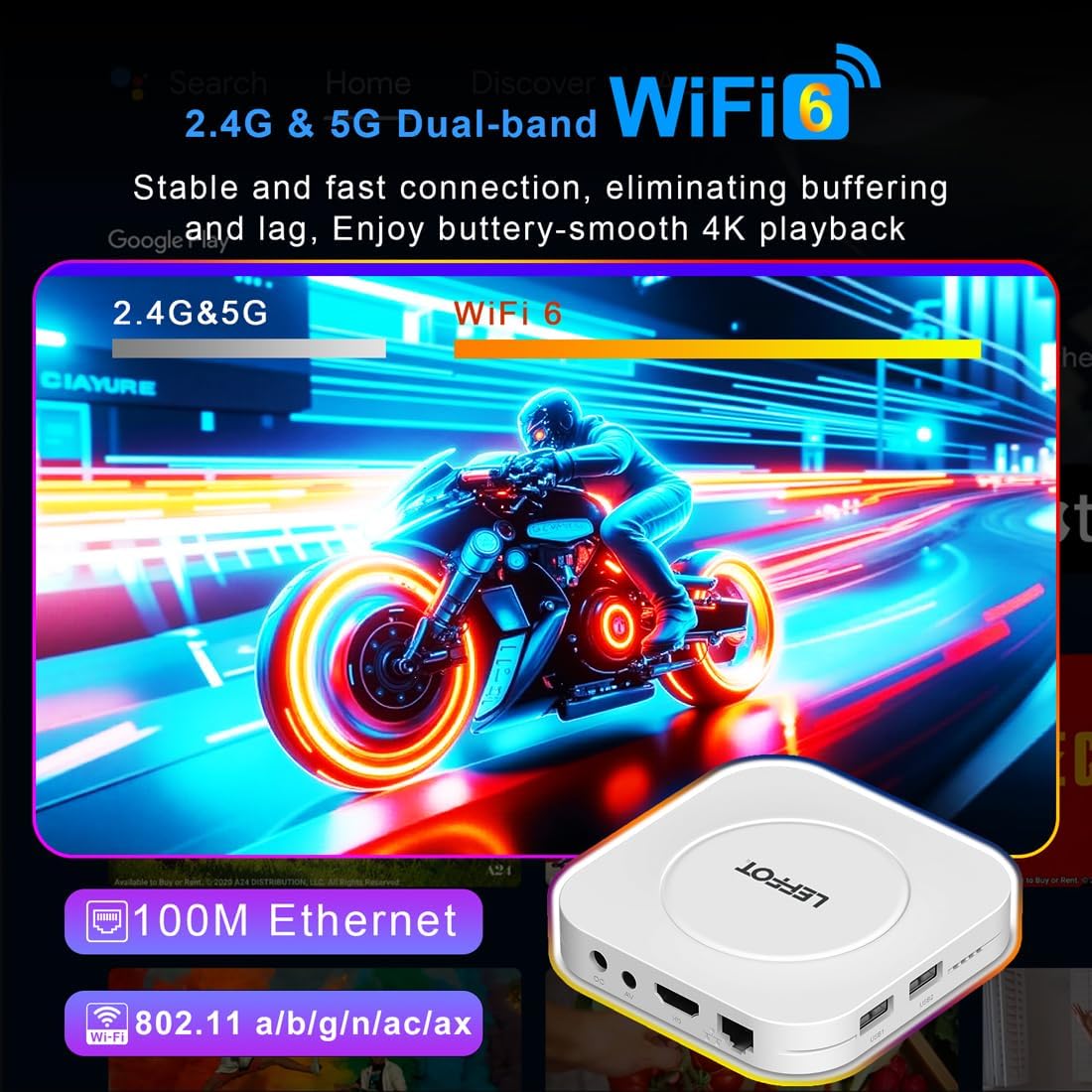
- HD (HDMI) Ausgang: Lässt sich mit Ihrem Fernseher verbinden für hochauflösendes Video und Audio.
- LAN-Anschluss (Ethernet): Für kabelgebundene Internetverbindungen.
- USB 1- und USB 2-Anschlüsse: For connecting external storage devices, game controllers, or other USB accessories.
- SPDIF: Digitaler Audioausgang.
Aufstellen
Follow these steps to set up your LEFFOT M1 Plus TV Box:
- Anschluss an den Fernseher: Connect one end of the provided HD cable to the HDMI port on your LEFFOT M1 Plus TV Box and the other end to an available HDMI input on your television.
- Strom anschließen: Plug the power adapter into the DC power input on the TV Box, then plug the adapter into a wall outlet. The device will power on automatically.
- Batterien in die Fernbedienung einlegen: Open the battery compartment on the back of the voice remote control and insert two AAA batteries (not included), ensuring correct polarity.
- Initial Boot & Wi-Fi Setup: Turn on your TV and select the correct HDMI input. The TV Box will boot up. Follow the on-screen instructions to connect to your Wi-Fi network and log in with your Google Account.

Einrichtungsvideoanleitung
Video: An unboxing and installation guide for the LEFFOT M1 Plus TV Box, demonstrating how to connect the device and establish a network connection.
Bedienungsanleitung
Navigation und Benutzeroberfläche
The LEFFOT M1 Plus runs on Android 14 OS, providing a user-friendly interface. Navigate using the included voice remote control. The home screen provides quick access to your favorite apps and content.

Sprachsteuerung mit Google Assistant
Utilize the built-in Google Assistant via the BT 5.4 voice remote for hands-free control. Simply press the Google Assistant button on the remote and speak your commands to search for content, control playback, or check information.

4K Ultra HD Streaming
Experience stunning visuals with 8K@23fps decoding and 4K@60fps HDR10 output. The device supports a wide range of streaming services, delivering breathtaking clarity and vibrant colors.

Nahtlose Konnektivität
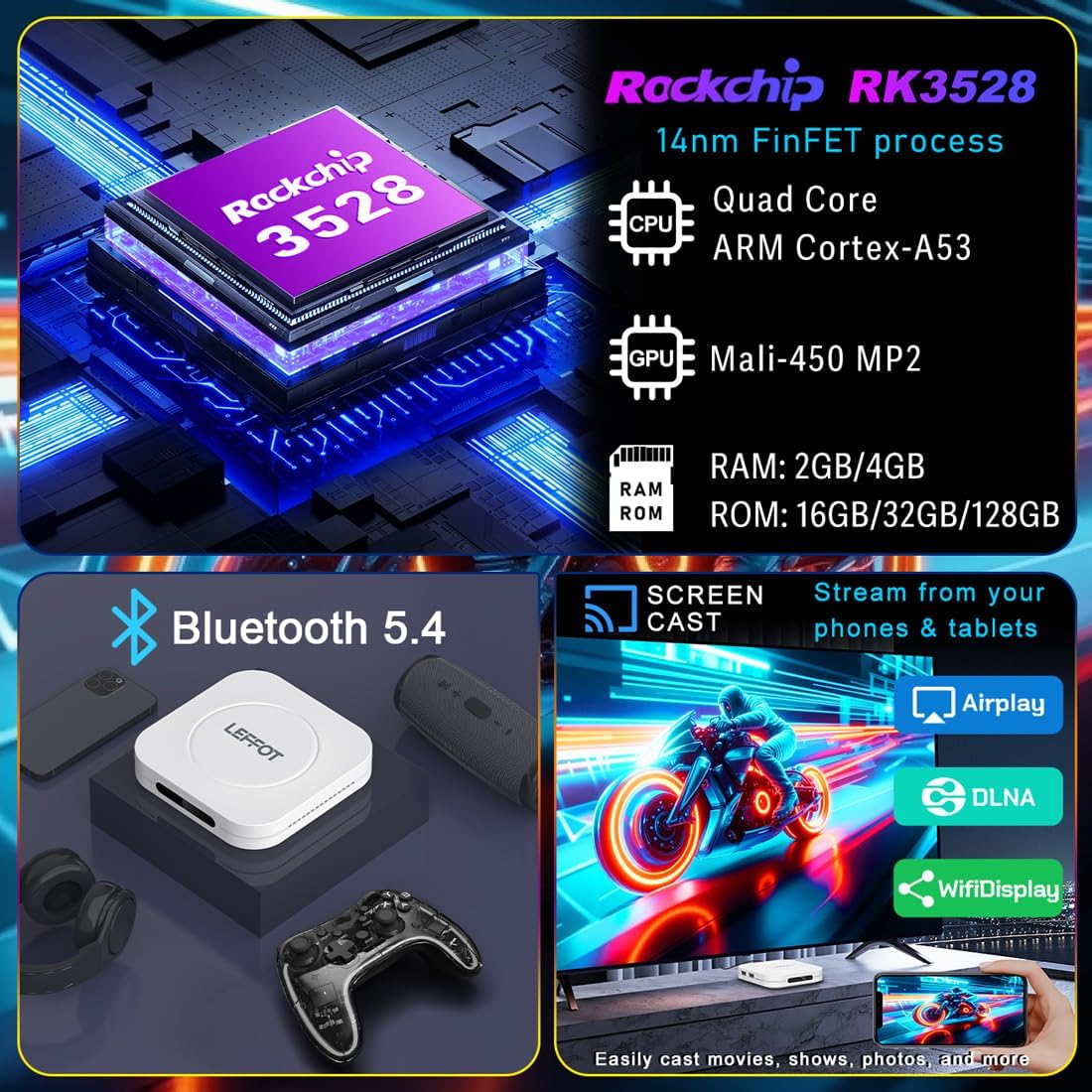
The M1 Plus offers stable and fast connectivity options including dual-band WiFi6 (802.11ax) and 100M Ethernet for buffer-free streaming. Bluetooth 5.4 allows for connection to various peripherals.
Bildschirmspiegelung
Easily share photos and videos from your phones or tablets to your TV using Airplay, DLNA, or WiFidisplay features.
Offizielles Produktvideo
Video: A short demonstration of the Google AndroidTV Box, showcasing its voice remote control capabilities.
Technische Daten
| Besonderheit | Beschreibung |
|---|---|
| Marke | LEFFOT |
| Modellname | M1 Plus |
| Betriebssystem | Android 14.0 |
| Prozessor | RK3528 Quad-Core A53 CPU |
| Grafikkarte | Mali-450 MP2 |
| RAM | 2 GB |
| ROM | 16 GB |
| Auflösung | 8K decoding, 4K@60fps HDR10 output |
| Konnektivität | 2.4G & 5G WiFi 6 (802.11ax), Bluetooth 5.4, 100M Ethernet |
| Besondere Merkmale | Google Assistant Voice Remote, Airplay, DLNA, WiFidisplay |
| Häfen | Dual USB 2.0, HD 2.0b, AV, LAN, DC, SPDIF |
| Maße | 3.8 x 3.8 x 0.81 Zoll |
| Gewicht | 4.4 Unzen |
Fehlerbehebung
If you encounter issues with your LEFFOT M1 Plus, refer to the following common solutions:
- Kein Strom: Vergewissern Sie sich, dass das Netzteil fest mit dem Gerät und einer funktionierenden Steckdose verbunden ist. Versuchen Sie es mit einer anderen Steckdose.
- Kein Fernsehsignal: Verify that the HD cable is properly connected to both the TV Box and your TV. Ensure your TV is set to the correct HDMI input source.
- Probleme mit der Wi-Fi-Verbindung: Check your router and modem to ensure they are working correctly. Re-enter your Wi-Fi password on the TV Box. If using 5G Wi-Fi, ensure your device is within range.
- Fernbedienung reagiert nicht: Check if the batteries are correctly inserted and have sufficient charge. Try re-pairing the Bluetooth remote if necessary (refer to on-screen instructions during initial setup or in device settings).
- App friert ein/stürzt ab: Close and restart the application. If the issue persists, clear the app's cache or data in the device settings (Settings > Apps > [App Name] > Clear Cache/Clear Data).
- Schlechte Videoqualität: Ensure your internet connection is stable and fast enough for 4K streaming. Check your TV's display settings and the streaming app's quality settings.
Wartung
To ensure the longevity and optimal performance of your LEFFOT M1 Plus TV Box:
- Bewahren Sie das Gerät an einem kühlen, trockenen Ort fern von direkter Sonneneinstrahlung und Wärmequellen auf.
- Reinigen Sie das Gerät mit einem weichen, trockenen Tuch. Verwenden Sie keine flüssigen Reinigungsmittel oder Scheuermittel.
- Avoid blocking any ventilation openings (though this model has no external vents, ensure it's not covered).
- Prüfen Sie regelmäßig, ob Systemaktualisierungen verfügbar sind, und installieren Sie diese, um sicherzustellen, dass Sie über die neuesten Funktionen und Sicherheitspatches verfügen.
Garantie und Support
Your LEFFOT M1 Plus TV Box comes with a standard manufacturer's warranty. For specific warranty terms and conditions, please refer to the documentation included in your package or contact LEFFOT customer support.
For technical assistance or further inquiries, please visit the official LEFFOT webWebsite oder wenden Sie sich an das Kundendienstteam.


