1. Einleitung
This manual provides detailed instructions for the Redragon M810 MAX 3-Mode Wireless Gaming Mouse. Designed for versatility and performance, this mouse offers wired, 2.4GHz wireless, and Bluetooth connectivity options, along with customizable features to enhance your computing and gaming experience.
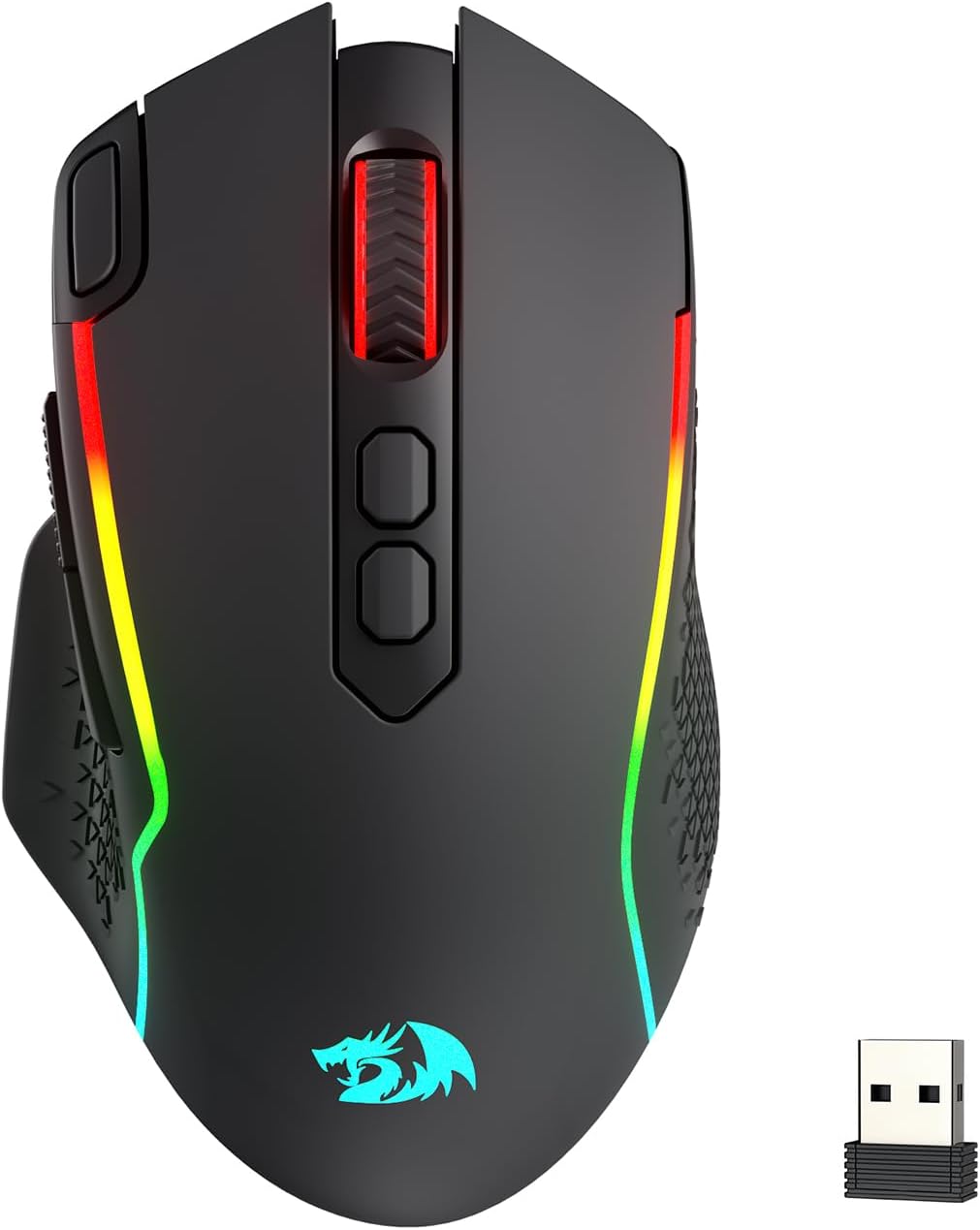
Image: The Redragon M810 MAX 3-Mode Wireless Gaming Mouse, showcasing dank seines ergonomischen Designs und der RGB-Beleuchtung.
2. Packungsinhalt
Überprüfen Sie, ob alle Artikel in Ihrem Paket vorhanden sind:
- Redragon M810 MAX Wireless Gaming Mouse
- USB-C zu USB-A Ladekabel
- 2.4-GHz-USB-Funkdongle
- Benutzerhandbuch (dieses Dokument)

Bild: Ein überview of the Redragon M810 MAX mouse highlighting its key features such as 3-mode connection, PAW3311 sensor, 8 macro buttons, 1000mAh battery, 12000 MAX DPI, DIY RGB lighting, rapid fire button, and Pro Software.
3. Mouse Layout and Features
The Redragon M810 MAX is equipped with multiple buttons and features for optimal control:
- Linke Taste: Standardmäßige Linksklick-Funktion.
- Rechter Knopf: Standardmäßige Rechtsklick-Funktion.
- Scrollrad: For scrolling and middle-click. Features high texture for enhanced grip.
- DPI+ / DPI- Buttons: Adjust DPI levels on the fly.
- Schnellfeuertaste: Pre-programmed for rapid firing (default 3-click burst).
- Vorwärts-Taste: Navigational button (default: forward).
- Rückwärts-Taste: Navigational button (default: backward).
- Mode Switch (Underside): Toggles between different polling rates/refresh rates.
- On/Off/Eco Mode Switch (Underside): Powers the mouse on/off or activates eco mode for battery saving.
- Wireless Dongle Compartment (Underside): Secure storage for the 2.4GHz USB dongle.
- USB-C Port (Front): Zum kabelgebundenen Anschluss und zum Laden.
- Non-slip Side Wings: Textured grip on the sides for improved handling.

Bild: Eine detaillierte view of the Redragon M810 MAX mouse, labeling its 8 freely programmable buttons: Left Button, Right Button, Scroll, Rapid Fire Key, DPI+, DPI-, Forward Button, and Backward Button.
4. Einrichtung und Verbindung
The M810 MAX offers three connection modes:
4.1. Kabelgebundene Verbindung
- Verbinden Sie das USB-C-Ende des mitgelieferten Kabels mit der Maus.
- Verbinden Sie das USB-A-Ende des Kabels mit einem freien USB-Anschluss an Ihrem Computer.
- Die Maus schaltet automatisch in den kabelgebundenen Modus und beginnt mit dem Ladevorgang.
4.2. 2.4-GHz-Funkverbindung
- Locate the 2.4GHz USB wireless dongle stored in the compartment on the underside of the mouse.
- Stecken Sie den Dongle in einen freien USB-Anschluss Ihres Computers.
- Turn on the mouse using the On/Off/Eco mode switch on the underside.
- Die Maus sollte sich automatisch verbinden.
4.3. Bluetooth-Verbindung
- Turn on the mouse using the On/Off/Eco mode switch on the underside.
- Activate Bluetooth pairing mode on the mouse (refer to specific software instructions if needed, usually indicated by a blinking LED).
- Öffnen Sie auf Ihrem Computer die Bluetooth-Einstellungen und suchen Sie nach neuen Geräten.
- Select "Redragon M810 MAX" from the list of available devices to pair.

Image: The Redragon M810 MAX mouse demonstrating its tri-mode silky connection options: 2.4GHz wireless, Bluetooth, and wired USB-C, ensuring reliable transmission.
5. Betriebsarten und Einstellungen
5.1. DPI-Anpassung
The mouse features 5 on-board DPI levels that can be adjusted using the DPI+ and DPI- buttons. The default settings are 400/800/1600/2400/3200 DPI. These levels can be customized further using the Redragon Pro driver software.

Image: The Redragon M810 MAX mouse illustrating its 12000 MAX DPI capability and adjustable DPI levels at 400, 800, 1600, 2400, and 3200, each indicated by a different color.
5.2. Anpassung der Wahlbeteiligung
The polling rate can be adjusted via the mode switch on the underside of the mouse or through the Redragon Pro driver. The mouse supports a 1000Hz polling rate in dual mode for optimized performance.
5.3. Eco-Modus
To conserve battery life, switch the mouse to Eco Mode using the On/Off/Eco mode switch on the underside. In this mode, the mouse's power consumption is optimized, extending usage time.
6. Customization (Redragon Pro Driver)
Unlock the full potential of your M810 MAX mouse with the Redragon Pro driver software. This software allows for extensive customization:
- Keybinding: All 8 programmable buttons can be assigned custom tactical keybinds for various games or work applications.
- DPI-Stufen: Customize the 5 on-board DPI levels to suit your preferences.
- RGB-Beleuchtung: DIY endless lighting styles including dynamic streaming, breathing, and waving effects. Adjust colors, brightness, and speed.
- Abfragerate: Fine-tune the polling rate for optimal responsiveness.

Image: The Redragon M810 MAX mouse displayed alongside the Redragon Pro driver software interface, showing options for DPI stages, report rate, sensor settings, and DPI light effects.
7. Laden und Akkulaufzeit
The M810 MAX features an ultra long-lasting core and a rechargeable battery. To charge the mouse, connect it to your computer using the provided USB-C cable. The mouse can be used in wired mode while charging.
- Maximum Battery Life (RGB off): Bis zu 188 Stunden.
- Akkulaufzeit (RGB an): Ungefähr 29 Stunden.

Image: The Redragon M810 MAX mouse highlighting its durable battery life, showing 188 hours with RGB off and 29 hours with RGB on.
8. Wartung
To ensure the longevity and optimal performance of your Redragon M810 MAX mouse, follow these maintenance guidelines:
- Reinigung: Use a soft, dry cloth to wipe the mouse surface. Avoid harsh chemicals or abrasive materials.
- Sensorpflege: Keep the optical sensor on the underside clean and free from dust or debris.
- Kabelmanagement: Store the USB-C cable neatly to prevent kinks or damage.
- Lagerung: When not in use, store the wireless dongle in its designated compartment to prevent loss.
9. Fehlerbehebung
If you encounter issues with your Redragon M810 MAX mouse, try the following solutions:
- Maus reagiert nicht:
- Stellen Sie sicher, dass die Maus eingeschaltet ist.
- Prüfen Sie den Akkustand und laden Sie den Akku gegebenenfalls auf.
- For wireless connections, ensure the dongle is securely plugged in and within range.
- For Bluetooth, ensure the mouse is paired correctly and Bluetooth is enabled on your device.
- Try connecting via wired mode to rule out wireless issues.
- Verzögerungen oder Verbindungsabbrüche:
- Reduce distance between mouse and wireless dongle/Bluetooth device.
- Stellen Sie sicher, dass sich keine starken Störquellen (z. B. andere drahtlose Geräte) in der Nähe befinden.
- Update mouse drivers via the Redragon Pro software.
- RGB-Beleuchtungsprobleme:
- Ensure RGB is not turned off in Eco Mode.
- Adjust lighting settings using the Redragon Pro driver.
10. Spezifikationen
| Besonderheit | Detail |
|---|---|
| Marke | Roter Drache |
| Modellnummer | M810 PRO |
| Konnektivitätstechnologie | Bluetooth, 2.4 GHz, USB-C |
| Bewegungserkennungstechnologie | Optischer Sensor (PAW3311) |
| Max. DPI | 12000 |
| Programmierbare Tasten | 8 |
| Battery Life (RGB off) | Bis zu 188 Stunden |
| Battery Life (RGB on) | Ungefähr 29 Stunden |
| Abfragerate | 1000 Hz (Dualmodus) |
| Artikelgewicht | 8.8 Unzen |
| Besonderheit | Ergonomic Design, Programmable Buttons |
11. Garantie und Support
Informationen zur Garantie, technische Unterstützung oder weitere Hilfe finden Sie auf der offiziellen Redragon-Website. webBesuchen Sie die Website oder kontaktieren Sie den Kundenservice. Bewahren Sie Ihren Kaufbeleg für Garantieansprüche auf.
Offizieller Redragon WebWebsite: www.redragonzone.com


