Einführung
The SmallRig MD5424 Quick Release Mount Plate is designed to enhance the functionality and security of your Canon EOS R series camera. This innovative baseplate features a hidden compartment for an Apple AirTag, allowing for discreet tracking of your valuable equipment. It integrates seamlessly with Arca-Swiss compatible systems, providing quick transitions between various shooting setups.
This manual provides detailed instructions for the proper installation, operation, and maintenance of your SmallRig MD5424 Mount Plate.
Produkteigenschaften
- Integrated AirTag Abteil: Securely holds an Apple AirTag within a hidden slot, enabling discreet tracking of your camera equipment.
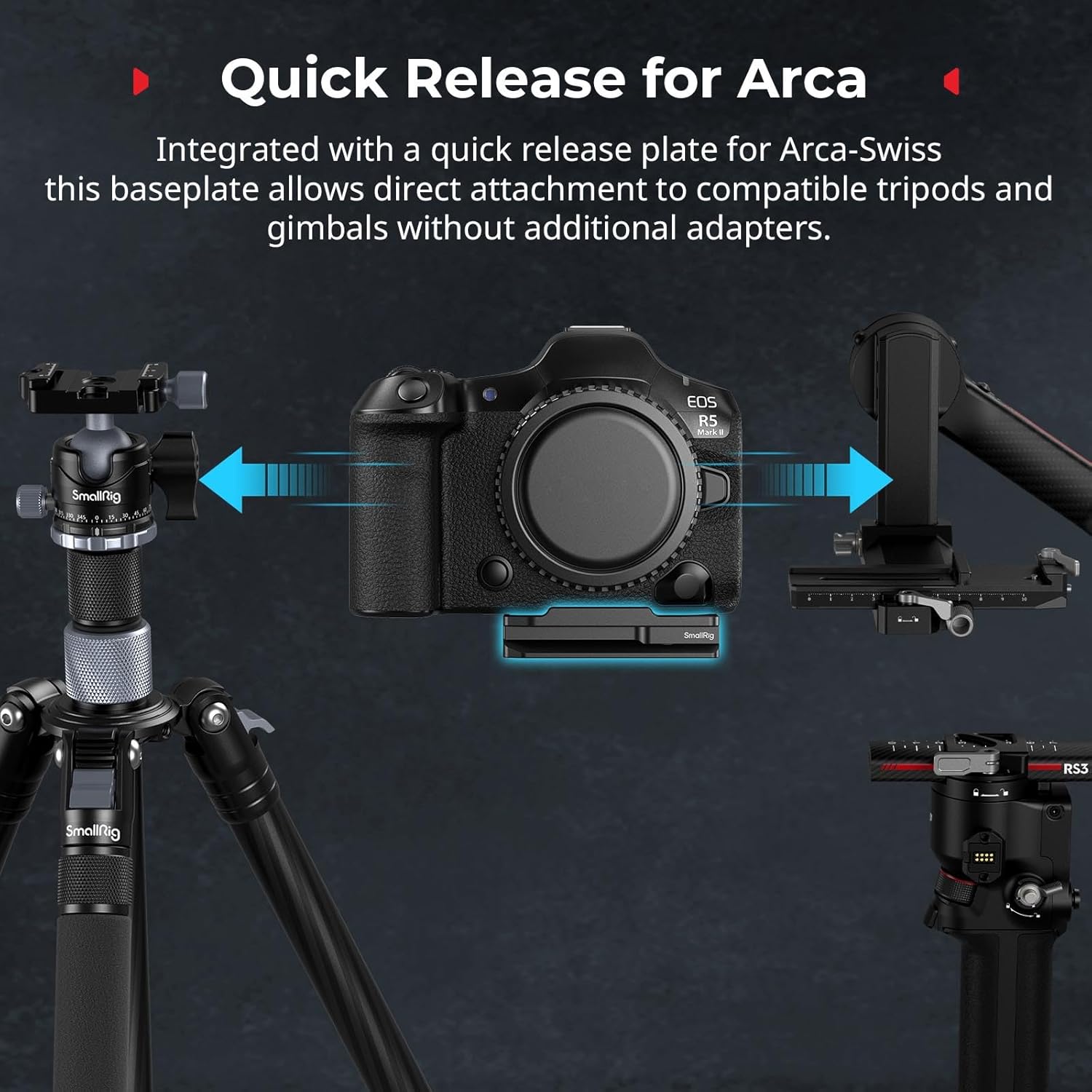
- Arca-Swiss Quick Release: Allows for direct and rapid attachment to Arca-Swiss compatible tripods and gimbals without the need for additional adapters.
- Verbesserte Stabilität: Features anti-twist tabs and non-slip rubber pads to ensure a secure and stable connection to your camera, preventing unwanted movement during use.
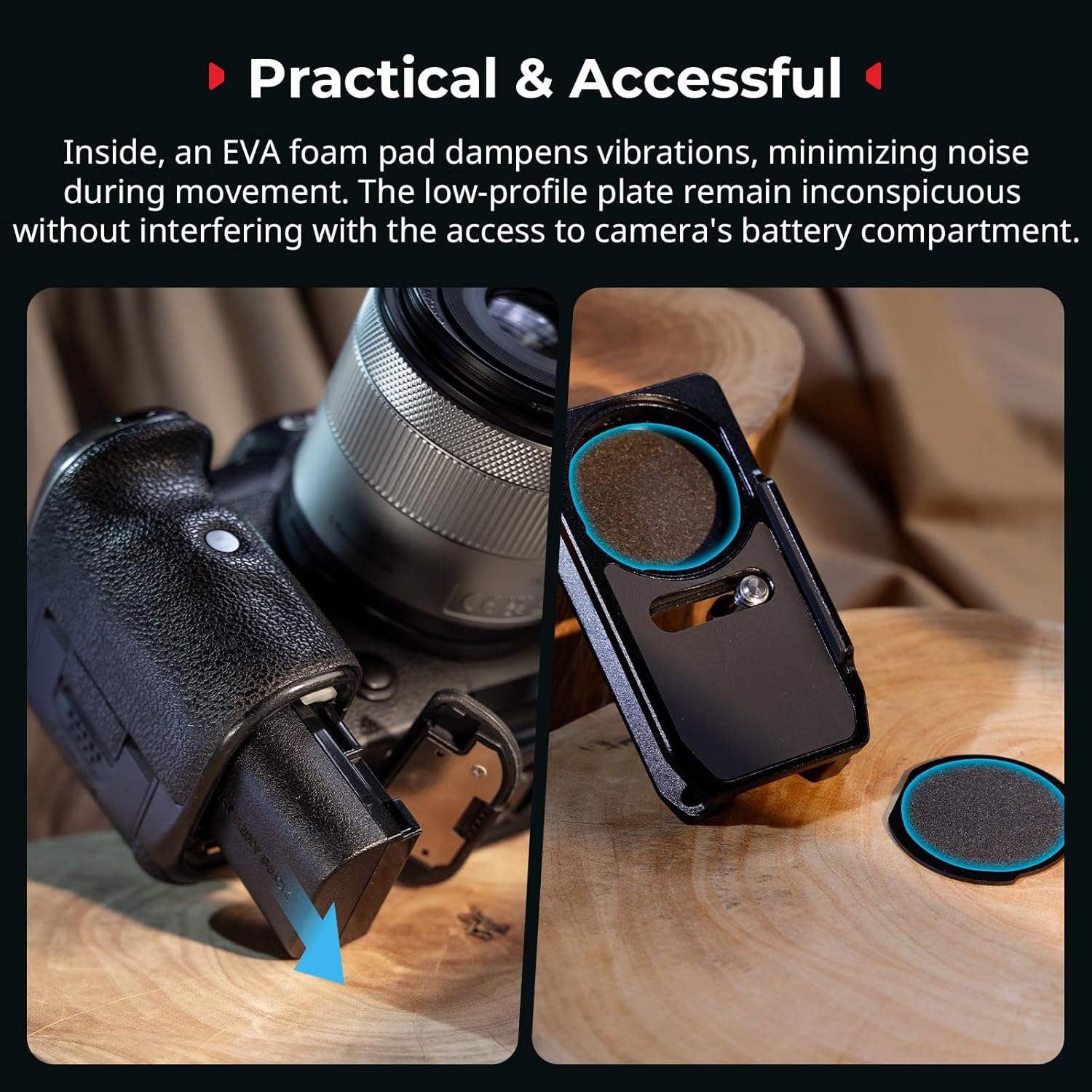
- Schwingung Damping: Built-in EVA foam padding minimizes vibrations and reduces noise, contributing to smoother operation and improved audio quality.
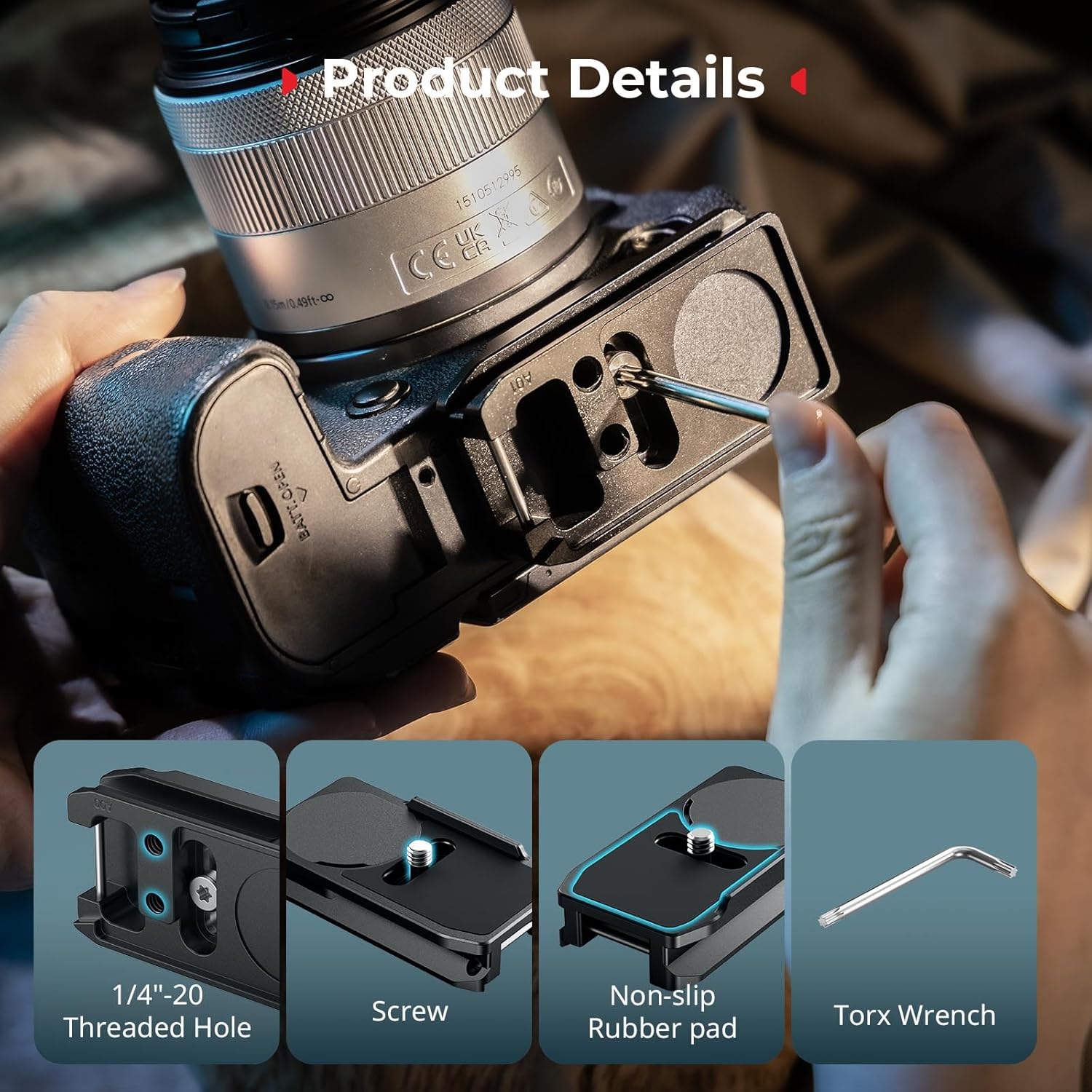
- Versatile Expansion: Equipped with multiple 1/4"-20 threaded holes for attaching various accessories such as magic arms, mini tripods, and other expansion gear.
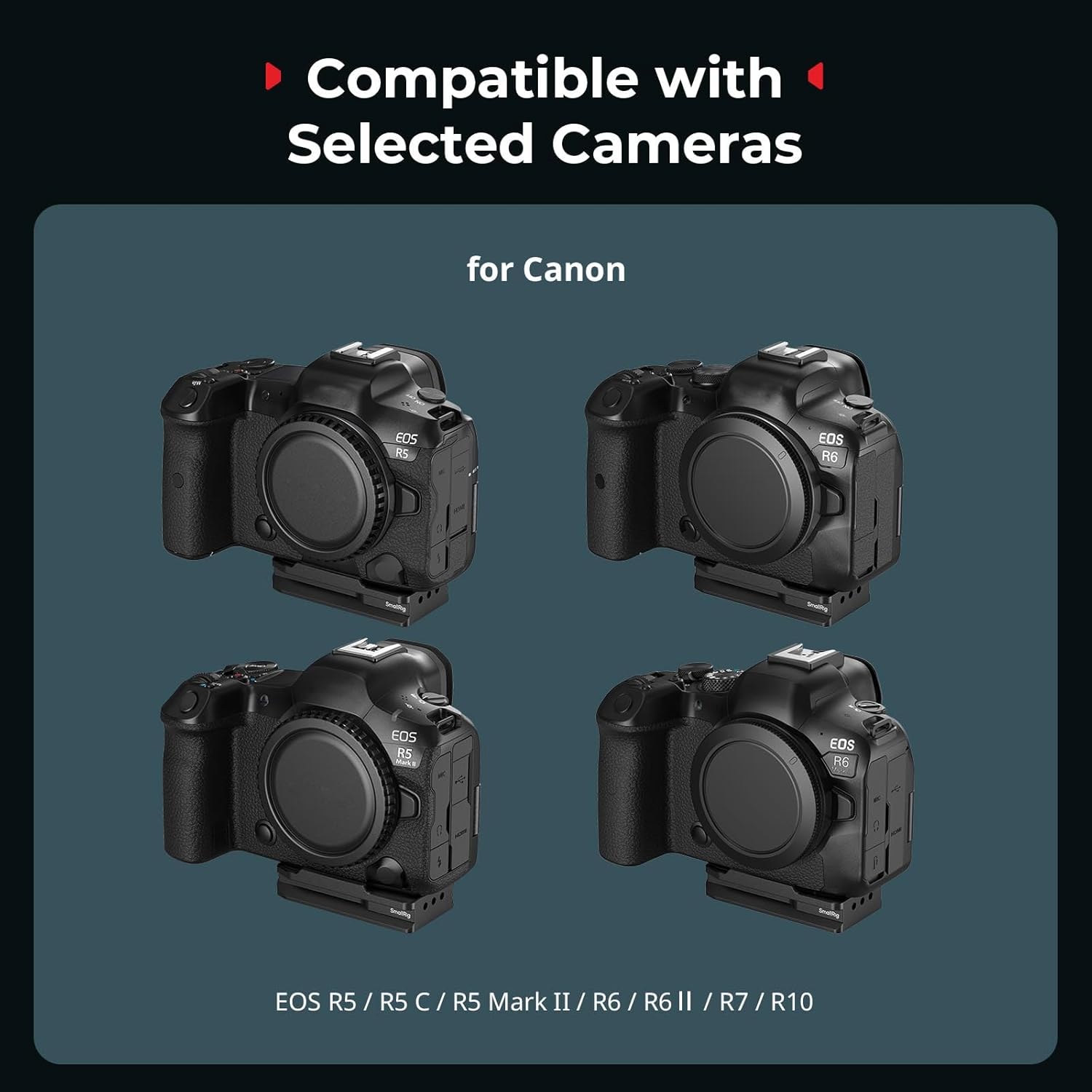
- Kamerakompatibilität: Specifically designed for Canon EOS R5, R5 C, R5 Mark II, R6, R7, and R10 cameras.
Packungsinhalt
Überprüfen Sie, ob alle Artikel in Ihrem Paket vorhanden sind:
- Quick Release Mount Plate x 1
- Torx-Schlüssel x 1

Setup und Installation
1. Installation der LuftTag
- Locate the circular cover on the mount plate.
- Gently remove the circular cover to reveal the AirTag Fach.
- Insert your Apple AirTag into the compartment. Ensure it sits flush with the EVA foam padding.
- Replace the circular cover, ensuring it snaps securely into place.

2. Anbringen an der Kamera
- Align the 1/4"-20 screw on the mount plate with the tripod socket on the bottom of your Canon EOS R series camera.
- Ensure the anti-twist tabs on the plate engage with the corresponding slots on your camera body for a secure fit.
- Use the provided Torx wrench to tighten the 1/4"-20 screw until the plate is firmly attached to the camera. Do not overtighten.
3. Using with Arca-Swiss Systems
The integrated Arca-Swiss quick release plate allows for direct mounting onto compatible tripods and gimbals. Simply slide the camera with the attached MD5424 plate into the Arca-Swiss clamp until it locks securely.

Bedienungsanleitung
Quick Transitions
The integrated quick release plate facilitates rapid transitions between handheld shooting, tripod mounting, and gimbal setups. This allows for flexibility in various photographic and videographic scenarios.
Zubehörerweiterung
Utilize the multiple 1/4"-20 threaded holes on the mount plate to attach additional accessories. These can include external monitors, microphones, LED lights, or other rigging components via magic arms or mini tripods.
LuftTag Tracking Functionality
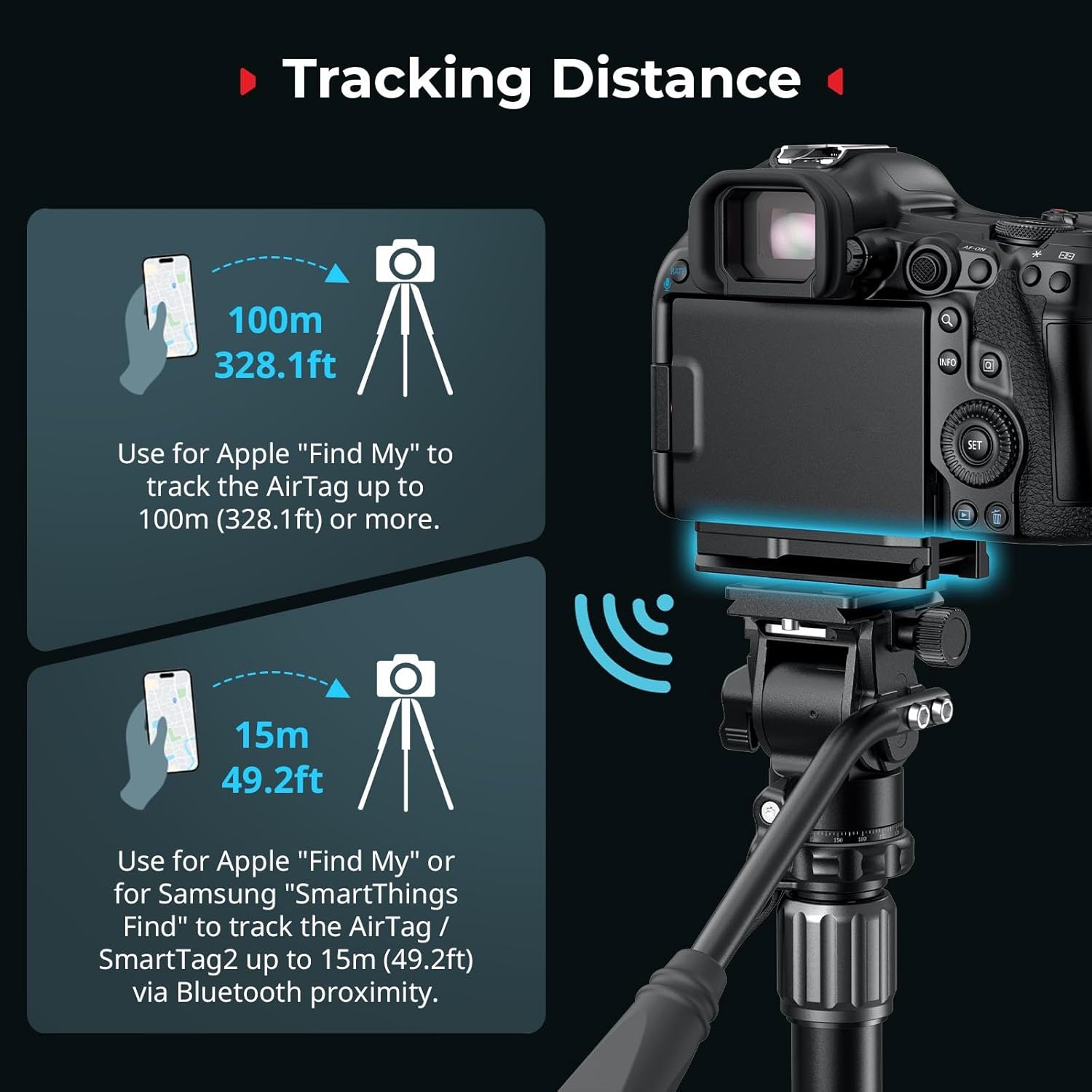
Once an Apple AirTag is installed, you can use the Apple "Find My" network to track your camera. Tracking distance varies:
- Up to 15m (49.2ft) via Bluetooth proximity for nearby tracking.
- Up to 100m (328.1ft) or more using the broader Apple "Find My" network.
Wartung
- Reinigung: Wipe the mount plate with a soft, dry cloth to remove dust and debris. Avoid using harsh chemicals or abrasive materials.
- Schraubenanzugsmoment: Periodically check the tightness of the 1/4"-20 screw connecting the plate to your camera. Retighten with the Torx wrench if necessary to ensure stability.
- EVA Pad Inspection: Ensure the EVA foam padding inside the AirTag compartment remains intact and free from damage to maintain vibration damping and secure AirTag Platzierung.
Fehlerbehebung
- Plate feels loose on camera: Ensure the 1/4"-20 screw is fully tightened using the provided Torx wrench. Verify that the anti-twist tabs are correctly engaged with the camera body.
- LuftTag cover pops off: Sorgen Sie für die LuftTag is correctly seated within the compartment and the cover is snapped firmly into place. The cover is designed to be secured once the plate is attached to the camera.
- Difficulty attaching to Arca-Swiss clamp: Confirm that your tripod or gimbal head is Arca-Swiss compatible. Ensure the clamp is fully open before attempting to slide the plate in.
- Interference with camera cage: This mount plate is designed for direct attachment to the camera body. If using a camera cage, ensure it does not obstruct the mounting points or the AirTag compartment. Some cages may not be compatible.
Technische Daten
| Technische Daten | 2.99 x 1.57 x 0.71 Zoll (76.0 x 40.0 x 18.0 mm) |
| Artikelgewicht | 2.08 Unzen (59 Gramm) |
| Material | Aluminiumlegierung, PC |
| Farbe | Schwarz |
| Kompatible Geräte | Canon EOS R5, R5 C, R5 Mark II, R6, R7, R10 |
Offizielles Produktvideo
Garantie und Support
SmallRig products are manufactured to high-quality standards. For warranty information, technical support, or service inquiries, please visit the official SmallRig webBesuchen Sie die Website oder kontaktieren Sie den Kundendienst. Bewahren Sie Ihren Kaufbeleg für Garantieansprüche auf.
Für weitere Unterstützung können Sie sich auch an die folgende Stelle wenden: SmallRig Store on Amazon.


