1. Einleitung
Welcome to the user manual for your Raycon Essential Open Earbuds. These true wireless Bluetooth 6.0 headphones are designed for comfort and awareness, featuring an ultra-lightweight, open-ear design with comfort hooks and IPX5 water resistance. This manual provides detailed instructions to help you get the most out of your new earbuds.

Image: Raycon Essential Open Earbuds (Blue)
2. Lieferumfang
Your Raycon Essential Open Earbuds package includes the following items:
- Raycon Essential Open Earbuds (Left and Right)
- Ladeetui
- USB-Ladekabel
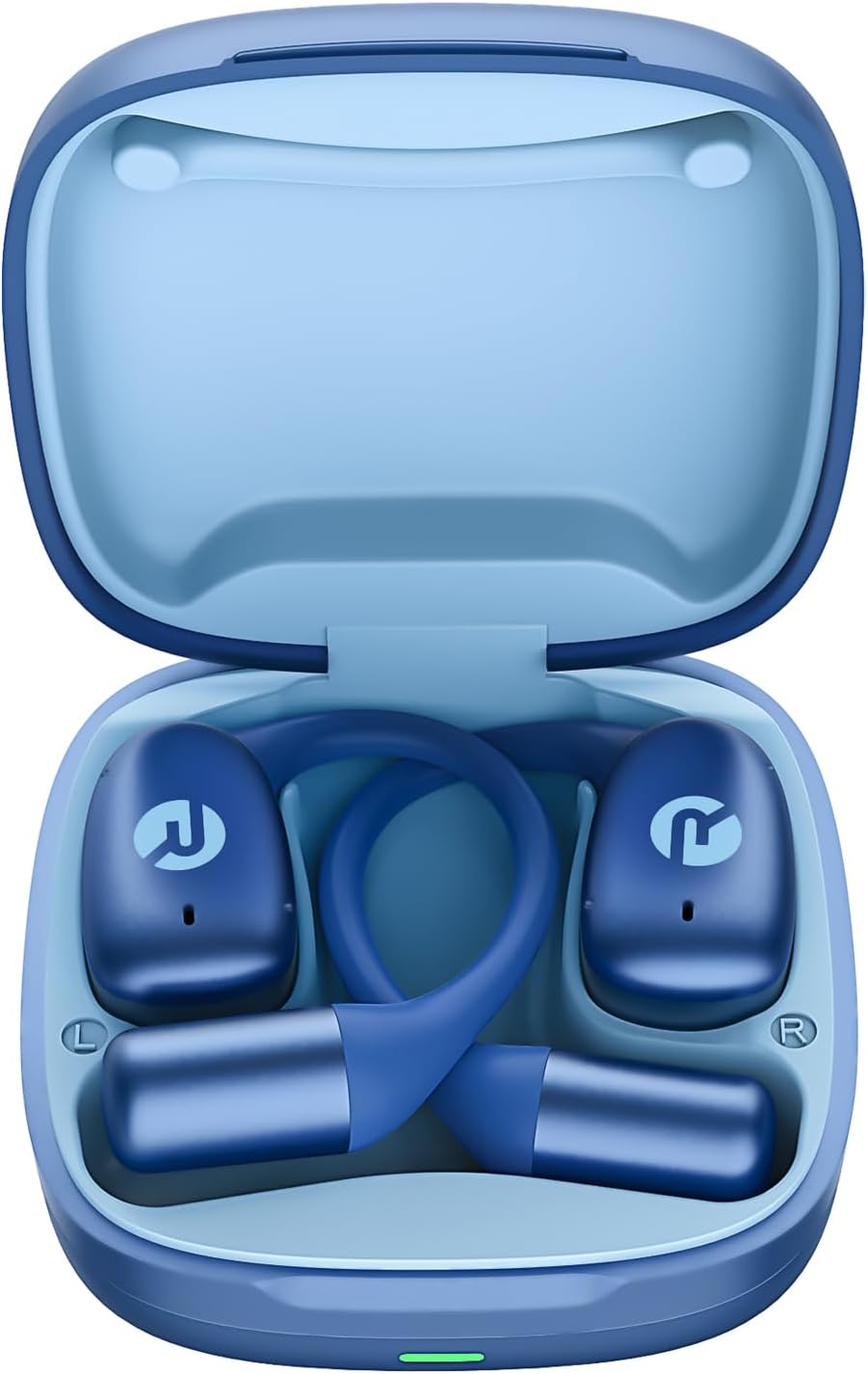
Image: Raycon Essential Open Earbuds in Charging Case
3. Hauptmerkmale
The Raycon Essential Open Earbuds are packed with features designed for an optimal listening experience:
- Offenes Ohr-Design: Experience clear audio while maintaining full awareness of your surroundings. This design is ideal for activities where situational awareness is crucial, such as workouts or outdoor runs.
- Featherlight Fit: Designed to be ultra-lightweight (approximately 13.3g per earbud) and comfortable, ensuring a secure fit that remains stable during movement without causing discomfort.
- Built for On-The-Go: These earbuds are sweat-resistant and designed for active lifestyles, making them suitable for gym sessions, cycling, and daily commutes. Their portable size ensures easy transport.
- Lange Akkulaufzeit: Enjoy up to 8 hours of continuous playback on a single charge, with an additional 28 hours provided by the charging case, totaling up to 36 hours of battery life.
- IPX5 wasserdicht: Engineered to withstand sweat and light splashes, making them durable for various environments and activities.
- Flexibler Ohrhaken: The ergonomic ear hook is designed to bend and conform to the shape of any ear, ensuring a comfortable and secure fit for all users.
- Mehrpunktverbindung: Seamlessly connect to two devices simultaneously and switch between them without manual re-pairing.

Image: Open-Ear Design Illustration

Image: Ultra-Lightweight Design

Image: Compact Design

Image: 36 Hours of Battery Life

Image: IPX5 Water Resistant

Image: Flexible Ear Hook

Abbildung: Mehrpunktverbindung
4. Einrichtung
4.1 Aufladen Ihrer Ohrhörer
Before first use, fully charge your Raycon Essential Open Earbuds and their charging case. The charging case provides additional battery life for on-the-go power.
- Legen Sie beide Ohrhörer in das Ladecase und achten Sie darauf, dass sie richtig sitzen.
- Connect the provided USB charging cable to the charging port on the case and plug the other end into a USB power source (e.g., wall adapter, computer USB port).
- Die Kontrollleuchte am Ladecase zeigt den Ladestatus an. Sobald der Akku vollständig geladen ist, ändert sich die Leuchte oder erlischt.
4.2 Erstes Pairing
Follow these steps to pair your earbuds with your device for the first time:
- Stellen Sie sicher, dass die Ohrhörer aufgeladen sind und sich im Ladecase befinden.
- Open the charging case. The earbuds will automatically enter pairing mode, indicated by flashing lights on the earbuds.
- Gehen Sie auf Ihrem Gerät (Smartphone, Tablet, Laptop) zu den Bluetooth-Einstellungen.
- Suchen nach available devices and select "Raycon Essential Open Earbuds" from the list.
- Sobald die Verbindung hergestellt ist, hören die Kontrollleuchten am Ohrhörer auf zu blinken und Sie hören einen Bestätigungston.
Video: Essential Open Earbuds - Our Most Compact Open Audio Yet. This short video demonstrates the compact design and ease of use of the earbuds.
5. Bedienungsanleitung
5.1 Tragen der Ohrhörer
The Essential Open Earbuds feature a comfort hook design for a secure and comfortable fit. Gently place the earbud over your ear, ensuring the hook rests comfortably behind your ear and the speaker portion is positioned near your ear canal without blocking it, allowing for open-ear listening.
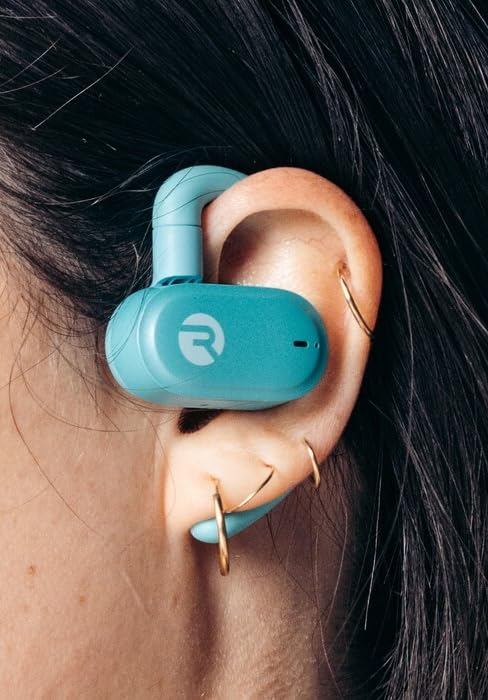
Image: Earbud worn on ear (Mint)
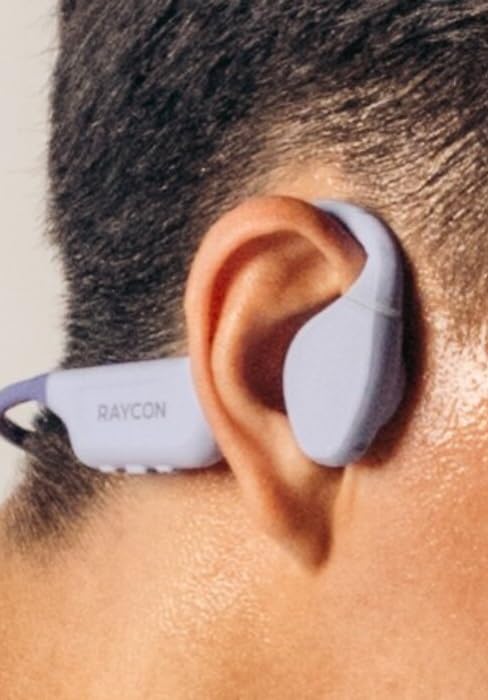
Image: Earbud worn on ear (Purple)
5.2 Berührungssteuerung
Die Ohrhörer verfügen über intuitive Touch-Bedienelemente zur Steuerung von Audio und Anrufen:
| Aktion | Kontrolle |
|---|---|
| Abspielen/Pause | Tippen Sie einmal auf einen der Ohrhörer |
| Nächster Titel | Doppeltippen Sie auf den rechten Ohrhörer |
| Vorheriger Titel | Doppeltippen Sie auf den linken Ohrhörer |
| Lautstärke erhöhen | Tippen Sie dreimal auf den rechten Ohrhörer |
| Lautstärke verringern | Tippen Sie dreimal auf den linken Ohrhörer |
| Anruf annehmen/beenden | Einmaliges Tippen auf einen der Ohrhörer während eines Anrufs |
| Anruf ablehnen | Halten Sie einen der Ohrhörer 2 Sekunden lang gedrückt |
| Sprachassistent aktivieren | Halten Sie einen der Ohrhörer 3 Sekunden lang gedrückt |
6. Wartung
Proper care and maintenance will extend the lifespan of your Raycon Essential Open Earbuds.
- Reinigung: Reinigen Sie die Ohrhörer und das Ladecase regelmäßig mit einem weichen, trockenen und fusselfreien Tuch. Verwenden Sie keine scharfen Chemikalien oder Scheuermittel.
- Wasserbeständigkeit: The earbuds are IPX5 water resistant, meaning they can withstand sweat and light splashes. Do not submerge them in water or expose them to strong jets of water. Ensure they are dry before placing them back in the charging case.
- Lagerung: Bewahren Sie die Ohrhörer bei Nichtgebrauch im Ladecase auf, um sie vor Staub und Beschädigungen zu schützen. Lagern Sie sie an einem kühlen, trockenen Ort und vermeiden Sie extreme Temperaturen.
7. Fehlerbehebung
Sollten Sie Probleme mit Ihren Ohrhörern haben, versuchen Sie folgende Lösungen:
| Problem | Lösung |
|---|---|
| Ohrhörer lassen sich nicht koppeln | Stellen Sie sicher, dass Ihre Ohrhörer geladen sind. Schalten Sie Bluetooth an Ihrem Gerät aus und wieder ein. Entfernen Sie das Gerät aus den Bluetooth-Einstellungen und koppeln Sie es erneut. |
| Kein Ton von einem Ohrhörer | Place both earbuds back in the case, close it, then open it again. Check device's audio output settings. |
| Geringe Lautstärke | Increase volume on both the earbuds (triple tap right) and your connected device. |
| Ladeprobleme | Stellen Sie sicher, dass das Ladekabel fest angeschlossen ist. Versuchen Sie es mit einem anderen USB-Anschluss oder Netzteil. Reinigen Sie die Ladekontakte an den Ohrhörern und am Ladecase. |
| Ohrhörer fallen heraus | Adjust the flexible ear hook to better fit your ear shape. Ensure proper placement as described in the 'Wearing the Earbuds' section. |
8. Spezifikationen
Detailed technical specifications for the Raycon Essential Open Earbuds:
| Besonderheit | Detail |
|---|---|
| Modellname | Raycon Essential Open Ohrhörer |
| Modellnummer | RBO715 |
| Konnektivitätstechnologie | Kabellos |
| Drahtlose Kommunikationstechnologie | Bluetooth |
| Bluetooth-Version | 6.0 |
| Im Lieferumfang enthaltene Komponenten | Kabel |
| Material | Kunststoff, Silikon |
| Spezifische Verwendungen für das Produkt | Sport |
| Kompatible Geräte | Smartphones, Laptops, Tablets, Smart Speaker |
| Steuerungstyp | Touch-Steuerung |
| Wasserbeständigkeit | IPX5 Wasserbeständig |
| Frequenzbereich | 20 Hz – 20,000 Hz |
| Audiotreibertyp | Balanced Armature Treiber |
| Form der Hörmuschel | Haken |
| Platzierung des Ohrs | Offenes Ohr |
| Artikelgewicht | 4.6 Unzen |
| UPC | 811162032996 |
| Hersteller | Raycon Global |
| Akkulaufzeit (Ohrhörer) | Bis zu 8 Stunden |
| Gesamte Akkulaufzeit (mit Hülle) | Bis zu 36 Stunden |
9. Garantie und Support
For detailed warranty information, product registration, and customer support, please visit the official Raycon webBesuchen Sie die Website oder kontaktieren Sie direkt den Kundenservice. Bewahren Sie Ihren Kaufbeleg für eventuelle Garantieansprüche auf.
Raycon Official WebWebsite: www.rayconglobal.com