1. Sicherheitshinweise
Please read all safety instructions carefully before using the Yaheetech Folding Computer Desk.
- Do not sit on the computer desk. This desk is designed for holding computer equipment and work materials, not for seating.
- Ensure the total weight placed on the desk does not exceed the specified maximum load capacities to prevent damage or injury.
- Keep fingers away from moving parts, especially the metal tubes underneath, when folding or unfolding the table to avoid pinching.
- Stellen Sie den Schreibtisch auf eine stabile, ebene Fläche, um ein Umkippen zu verhindern.

2. Produktüberschreitungview
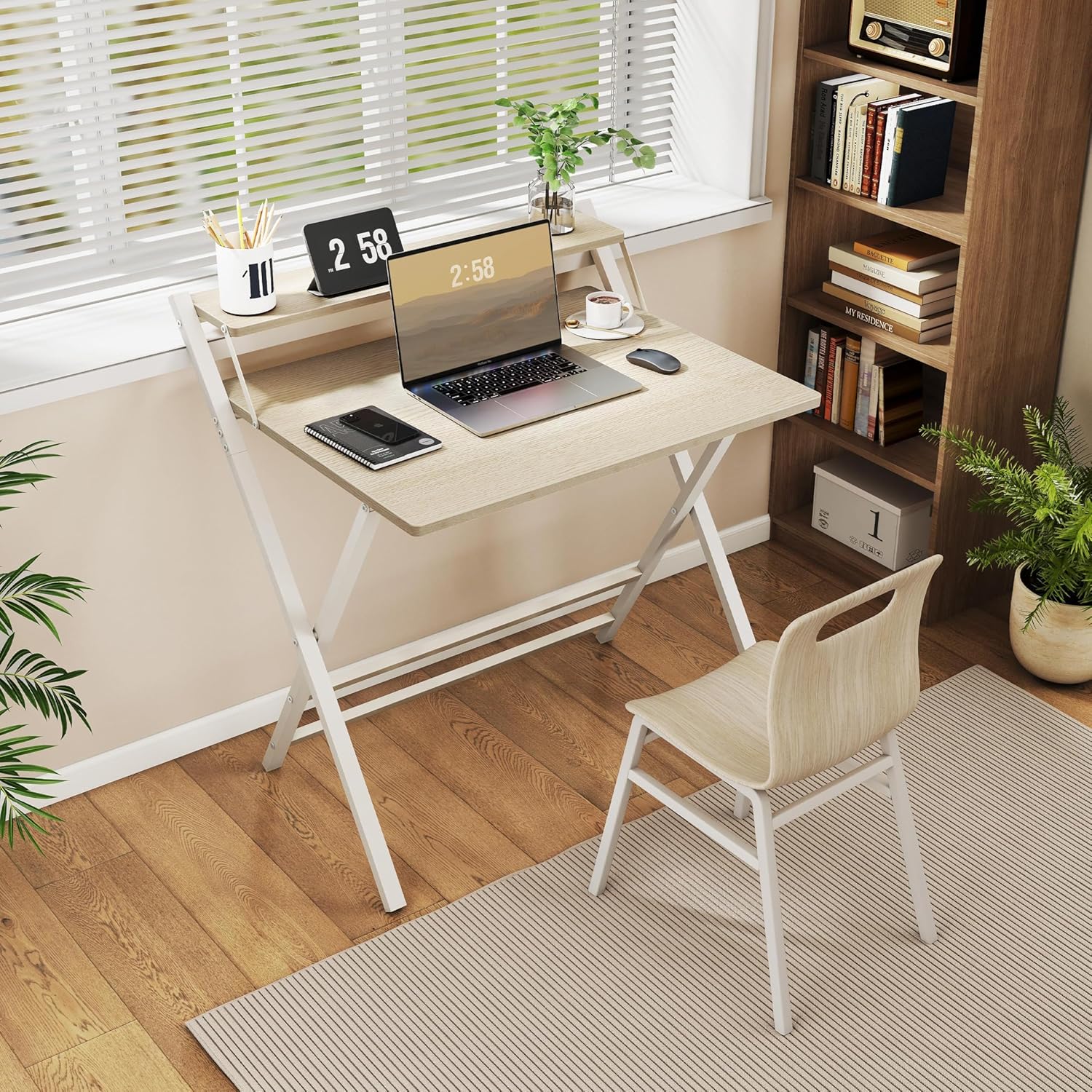
The Yaheetech 80 cm Folding Computer Desk is a versatile and space-saving solution for your home office, study room, or small living areas. It combines functionality with a modern design, featuring a sturdy construction and an ergonomic monitor shelf.
Hauptmerkmale:
- Ergonomic Monitor Shelf: The elevated shelf positions your screen at an ergonomic height, reducing strain on your neck and back during extended use.
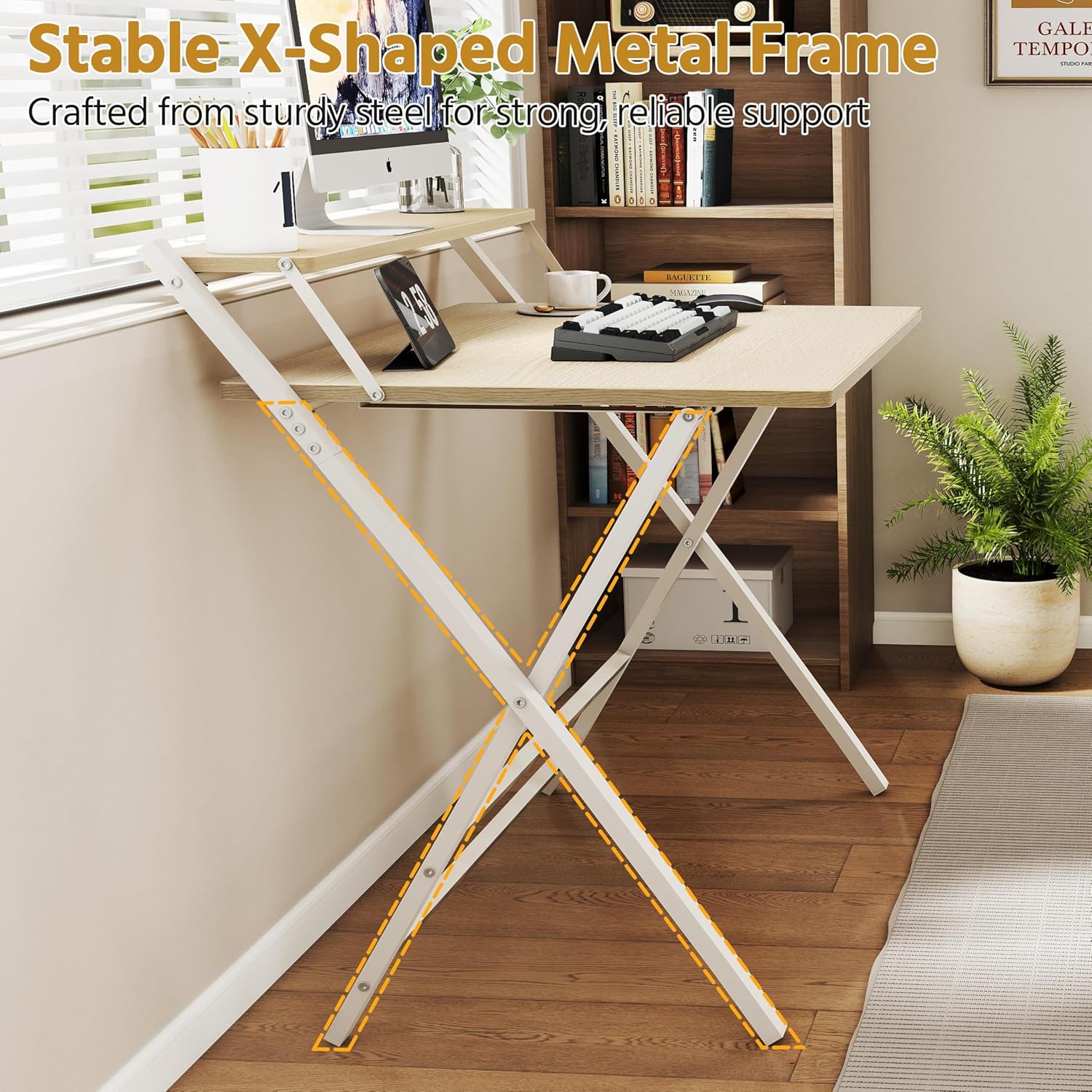
- Stable X-Shaped Metal Frame: Constructed with a reinforced X-shaped metal frame and additional crossbars, ensuring stability and supporting up to 60 kg.
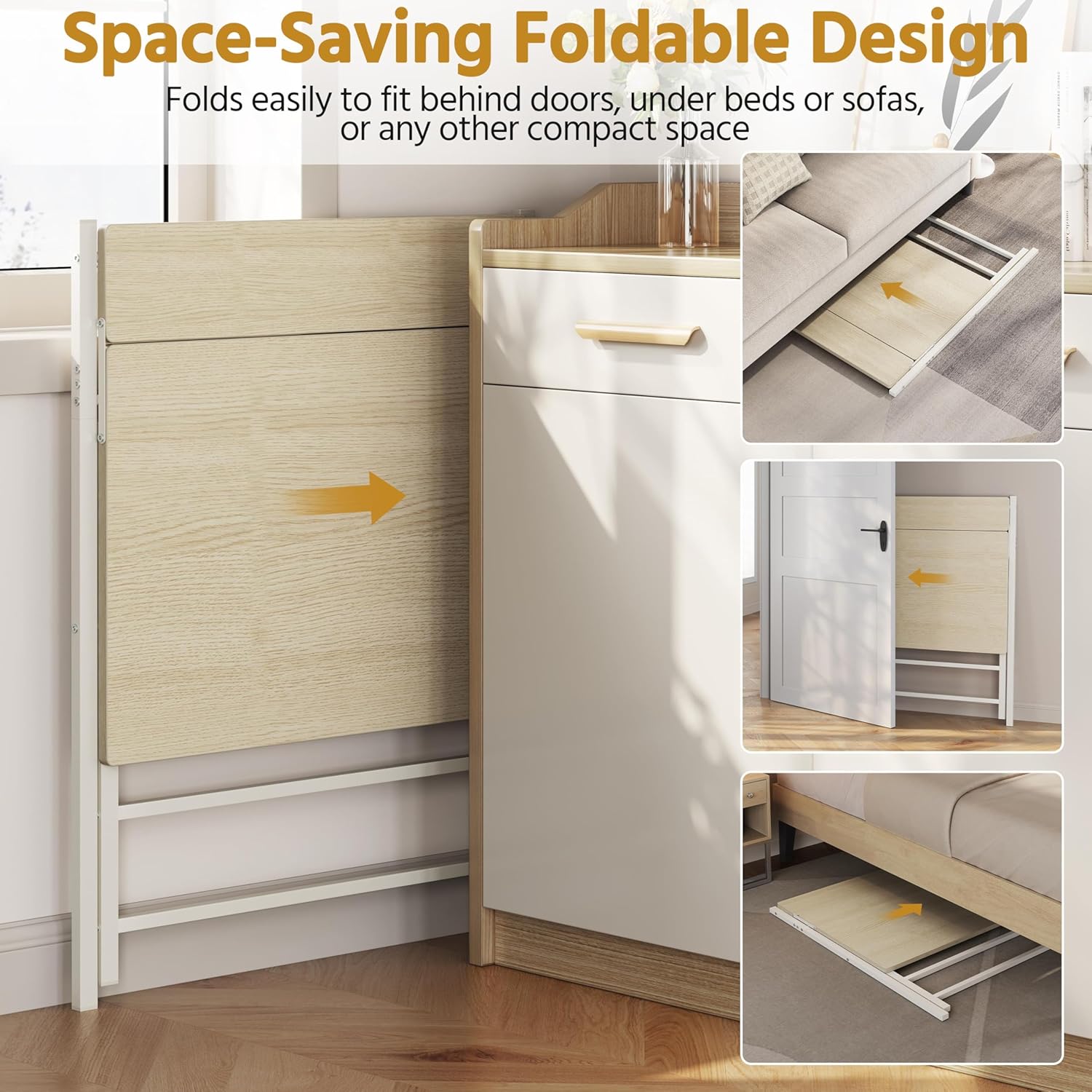
- Platzsparendes faltbares Design: Easily folds for compact storage, allowing it to be stored under a bed, behind a door, or in other small spaces when not in use.
- Langlebige Materialien: Made from robust coated particleboard and powder-coated metal, offering a water-repellent surface that is easy to clean.
- Abgerundete Ecken: Slightly rounded corners enhance safety and comfort during daily use.

3. Spezifikationen
| Attribut | Wert |
|---|---|
| Modellnummer | 5016397 |
| Farbe | Helles Holz |
| Material | Particleboard, Powder-coated Metal |
| Abmessungen im ausgeklappten Zustand (L x B x H) | 86.5 x 60.5 x 90.5 cm |
| Abmessungen zusammengeklappt (L x B x H) | 107 x 86.5 x 4 cm |
| Abmessungen der Tischplatte (L x B) | 80 x 50 cm |
| Monitor Shelf Dimensions (L x W) | 80 x 12 cm |
| Tischplattenhöhe | 74.5 cm |
| Maximale Tragfähigkeit (gesamt) | 60 kg |
| Maximale Belastbarkeit (Tischplatte) | 50 kg |
| Maximale Tragfähigkeit (Regalboden) | 10 kg |
| Artikelgewicht | 9.7 kg |

4. Aufbau und Montage
The Yaheetech Folding Computer Desk is designed for quick and easy setup. Minimal assembly is required, primarily involving unfolding the desk.
Aufklappen des Schreibtisches:
- Nehmen Sie den Schreibtisch vorsichtig aus der Verpackung.
- Place the folded desk on a flat, clear surface.
- Gently pull the main tabletop upwards while extending the X-shaped metal legs outwards.
- Ensure all locking mechanisms (if present) are securely engaged to keep the desk stable.
- Verify that the monitor shelf is properly aligned and stable.

5. Bedienung
Verwendung des Schreibtisches:
- Place your computer, monitor, and other work essentials on the tabletop and monitor shelf.
- Utilize the monitor shelf to elevate your screen for improved ergonomics.
- The open design provides ample legroom for comfortable use.
Zur Aufbewahrung zusammenklappbar:
- Clear all items from the desk surface and monitor shelf.
- Carefully disengage any locking mechanisms that secure the desk in its open position.
- Gently push the tabletop downwards while bringing the X-shaped legs together. Refer to Figure 1.1 for safe hand placement.
- Once folded, the desk can be stored in a compact space.
6. Wartung
To ensure the longevity and appearance of your Yaheetech Folding Computer Desk, follow these simple maintenance guidelines:
- Reinigung: The water-repellent surface can be easily cleaned with a damp Mit einem Tuch abwischen. Vermeiden Sie die Verwendung von scharfen Chemikalien oder Scheuermitteln, da diese die Oberfläche beschädigen können.
- Inspektion: Überprüfen Sie regelmäßig alle Schrauben und Verbindungen auf festen Sitz. Ziehen Sie sie gegebenenfalls nach.
- Lagerung: When storing the desk in its folded position, ensure it is placed in a dry environment away from extreme temperatures or direct sunlight.
7. Fehlerbehebung
If you encounter any issues with your Yaheetech Folding Computer Desk, please refer to the following common solutions:
- Desk feels unstable: Ensure the desk is placed on a flat, level surface. Check that all legs are fully extended and any locking mechanisms are engaged. Verify that all screws are tightened.
- Schwierigkeiten beim Falten/Entfalten: Ensure no obstructions are present in the folding mechanism. Apply gentle, even pressure. Refer to the safety information regarding hand placement.
- Oberflächenschäden: For minor scratches, touch-up pens or furniture markers matching the wood color may be used. For significant damage, contact customer support.
Sollte das Problem weiterhin bestehen, wenden Sie sich bitte an den Yaheetech-Kundendienst, um weitere Unterstützung zu erhalten.
8. Garantie und Support
Yaheetech-Produkte werden nach hohen Qualitätsstandards gefertigt. Genauere Garantiebedingungen finden Sie auf der Ihrer Bestellung beiliegenden Garantiekarte oder auf der offiziellen Yaheetech-Website. webWebsite.
For customer support, technical assistance, or to inquire about replacement parts, please contact Yaheetech directly through their official webWebsite oder die in Ihren Kaufunterlagen angegebenen Kontaktinformationen.


