Einführung
This manual provides detailed instructions for the installation, operation, and maintenance of your CAMSTRO M141 2K Dual Lens Wireless Video Doorbell. Please read this manual thoroughly before using the product to ensure proper functionality and safety. Keep this manual for future reference.
Lieferumfang
Überprüfen Sie, ob alle Komponenten in Ihrem Paket vorhanden sind:
- Türklingelkamera x 1
- Indoor Ding Dong (Chime) x 1
- USB-Stromkabel x 1
- Bedienungsanleitung x 1
- Befestigungsschraube x 1

Image: All components included in the CAMSTRO M141 package.
Aufstellen
1. Montage der Türklingel
The CAMSTRO M141 doorbell camera offers two installation methods:
- Klebebandinstallation: Use the provided adhesive tape to mount the doorbell directly to your desired location. Ensure the surface is clean and dry for optimal adhesion.
- Schraubeninstallation: Install the base mount using screws. Once the base is secure, snap the doorbell camera onto the base mount. This method provides a more permanent and secure installation.
For wired power installations, ensure power is shut off at the circuit breaker before handling wires. Remove the external portion of your existing doorbell and use extension wires to connect to the new doorbell. Secure these wires to the back of the camera with screws before mounting.

Image: Two easy installation methods for the doorbell.
2. Powering the Doorbell
The M141 doorbell camera supports multiple power options:
- Wiederaufladbarer Akku: The doorbell comes with a built-in rechargeable battery for wire-free operation.
- Kabelgebundene Stromversorgung: Connect to existing doorbell wiring for continuous power.
- Solarpanel (nicht im Lieferumfang enthalten): Compatible with an external solar panel for continuous charging.

Image: Multiple ways to power your doorbell.
3. App-Installation und WLAN-Verbindung
Laden Sie die CloudEdge app from the App Store (iOS) or Google Play Store (Android). Follow the in-app instructions to pair your doorbell with your smartphone. The doorbell camera only works with 2.4GHz Wi-Fi networks; it does not support 5GHz Wi-Fi.

Image: The CloudEdge app for easy setup and management.
Installationsvideo-Anleitung
Eine visuelle Installationsanleitung finden Sie im folgenden Video:
Video: Step-by-step guide on how to install the CAMSTRO M141 Dual Lens Doorbell.
Bedienung der Türklingel
1. Dual Lens and 2K Full HD Clarity
The doorbell features a dual-lens system providing 2K (top lens) and 1080P (bottom lens) full HD video. This allows for a clear view of visitors and packages on the ground, enhancing overall security.

Image: Demonstrating 2K Full HD clarity for clear visitor identification.
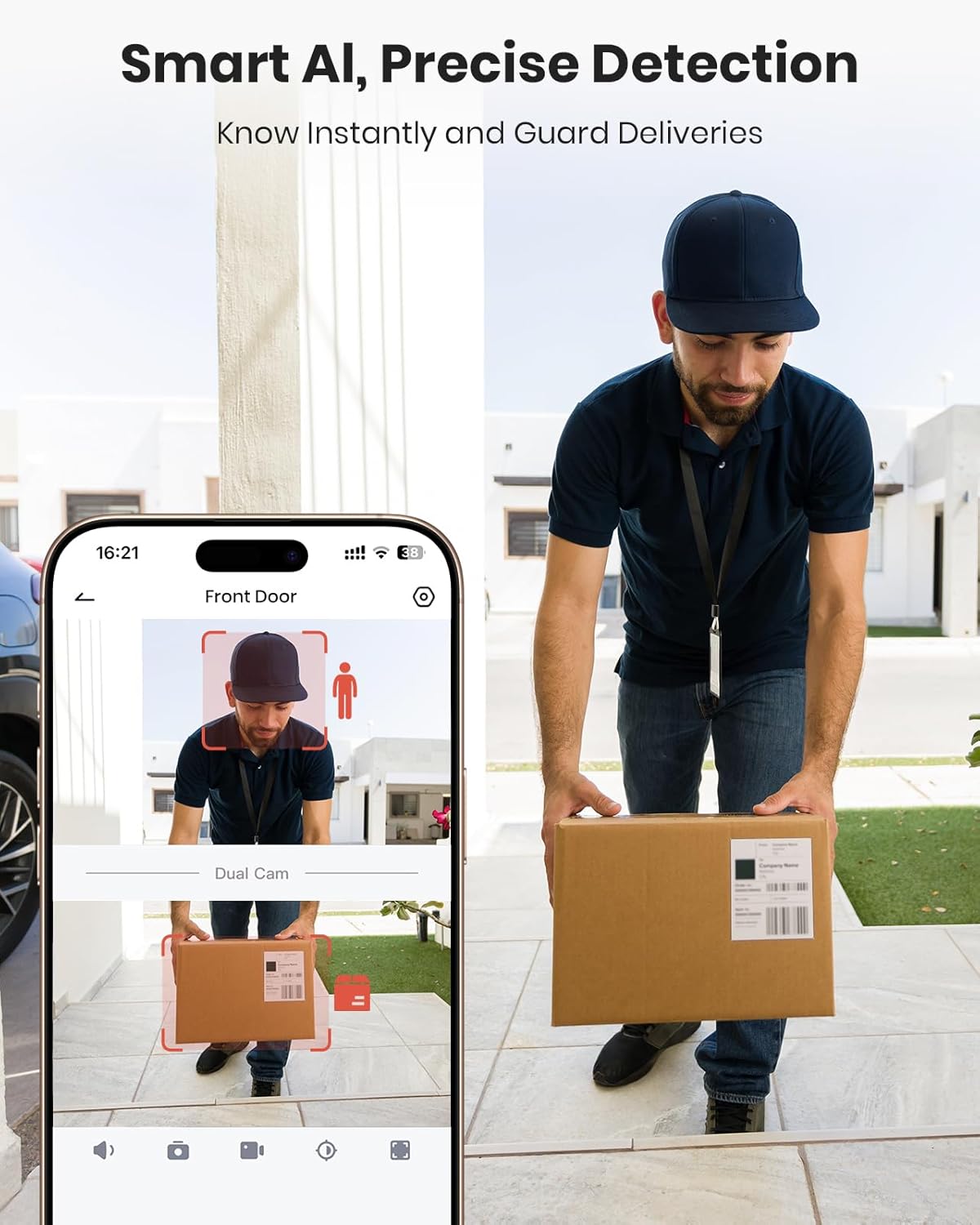
Image: Smartphone view showing both the upper and lower camera feeds.
2. Zwei-Wege-Audio & Stimmverzerrer
Communicate with visitors clearly using the two-way audio feature. For added privacy, a voice changer function is available to disguise your voice when interacting with strangers.

Image: Enhanced Two-Way Audio feature in use.
3. AI Smart Human Detection & Customizable Zones
The doorbell utilizes AI Smart Human Detection to minimize false alarms, sending real-time alerts and push notifications only when human motion is detected. You can customize specific detection areas to focus on critical zones and avoid unnecessary interruptions.

Image: Smart AI for precise human detection.

Image: Customizing detection zones for focused monitoring.
4. Indoor Chime
The included indoor chime ensures you never miss a visitor, ringing up to 164 feet from the doorbell. It can be placed in various rooms such as the bedroom, kitchen, living room, or even the backyard.

Image: The indoor chime ensures you hear visitors from anywhere in your home.
5. Nachtsicht
The doorbell provides 33 feet of night vision, allowing you to see details clearly even in low-light conditions, enhancing your outdoor safety around the clock.
6. Smart Device Integration
The CAMSTRO M141 is compatible with Amazon Alexa and Google Assistant, allowing you to view your doorbell feed on compatible smart displays with voice commands.

Image: The doorbell integrates with smart home devices like Alexa.
7. Gemeinsame Nutzung auf mehreren Geräten
You can share live video access with family members, allowing multiple users to monitor your home anytime, anywhere.
Produkt überview Video
Sehen Sie sich einen kurzen Überblick anview of the CAMSTRO Dual Camera Doorbell features:
Video: Ein überview of the CAMSTRO Video Doorbell with Dual Cameras.
Wartung
1. Storage Options & Circle Recording
The doorbell supports both cloud storage and local storage via a micro SD card (up to 256GB, not included). When the storage space is full, the system will automatically overwrite the oldest videos, ensuring continuous recording.

Image: Diverse storage options including cloud and SD card.
2. Batteriemanagement
If using battery power, monitor the battery level through the app and recharge as needed using the provided USB power cable. Battery life varies based on usage and environmental factors.
Fehlerbehebung
- Kein Strom: Ensure the battery is charged or the wired connection is secure and the circuit breaker is on.
- Keine Wi-Fi-Verbindung: Verify your Wi-Fi network is 2.4GHz. Check router distance and signal strength. Re-pair the device through the app if necessary.
- Falsche Bewegungswarnungen: Adjust motion detection sensitivity and customize detection zones within the app to reduce unwanted notifications.
- Schlechte Videoqualität: Ensure the camera lenses are clean and free from obstructions. Check Wi-Fi signal strength.
- Glocke läutet nicht: Ensure the chime is powered and paired correctly with the doorbell. Refer to the app for pairing instructions.
For further assistance, consult the FAQ section within the CloudEdge app or contact CAMSTRO customer support.
Technische Daten
| Besonderheit | Detail |
|---|---|
| Verwendung im Innen- und Außenbereich | Im Freien |
| Kompatible Geräte | Smartphone, Amazon Alexa, Google Assistant |
| Stromquelle | Battery Powered, Wired Power, Solar Panel (optional) |
| Konnektivitätsprotokoll | WLAN (nur 2.4 GHz) |
| Auflösung der Videoaufnahme | 2K (top lens) + 1080P (bottom lens) |
| Montagetyp | Türklingelhalterung |
| Artikelabmessungen (L x B x H) | 4.72 x 2.76 x 7.87 Zoll |
| Artikelgewicht | 1.19 Pfund |
| Lagerung | Cloud-Speicher, Micro-SD-Karte (bis zu 256 GB, nicht im Lieferumfang enthalten) |
| Besondere Merkmale | 2-Way Audio, Voice Changer, AI Smart Human Detection, Night Vision |
Garantie und Support
Garantieinformationen
Your CAMSTRO M141 Video Doorbell is covered by a manufacturer's warranty. Please refer to the warranty card included in your package or visit the official CAMSTRO webAuf der Webseite finden Sie die detaillierten Garantiebedingungen.
Kundenservice
If you encounter any issues or have questions regarding your product, please contact CAMSTRO customer support through their official website or the contact information provided in your warranty documentation. Our support team is available to assist you.


