1. Einleitung
Thank you for choosing the AULA Hero 68 HE Ultra Wired Gaming Keyboard. This manual provides essential information for setting up, operating, and maintaining your new keyboard. Please read it thoroughly to ensure optimal performance and longevity of your device.
2. Packungsinhalt
Bitte überprüfen Sie, ob alle unten aufgeführten Artikel in Ihrem Paket enthalten sind:
- Tastatur x1
- USB-Kabel x1
- Tastenkappenabzieher x1
- Extra Magnetic Switch x2
- Portable Ribbon x1

3. Einrichtung
The AULA Hero 68 HE Ultra keyboard is a wired device. Follow these steps to connect it to your computer:
- Suchen Sie den USB-C-Anschluss auf der linken Seite der Tastatur.
- Verbinden Sie das USB-C-Ende des mitgelieferten Kabels mit der Tastatur.
- Verbinden Sie das USB-A-Ende des Kabels mit einem freien USB-Anschluss an Ihrem Computer.
- The keyboard will automatically be recognized by your operating system (Windows or Mac).
Video: Demonstrates the connection process of the AULA Hero 68 HE keyboard, showing the USB-C cable being plugged into the keyboard and the keyboard lighting up.
4. Hauptmerkmale
- Quick Trigger (8KHz Polling Rate): The keyboard features an 8KHz response rate, significantly faster than standard 1kHz rates. This results in extremely low latency, with a maximum single-key scan rate of 256KHz and a full-key scan rate of 32KHz, providing rapid response for gaming.
- Hot-swappable Magnetic Switches: Equipped with Hall Effect magnetic switches, offering 0.005mm switch precision and 0.001mm step increments for precise activation. Supports mixed switch configurations with AULA brand magnetic switches. Ensure the power supply is unplugged before replacing switches.
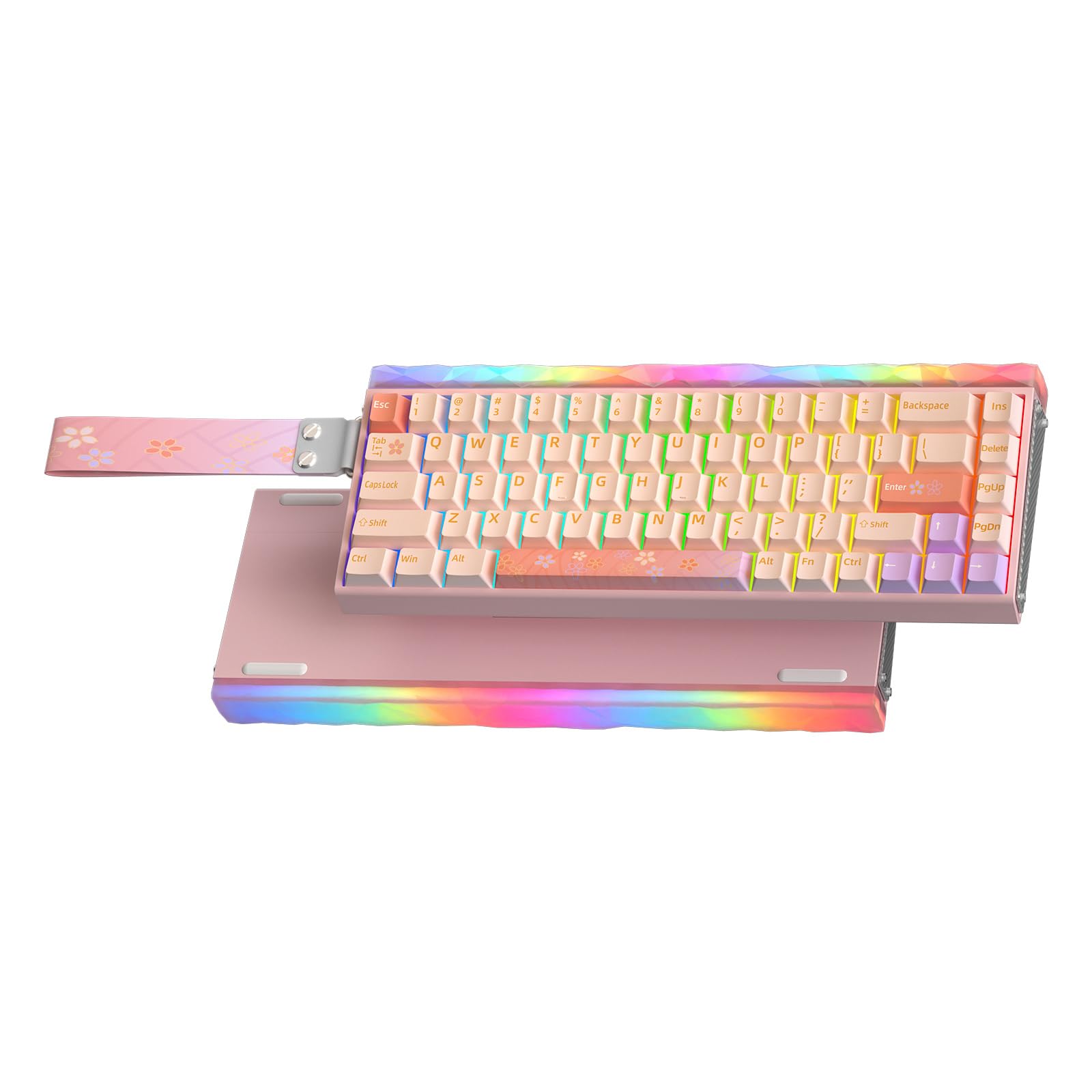
- Aluminum Frame & 5-Layer Soundproofing: Constructed with a CNC aluminum shell and genuine carbon fiber side panels for durability and stability. Five layers of internal soundproofing and padding prevent key wobble and ensure consistent keystrokes.
- RGB-Lichteffekte: This backlit keyboard supports 16 million dynamic RGB lighting effects and music synchronization. The RGB light box and keyboard backlight module can be adjusted via driver and shortcut keys, enabling independent control of the main key area and light box area.
- Web Treiberanpassung: No software installation required; easily customize keyboard settings online. This driver allows you to customize the lighting effects of the main panel key zone and light box, as well as various advanced key functions such as RS and SOCD. Players can also customize each key through the driver to achieve personalized settings. Web driver connection: bit.ly/m/AULA (This driver is only compatible with Windows systems).
- 65 % kompaktes Layout: This compact layout keyboard maximizes desktop space utilization, leaving more room for mouse movement while retaining the arrow keys to meet the needs of different users. This wired gaming keyboard features five-sided thermal sublimation PBT keycaps with a dry touch and wear and oil resistance. The standard height and cross slot design make it easy for gamers to replace keycaps.


5. Bedienungsanleitung
5.1. Grundlegende Tastenfunktionen
Due to the 65% compact layout, some functions are accessed via key combinations using the Fn key. Refer to the quick operation guide card included in the package for a full list of combinations.
5.2. RGB-Beleuchtungssteuerung
The keyboard features extensive RGB lighting customization for both the keys and the lightbox. You can adjust these settings directly on the keyboard or through the web Treiber.
- Switch Keyboard Backlight Mode: Drücken Fn + Bildauf.
- Switch Keyboard Backlight Color: Drücken Fn + Entf.
- Helligkeit anpassen: Drücken Fn + Aufwärtspfeil (erhöhen) oder Fn + Pfeil nach unten (verringern).
- Geschwindigkeit anpassen: Drücken Fn + Pfeil nach rechts (erhöhen) oder Fn + Pfeil nach links (verringern).
- Switch Lightbox Mode: Drücken Fn + rechte Alt.
- Switch Lightbox Color: Drücken Fn + X.

Video: Demonstrates the typing sound and various RGB lighting effects of the AULA Hero 68 HE keyboard, showcasing different colors and patterns.
5.3. Hall Effect Magnetic Switches
The Hall Effect magnetic switches allow for adjustable actuation points and rapid trigger settings. These can be configured using the web driver for personalized performance.
5.4. Web Treiberanpassung
Zugriff auf die web driver by visiting bit.ly/m/AULA (Windows systems only). The driver allows for:
- Customizing lighting effects for both main keys and the lightbox.
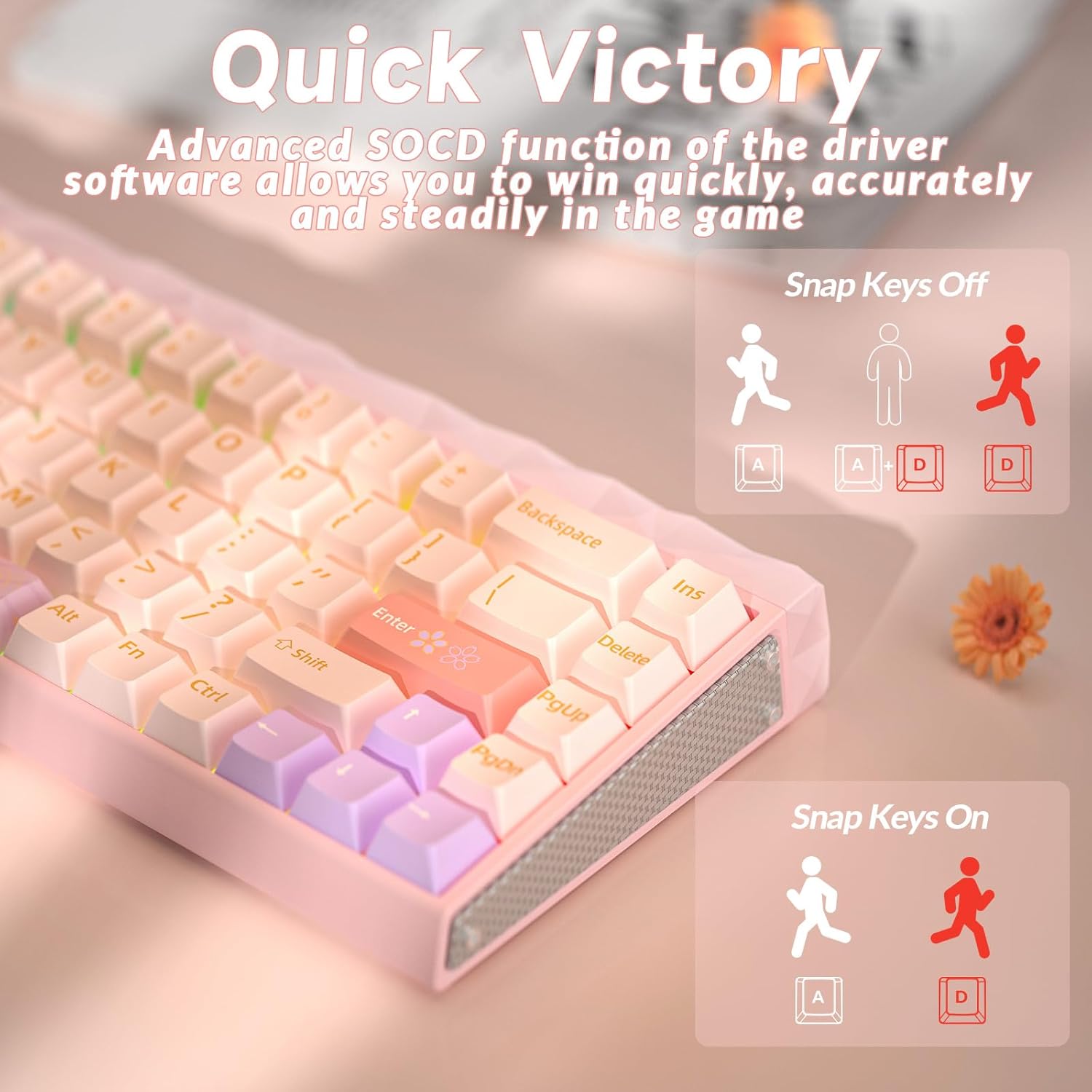
- Adjusting advanced key functions like Rapid Trigger (RT), Dynamic Key Travel (DKS), Multi-Point Trigger (MPT), Toggle (TGL), and Simultaneous Opposite Cardinal Directions (SOCD).
- Makros erstellen und zuweisen.
- Setting individual key actuation and reset points.

Video: AULA HERO 68 HE Pro Magnetic Switch Gaming Keyboard - This video demonstrates the features and customization options of the AULA web driver for the keyboard.
6. Wartung
To ensure the longevity and optimal performance of your AULA Hero 68 HE Ultra keyboard, follow these maintenance guidelines:
- Reinigung: Use a soft, dry cloth to wipe down the keyboard surface. For deeper cleaning, remove keycaps using the provided keycap puller and use compressed air to clear debris.
- Schalteraustausch: If replacing magnetic switches, ensure the keyboard is unplugged from the power source to prevent damage.
- Lagerung: Bewahren Sie die Tastatur an einem kühlen, trockenen Ort fern von direkter Sonneneinstrahlung und extremen Temperaturen auf.
7. Fehlerbehebung
If you encounter any issues with your keyboard, try the following solutions:
- Tastatur reagiert nicht:
- Stellen Sie sicher, dass das USB-Kabel sowohl mit der Tastatur als auch mit dem Computer fest verbunden ist.
- Versuchen Sie, die Tastatur an einen anderen USB-Anschluss Ihres Computers anzuschließen.
- Starten Sie Ihren Computer neu.
- RGB-Beleuchtung funktioniert nicht:
- Check the lighting settings via the web driver or using the keyboard shortcuts (Fn + PgUp, Fn + Del).
- Stellen Sie sicher, dass die Tastatur-Firmware über die web Treiber.
- Tasten werden nicht korrekt registriert:
- Reinigen Sie den Bereich unter den Tastenkappen, um eventuelle Verschmutzungen zu entfernen.
- If a specific switch is faulty, replace it with one of the extra magnetic switches provided.
- Calibrate the switches using the web driver's performance settings.
8. Spezifikationen
| Besonderheit | Detail |
|---|---|
| Marke | AULA |
| Modellnummer | HERO 68 HE Ultra |
| Konnektivitätstechnologie | USB-C |
| Tastaturbeschreibung | Spiele |
| Besondere Merkmale | Backlit, Ergonomic, Hot-Swappable, Programmable Keys |
| Unterstützung für die Hintergrundbeleuchtung der Tastatur | RGB |
| Material | Aluminium, Metall, Kunststoff |
| Artikelgewicht | 1.98 Pfund |
| Verpackungsabmessungen | 16.14 x 7.2 x 3.23 Zoll |
9. Garantie und Support
For warranty information and technical support, please refer to the documentation included in your product package or visit the official AULA webBewahren Sie Ihren Kaufbeleg für eventuelle Garantieansprüche auf.


