1. Einführung und Endeview
The SABLUTE Ergonomic Wireless Keyboard and Mouse Combo is designed for enhanced comfort and efficiency in various work environments, including home offices and business teams. This combo features an ergonomic wave design keyboard with a soft palm rest, ultra-quiet keys, and a sculpted mouse with customizable DPI settings and shortcut buttons. It offers broad compatibility across multiple operating systems and devices, ensuring a seamless plug-and-play experience.
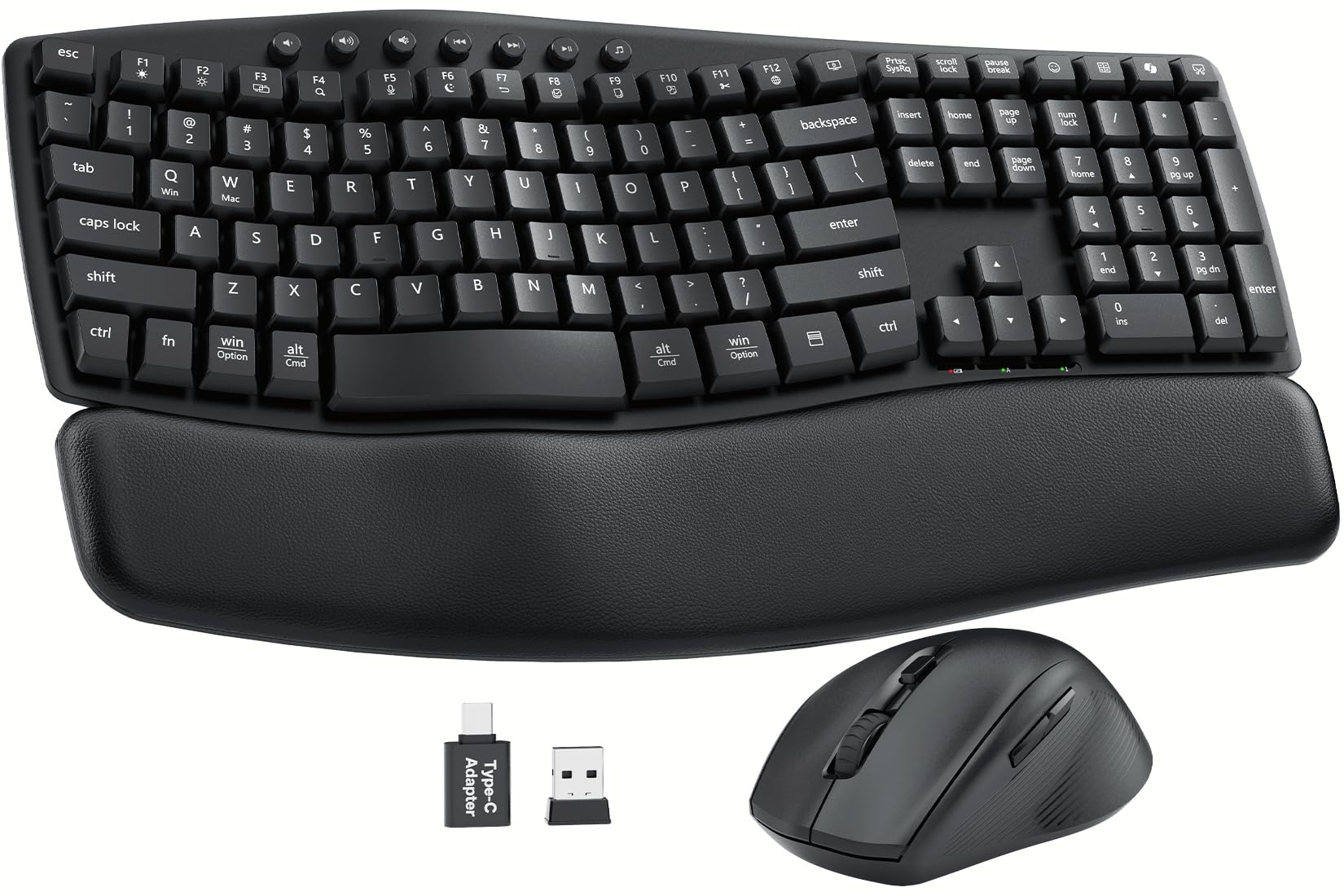
Image: The SABLUTE Ergonomic Wireless Keyboard and Mouse Combo, showcasing its wave-shaped keyboard and ergonomic mouse on a desk setup.
2. Installationsanleitung
Follow these steps to set up your SABLUTE Ergonomic Wireless Keyboard and Mouse Combo:
- Batterien installieren: The keyboard requires 2 AAA batteries and the mouse requires 1 AA battery (batteries are not included). Open the battery compartments on the underside of both devices and insert the batteries, ensuring correct polarity.
- USB-Empfänger suchen: The 2.4G USB-A/C receiver is conveniently stored in the battery compartment of the mouse. Carefully remove it.
- Receiver anschließen: Plug the USB receiver into an available USB-A port on your computer, laptop, or tablet. If your device only has USB-C ports, use the provided USB-A to USB-C adapter.
- Geräte einschalten: Locate the ON/OFF switches on the underside of both the keyboard and the mouse. Slide them to the "ON" position.
- Systemerkennung: Your computer should automatically detect and install the necessary drivers. The keyboard and mouse are plug-and-play, requiring no additional software installation.
- Tastaturneigung anpassen: For optimal comfort, use the foldable stands on the underside of the keyboard to adjust the typing angle to 0°, 4°, or 8° as preferred.

Image: Illustration showing the adjustable tilt legs on the underside of the keyboard, allowing for 0°, 4°, or 8° typing angles.
Setup Video Overview
Video: An official product video from SABLUTE Inc. demonstrating the setup and features of the MA22 Plus Ergonomic Wireless Keyboard and Mouse.
3. Bedienungsanleitung
Tastaturnutzung
- Ergonomisches Wellendesign: The contoured wave shape of the keyboard is designed to align with your hands' natural posture, reducing wrist strain and promoting comfortable typing for extended periods.
- Weiche Tasten: The low-pressure soft keys absorb impact, minimizing finger fatigue.
- Leises Tippen: Enjoy an ultra-quiet typing experience (30dB), ideal for shared workspaces or late-night use.
- Multimedia-Hotkeys: Utilize the dedicated multimedia keys located at the top of the keyboard for quick access to volume control, play/pause, and other functions.
- Dual-System Switch: Easily switch between Windows and Mac operating modes using the dedicated function keys (Fn + Q for Windows, Fn + W for Mac).
- Integrierte Gerätehalterung: The keyboard includes a versatile slot holder to securely accommodate your phone or tablet, keeping it visible and accessible during work.
Image: Close-up of the keyboard showing the function keys for switching between Windows (Fn+Q) and Mac OS (Fn+W) modes.
Mausnutzung
- Ergonomisches Design: The raised-left design of the mouse supports a natural hand posture, reducing wrist strain during prolonged use.
- Einstellbare DPI: Cycle through three DPI levels (800 / 1200 / 1600) using the DPI button to adjust cursor sensitivity for different tasks.
- 11 One-Touch Shortcuts: The mouse features programmable shortcut buttons for faster and more efficient task execution. (Note: Some shortcuts may not be Mac-compatible; core functions work smoothly).
- Leiser Klick: The mouse buttons are designed for silent clicking, minimizing distractions.

Image: A close-up of the ergonomic mouse, highlighting its sculpted design for all-day comfort and thumb rest.
4. Wartung
- Reinigung: Verwenden Sie ein weiches, trockenes Tuch, um Tastatur und Maus abzuwischen. Bei hartnäckigem Schmutz verwenden Sie ein leicht feuchtes Tuch.amp cloth with mild soap can be used, ensuring no liquid enters the device. The keyboard is spill-resistant, but not waterproof.
- Batteriewechsel: Replace batteries when the low battery indicator light appears. For the keyboard, replace 2 AAA batteries. For the mouse, replace 1 AA battery. Always use fresh, high-quality batteries.
- Lagerung: When not in use for extended periods, turn off both devices using their ON/OFF switches to conserve battery life. Store the USB receiver in the mouse's battery compartment to prevent loss.
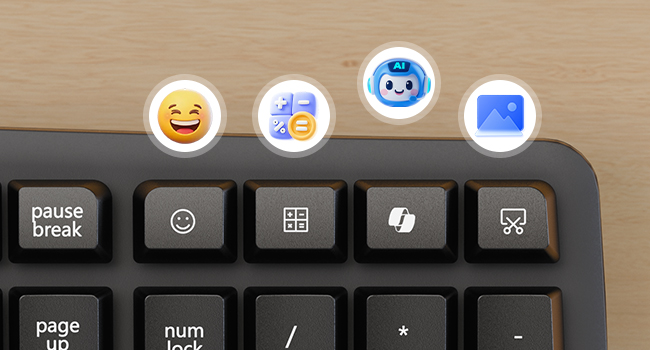
Image: Close-up of the keyboard surface showing water droplets, illustrating its spill-resistant design.
5. Fehlerbehebung
- Keine Verbindung:
- Stellen Sie sicher, dass sowohl Tastatur als auch Maus eingeschaltet sind.
- Prüfen Sie, ob der USB-Empfänger fest an einen funktionierenden USB-Anschluss Ihres Geräts angeschlossen ist.
- Versuchen Sie, den USB-Empfänger an einen anderen USB-Anschluss anzuschließen.
- Tauschen Sie die Batterien in Tastatur und Maus aus.
- Starten Sie Ihren Computer neu.
- Verzögerung oder intermittierende Verbindung:
- Ensure the devices are within the 33ft wireless range of the receiver.
- Minimize interference from other wireless devices (e.g., Wi-Fi routers, other wireless peripherals).
- Stellen Sie sicher, dass sich keine großen Metallgegenstände zwischen den Geräten und dem Empfänger befinden.
- Mauszeiger bewegt sich nicht:
- Check mouse batteries.
- Stellen Sie sicher, dass sich die Maus auf einer sauberen, nicht reflektierenden Oberfläche befindet.
- Try adjusting the DPI settings on the mouse.
- Tastaturtasten reagieren nicht:
- Überprüfen Sie die Batterien der Tastatur.
- Ensure the keyboard is powered ON.
- Verify the correct system mode (Windows/Mac) is selected using Fn + Q/W.
6. Spezifikationen
| Besonderheit | Detail |
|---|---|
| Technische Daten | 11 x 1.88 x 17 Zoll |
| Artikelgewicht | 2.3 Pfund |
| Konnektivitätstechnologie | 2.4 G USB-Wireless |
| Drahtlose Reichweite | Bis zu 33 Fuß (10 Meter) |
| Tastaturbatterie | 2 AAA-Batterien (nicht im Lieferumfang enthalten) |
| Mausbatterie | 1 AA-Batterie (nicht im Lieferumfang enthalten) |
| Tastaturfunktionen | Ergonomic Wave Design, Soft Palm Rest, 30dB Ultra-Quiet Typing, 11 One-Touch Shortcut Keys, Dual-System Switch (Windows/Mac), Spill-Resistant, Integrated Device Holder |
| Mausfunktionen | Ergonomic Sculpted Design, 3 Adjustable DPI Levels (800/1200/1600), Silent Click, 11 One-Touch Shortcuts |
| Kompatible Geräte | PCs, Laptops, MacBooks, Tablets (Windows, macOS, Chrome OS, Linux, Android) |
7. Garantie und Support
Your SABLUTE Ergonomic Wireless Keyboard and Mouse Combo is backed by a 30-tägiges Rückgaberecht und ein 1 Jahr kostenlose Ersatzgarantie. For any product inquiries, technical support, or warranty claims, please contact SABLUTE Inc. customer service.
Hersteller: SABLUTE
Kontakt: Refer to the product packaging or official SABLUTE webAuf dieser Website finden Sie die aktuellsten Supportinformationen.


