Einführung
Thank you for choosing the SGIN S15 N5100 15.6-inch Laptop. This manual provides essential information for setting up, operating, maintaining, and troubleshooting your new device. Please read it carefully to ensure optimal performance and longevity of your laptop.
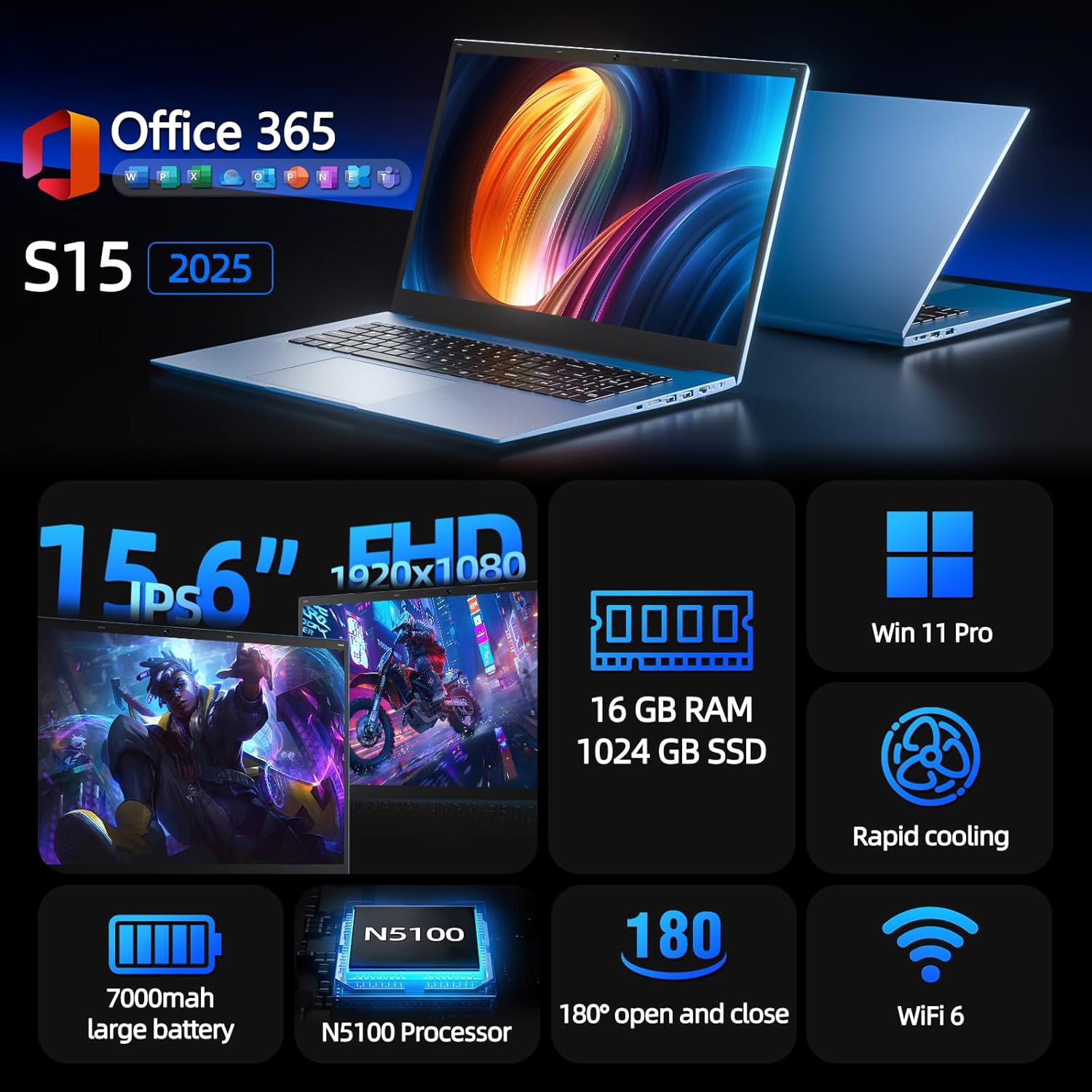
Figure 1: SGIN S15 N5100 Laptop Overview
1. Einrichtung
1.1 Auspacken und erste Inspektion
Nehmen Sie alle Komponenten vorsichtig aus der Verpackung. Prüfen Sie, ob alle im Abschnitt „Lieferumfang“ aufgeführten Artikel vorhanden und unbeschädigt sind. Sollten Artikel fehlen oder beschädigt sein, kontaktieren Sie bitte umgehend den Kundendienst.
- SGIN S15 N5100 Laptop
- Netzteil/Ladegerät
- Benutzerhandbuch (dieses Dokument)
Video 1: Unboxing und erster Eindruckview of the SGIN S15 Laptop.
1.2 Anschließen des Netzteils
Connect the power adapter to the DC-in port on the side of the laptop. Plug the other end into a power outlet. The battery indicator light will illuminate, indicating that the laptop is charging.

Figure 2: Laptop ports, including the DC-in port for charging.
1.3 Erstes Einschalten und Windows-Einrichtung
Press the power button to turn on the laptop. Follow the on-screen instructions to complete the Windows 11 Pro setup. This includes selecting your region, language, connecting to a Wi-Fi network, and creating a user account. The laptop comes pre-installed with a 1-year Office 365 subscription, which can be activated during or after the initial setup.
2. Bedienungsanleitung
2.1 Anzeigefunktionen
The SGIN S15 features a 15.6-inch Full HD IPS (1920x1080) Anti-Glare Display. The 180° viewing angle allows for flexible screen positioning, ideal for sharing content or adjusting to your preferred working posture.

Figure 3: High-resolution IPS display with 180° hinge.
2.2 Speicherung und Leistung
Equipped with 16GB DDR4 RAM and a 1024GB SSD, the laptop offers fast boot-up times and smooth multitasking. The Intel Celeron N5100 processor (4 cores, 4 threads, up to 2.8GHz) provides efficient performance for daily tasks, business applications, and student work.

Figure 4: Internal storage and memory configuration.

Figure 5: Celeron N5100 processor details.
2.3 Konnektivität
The laptop supports WiFi 6 for strong wireless signals and fast connections, and Bluetooth 5.2 for connecting peripherals. It includes various ports for external devices:
- HDMI-Anschluss
- Typ-C-Anschluss
- 3.5-mm-TRRS-Audiobuchse
- Memory card slot (TF card up to 1TB)
- USB 3.2 ports (2 ports)

Figure 6: WiFi 6 connectivity for enhanced network performance.
3. Wartung
3.1 Batteriepflege
The laptop is equipped with a 7000mAh battery, providing up to 8 hours of continuous use. To prolong battery life:
- Vermeiden Sie häufiges vollständiges Entladen des Akkus.
- Setzen Sie den Laptop keinen extremen Temperaturen aus.
- Bewahren Sie den Laptop mit einem Teilladestand (etwa 50 %) auf, wenn er längere Zeit nicht benutzt wird.

Figure 7: Laptop battery for extended use.
3.2 Reinigung des Laptops
Verwenden Sie ein weiches, fusselfreies Tuch, um den Bildschirm und das Gehäuse zu reinigen. Hartnäckige Flecken lassen sich leicht mit einem feuchten Tuch entfernen.ampBefeuchten Sie das Tuch mit Wasser oder einem für Bildschirme geeigneten Reiniger. Vermeiden Sie aggressive Chemikalien oder Scheuermittel. Stellen Sie sicher, dass der Laptop vor der Reinigung ausgeschaltet und vom Stromnetz getrennt ist.
3.3-Kühlsystem
The laptop features dual cooling fans for efficient heat dissipation. Ensure that the vents are not obstructed to maintain optimal airflow and prevent overheating. Avoid using the laptop on soft surfaces like beds or couches that can block the vents.
4. Fehlerbehebung
4.1 Stromversorgungsprobleme
- Laptop lässt sich nicht einschalten: Vergewissern Sie sich, dass das Netzteil fest angeschlossen und die Steckdose funktionsfähig ist. Prüfen Sie, ob der Akku ausreichend geladen ist.
- Akku wird nicht aufgeladen: Verify the power adapter is correctly plugged into both the laptop and the wall outlet. Try a different outlet if available.
4.2 Anzeigeprobleme
- Bildschirm ist leer: Connect an external monitor via HDMI to check if the issue is with the laptop's display or graphics output. Ensure the laptop is powered on and not in sleep mode.
- Flackernder Bildschirm: Update your display drivers. Adjust the screen refresh rate in Windows display settings.
4.3 Verbindungsprobleme
- WLAN-Verbindung wird nicht hergestellt: Stellen Sie sicher, dass WLAN in den Windows-Einstellungen aktiviert ist. Starten Sie Ihren Router und Ihren Laptop neu. Prüfen Sie, ob aktualisierte WLAN-Treiber verfügbar sind.
- Bluetooth-Gerät kann nicht gekoppelt werden: Ensure Bluetooth is enabled on both the laptop and the device. Place devices close to each other during pairing.
4.4 Leistungsprobleme
- Laptop ist langsam: Close unnecessary applications. Check Task Manager for high CPU/RAM usage. Ensure sufficient free space on the SSD. Run a disk cleanup.
- Überhitzung: Ensure cooling vents are clear. Use the laptop on a hard, flat surface. Consider reducing heavy workload if persistent.
5. Spezifikationen
| Besonderheit | Detail |
|---|---|
| Modellname | Staffel 15 |
| Artikelmodellnummer | N5100 |
| Anzeigegröße | 15.6 Zoll |
| Bildschirmauflösung | 1920 x 1080 Pixel (FHD IPS Anti-Glare) |
| Prozessor | Intel Celeron N5100 (4 Cores, 4 Threads, up to 2.8GHz) |
| RAM | 16 GB DDR4 |
| Lagerung | 1024 GB SSD (Expandable with TF card up to 1TB) |
| Betriebssystem | Windows 11 Pro |
| Batterie | 7000 mAh (bis zu 8 Stunden) |
| Kabellose Konnektivität | WiFi 6, Bluetooth 5.2 |
| Häfen | HDMI, Type-C, 3.5mm TRRS Jack, Memory Card Slot, 2x USB 3.2 |
| Abmessungen (LxBxH) | 14.56 x 9.4 x 0.86 Zoll |
| Artikelgewicht | 4.4 Pfund |
6. Garantie und Support
6.1 Produktgarantie
Your SGIN S15 N5100 laptop comes with a 1 Jahre Garantie auf Reparaturleistungen Diese Garantie gilt ab Kaufdatum und deckt Herstellungsfehler und Hardwaredefekte bei normalem Gebrauch ab. Bitte bewahren Sie Ihren Kaufbeleg für Garantieansprüche auf.
6.2 Rückgaberecht
A 30-tägiges Rückgaberecht is offered for this product. Please refer to your retailer's specific return guidelines for detailed information.
6.3 Kundendienst
For any technical assistance, troubleshooting, or warranty inquiries, please contact SGIN customer support. We offer 24/7 customer instant help to address your concerns promptly.
Kontaktinformationen (z. B. webWebsite, E-Mail-Adresse, Telefonnummer) würden hier üblicherweise vom Hersteller angegeben.


