1. Einleitung
This manual provides detailed instructions for the setup, operation, and maintenance of your Moultrie Pro Hunter III Deer Feeder Kit. This kit is designed to offer precise and reliable feed distribution with modern control features.
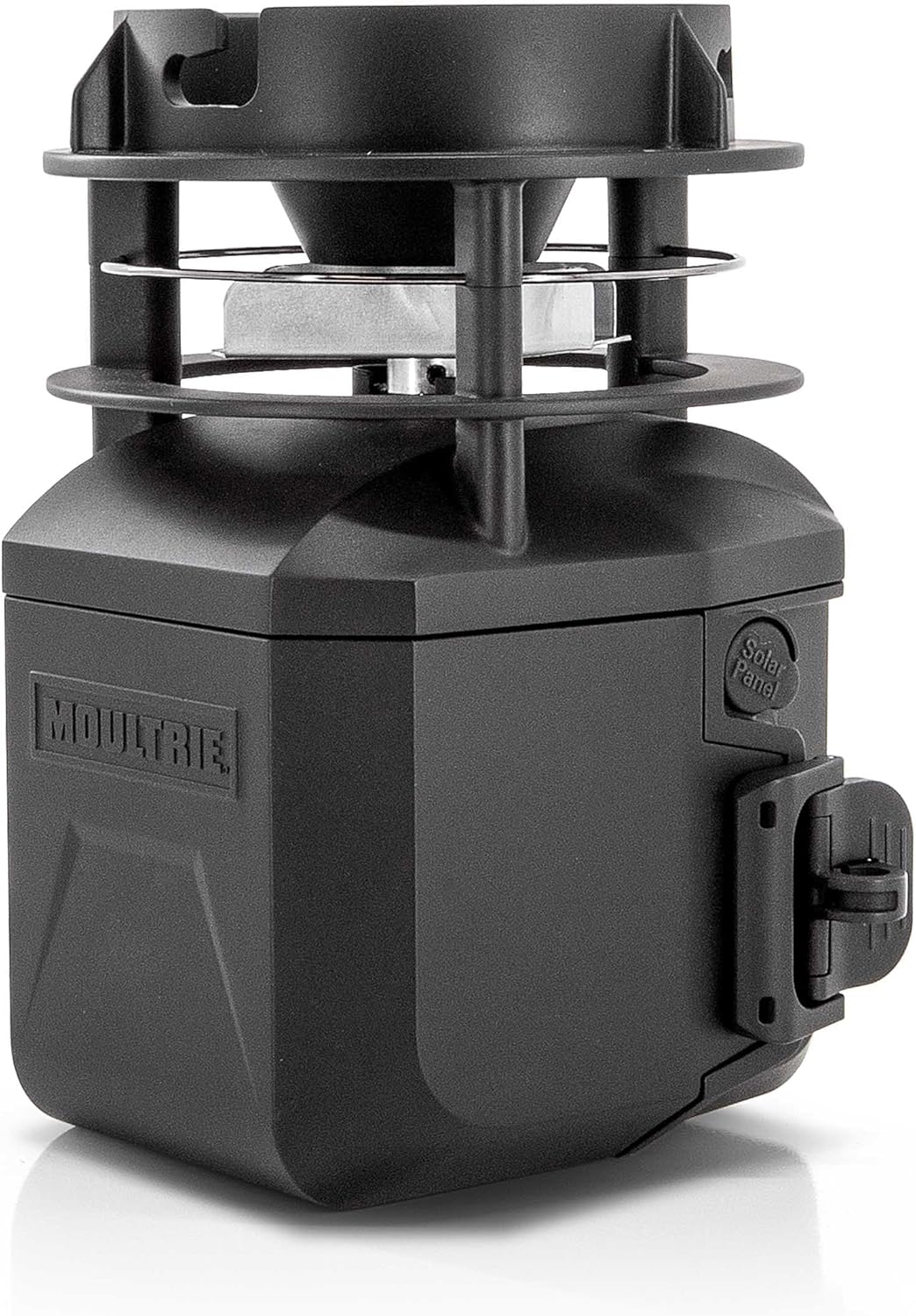
Image 1.1: The Moultrie Pro Hunter III Deer Feeder Kit, a black unit with a spinner plate and control housing.
2. Produktmerkmale
- Bluetooth-Steuerung: Adjust feed times and settings wirelessly via the Moultrie App on your smartphone.
- Moultrie Connect Compatibility: Integrate with an EDGE 3 cellular camera for remote control and monitoring from a distance.
- Digital Timer System: Program up to 10 daily feed times, with durations from 1 to 60 seconds.
- Adjustable Feed Spread: Select High, Medium, or Low RPM settings to control the feed distribution distance.
- 6V Tab-Top Battery Operation: Utilizes a rechargeable 6V tab-top battery (not included) for consistent power.
- Solarkompatibel: Designed to work with an optional solar panel for extended field operation.
- Hinged Door & Backlit Screen: Provides easy access to the timer and clear visibility for programming in various light conditions.
- Quick-Lock Compatibility: Enables fast, tool-free installation and removal from most Moultrie feeders.
- Estimated Feed Level Updates: Monitor feed levels through the Moultrie App when paired with compatible devices.

Image 2.1: Visual representation of key features including 10 daily feed times, 360° feed coverage, Quick-Lock compatibility, and Bluetooth connectivity.
3. Packungsinhalt
Vergewissern Sie sich vor der Installation, dass alle Komponenten vorhanden sind:
- Moultrie Pro Hunter III Feed Motor
- Quick-Lock Adapter
- Bedienungsanleitung (dieses Dokument)
Notiz: A 6V tab-top rechargeable battery and solar panel are not included and must be purchased separately.
4. Einrichtung und Installation
4.1 Einlegen der Batterie
- Open the hinged door on the feeder kit to access the battery compartment.
- Insert a fully charged 6V tab-top rechargeable battery into the compartment, ensuring correct polarity.
- Close the hinged door securely.
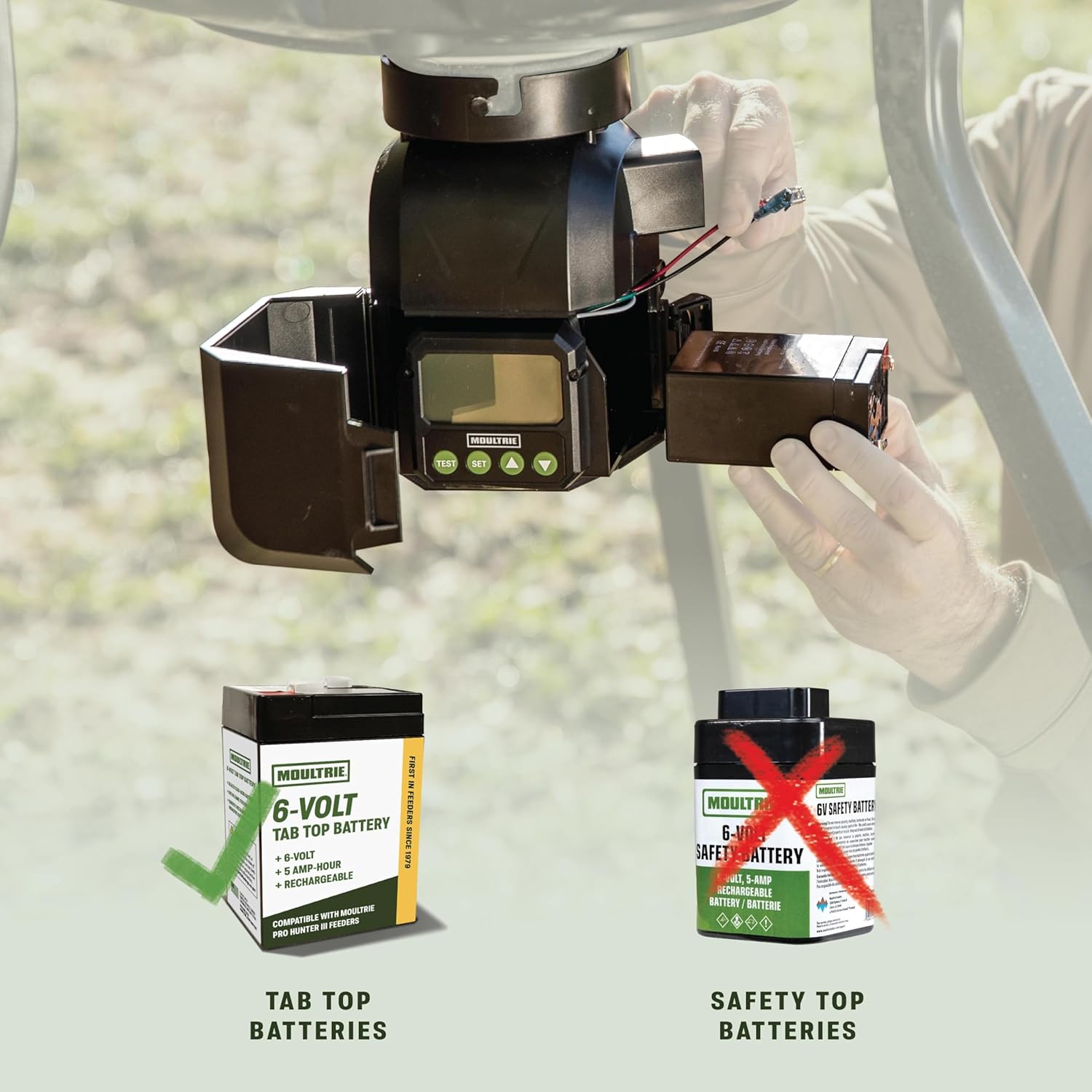
Image 4.1: Illustration showing the correct 6V tab-top battery type for installation and comparison with an incompatible safety-top battery.
4.2 Attaching to a Hopper
The Pro Hunter III Feeder Kit is designed for Quick-Lock compatibility with most Moultrie flat-bottom hoppers.
- Align the Quick-Lock adapter on the feeder kit with the corresponding slot on your Moultrie hopper.
- Twist the feeder kit clockwise until it securely locks into place. No tools are required.
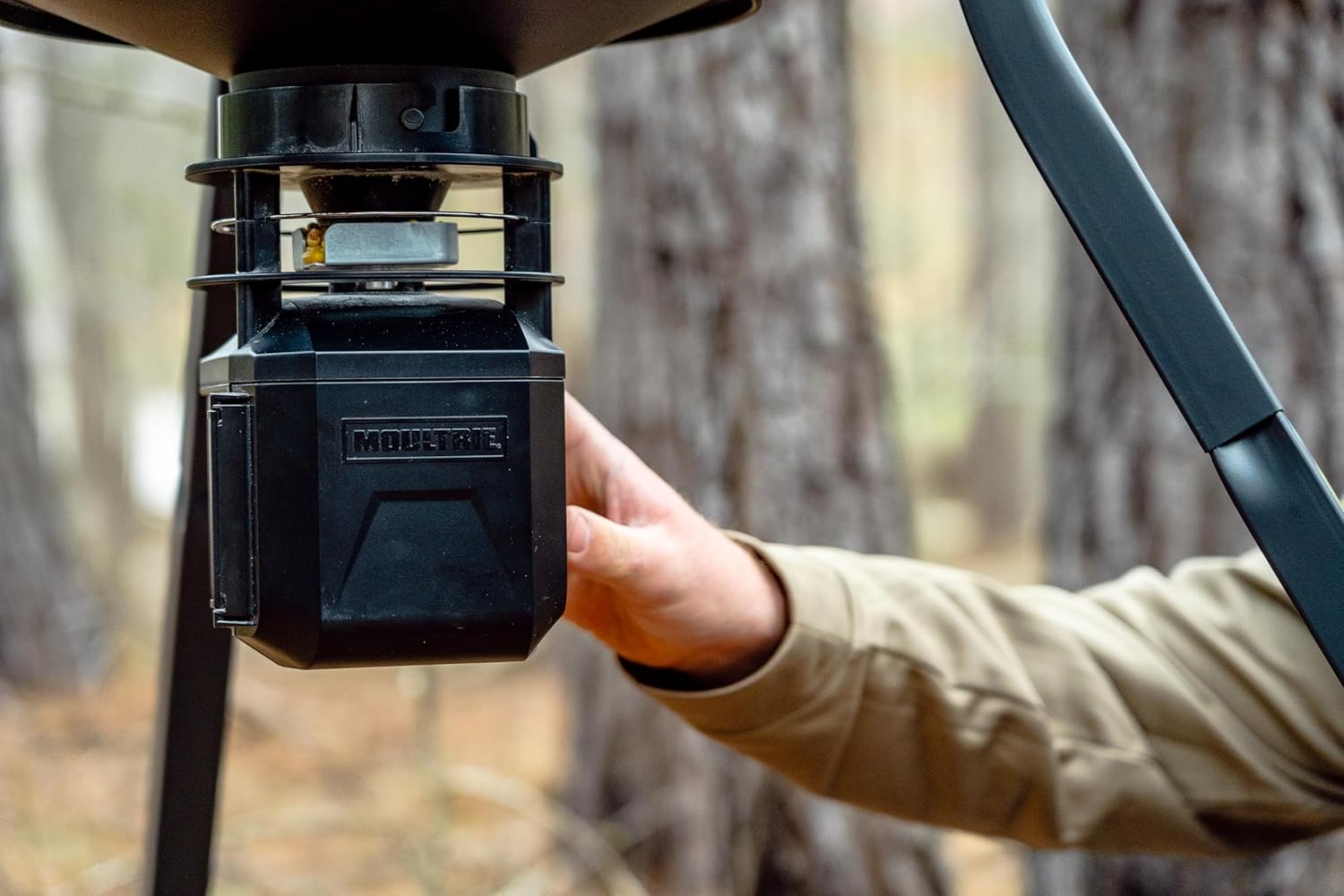
Image 4.2: A hand demonstrating the Quick-Lock installation of the feeder kit onto a hopper.
4.3 Optionaler Solarpanelanschluss
If using an optional Moultrie solar panel, connect its cable to the designated solar panel port on the feeder kit. Ensure the solar panel is positioned to receive maximum sunlight.
5. Bedienungsanleitung
5.1 Manuelle Programmierung
To program feed times directly on the unit:
- Open the hinged door to reveal the backlit digital screen and control buttons.
- Verwenden Sie die SATZ button to navigate through settings (Time, Feed Times, Run-Time, Motor Speed).
- Verwenden Sie die UP Und RUNTER Schaltflächen zum Anpassen von Werten.
- Program up to 10 daily feed times. Each feed time can be set for a duration of 1 to 60 seconds.
- Adjust the motor speed (High, Medium, Low) to control the feed spread.
- Drücken PRÜFEN to manually activate the feeder for a short duration.

Bild 5.1: Nahaufnahme view of the backlit digital timer screen and control buttons for manual programming.
5.2 Bluetooth Control via Moultrie App
For convenient wireless control, download the Moultrie App on your smartphone.
- Stellen Sie sicher, dass Bluetooth auf Ihrem Smartphone aktiviert ist.
- Open the Moultrie App and follow the on-screen instructions to pair with your Pro Hunter III Feeder Kit.
- Once paired, you can adjust feed times, durations, and motor speeds directly from the app.
- The app may also provide estimated feed level updates.

Image 5.2: A user interacting with the Moultrie App on a smartphone to control a feeder in a field setting.
5.3 Moultrie Connect with EDGE 3 Camera (Optional)
For remote control from greater distances, pair your feeder kit with a Moultrie EDGE 3 cellular camera.
- Ensure your EDGE 3 camera is set up and connected to the Moultrie Connect system.
- Follow the instructions within the Moultrie App to link your Pro Hunter III Feeder Kit to your EDGE 3 camera.
- This allows for remote adjustments to feed schedules and monitoring through the app, even when miles away.
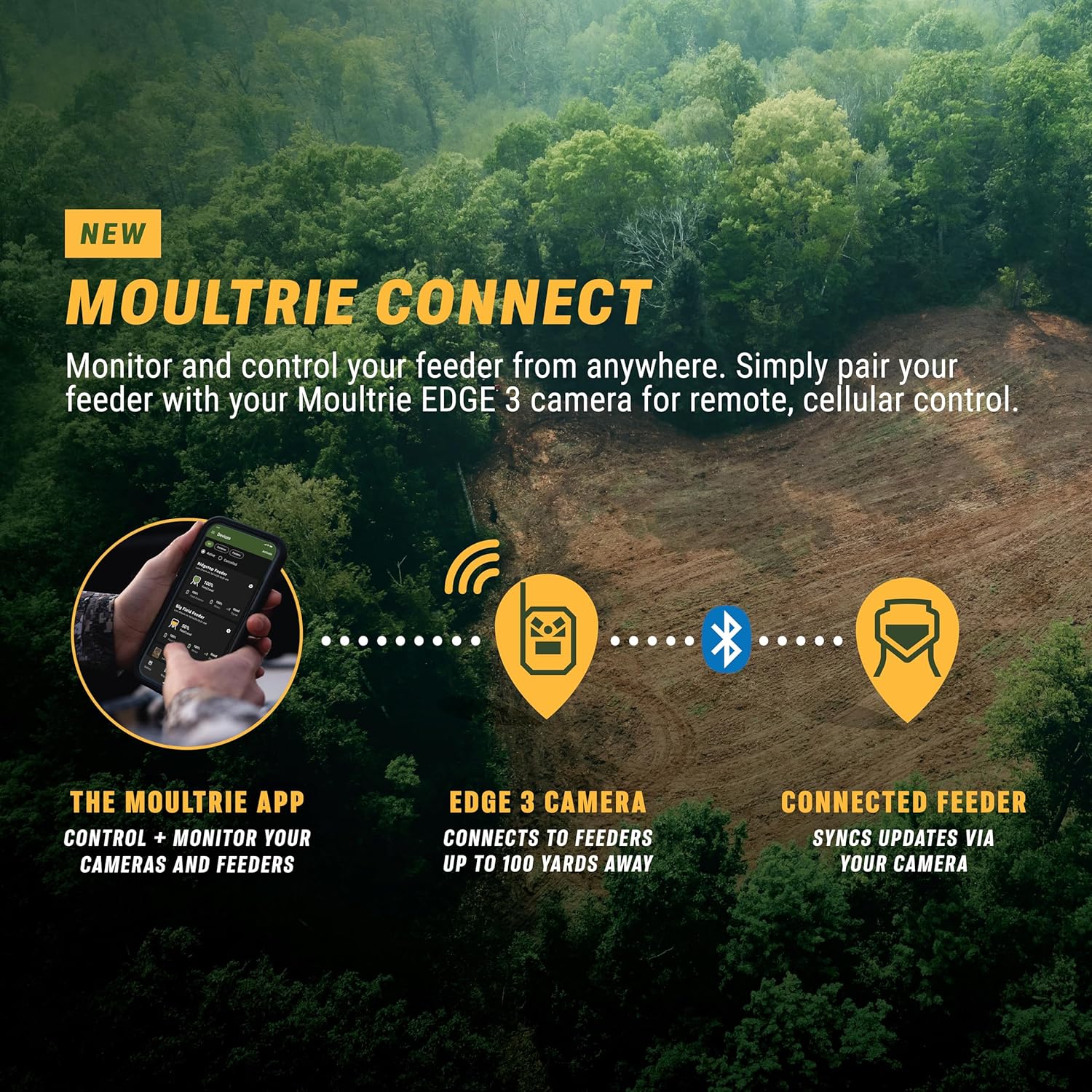
Image 5.3: Diagram illustrating the Moultrie Connect ecosystem, showing how the Moultrie App, EDGE 3 camera, and connected feeder interact for remote control.
6. Wartung
- Aufladen der Batterie: Regularly check the battery level via the app or on the unit's screen. Recharge the 6V tab-top battery as needed to ensure continuous operation.
- Reinigung: Periodically remove the feeder kit from the hopper (using the Quick-Lock mechanism) and clean any debris from the motor and spinner plate. This prevents blockages and ensures optimal feed distribution.
- Hopper Refill: Monitor feed levels and refill the hopper as necessary. The app's estimated feed level updates can assist with this.
- Lagerung: When not in use for extended periods, remove the battery and store the feeder kit in a dry, protected environment.

Image 6.1: The feeder kit actively distributing feed, highlighting the importance of regular cleaning to maintain performance.
7. Fehlerbehebung
| Problem | Mögliche Ursache | Lösung |
|---|---|---|
| Der Futterautomat gibt kein Futter aus. | Low battery, clogged spinner, incorrect programming. | Check battery charge. Clear any obstructions from the spinner plate and chute. Verify feed times and run-times in the app or on the unit. |
| Probleme mit der Bluetooth-Verbindung. | Feeder out of range, Bluetooth off on phone, app issues. | Ensure you are within Bluetooth range (typically 10-15 feet). Confirm Bluetooth is enabled on your device. Restart the Moultrie App. |
| Feed not spreading far enough. | Motor speed set too low, feed type. | Increase motor speed setting (High). Ensure feed is dry and free-flowing. |
| Feeder runs continuously. | Programming error, faulty switch. | Review programmed feed times and durations. If problem persists, contact customer support. |
8. Spezifikationen
- Modell: MFG-15097
- Marke: Moultrie
- Energiequelle: 6V Tab-Top Rechargeable Battery (not included)
- Fütterungszeiten: Bis zu 10 pro Tag
- Laufzeit: 1-60 seconds per feed
- Motor Speed Settings: Hoch Mittel Niedrig
- Konnektivität: Bluetooth, Moultrie Connect (with optional EDGE 3 camera)
- Kompatibilität: Quick-Lock compatible with most Moultrie flat-bottom hoppers
- Material: Plastik
- Produktabmessungen: 6.87 Zoll L x 6.87 Zoll B x 9.25 Zoll H
- Artikelgewicht: 3.02 Pfund
- UPC: 053695150970
9. Garantie und Support
The Moultrie Pro Hunter III Deer Feeder Kit comes with a 1 Jahre Herstellergarantie.
For warranty claims, technical assistance, or additional support, please contact Moultrie Customer Service. Refer to the official Moultrie webWebsite für aktuelle Kontaktinformationen.
Online-Ressourcen: Besuchen Sie die Moultrie Store für Produktinformationen und Zubehör.


