1. Einleitung
The Arlo Essential Pan Tilt Security Camera 2K provides comprehensive surveillance for your home, both indoors and outdoors. Featuring crystal-clear 2K video resolution, 360° pan, and 180° tilt capabilities, this wired camera ensures no blind spots. It includes advanced features like automatic motion tracking, smart detections for people, vehicles, packages, and animals, color night vision, 2-way audio, and an integrated siren. Designed for continuous, worry-free operation with plug-in power, it connects via dual-band Wi-Fi and integrates with popular smart home assistants.

Image: Arlo Essential Pan Tilt Security Camera 2K, showcasing its compact design and pan/tilt mechanism.
2. Lieferumfang
- Arlo Essential Pan Tilt Security Camera
- Outdoor Power Adapter with Charging Cable (16 ft)
- Wandmontage- und Schraubenset
- Kurzanleitung
3. Einrichtungsanweisungen
3.1. App Installation & Account Creation
- Laden Sie die Arlo Secure-App aus dem App Store Ihres Geräts.
- Create an Arlo account or log in if you already have one.
- Ensure your phone's Bluetooth is enabled and the Arlo Secure App has Bluetooth permissions.
3.2. Camera Pairing & Wi-Fi Connection
- In the Arlo Secure App, navigate to Geräte.
- Tippen Sie auf das Blau + Symbol in der oberen rechten Ecke.
- Wählen Kameras, Dann Essential-Serie.
- Wählen Sie das Symbol Plug-In Cameras Tab.
- Wählen Pan Tilt Security Camera (ensure you select Security Camera, not Indoor Camera).
- Press and hold the sync button on top of your camera for up to 3 seconds until the LED flashes blue.
- The app should detect and connect to your camera. Follow the on-screen prompts to connect your camera to your Wi-Fi network (supports 2.4GHz and 5GHz Dual-Band Wi-Fi).
- Give your camera a descriptive name.
- Allow the app to check for and install any available firmware updates.
3.3. Montage der Kamera
Before permanent installation, test your chosen spot for clear line of sight and strong Wi-Fi signal using the Arlo app.
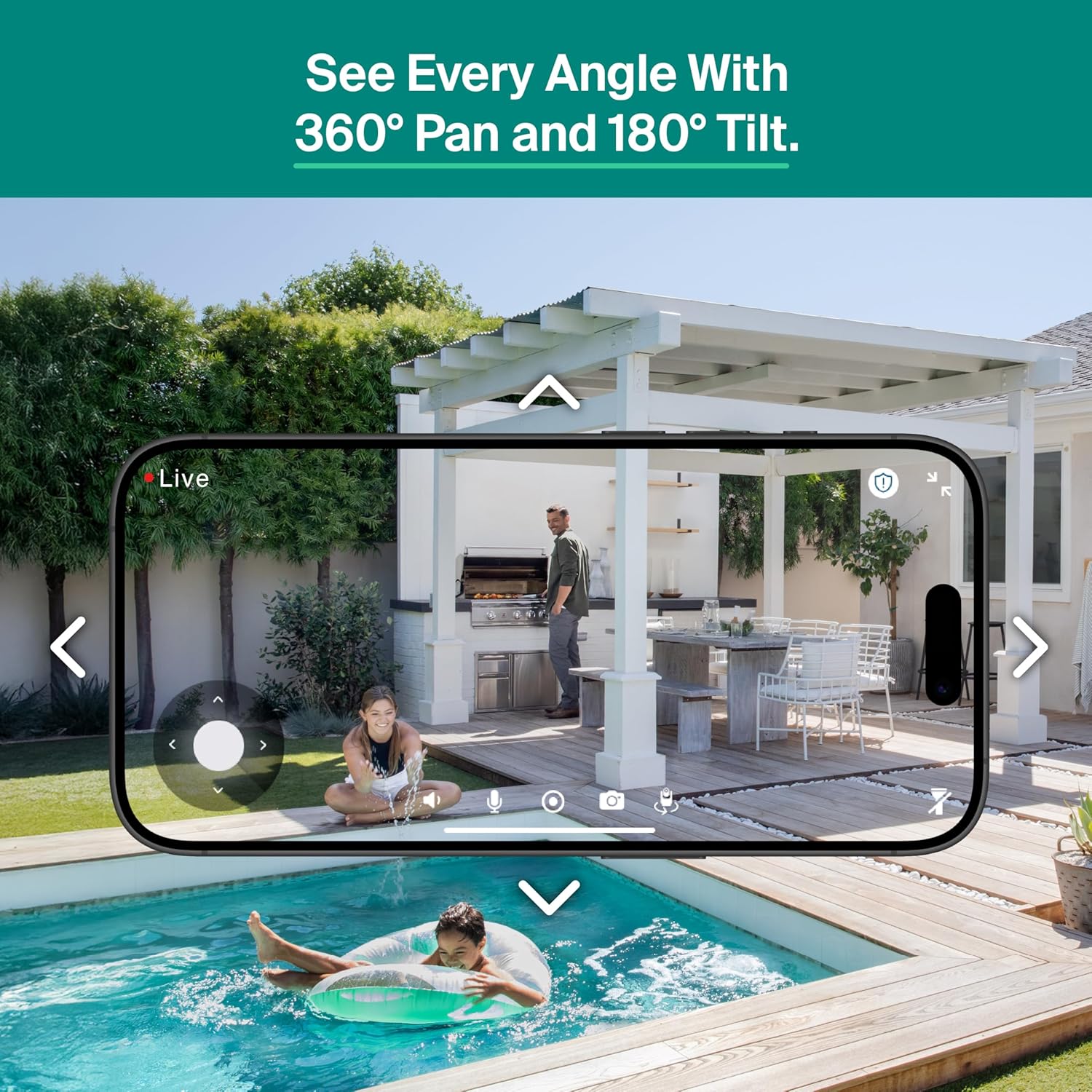
Image: Arlo Essential Pan Tilt Security Camera mounted on an outdoor wall, demonstrating its placement.
Installation der Wandhalterung:
- Identify the nearest power outlet. If it's below the camera's mounting spot, feed the power cable through the channel in the back of the L-bracket. Ensure enough slack to easily plug in the camera later.
- Install the L-bracket using the included hardware. Ensure the arrow on the bracket points in the direction the camera lens will face.
- Connect the camera to the power cable.
- Align the camera's base with the L-bracket and slide it forward until it securely clicks into place.
Installation der Deckenmontage:
- Anchor the circular mounting plate where you want it, with the arrow pointing in the direction the camera lens will ultimately face. Secure it with the included hardware.
- Connect the camera to the power cable.
- Align your camera's base so the arrow on the bottom points the same way as the one on the mounting plate.
- Slide your camera forward until it securely clicks into place.
3.4. Einschalten
Once your camera is securely mounted, plug it in and allow it to power up. The camera will automatically rotate to calibrate its range of motion.
Video: Arlo Essential Pan Tilt Camera How-To Video. This video provides a comprehensive guide to setting up and installing your camera.
4. Bedienungsanleitung
4.1. Schwenk- und Neigesteuerung
Utilize the 360° pan and 180° tilt viewing capabilities directly from the Arlo Secure App to monitor every corner of your property. You can manually control the camera's direction or set it to follow motion automatically.
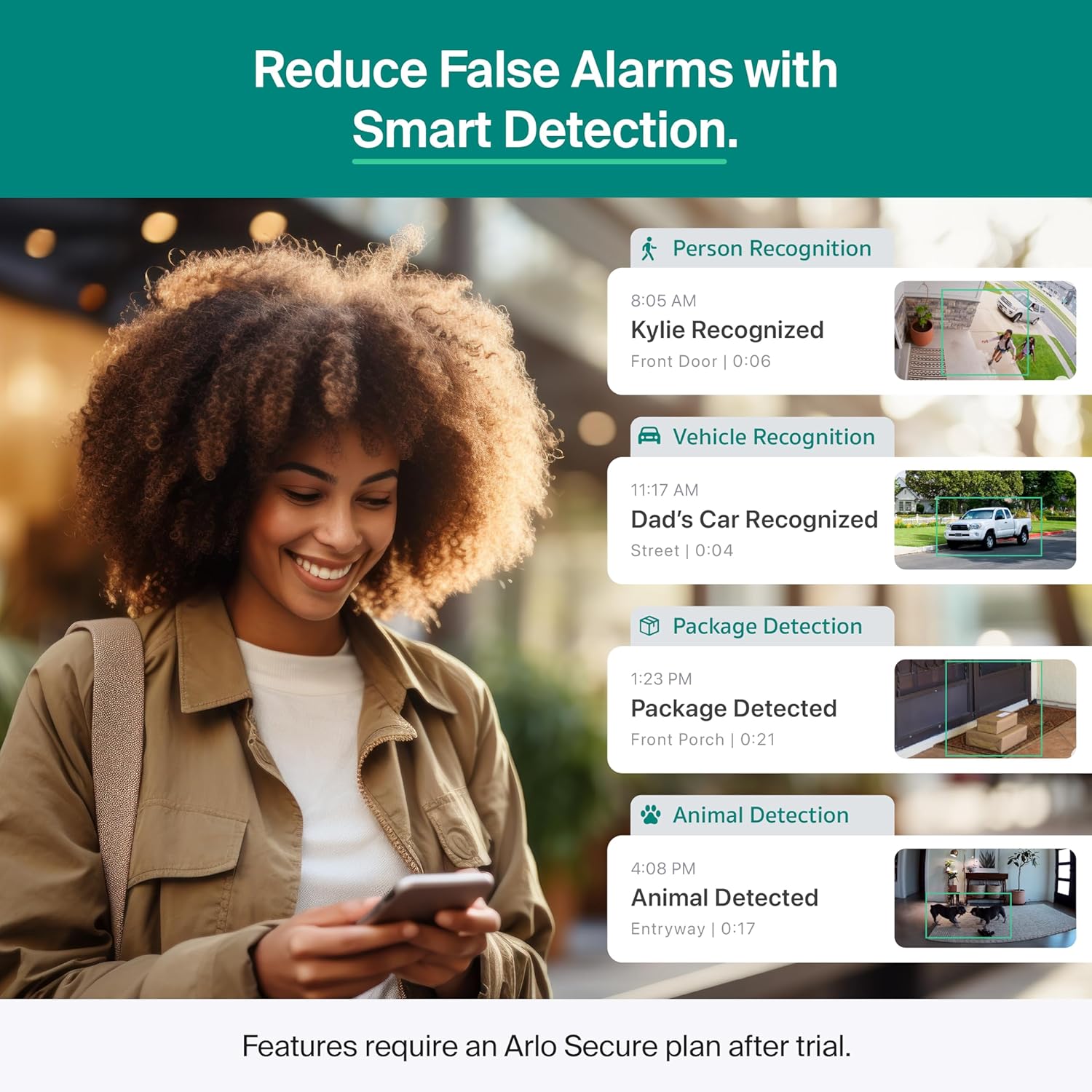
Image: Arlo Essential Pan Tilt Security Camera illustrating its 360-degree pan and 180-degree tilt movement.
4.2. Automatische Bewegungsverfolgung
The camera features automatic motion tracking, ensuring that subjects within its field of view are continuously followed and recorded, so you don't miss any activity.
4.3. Smart Detections
Receive detailed alerts on your phone with Smart Detection capabilities. The camera can differentiate between people, vehicles, pets, and packages, reducing false alarms and providing relevant notifications.

Image: Smartphone screen displaying various smart detection alerts from the Arlo camera, including person, vehicle, package, and animal recognition.
4.4. Advanced Audio Detection
Stay aware of important sounds with Advanced Audio Detection. The camera can recognize and alert you to sounds such as glass breaking, dog barking, or screaming, allowing for quick response.

Image: Smartphone screen showing an alert for 'Dog Barking detected at Smith House', with icons for other detected sounds like glass breaking, screaming, and gunshots.
4.5. Color Night Vision & Integrated Spotlight
Experience clear surveillance day and night with Color Night Vision. The integrated spotlight enhances visibility and can deter unwanted visitors.
4.6. 2-Way Audio & Integrated Siren
Communicate clearly with visitors or deter intruders using the noise-canceling 2-Way Audio. The integrated siren can be activated remotely from the Arlo Secure App to scare off potential threats.
5. Arlo Secure Plan
The Arlo Essential Pan Tilt Security Camera 2K includes a 1-Month Arlo Secure plan trial. This plan unlocks premium features that enhance your security experience:
- 60-Day Video History: Zugriff und erneutview aufgezeichnetes Videofootage for up to 60 days.
- Smart Detections: Advanced AI-powered recognition for people, vehicles, packages, and animals.
- Advanced Audio Detection: Alerts for critical sounds like glass breaking or dog barking.
- Aktivitätszonen: Passen Sie bestimmte Bereiche Ihrer Kamera an view to receive alerts only for events that matter most.
- 24/7 Emergency Response: One-tap access to immediately dispatch police, fire, or medical responders to your camera's location.
- Interactive Notifications: Respond directly from your phone's lock screen.
After the trial period, a paid subscription is required to maintain these premium features. Plans and pricing are subject to change. For current information, visit arlo.com/arlosecure.

Image: Visual representation of the benefits of the Arlo Secure Plan, highlighting features like 60-day video history, smart detection, advanced audio detection, and activity zones.
6. Wartung
- Reinigung: Wischen Sie die Kameralinse und das Kameragehäuse vorsichtig mit einem weichen, fusselfreien Tuch ab.amp Mit einem Tuch abwischen. Vermeiden Sie scheuernde Reiniger oder Lösungsmittel.
- Wetterbeständigkeit: The camera has an IP65 rating, making it water-resistant and suitable for outdoor use. However, avoid direct high-pressure water jets.
- Firmware-Updates: Regularly check the Arlo Secure App for firmware updates to ensure optimal performance and security.
7. Fehlerbehebung
7.1. App/Bluetooth Connection Issues
- Stellen Sie sicher, dass Bluetooth auf Ihrem Telefon aktiviert ist.
- Verify that the Arlo Secure App has Bluetooth permissions enabled in your phone's settings.
- Make sure you have the latest version of the Arlo Secure App installed.
7.2. Probleme mit der WLAN-Verbindung
- Check the Wi-Fi strength at your camera's mounting spot using the Arlo app.
- If the connection is weak, try moving your camera closer to your Wi-Fi router or consider a Wi-Fi extender.
- Ensure you have entered the correct Wi-Fi network name and password. Special characters or capital letters can sometimes cause issues.
- The camera supports 2.4GHz and 5GHz dual-band Wi-Fi. Ensure your router is configured correctly.
7.3. Bewegungserkennung und Benachrichtigungen
- Platzierung der Kamera: Motion sensors are strongest in the lower two-thirds of the camera's field of view. Position your camera to capture movement where it matters most.
- Avoid Glass: Do not aim your camera through glass, plastic, or mirrors, as this can significantly decrease motion sensor performance.
- Excessive Notifications: If you have an Arlo Secure plan, use the Activity Zones feature in your camera settings to customize areas for alerts, reducing unwanted notifications.
- Muting Notifications: You can temporarily mute incoming alerts by holding down on the notification on your phone's lock screen and selecting 'Mute Notifications'.
8. Spezifikationen
| Besonderheit | Detail |
|---|---|
| Modellname | Essential Pan Tilt Security Camera |
| Modellnummer | VMC3083 |
| Auflösung der Videoaufnahme | 1440p (2K) |
| Verwendung im Innen- und Außenbereich | Innenbereich, Außenbereich |
| Stromquelle | Kabelgebundener Elektrisch (Plug-in) |
| Konnektivitätsprotokoll | Wi-Fi (2.4GHz and 5GHz Dual-Band) |
| Viewing-Winkel | 130 Grad |
| Pan & Tilt | 360° Schwenken & 180° Neigen |
| Nachtsichtbereich | 25 Fuß (Farbnachtsicht) |
| Besondere Merkmale | 2-Way Audio, Built-In Light, Motion Sensor, PTZ Technology |
| Alarmtyp | Audio und Bewegung |
| Internationale Schutzbewertung | IP65 (wasserbeständig) |
| Compatible Smart Home Assistants | Amazon Alexa, Google Home, IFTTT, Samsung SmartThings |
| Produktabmessungen (L x B x H) | 3.15 x 3.15 x 5.84 Zoll |
| Artikelgewicht | 1.57 Pfund |
9. Garantie und Support
Arlo is committed to safeguarding your home and data. For expert support, you can access help through the Arlo app and connect with the community. 24/7 chat support is available via the app or website. Product use and support are intended for the United States only.
For detailed warranty information, please refer to the documentation provided with your product or visit the official Arlo webWebsite.
Video: Introducing Arlo Essential Pan Tilt Camera. This video highlights the key features and benefits of the camera.
10. Sicherheitshinweise
- This product is intended for use in the U.S. Functionality may be limited or unavailable in other regions.
- Ensure proper installation to prevent the camera from falling and causing injury or damage.
- Verwenden Sie ausschließlich das mitgelieferte Netzteil und Ladekabel.
- Versuchen Sie nicht, die Kamera selbst zu zerlegen oder zu reparieren. Wenden Sie sich an den Kundendienst.
- Bewahren Sie die Kamera und das Zubehör außerhalb der Reichweite von Kleinkindern auf.


