1. Einleitung
This user manual provides essential information for the safe and efficient operation of your CHiQ L40FT 40-inch Full HD Smart TV. Please read this manual thoroughly before using the product and retain it for future reference. This television features a Full HD display, HDR10 support, Google TV operating system, Dolby Audio, a triple tuner (DVB-C/T/T2/S/S2), and integrated Chromecast, all within a sleek, frameless metal design.
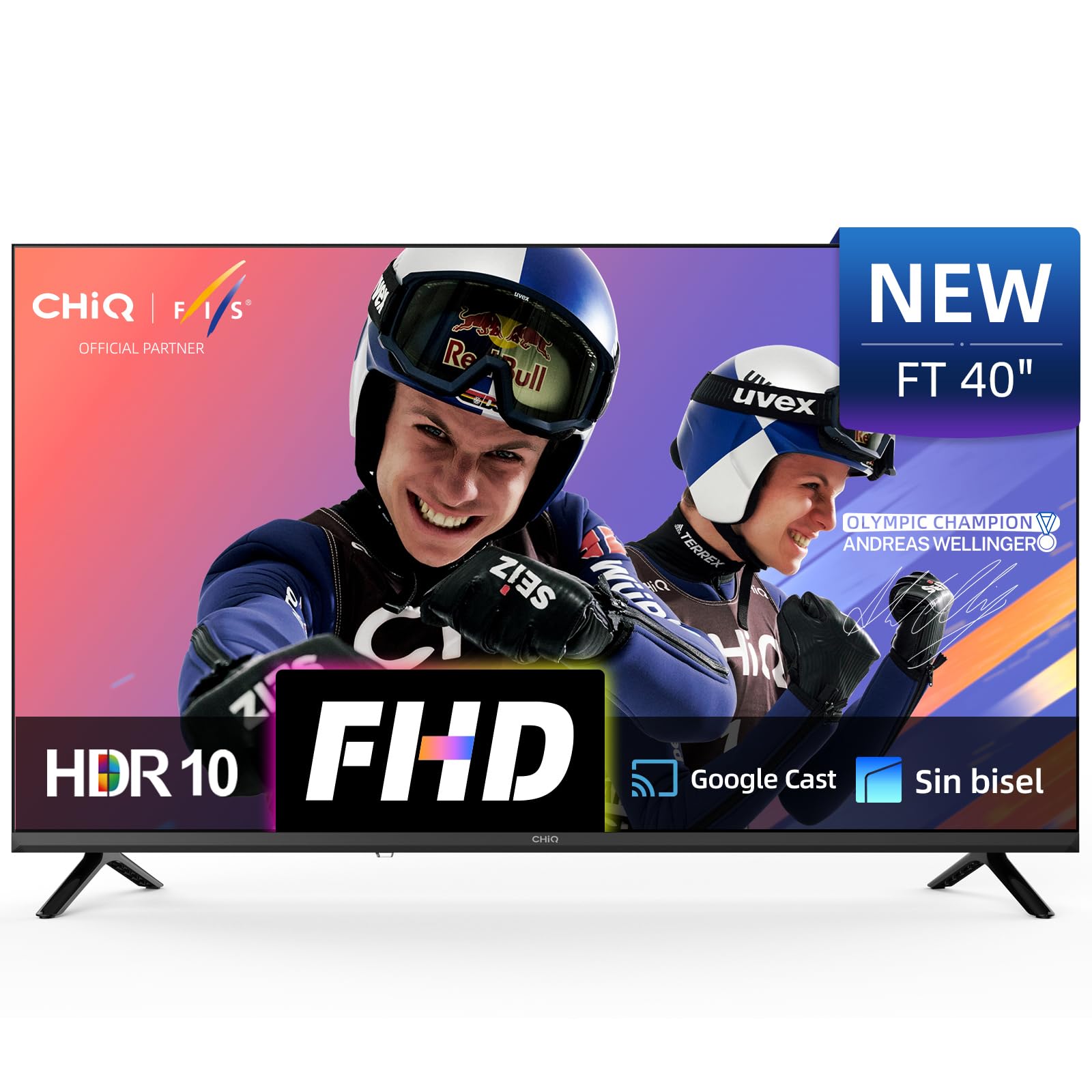
Bild 1.1: Vorderseite view of the CHiQ L40FT 40-inch Full HD Smart TV with its stand.
2. Sicherheitshinweise
Always follow basic safety precautions when using this television to reduce the risk of fire, electric shock, and injury. Keep the TV away from water and moisture. Do not block ventilation openings. Use only attachments/accessories specified by the manufacturer. Refer all servicing to qualified service personnel. Unplug the TV during lightning storms or when unused for long periods.
3. Lieferumfang
Bitte überprüfen Sie, ob alle folgenden Artikel in Ihrer Produktverpackung enthalten sind:
- CHiQ L40FT Smart TV Unit
- Fernbedienung
- Stromkabel
- TV-Ständer (2 Stück)
- Batterien für Fernbedienung
- Benutzerhandbuch (dieses Dokument)

Image 3.1: Diagram illustrating the TV dimensions and the contents of the package.
4. Einrichtung
4.1 Auspacken
Carefully remove the TV from its packaging. It is recommended to keep the original packaging for potential future transport or servicing.
4.2 Standinstallation
Place the TV screen-down on a soft, flat surface. Align the stands with the screw holes on the bottom of the TV. Secure the stands using the provided screws. Ensure the stands are firmly attached before placing the TV upright.
4.3 Wandmontage
The CHiQ L40FT supports VESA wall mounts with a pattern of 200x200 mm (M6 screws). Consult a professional for wall mounting to ensure proper installation and safety. The TV's slim profile (71.8 mm depth) allows for a close fit to the wall.
4.4 Anschließen von Peripheriegeräten
Connect your external devices to the appropriate ports on the TV. The CHiQ L40FT offers a variety of connectivity options:
- HDMI 1.4 (x3): For connecting Blu-ray players, game consoles, and AV receivers.
- USB 2.0 (x2): For media playback from flash drives.
- LAN (Ethernet): Für kabelgebundene Netzwerkverbindungen.
- AV-Eingang: For older devices with composite video and stereo audio output.
- Kopfhörerausgang: Zum Anschluss von Kopfhörern oder externen Lautsprechern.
- RF In (Antenna): Zum Anschluss von terrestrischen oder Kabelfernsehantennen.
- Optischer Audioausgang: Zum Anschluss an Soundbars oder Heimkinosysteme.
- CI+-Steckplatz: Für Conditional Access Modules (CAM) zur Entschlüsselung von Pay-TV-Kanälen.

Bild 4.1: Überview von TV-Anschlüssen.

Abbildung 4.2: Detailansicht view of TV port connections.
4.5 Erstes Einschalten und Ersteinrichtung
After connecting all necessary cables, plug the power cable into an electrical outlet. Press the power button on the remote control or the TV. Follow the on-screen instructions to complete the initial setup, which includes connecting to Wi-Fi, logging into your Google account, and scanning for channels.
5. Bedienung Ihres Fernsehgeräts
5.1-Fernbedienung
The included remote control allows you to navigate the TV's interface, adjust settings, and access various functions. Familiarize yourself with the buttons for power, volume, channel selection, input source, and dedicated app buttons.
5.2 Google TV-Oberfläche
Your CHiQ L40FT TV runs on Google TV OS, providing access to over 10,000 apps and a personalized content experience. The home screen organizes movies, shows, and live TV from all your services in one place. Use the directional pad on your remote to navigate through menus and select content.
Video 5.1: This video demonstrates the CHiQ L40FT TV's Google TV interface, including voice activation, app navigation, and screen mirroring capabilities.

Image 5.1: The Google TV home screen with various streaming application icons.
5.3 Sprachsteuerung (Google Assistant)
The integrated Google Assistant allows you to control your TV using voice commands. You can search for content, open apps, adjust volume, and more by speaking into the remote control's microphone or using the Google Assistant app on your smartphone.

Image 5.2: Controlling the TV using Google Assistant via a smartphone.
5.4 Chromecast & Screen Mirroring
With built-in Chromecast, you can easily cast content from your Android, iOS, or Mac devices directly to your TV. The TV also supports DLNA and Apple AirPlay for screen mirroring, allowing you to display your device's screen on the TV.

Image 5.3: Demonstrating screen mirroring from a mobile device to the TV.
5.5 Picture Settings (FHD, HDR10)
Your TV features a Full HD (1920x1080p) display, offering clear and detailed images. HDR10 support enhances contrast and color accuracy, providing deeper blacks and brighter highlights. You can adjust picture settings such as brightness, contrast, color, and sharpness through the TV's menu. Multiple image modes (Cinema, Sport, Game, Vivid, Energy Saving) are available to optimize the viewing experience for different content types.

Image 5.4: FHD vs. HD image quality comparison.

Image 5.5: HDR10 visual enhancement demonstration.

Image 5.6: Multiple image modes for optimized viewing.
5.6 Audio Settings (Dolby Audio, dbx-tv Pro)
The TV features Dolby Audio for clear and immersive sound, along with dbx-tv Pro sound optimization. This technology provides dynamic audio with crisp dialogue and adaptive bass. You can select from various audio presets like Cinema, News, Night, and Sport to suit your content.

Image 5.7: Dolby Audio professional tuning.

Image 5.8: dbx-tv custom audio modes.
5.7 Kindermodus
Activate the Child Mode profile to access fun and age-appropriate content for children. This feature helps create a safe digital space by limiting access to potentially harmful content.
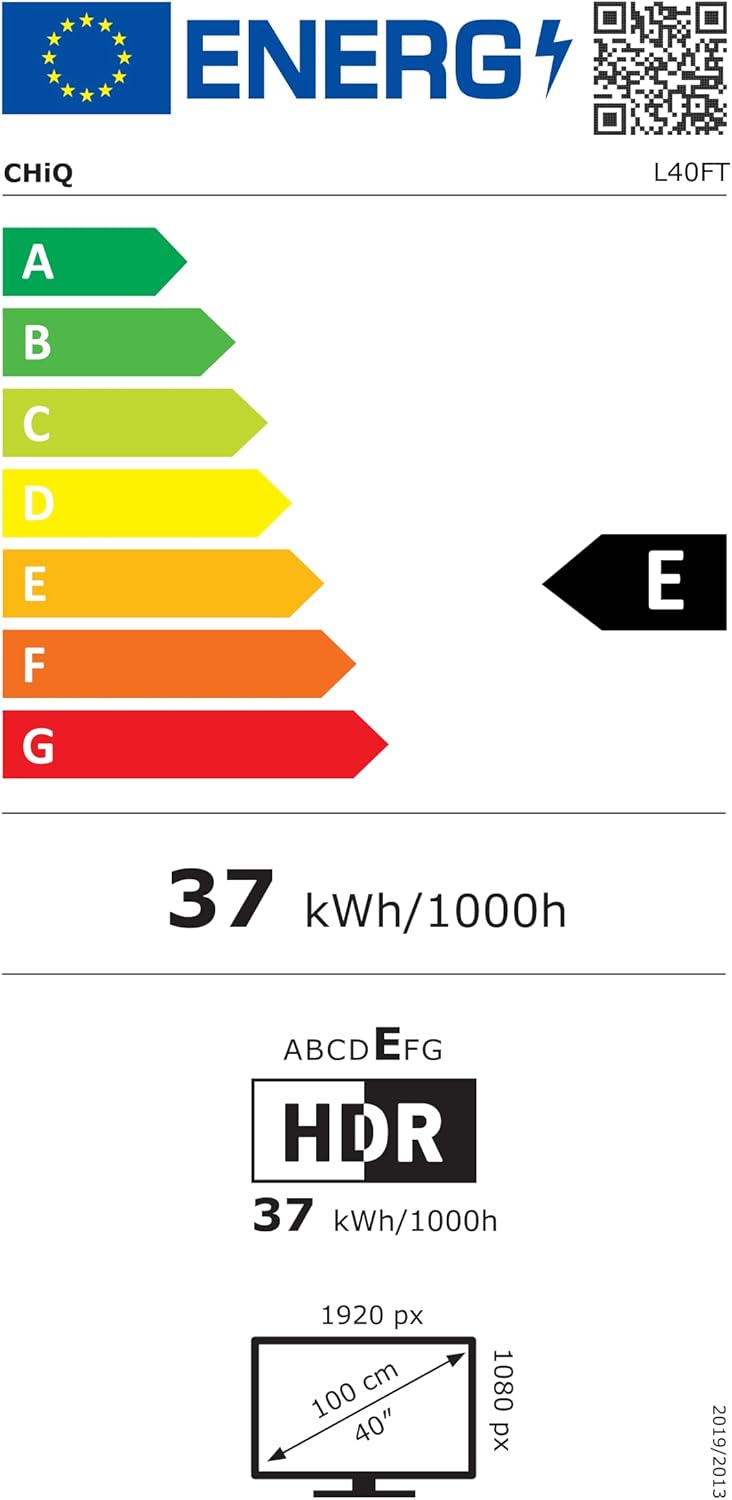
Image 5.9: Child Mode interface for kid-friendly content.
6. Wartung
6.1 Reinigung des Fernsehers
Um den Bildschirm zu reinigen, wischen Sie ihn vorsichtig mit einem weichen, fusselfreien Tuch ab. Bei hartnäckigen Flecken leicht andrücken.ampen the cloth with water or a screen cleaner designed for electronics. Avoid using harsh chemicals or abrasive materials. For the TV body, use a soft, dry cloth.
6.2 Softwareaktualisierungen
Ihr Fernseher erhält möglicherweise regelmäßig Software-Updates, um die Leistung zu verbessern und neue Funktionen hinzuzufügen. Stellen Sie sicher, dass Ihr Fernseher mit dem Internet verbunden ist, um diese Updates zu erhalten. Sie können in der Regel manuell im Einstellungsmenü Ihres Fernsehers nach Updates suchen.
7. Fehlerbehebung
Sollten Sie Probleme mit Ihrem Fernseher haben, beachten Sie bitte die folgenden häufigen Probleme und Lösungen:
- Kein Strom: Check if the power cable is securely plugged into both the TV and the wall outlet. Ensure the outlet is functional. Try pressing the power button on the TV itself, not just the remote.
- Kein Bild/Ton: Verify the correct input source is selected. Check all cable connections (HDMI, AV, Antenna). If using an external device, ensure it is powered on and functioning correctly.
- Fernbedienung funktioniert nicht: Tauschen Sie die Batterien aus. Stellen Sie sicher, dass sich keine Hindernisse zwischen der Fernbedienung und dem Infrarotsensor des Fernsehers befinden.
- Netzwerkverbindungsprobleme: Check your Wi-Fi router and internet connection. Restart the TV and your router. Ensure the Wi-Fi password is entered correctly. For wired connections, check the Ethernet cable.
- Schlechte Bildqualität: Adjust picture settings (brightness, contrast, sharpness). Ensure the content source is high quality. For antenna reception, check antenna positioning.
- Klangverzerrung: Check audio settings and try different sound modes. Ensure external audio devices (soundbar, home theater) are connected correctly and their volume is adjusted.
If the problem persists after trying these steps, please contact CHiQ customer support.
8. Spezifikationen
Below are the key technical specifications for the CHiQ L40FT Smart TV:
| Besonderheit | Spezifikation |
|---|---|
| Marke | CHiQ |
| Modellnummer | L40FT |
| Bildschirmgröße | 40 Zoll (100 cm) |
| Display-Technologie | LED |
| Auflösung | 1080p (Full HD) |
| Bildwiederholrate | 120 Hz |
| Besondere Merkmale | Chromecast Built-in, HDR10, Google TV OS, Dolby Audio, dbx-tv Pro, Google Assistant, Bluetooth, Wi-Fi |
| Konnektivität | HDMI 1.4 (x3), USB 2.0 (x2), LAN, AV In, Headphone Out, Optical Audio Out, RF In, CI+ Slot |
| Seitenverhältnis | 16:9 |
| Produktabmessungen (ohne Standfuß) | 89.18 x 7.14 x 50.86 cm |
| Produktabmessungen (mit Ständer) | 89.18 x 18.02 x 55.63 cm |
| Gewicht | 4.8 kg |
| VESA-Halterung kompatibel | 200x200 mm (M6) |
| Energieeffizienzklasse (SDR) | E (37 kWh/1000h) |

Image 8.1: EU Energy Label for the CHiQ L40FT TV.
Detaillierte Energieinformationen finden Sie in der EPREL-Datenbank: https://eprel.ec.europa.eu/qr/2358800
9. Garantie und Support
Your CHiQ L40FT Smart TV comes with a standard manufacturer's warranty. Please refer to the warranty card included in your packaging for specific terms and conditions. The typical warranty duration is 2 years. For technical support, service inquiries, or to report issues, please contact CHiQ customer service.
Hersteller: Changhong Europe Electronic s.r.o.
Adresse: Dělnická 213/12, 17000 Holešovice Praha 7, CZ
WebWebsite: www.chiq.com


