1. Produktüberschreitungview
The WHOOP Peak Bundle provides an integrated solution for continuous health and fitness monitoring. It includes the WHOOP 5.0 wearable, a 12-month WHOOP Peak membership, a SuperKnit Wristband, and a Wireless PowerPack. This system tracks physiological data 24/7 to offer personalized insights into recovery, sleep, strain, and daily habits.
Zu den Hauptmerkmalen gehören:
- 24/7 Überwachung: Tracks heart rate, sleep, blood oxygen, VO2 max, stress, menstrual cycle, and Pace of Aging.
- Personalized Coaching: WHOOP Coach provides tailored recommendations for optimizing sleep, strain, and recovery.
- WHOOP Journal: Log daily behaviors to understand their impact on health.
- Verlängerte Akkulaufzeit: Up to 14+ days of battery life with on-the-go charging via the Wireless PowerPack.
- Komfortables Design: SuperKnit Wristband offers comfort and adjustability.
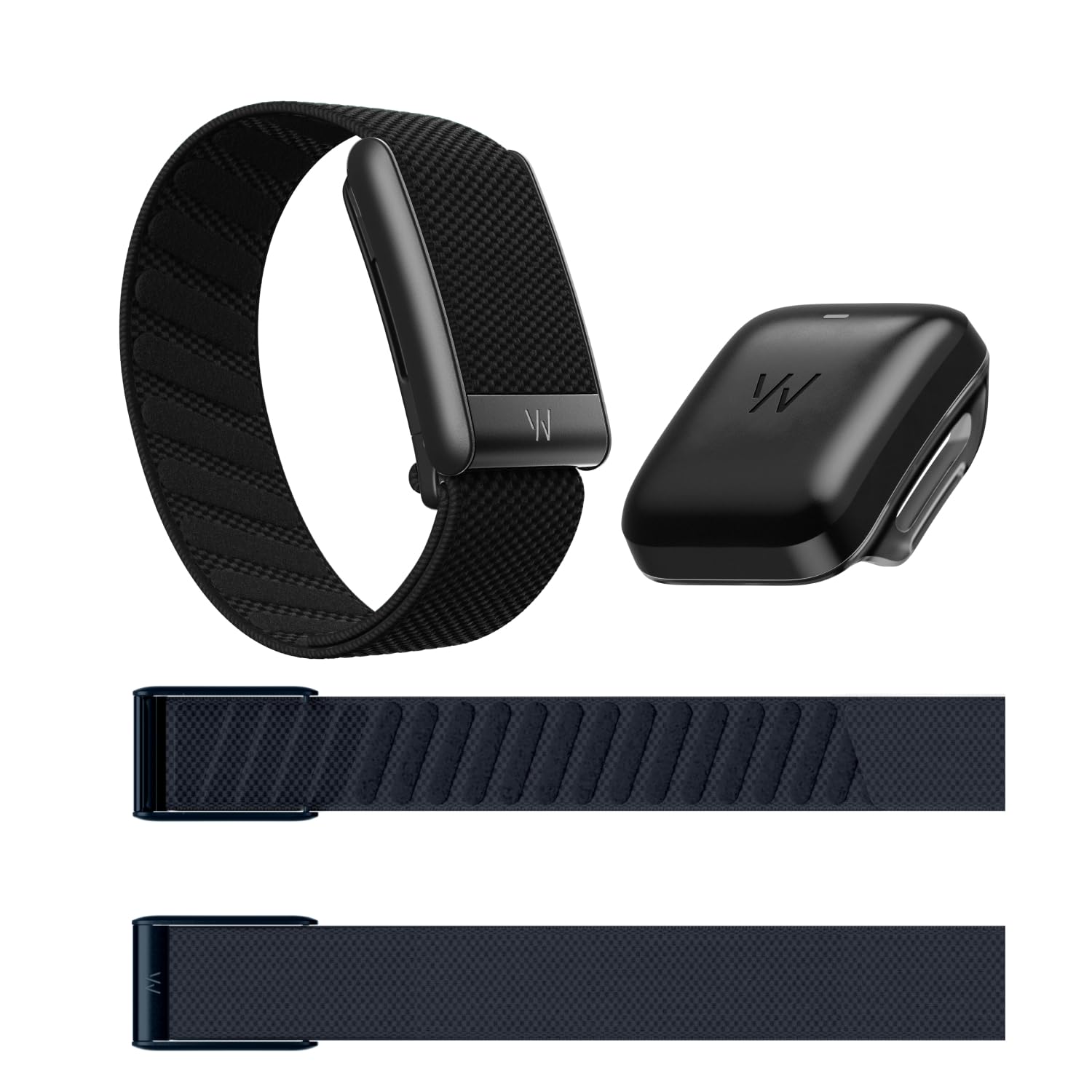
Image: The WHOOP 5.0 wearable, SuperKnit wristband, and Wireless PowerPack, illustrating the complete bundle.

Bild: Eine detaillierte view of the WHOOP 5.0 device, highlighting key features such as 14+ days of battery life, SuperKnit fabric, silent haptic alarm, and the Fast Link slider for band swapping.
2. Installationsanleitung
Follow these steps to set up your WHOOP 5.0 device and begin tracking your data.
2.1. Charge Your WHOOP 5.0
- Ensure the Wireless PowerPack is charged. Connect the PowerPack to a USB power source using the provided USB-C cable. The LED indicator on the PowerPack will show charging status.
- Slide the fully charged Wireless PowerPack onto your WHOOP 5.0 device. The PowerPack is designed to charge the WHOOP device while it is being worn, ensuring continuous data collection.
- Allow the WHOOP device to charge until the battery indicator in the WHOOP app shows a full charge.

Image: The Wireless PowerPack with its USB-C charging cable, used to charge the WHOOP 5.0 device.
2.2. Install the WHOOP App and Pair Device
- Download the WHOOP app from your smartphone's app store (iOS or Android).
- Open the app and create a new account or log in with your existing WHOOP membership credentials.
- Follow the on-screen instructions to pair your WHOOP 5.0 device with your smartphone via Bluetooth. Ensure Bluetooth is enabled on your phone.
2.3. Wear Your WHOOP 5.0
The WHOOP 5.0 is designed to be worn on your wrist, upper arm, or other body locations using compatible accessories. For optimal data accuracy, ensure the sensor is in firm contact with your skin.
- Attach the SuperKnit Wristband to your WHOOP 5.0 device.
- Place the device on your non-dominant wrist, approximately one inch above your wrist bone.
- Adjust the band for a snug but comfortable fit. It should not be too tight to restrict circulation, nor too loose to move freely.

Image: The WHOOP 5.0 device securely fastened to a wrist with the SuperKnit band, demonstrating proper wearing.
3. Operating Your WHOOP 5.0
Once set up, your WHOOP 5.0 continuously collects data. All interactions and data analysis occur within the WHOOP mobile application.
3.1. Ihre Daten verstehen
The WHOOP app provides daily insights across four key pillars: Beanspruchung, Erholung, Und Schlafen. It also monitors your Gesundheit Metriken.
- Beanspruchung: Measures cardiovascular load from daily activities and workouts.
- Erholung: Assesses your body's readiness for activity based on Heart Rate Variability (HRV), Resting Heart Rate (RHR), and sleep.
- Schlafen: Tracks Schlaf stages (REM, Deep, Light), disturbances, and efficiency.
- Gesundheitsmonitor: Provides real-time insights into key vitals like Respiratory Rate, SpO2, RHR, HRV, and Skin Temperature.

Image: Screenshots from the WHOOP app demonstrating the Health Monitor, menstrual cycle tracking, real-time stress response, and Pace of Aging metrics.
3.2. Using WHOOP Coach and Journal
- WHOOP Coach: Access personalized recommendations and insights based on your unique physiological data. This AI-powered feature helps you optimize your training, recovery, and sleep.
- WHOOP Journal: Log daily behaviors such as caffeine intake, alcohol consumption, meditation, or specific workouts. The Journal helps identify correlations between your habits and your physiological metrics over time.
3.3. Charging On-the-Go
The Wireless PowerPack allows you to charge your WHOOP 5.0 without removing it from your wrist. Simply slide the charged PowerPack onto the device. The device will continue to collect data during charging.
4. Wartung
Proper care ensures the longevity and accuracy of your WHOOP 5.0 device and accessories.
4.1. Cleaning the WHOOP Device
- Wipe the device, especially the sensor area on the back, with a soft, damp Tuch regelmäßig.
- Vermeiden Sie die Verwendung von aggressiven Chemikalien, Scheuermitteln oder Lösungsmitteln, da diese das Gerät beschädigen können.
- Ensure the device is dry before reattaching the PowerPack or wearing it.

Image: The underside of the WHOOP 5.0 device, highlighting the optical sensors that require regular cleaning for accurate readings.
4.2. Cleaning the SuperKnit Wristband
- The SuperKnit band can be hand-washed with mild soap and water.
- Rinse thoroughly and allow it to air dry completely before reattaching to the device or wearing.
- Avoid machine washing or drying, as this may damage the fabric.

Image: A close-up of the SuperKnit wristband, demonstrating its texture and design.
5. Fehlerbehebung
If you encounter issues with your WHOOP 5.0, refer to the following common troubleshooting steps.
5.1. Device Not Syncing
- Ensure Bluetooth is enabled on your smartphone and the WHOOP app has Bluetooth permissions.
- Check if your WHOOP device has sufficient battery charge.
- Restart the WHOOP app.
- Versuchen Sie, Ihr Smartphone neu zu starten.
- If the issue persists, unpair and re-pair the device through the WHOOP app settings.
5.2. Ungenaue Messwerte
- Verify that the WHOOP device is worn snugly and correctly on your wrist or chosen body location.
- Clean the optical sensor on the back of the device to ensure no debris is obstructing readings.
- Ensure your skin is clean and dry where the sensor makes contact.
- Environmental factors or extreme movements can sometimes affect readings.
5.3. PowerPack Not Charging Device
- Ensure the PowerPack itself is fully charged.
- Verify that the PowerPack is correctly seated on the WHOOP device.
- Check for any physical damage to the PowerPack or the WHOOP device's charging contacts.
6. Spezifikationen
| Besonderheit | Detail |
|---|---|
| Marke | WHOOP |
| Modell | WHOOP 5.0 |
| Farbe | Black (SuperKnit Midnight) |
| Kompatible Geräte | Smartphones (iOS, Android) |
| Akkulaufzeit | Bis zu 14+ Tage |
| Sensortyp | Optischer Herzfrequenzsensor |
| Batteriebeschreibung | Lithium-Ionen-Polymer |
| Im Lieferumfang enthaltene Komponenten | WHOOP 5.0 wearable, 12-month WHOOP Peak membership, SuperKnit Wristband, Wireless PowerPack |

Image: A feature comparison table for different WHOOP models, highlighting capabilities like battery life, insights, and additional monitors.
7. Garantie und Support
For detailed warranty information and customer support, please refer to the official WHOOP website or contact WHOOP customer service directly.
- Online-Hilfe: Visit the official WHOOP support page for FAQs, guides, and contact options.
- Membership Support: Inquiries regarding your 12-month WHOOP Peak membership should be directed to WHOOP customer service.
Stellen Sie immer sicher, dass Sie kaufenasing from authorized retailers to guarantee product authenticity and warranty coverage.


