1. Einleitung
This manual provides essential information for setting up, operating, maintaining, and troubleshooting your NIMO 15.6" FHD Laptop (Model N158). Please read this manual thoroughly before using your device to ensure optimal performance and longevity.
Packungsinhalt
- 1 x NIMO N158 Laptop
- 1 x Typ-C 100W PD Schnellladegerät
- 1 x Benutzerhandbuch
- Windows 11 Home Betriebssystem (vorinstalliert)
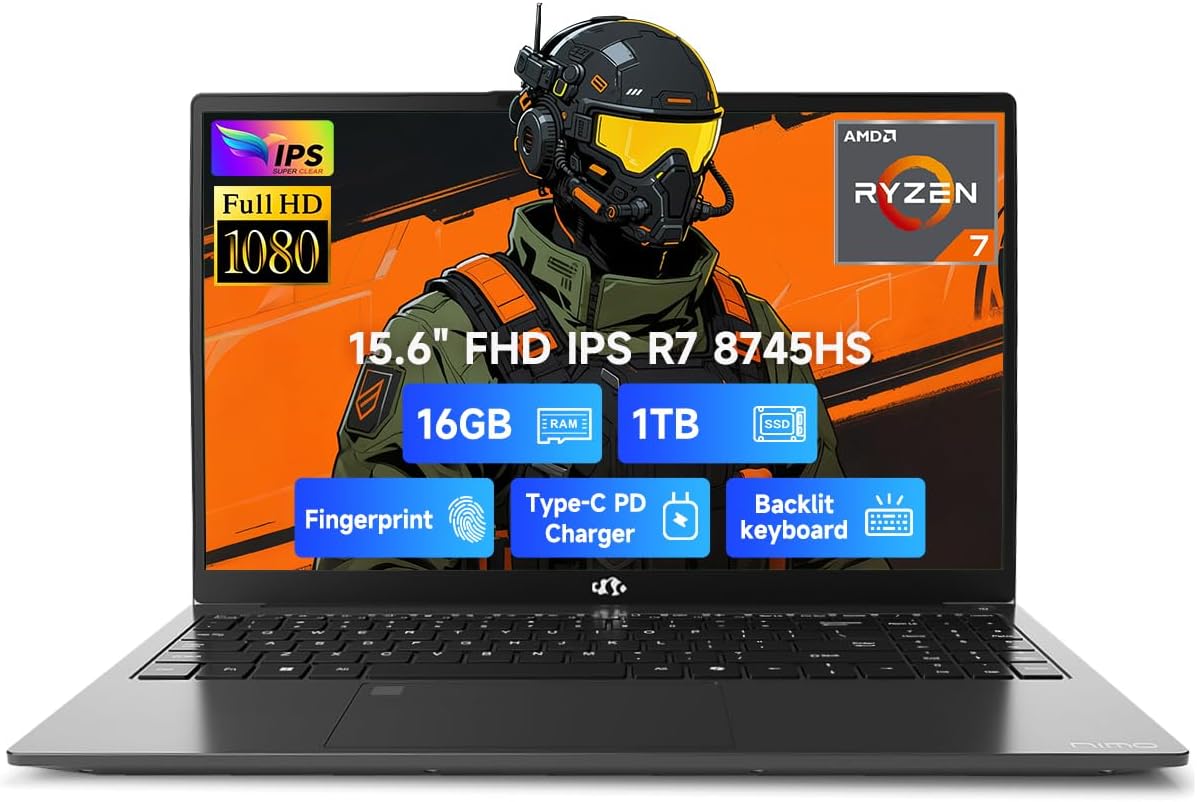
Image 1.1: NIMO 15.6 inch FHD Laptop, showcasing sein schlankes Design und Display.
2. Ersteinrichtung
2.1 Einschalten und Laden
Before first use, ensure your laptop is fully charged. Connect the provided 100W Type-C PD Fast Charger to the USB 4.0 Type-C port on the laptop and to a power outlet. The charging indicator light will illuminate.

Image 2.1: The NIMO laptop connected to its 100W USB-C fast charger, illustrating the charging process and battery capacity.
2.2 Erster Start und Windows 11-Einrichtung
Press the power button to turn on the laptop. Follow the on-screen instructions to complete the initial setup of Windows 11 Home. This includes setting up your region, language, network connection, and user account.
2.3 Fingerabdrucksensor-Einrichtung
For enhanced security, configure the integrated fingerprint sensor. During Windows 11 setup or via Windows Settings > Accounts > Sign-in options, you can register your fingerprint for quick and secure login.

Image 2.2: Close-up of the NIMO laptop's keyboard, highlighting the backlit keys and the integrated fingerprint sensor on the touchpad.
3. Bedienung Ihres Laptops
3.1 Tastatur und Touchpad
The laptop features a full-size keyboard with a numeric keypad and adjustable backlighting for comfortable typing in various lighting conditions. The precision gesture touchpad supports multi-touch gestures for intuitive navigation. The fingerprint sensor is integrated into the touchpad for convenient unlocking.
3.2 Anschlussmöglichkeiten
Your NIMO laptop is equipped with a variety of ports for connecting external devices:
- USB 4.0 Typ C: For high-speed data transfer, video output, and power delivery (charging).
- USB 3.2: Multiple ports for connecting peripherals like external drives and mice.
- USB 2.0: Für Standard-USB-Geräte.
- HDMI: Zum Anschluss an externe Displays oder Projektoren.
- Kopfhöreranschluss: Für Audioausgabe.
- SD-Kartensteckplatz: Zum Auslesen von Speicherkarten.
- Steckplatz für Kensington-Schloss: Zur physischen Sicherheit.
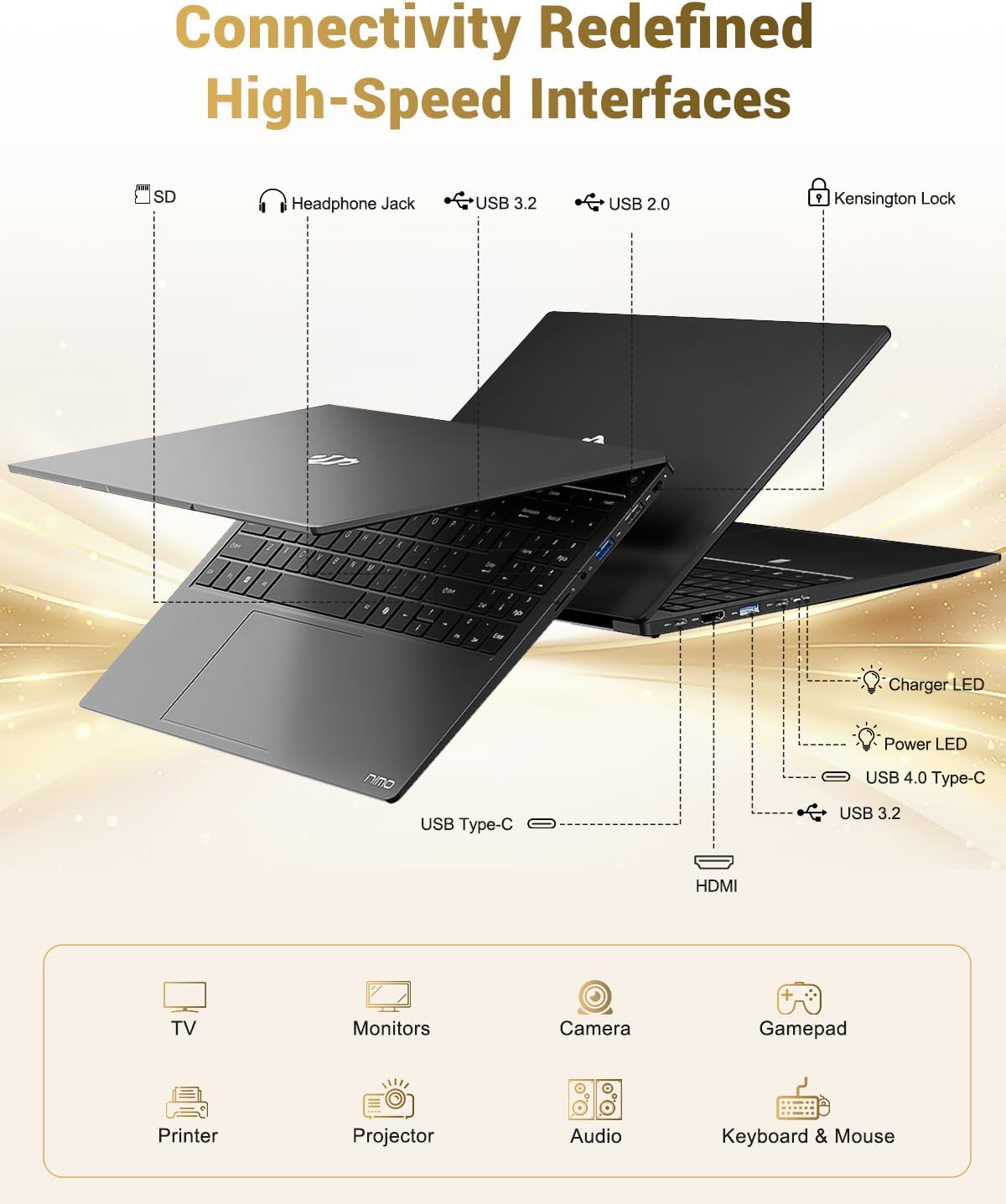
Image 3.1: Diagram illustrating the various input/output ports available on the NIMO laptop, including USB, HDMI, and audio jacks.
3.3 WebCam-Nutzung
Die integrierte 2-MP-Kamera webcam is suitable for video calls and online meetings. For privacy, the laptop includes a physical privacy switch to disable the webKamera, wenn sie nicht verwendet wird.

Image 3.2: A visual representation of the laptop's webcam with an open and closed privacy switch, emphasizing user control over privacy.
4. Wartung und Pflege
4.1 Batteriepflege
The laptop is equipped with a 75Wh Smart Battery, providing an average battery life of 15.5 hours. To prolong battery lifespan:
- Vermeiden Sie extreme Temperaturen.
- Entladen Sie den Akku nicht häufig vollständig.
- If storing the laptop for extended periods, charge it to approximately 50-60%.
4.2 Upgradable Components
The NIMO laptop features an upgradable design, allowing for expansion of memory (DDR5 RAM) and storage (PCIe 4.0 SSD) to meet future needs. Consult a qualified technician for upgrades to avoid damaging components.

Image 4.1: Visual representation of the laptop's multitasking capabilities and ample storage, highlighting 1TB PCIe 4.0 SSD and 16GB DDR5 RAM.
4.3 Reinigung Ihres Laptops
Verwenden Sie ein weiches, fusselfreies Tuch, um den Bildschirm und die Außenflächen zu reinigen. Bei hartnäckigen Flecken dampBefeuchten Sie das Tuch leicht mit Wasser oder einem für Bildschirme geeigneten Reiniger. Vermeiden Sie scharfe Chemikalien oder Scheuermittel.
5. Fehlerbehebung
In diesem Abschnitt werden häufig auftretende Probleme behandelt, die bei Ihrem NIMO-Laptop auftreten können.
5.1 Stromversorgungsprobleme
- Laptop lässt sich nicht einschalten: Ensure the charger is securely connected and the power outlet is functional. If the battery is completely drained, it may take a few minutes of charging before the laptop can power on.
- Akku wird nicht aufgeladen: Verify the Type-C charger and cable are undamaged. Try a different power outlet.
5.2 Anzeigeprobleme
- Bildschirm ist leer: Check if the laptop is powered on. Try connecting an external monitor via HDMI to determine if the issue is with the laptop's display or the graphics output.
- Flackernde oder verzerrte Anzeige: Aktualisieren Sie Ihre Grafiktreiber. Wenn Sie einen externen Monitor verwenden, überprüfen Sie die Kabelverbindung.
5.3 Verbindungsprobleme
- WLAN-Verbindung wird nicht hergestellt: Stellen Sie sicher, dass WLAN in den Windows-Einstellungen aktiviert ist. Starten Sie Ihren Router und Ihren Laptop neu. Prüfen Sie, ob aktualisierte WLAN-Treiber verfügbar sind.
- USB-Geräte werden nicht erkannt: Versuchen Sie, das Gerät an einen anderen USB-Anschluss anzuschließen. Stellen Sie sicher, dass die Gerätetreiber installiert sind.
Sollten Sie auf Probleme stoßen, die hier nicht behandelt werden, konsultieren Sie bitte den Supportbereich.
6. Spezifikationen
Detailed technical specifications for the NIMO 15.6" FHD Laptop (Model N158).
| Besonderheit | Spezifikation |
|---|---|
| Marke | NIMO |
| Modellname | NIMO N158L |
| Artikelmodellnummer | NIMO N158 |
| Bildschirmgröße | 15.6 Zoll |
| Bildschirmauflösung | 1920 x 1080 Pixel (FHD IPS) |
| Prozessor | AMD Ryzen 7 8745HS (8 Kerne, 16 Threads, bis zu 4.9 GHz) |
| RAM | 16 GB DDR5 (4800 MHz) |
| Festplatte | 1024 GB SSD (PCIe 4.0) |
| Grafik-Coprozessor | AMD Radeon 780M (integriert) |
| Betriebssystem | Windows 11 Home |
| Kabelloser Typ | 802.11a/b/g/n/ac |
| USB-Anschlüsse | 1 x USB 2.0, 3 x USB 3.0, 1 x USB 4.0 Typ-C |
| Durchschnittliche Akkulaufzeit | 15.5 Stunden (75 Wh) |
| Artikelgewicht | 3.8 Pfund |
| Technische Daten | 14.07 x 8.98 x 0.76 Zoll |
| Farbe | Schwarz |
| Hinteren Webcam Auflösung | 2 Megapixel |
| Besondere Merkmale | Tastatur mit Hintergrundbeleuchtung, Fingerabdruckleser, HD-Audio, Ziffernblock |

Image 6.1: The NIMO laptop's 15.6-inch FHD IPS display, emphasizing clear visuals and screen size.

Image 6.2: Close-up of the AMD Ryzen 7 8745HS processor, detailing its 8 cores, 16 threads, and 4.9GHz boost clock.
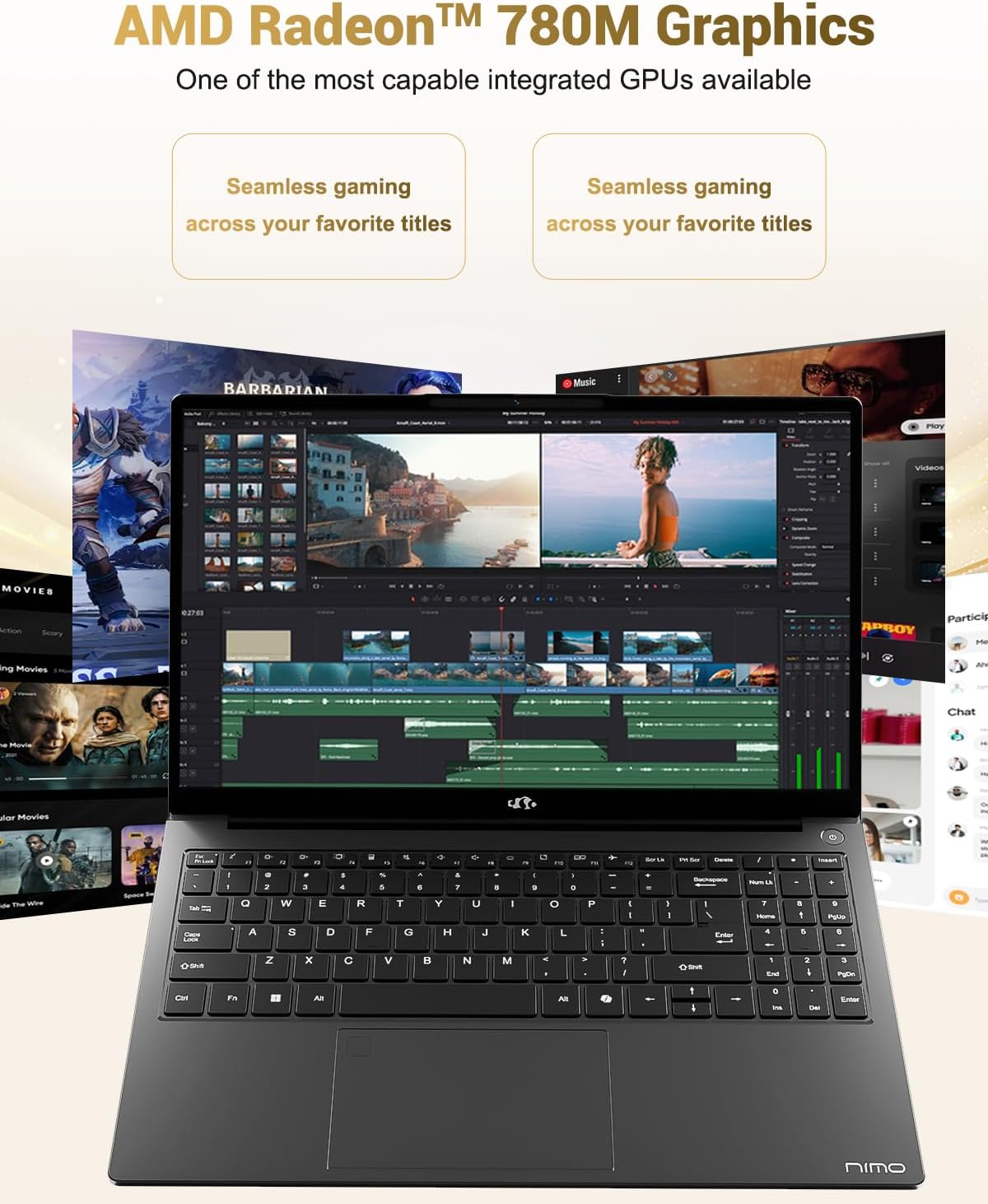
Image 6.3: The AMD Radeon 780M Graphics, highlighting its capability for seamless gaming and creative tasks.
7. Garantieinformationen
Ihr NIMO-Laptop wird mit einem 2 Jahr Garantie from the date of purchase. This warranty covers manufacturing defects and hardware malfunctions under normal use. Additionally, NIMO offers a 90-Tage-Rückgaberecht ohne Probleme für Ihre Bequemlichkeit.
For warranty claims or return inquiries, please contact our customer support team using the information provided in the Support section.

Image 7.1: Icon representing 2-year support for NIMO products.

Image 7.2: Icon representing the 90-day return policy for NIMO products.
8. Kundendienst
NIMO is committed to providing excellent customer service. Our dedicated support team is available to assist you with any questions or issues you may have.
Kontaktinformationen
- E-Mail: service@nimopc.com
- Servicezeiten: 24-hour service available
For quick solutions and a worry-free experience, please reach out to us. We are ready to provide professional assistance.

Image 8.1: Illustration of professional customer assistance, indicating support availability.


