1. Einleitung
This manual provides essential information for setting up, operating, maintaining, and troubleshooting your NIMO N158 15.6-inch laptop. Please read this manual thoroughly before using your device to ensure optimal performance and longevity.
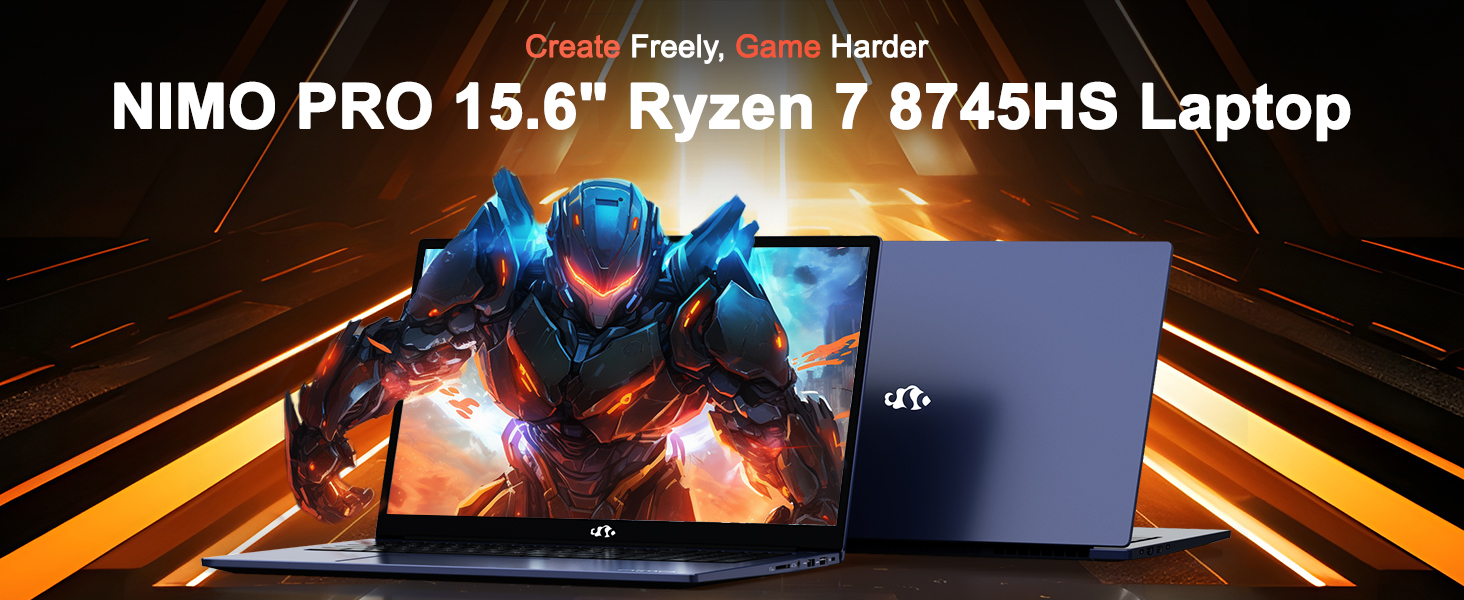
Image: The NIMO N158 15.6-inch laptop, showcasing sein Design und seine wichtigsten Merkmale.
2. Produktüberschreitungview
The NIMO N158 is a high-performance laptop designed for productivity and entertainment. It features an AMD Ryzen 7 8745HS processor, 64GB DDR5 RAM, and a 1TB PCIe 4.0 SSD.
2.1 Schlüsselkomponenten
- Prozessor: AMD Ryzen 7 8745HS (8 Kerne, 16 Threads, bis zu 4.9 GHz)
- Grafik: AMD Radeon 780M Integrated Graphics
- Erinnerung: 64 GB DDR5 RAM (4800 MHz)
- Lagerung: 1 TB PCIe 4.0 SSD
- Anzeige: 15.6-Zoll Full HD (1920x1080) IPS-Display mit Antireflexbeschichtung
- Betriebssystem: Windows 11 Home
- Batterie: 75 Wh Lithium-Polymer-Akku
2.2 Anschlüsse und Schnittstellen
The NIMO N158 laptop offers a variety of ports for connectivity:

Image: Diagram illustrating the various ports and interfaces on the NIMO N158 laptop.
- 1 x USB 2.0-Anschluss
- 3 x USB 3.0-Anschlüsse
- 1 x USB 4.0 Type-C Port (with 100W PD fast charging support)
- 1 x HDMI-Anschluss
- 1 x Kopfhörerbuchse
- 1 x SD-Kartenleser
- 1 x Steckplatz für Kensington-Schloss
3. Einrichtung
3.1 Erstes Einschalten und Laden
- Unpack the laptop and the included 100W Type-C PD Fast Charger.
- Connect the charger to the USB Type-C port on the laptop and to a power outlet. The Charger LED will illuminate.
- Lassen Sie den Laptop vor der ersten Benutzung mindestens 30 Minuten lang aufladen oder bis die Akkuanzeige einen ausreichenden Ladestand anzeigt.
- Drücken Sie den Netzschalter, um den Laptop einzuschalten.

Image: The NIMO N158 laptop connected to its 100W Type-C fast charger, illustrating the charging process.
3.2 Einrichten des Betriebssystems
Upon first boot, you will be guided through the Windows 11 Home setup process. Follow the on-screen instructions to configure your language, region, network connection, and user account.
3.3 Einrichtung des Fingerabdrucklesers
For enhanced security, set up the integrated fingerprint reader during the Windows 11 setup or later via Windows Settings > Accounts > Sign-in options. This allows for quick and secure login.
4. Bedienungsanleitung
4.1 Tastatur und Touchpad
- Tastatur mit Hintergrundbeleuchtung: The keyboard features backlighting for comfortable typing in low-light conditions. Use the designated function key (Fn + F key combination, typically) to adjust brightness or toggle the backlight.
- Numerische Tastatur: Für eine effiziente Dateneingabe ist ein separater Ziffernblock vorhanden.
- Precision Gesture Touchpad: Das Touchpad unterstützt Multi-Touch-Gesten zur Navigation. Informationen zum Anpassen der Touchpad-Gesten finden Sie in den Windows-Einstellungen.

Image: A user interacting with the NIMO N158 laptop, highlighting the backlit keyboard and fingerprint reader on the touchpad.
4.2 Anzeige
The 15.6-inch Full HD IPS anti-glare display provides clear and vibrant visuals. Adjust display settings (resolution, brightness, color) through Windows Display Settings.

Image: The NIMO N158 laptop displaying a vibrant image on its 15.6-inch Full HD IPS screen, emphasizing visual quality.
4.3 WebNocken
Der Laptop verfügt über eine 2-MP-Kamera. webcam. For privacy, a physical webcam shield or switch is integrated. Ensure the webcam is open when in use and closed when not needed.

Image: A visual representation of the NIMO N158 laptop's privacy-focused camera, showing the open and closed states of the webNockenschalter.
4.4 Leistung und Multitasking
The AMD Ryzen 7 8745HS processor and 64GB DDR5 RAM provide robust performance for demanding tasks, content creation, and gaming. The 1TB PCIe 4.0 SSD ensures fast boot times and application loading.

Image: A close-up of the AMD Ryzen 7 8745HS processor chip, highlighting its core specifications.
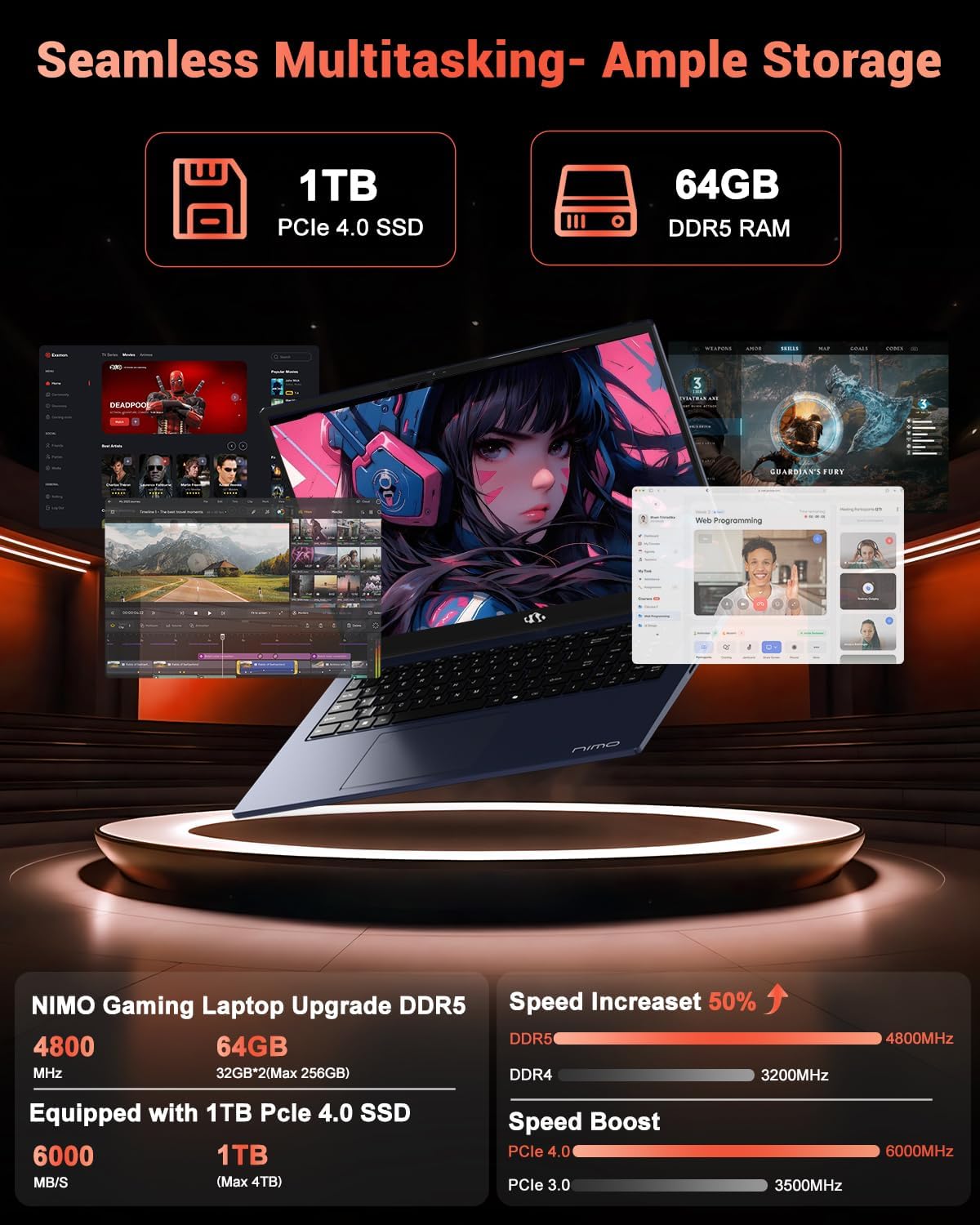
Image: The NIMO N158 laptop displaying multiple applications open, demonstrating its multitasking capabilities with 64GB RAM and 1TB SSD.
5. Wartung
5.1 Allgemeine Pflege
- Halten Sie den Laptop sauber, indem Sie die Oberflächen mit einem weichen, trockenen Tuch abwischen.
- Vermeiden Sie es, den Laptop extremen Temperaturen, direkter Sonneneinstrahlung oder Feuchtigkeit auszusetzen.
- Stellen Sie keine schweren Gegenstände auf den Laptop.
- Sorgen Sie für eine ausreichende Belüftung, indem Sie die Lüftungsschlitze nicht blockieren.
5.2 Aufrüstbarkeit
The NIMO N158 features an upgradable design, allowing for expansion of memory (RAM) and storage (SSD). Consult a qualified technician or refer to official NIMO support resources before attempting any internal upgrades to avoid voiding your warranty.
6. Fehlerbehebung
If you encounter issues with your NIMO N158 laptop, consider the following basic troubleshooting steps:
- Kein Strom: Vergewissern Sie sich, dass das Ladegerät fest angeschlossen und die Steckdose funktionsfähig ist. Versuchen Sie es mit einer anderen Steckdose.
- Anzeigeprobleme: Check external display connections if using one. Adjust screen brightness. Restart the laptop.
- Langsame Leistung: Schließen Sie unnötige Anwendungen. Prüfen Sie, ob Hintergrundaktualisierungen verfügbar sind. Stellen Sie sicher, dass ausreichend Speicherplatz frei ist.
- Verbindungsprobleme: Restart your Wi-Fi router. Reconnect to the Wi-Fi network. Update network drivers.
- System friert ein: Zum erzwungenen Herunterfahren den Netzschalter 10-15 Sekunden lang gedrückt halten und anschließend neu starten.
For persistent issues, refer to the NIMO support webWebsite oder wenden Sie sich an den Kundendienst.
7. Spezifikationen
| Besonderheit | Spezifikation |
|---|---|
| Marke | NIMO |
| Modellname | NIMO N158B |
| Bildschirmgröße | 15.6 Zoll |
| Bildschirmauflösung | 1920 x 1080 Pixel (FHD IPS) |
| Prozessor | AMD Ryzen 7 8745HS (bis zu 4.9 GHz) |
| RAM | 64 GB DDR5 (4800 MHz) |
| Festplatte | 1024 GB SSD (PCIe 4.0) |
| Grafik-Coprozessor | AMD Radeon 780M |
| Betriebssystem | Windows 11 Home |
| Kabelloser Typ | 802.11a/b/g/n/ac (Wi-Fi 6E) |
| USB 2.0-Anschlüsse | 1 |
| USB 3.0-Anschlüsse | 3 |
| USB 4.0 Typ-C-Anschlüsse | 1 |
| Durchschnittliche Akkulaufzeit | 15.5 Stunden |
| Artikelgewicht | 3.8 Pfund |
| Technische Daten | 14.07 x 8.98 x 0.76 Zoll |
| Besondere Merkmale | Tastatur mit Hintergrundbeleuchtung, Fingerabdruckleser, HD-Audio, Ziffernblock |
8. Garantie und Support
NIMO is committed to providing excellent customer service and product support.
8.1 Garantieinformationen
Ihr NIMO N158 Laptop wird mit einem 2 Jahr Garantie Diese Garantie gilt ab Kaufdatum und deckt Herstellungsfehler und Hardwaredefekte bei normalem Gebrauch ab. Bitte bewahren Sie Ihren Kaufbeleg für Garantieansprüche auf.

Image: A technician performing maintenance on a laptop, representing the 2-year support provided by NIMO.
8.2 Rückgaberecht
NIMO bietet ein 90-Tage-Rückgaberecht ohne Probleme. If you are not satisfied with your purchase, you may return the product within 90 days from the date of purchase. Please refer to the official NIMO return policy for detailed terms and conditions.

Image: A delivery person handing a package to a customer, illustrating the 90-day return policy.
8.3 Kundendienst
Our dedicated support team is available to assist you with any questions or issues. You can reach us via:
- E-Mail: service@nimopc.com
- Online: Besuchen Sie die offizielle NIMO-Website. webWebsite mit häufig gestellten Fragen und Support-Ressourcen.
We strive to provide quick solutions and a worry-free experience.

Image: Customer service representatives wearing headsets, representing professional customer assistance.


