Einführung
Thank you for choosing the LiNKFOR USB Gaming Microphone ULK113. This microphone is designed to provide clear audio for gaming, streaming, podcasting, and online communication. It features dynamic RGB lighting, one-tap noise cancellation, reverb effects, real-time gain control, and zero-latency monitoring. This manual will guide you through the setup, operation, and maintenance of your new microphone.
Packungsinhalt
Bitte stellen Sie sicher, dass alle Artikel vorhanden sind, bevor Sie mit der Einrichtung fortfahren:
- LiNKFOR USB Gaming Microphone
- Desktop-Ständer
- Stoßdämpferhalterung
- Pop-Filter
- USB-C-auf-USB-A-Kabel
- USB-A zu USB-C Adapter

Image: All components included in the LiNKFOR USB Gaming Microphone package.
Installationsanweisungen
- Montieren Sie den Desktop-Ständer: Screw the microphone stand pole into the weighted base until secure.
- Stoßdämpferhalterung anbringen: Screw the shock mount onto the top of the stand pole.
- Mikrofon einsetzen: Gently place the LiNKFOR USB Gaming Microphone into the shock mount. Ensure it is seated securely.
- Bringen Sie den Popfilter an: Clip the pop filter onto the shock mount, positioning it in front of the microphone's grille.
- Mit Gerät verbinden:
- Verbinden Sie das USB-C-Ende des mitgelieferten Kabels mit dem USB-C-Anschluss des Mikrofons.
- Connect the USB-A end of the cable to an available USB port on your PC, PS4/PS5, or Mac.
- For Android devices with OTG support, use the included USB-A to USB-C adapter to connect the microphone cable to your phone.
- Plug & Play: The microphone is plug-and-play, requiring no additional drivers for most compatible operating systems. Your device should automatically recognize the microphone.
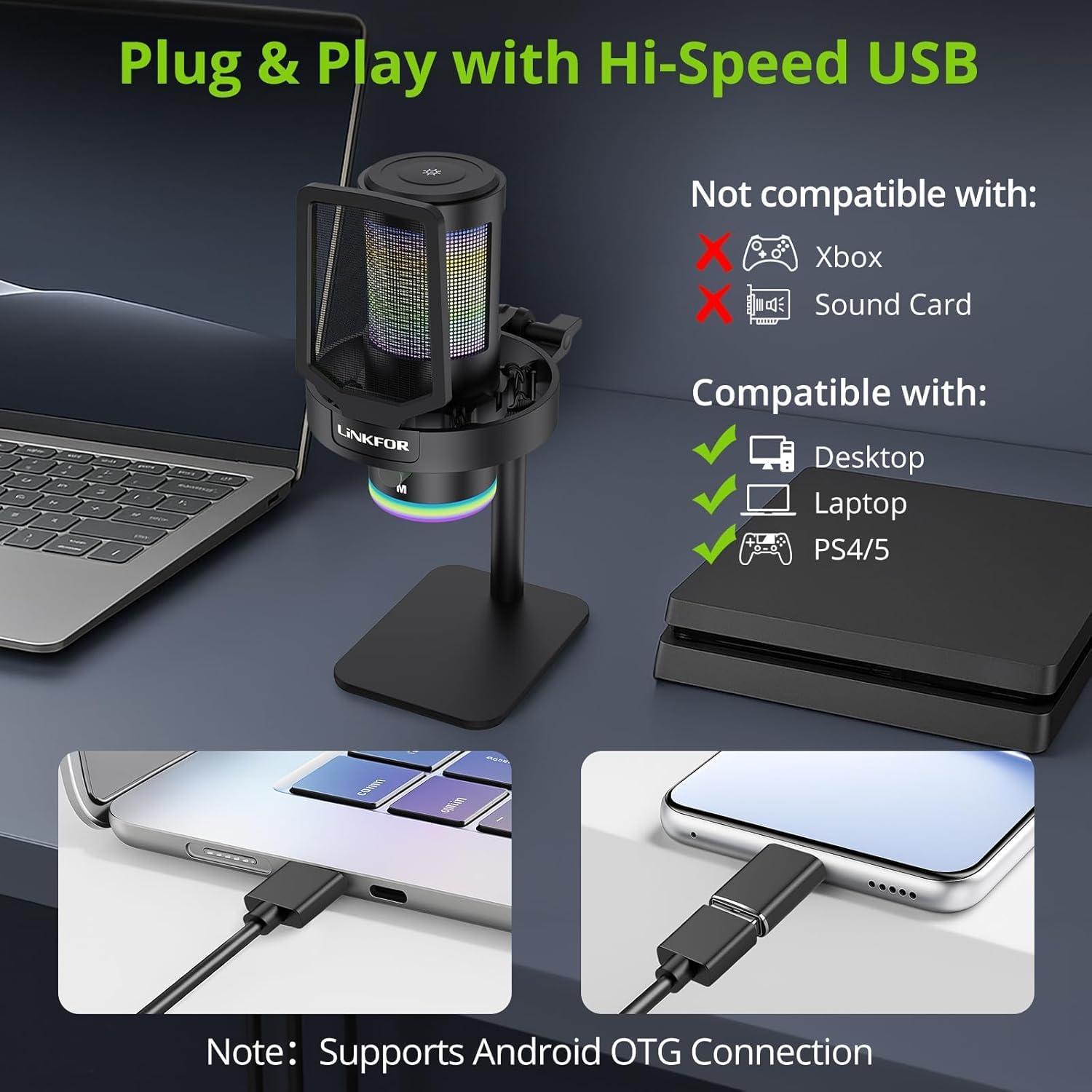
Image: The LiNKFOR USB Gaming Microphone connected to a laptop, demonstrating its plug-and-play functionality.
Video: Ein überview of the LiNKFOR USB Gaming Microphone, demonstrating its features and ease of use.
Bedienungsanleitung
1. Dynamic RGB Lights & Touch Control
- Change RGB Modes: Touch the top of the microphone to cycle through various vibrant RGB lighting modes or solid colors.
- Lichter ausschalten: Long-press the top of the microphone to turn off the RGB lights.
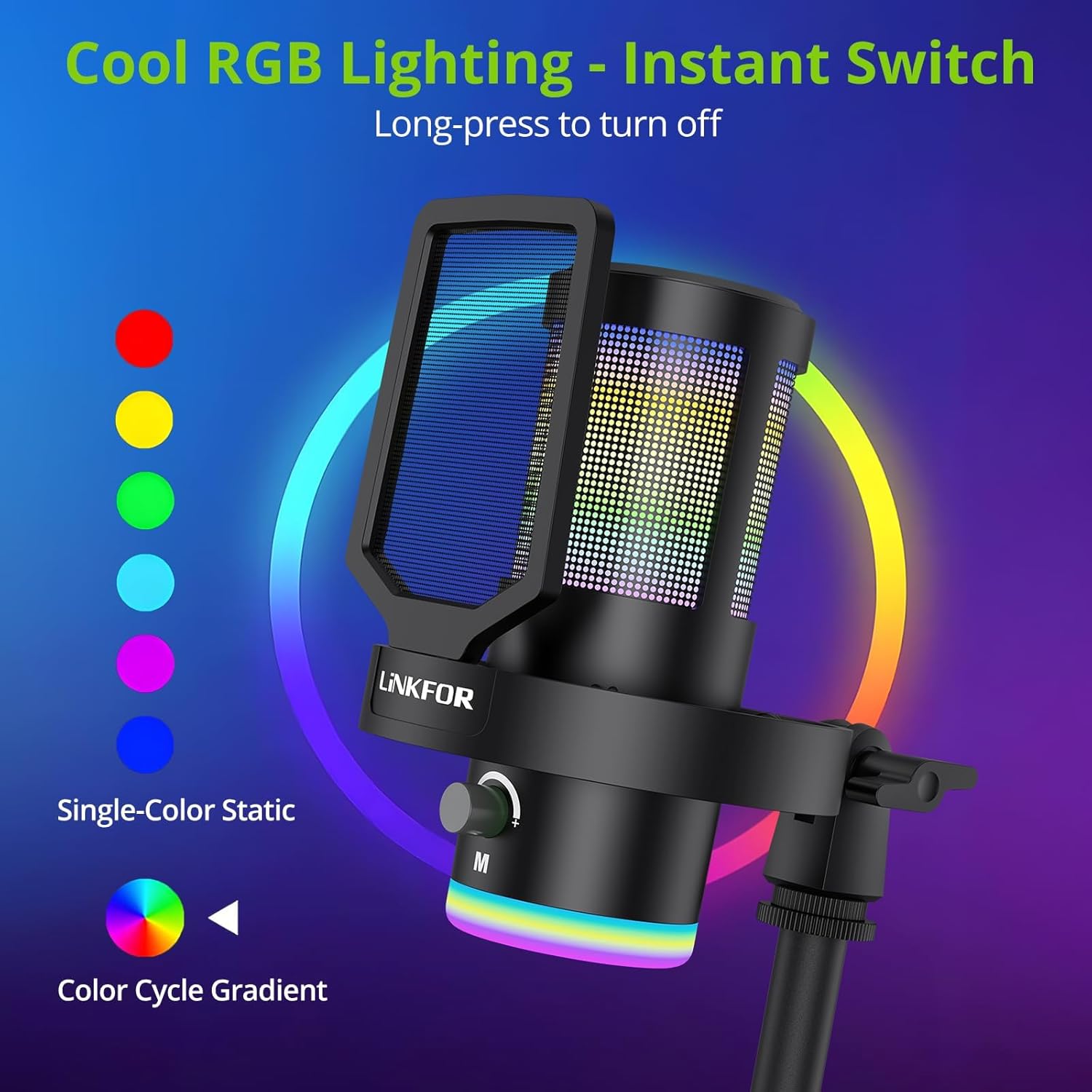
Bild: Das Mikrofon zeigtasing seine dynamischen RGB-Lichteffekte.
2. Studio Voice Clarity + One-Tap Noise Cancellation
- The professional cardioid capsule captures your voice clearly.
- Geräuschunterdrückung aktivieren: Use the dedicated one-tap smart noise cancellation feature to reduce background sounds like fan noise, AC hum, or keyboard clicks.

Image: Visual representation of the microphone's noise reduction capabilities.
3. Reverb Effects & Real-Time Gain Control
- Reverb Button: Use the dedicated reverb button to add depth to your audio.
- Gain-Regler: Adjust the gain knob to fine-tune the input volume in real-time, preventing audio clipping or low volume during live sessions.
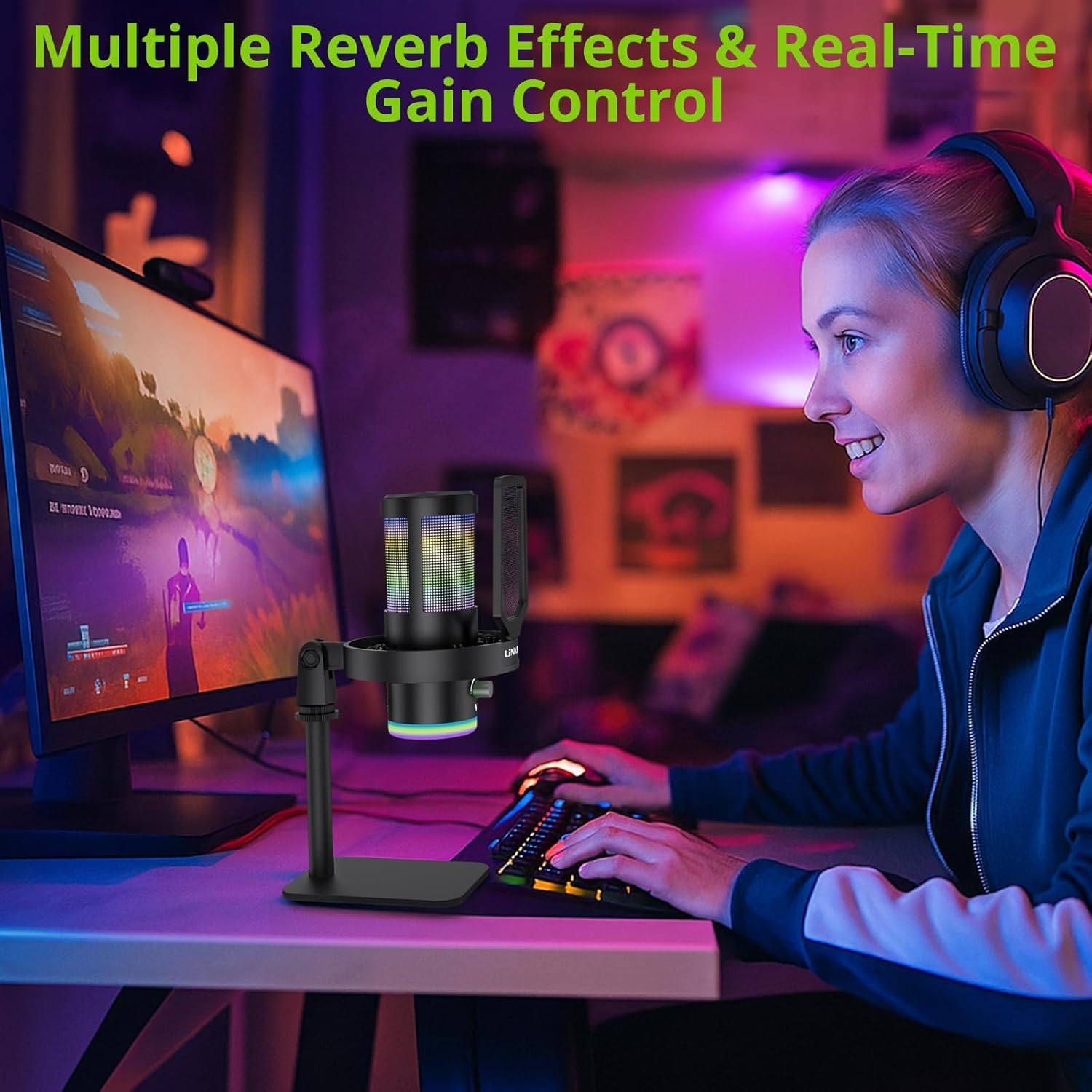
Image: A user operating the microphone with its reverb and gain control features.
4. Instant Mute + Zero-Delay Monitoring
- Stummschaltfläche: A touch-sensitive mute button allows for instant silencing of the microphone.
- 3.5mm Kopfhörerbuchse: Plug in headphones to the 3.5mm jack for real-time, zero-latency monitoring of your audio. A dedicated volume dial controls headphone output.
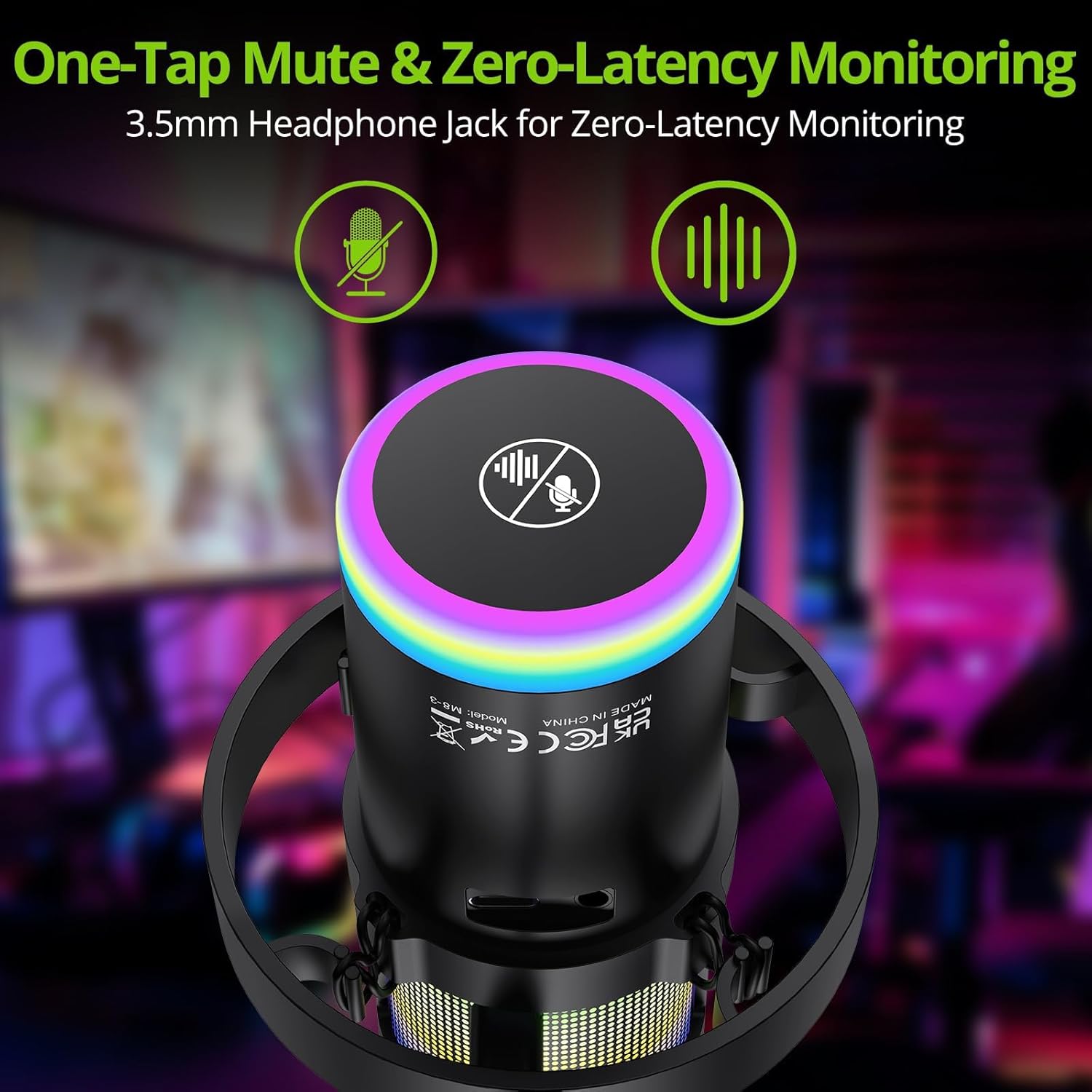
Image: Close-up of the microphone's top, highlighting the mute button and headphone jack for monitoring.
5. Kontrollen überview

Image: A detailed diagram illustrating the various controls on the LiNKFOR USB Gaming Microphone, including the RGB lighting touch control, 3.5mm headphone jack, USB-C port, and volume/mode knob.
Kompatibilität
The LiNKFOR USB Gaming Microphone is designed for broad compatibility:
- Kompatibel mit: PC (Windows), Mac, PS4, PS5, Android (OTG-capable phones).
- Nicht kompatibel mit: Xbox, dedicated sound cards (may interfere with plug-and-play functionality).
Wartung
- Reinigung: Use a soft, dry cloth to clean the microphone's exterior. Do not use liquid cleaners or solvents.
- Lagerung: Bewahren Sie das Mikrofon bei Nichtgebrauch an einem kühlen, trockenen Ort fern von direkter Sonneneinstrahlung und extremen Temperaturen auf.
- Handhabung: Vermeiden Sie es, das Mikrofon fallen zu lassen oder starken Stößen auszusetzen, da dies die internen Komponenten beschädigen kann.
Fehlerbehebung
| Problem | Mögliche Ursache | Lösung |
|---|---|---|
| Kein Ton vom Mikrofon | Incorrect device selection; loose cable connection; microphone muted. | Check your device's sound settings to ensure the LiNKFOR microphone is selected as the input device. Reconnect the USB cable. Ensure the microphone is not muted (check the mute button/indicator). |
| RGB-Lichter funktionieren nicht | Lights turned off; power issue. | Touch the top of the microphone to cycle through lighting modes. Long-press to turn them on/off. Ensure the microphone is properly connected and receiving power. |
| Audio is distorted or too quiet | Gain setting too high/low; microphone too close/far from source. | Adjust the gain knob on the microphone. Check your device's input volume settings. Position the microphone appropriately (typically 6-12 inches from the sound source). |
| Kopfhörer-Monitoring funktioniert nicht | Headphones not properly connected; headphone volume too low. | Ensure headphones are fully plugged into the 3.5mm jack. Adjust the headphone volume dial on the microphone. |
Technische Daten
| Besonderheit | Detail |
|---|---|
| Modellnummer | ULK113 |
| Konnektivitätstechnologie | USB Typ C |
| Mikrofontyp | Condenser, Cardioid |
| Signal-Rausch-Verhältnis | 85 dB |
| Besondere Merkmale | RGB Lighting, Noise Cancellation, Mute Button, Volume Control, Headphone Jack, Reverb Effects |
| Kompatible Geräte | PC, PS4/PS5, Mac, Android (OTG) |
| Artikelgewicht | 1.14 Pfund |
| Technische Daten | 7.28 x 4.53 x 4.33 Zoll |
| Material | Plastik |
Garantie und Support
For warranty information or technical support, please refer to the official LiNKFOR webBesuchen Sie die Website oder kontaktieren Sie den Kundenservice. Bewahren Sie Ihren Kaufbeleg für eventuelle Garantieansprüche auf.
Besuchen Sie die LiNKFOR Store auf Amazon für weitere Informationen und Supportressourcen.


